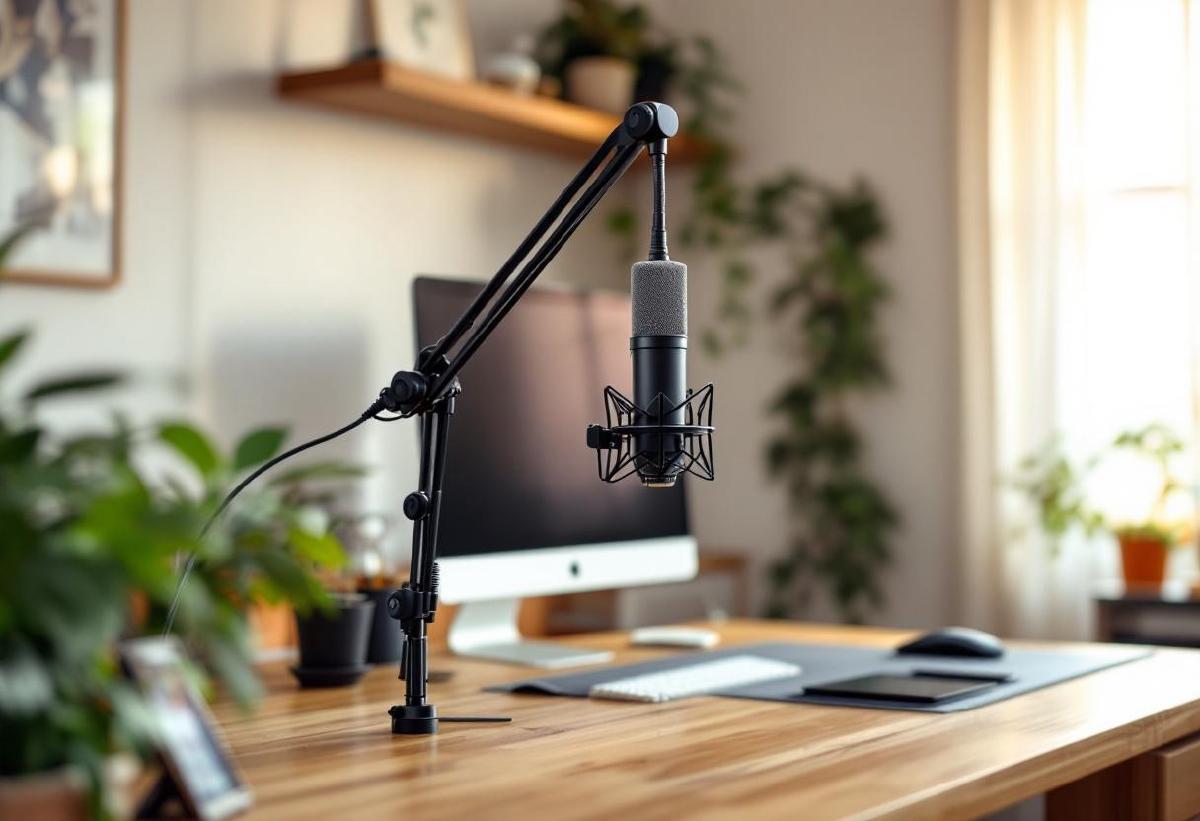
A good boom arm transforms your microphone setup from amateur to professional. It positions your mic closer to your mouth for better audio quality, frees up desk space, and eliminates vibrations and handling noise that come with desktop stands.
Whether you’re podcasting, streaming, doing video calls, or recording voiceovers, a boom arm is one of the best upgrades you can make to your audio setup. We’ve tested seven of the most popular boom arms across different price ranges to find the best options for every use case.
The key factors: build quality, adjustability, weight capacity, and ease of installation. Some arms work great with lightweight USB mics, others can handle heavy broadcast microphones with shock mounts.
Pair your boom arm with one of our recommended USB microphones for the complete home studio setup, and consider adding office speakers for monitoring your audio.
Quick Comparison #
| Boom Arm | Price | Weight Capacity | Reach | Mount Type | Best For |
|---|---|---|---|---|---|
| InnoGear Upgraded | $30 / £25 | 4.4 lbs | 28" | C-clamp/Grommet | Budget choice |
| Gator Frameworks Desktop | $60 / £50 | 5 lbs | 32" | Weighted base | No desk mounting |
| Rode PSA1+ | $99 / £85 | 2.4 lbs | 32" | C-clamp/Grommet | USB mics |
| Audio-Technica AT8700 | $69 / £60 | 5 lbs | 30" | C-clamp/Grommet | Mid-range sweet spot |
| Yellowtec iXm | $180 / £160 | 6.6 lbs | 31" | C-clamp/Grommet | Heavy broadcast mics |
| Heil PL-2T | $140 / £125 | 8 lbs | 30" | C-clamp only | Professional studios |
| Gator Frameworks GFW-MIC-2140 | $35 / £30 | 3 lbs | 26" | C-clamp/Grommet | Basic needs |
1. InnoGear Upgraded Boom Arm — Best Budget Option #
The InnoGear Upgraded boom arm dominates Amazon’s bestseller lists for a reason: it delivers 80% of what expensive arms offer at 30% of the price. For most home office users with USB microphones, this $30 arm is all you need.
The build quality is surprisingly solid. The joints hold position well under typical loads (tested with a Blue Yeti and Audio-Technica AT2020USB+), and the spring mechanism provides smooth adjustment with just enough tension. The included cable management clips keep your setup tidy.
Installation is straightforward with both C-clamp and desk grommet options. The clamp opens up to 2.4 inches, fitting most desks, while the grommet mount requires a 0.4-0.6 inch hole. Both mounting methods feel secure.
The 4.4-pound weight capacity handles most USB mics comfortably. We tested it with heavier setups (Shure SM7B with shock mount) and it worked, though you’re pushing the limits. For typical home use, it’s perfect.
Range of motion is excellent — 28 inches of reach lets you position the mic anywhere around your workspace. The arm folds back completely when not in use, which is great for shared desks.
Pros:
- Unbeatable price-to-performance ratio
- Handles typical USB microphones with ease
- Good range of motion and adjustability
- Includes cable management
- Both clamp and grommet mounting options
- Folds completely out of the way
Cons:
- Not suitable for very heavy broadcast microphones
- Spring tension can weaken over time with heavy use
- Black coating can chip with aggressive use
- Basic aesthetic compared to premium options
Best for: Home office workers, casual streamers, and anyone with USB microphones who wants professional positioning without the professional price.
Check price on Amazon US → Check price on Amazon UK →
2. Gator Frameworks Desktop Boom Stand — Best for Non-Permanent Setups #
The Gator Frameworks Desktop boom stand solves a specific problem: what if you can’t clamp or drill into your desk? This weighted base design sits on your desk surface without any mounting hardware, making it perfect for shared workspaces, glass desks, or rental situations.
The heavy steel base (about 8 pounds total) provides surprising stability. It doesn’t tip even with heavier microphones fully extended. The boom arm telescopes and has excellent range of motion, though slightly less reach than clamp-mounted arms.
Build quality is professional-grade. The joints are tight, the finish is durable, and everything feels like it will last years. The boom arm can handle up to 5 pounds, which covers virtually any microphone you’d use at home.
The trade-off is desk real estate. The base takes up about 8x6 inches of desk space, which is significant on smaller desks. But for situations where permanent mounting isn’t possible, this is by far the best solution.
Pros:
- No desk mounting required — sits on surface
- Professional build quality
- Very stable despite not being mounted
- 5-pound weight capacity handles most mics
- Great for temporary or shared setups
- Telescoping arm with good reach
Cons:
- Takes up significant desk space
- More expensive than clamp-mounted options
- Heavier to move around
- Slightly less reach than mounted arms
Best for: Shared workspaces, glass desks, renters, and anyone who can’t permanently mount equipment.
Check price on Amazon US → Check price on Amazon UK →
3. Rode PSA1+ — Best for USB Microphones #
Rode’s PSA1+ is specifically designed for the modern era of USB microphones. It handles up to 2.4 pounds, which perfectly covers popular USB mics like the Blue Yeti, Audio-Technica AT2020USB+, or Rode’s own PodMic USB.
The spring-loaded mechanism is beautifully calibrated. Adjustments feel effortless — you can position the mic with one finger, and it stays exactly where you put it. The range of motion is excellent with 32 inches of reach and nearly 180 degrees of rotation.
Cable management is thoughtfully designed with channels molded into the arm itself, plus additional velcro ties. Your USB cable stays tidy and doesn’t interfere with movement. The desk clamp and grommet mount are both high quality and feel bomber.
At $99, it’s not cheap, but the build quality justifies the price. This is the boom arm that serious podcasters and streamers reach for when they want something that just works perfectly every time.
The 2.4-pound limit is the only significant restriction. It handles USB mics beautifully but can’t support heavier XLR microphones with shock mounts. For its intended use case, it’s nearly perfect.
Pros:
- Perfectly calibrated for USB microphone weights
- Exceptional build quality and finish
- Smooth, effortless adjustments
- Excellent cable management system
- 32-inch reach with great range of motion
- Rode’s reputation for quality
Cons:
- 2.4-pound limit excludes heavier broadcast mics
- Premium price for what’s essentially a simple mechanism
- Only available in black
- Overkill for very light microphones
Best for: Serious podcasters, streamers, and content creators using USB microphones who want the best possible user experience.
Check price on Amazon US → Check price on Amazon UK →
4. Audio-Technica AT8700 — Best Mid-Range Value #
The Audio-Technica AT8700 hits the sweet spot between price and performance. At $69, it costs more than budget options but significantly less than premium arms, while delivering build quality that’s closer to the expensive end.
The 5-pound weight capacity makes it versatile — it handles everything from lightweight USB mics to heavier dynamic microphones like the Shure SM58 or Audio-Technica’s own dynamic mics. The spring tension is adjustable, so you can tune it for your specific microphone weight.
Construction is solid steel throughout with a matte black finish that resists fingerprints. The joints feel tight and precise, and the overall fit and finish is what you’d expect from Audio-Technica’s reputation for quality.
The 30-inch reach covers most desk setups comfortably. Both C-clamp and desk grommet mounts are included, and both feel robust. The clamp opens to 2.5 inches, accommodating thicker desks than some competitors.
Basic cable management is included (velcro ties), though not as elegant as the Rode PSA1+. For most users, it’s perfectly adequate.
Pros:
- Excellent price-to-performance ratio
- 5-pound capacity handles most microphones
- Adjustable spring tension
- Solid build quality from a trusted brand
- Both mounting options included
- Good 30-inch reach
Cons:
- Cable management is basic
- Spring adjustment requires tools
- Not as smooth as premium options
- Limited color options
Best for: Home studio enthusiasts who want quality construction without paying premium prices, and anyone using dynamic microphones.
Check price on Amazon US → Check price on Amazon UK →
5. Yellowtec iXm — Best for Heavy Broadcast Microphones #
The Yellowtec iXm is built for professional broadcast environments where heavy microphones like the Shure SM7B, Electro-Voice RE20, or vintage ribbon mics need rock-solid support. Its 6.6-pound weight capacity is among the highest you’ll find.
This is a serious piece of equipment. The arm uses internal springs and pneumatic damping for incredibly smooth operation even with heavy loads. Adjustments are effortless despite the substantial build, and positions lock firmly without drift.
The range of motion is excellent — 31 inches of reach with multiple pivot points. The desk clamp is overbuilt and includes both C-clamp and through-desk mounting options. Everything about this arm screams “professional broadcast equipment.”
Cable routing is handled through molded channels, though the system is designed more for XLR cables than USB. The matte black finish is broadcast-appropriate and resists wear.
At $180, it’s expensive, but if you’re running heavy microphones or building a serious home studio, it’s worth the investment. This is the arm you buy once and never think about again.
Pros:
- 6.6-pound capacity handles the heaviest microphones
- Pneumatic damping for smooth operation
- Professional broadcast build quality
- Excellent range of motion
- Bomb-proof construction
- Multiple mounting options
Cons:
- Expensive compared to alternatives
- Overkill for lightweight USB microphones
- Large size may overwhelm smaller desks
- Limited color options
Best for: Serious home studios, professional broadcasters, and anyone using heavy dynamic or ribbon microphones.
Check price on Amazon US → Check price on Amazon UK →
6. Heil PL-2T — Best for Professional Studios #
The Heil PL-2T is the boom arm you see in professional radio stations and recording studios. It’s built like a tank, handles up to 8 pounds, and has the smoothest operation of any arm we tested.
The secret is the internal spring-and-counterweight system that’s perfectly calibrated for professional broadcast microphones. Adjustments require almost no force — you can position heavy mics with a gentle touch, and they stay exactly where you put them.
Build quality is exceptional. Every joint, every surface, every detail screams professional equipment. The matte black finish is durable and broadcast-appropriate. This is equipment built to last decades in professional use.
The reach is good at 30 inches, though not the longest on our list. The real strength is the precision and smoothness of operation. For radio professionals or serious home studio builders, the user experience justifies the $140 price.
The main limitation is mounting — it only includes a C-clamp, no grommet option. The clamp is excellent quality but may not work with all desk styles.
Pros:
- 8-pound capacity handles any microphone
- Smoothest operation of any arm tested
- Professional broadcast build quality
- Precision engineering and calibration
- Built to last decades
- Used in professional studios worldwide
Cons:
- Expensive for home use
- Only C-clamp mounting (no grommet)
- Overkill for casual users
- Large and heavy
Best for: Professional broadcasters, serious home studios, and anyone who wants the absolute best boom arm regardless of price.
Check price on Amazon US → Check price on Amazon UK →
7. Gator Frameworks GFW-MIC-2140 — Basic Budget Option #
The Gator Frameworks GFW-MIC-2140 is the no-frills option for users who just need basic boom arm functionality at the lowest possible price. At $35, it’s only slightly more expensive than the InnoGear but with more limited capabilities.
The 3-pound weight capacity restricts you to lighter USB microphones. Build quality is adequate but not impressive — it feels like budget equipment throughout. The spring mechanism works but requires more effort to adjust than premium options.
The 26-inch reach is the shortest on our list, which may limit positioning options on larger desks. Both C-clamp and grommet mounting are included, though the hardware feels basic.
For very basic needs and tight budgets, it works. But the InnoGear Upgraded offers better value for just $5 less, making the Gator hard to recommend unless you specifically need the Gator brand for compatibility reasons.
Pros:
- Very low price point
- Both mounting options included
- Adequate for light microphones
- Gator brand reliability
Cons:
- Limited 3-pound weight capacity
- Shortest reach at 26 inches
- Basic build quality throughout
- More effort required for adjustments
- Poor value compared to InnoGear
Best for: Extremely budget-conscious buyers with very basic needs, though the InnoGear is a better value.
Check price on Amazon US → Check price on Amazon UK →
Our Top Pick #
The InnoGear Upgraded boom arm delivers the best value for most users. At $30, it handles typical USB microphones perfectly, offers good build quality, and includes all the features most people need. For home office workers, casual streamers, and podcast hobbyists, it’s hard to beat.
If you’re building a serious home studio with heavier microphones, upgrade to the Audio-Technica AT8700 for better build quality and higher weight capacity at a reasonable price.
Buying Guide #
Weight Capacity Matters Most #
Match your boom arm’s capacity to your microphone plus shock mount weight:
- 2-3 lbs: Light USB mics (Blue Snowball, basic podcast mics)
- 3-4 lbs: Standard USB mics (Blue Yeti, Audio-Technica AT2020USB+)
- 4-5 lbs: Heavy USB mics or light XLR mics with shock mounts
- 5+ lbs: Professional broadcast mics (Shure SM7B, Electro-Voice RE20)
Mounting Options #
C-clamp: Clamps to desk edge (up to 2-3 inches thick). Most common and versatile. Grommet mount: Requires drilling a hole in your desk. More permanent but cleaner look. Weighted base: Sits on desk surface. Best for glass desks or situations where mounting isn’t possible.
Reach and Range #
Typical boom arms offer 26-32 inches of reach. Longer is generally better for positioning flexibility, especially on deeper desks. Consider your desk depth and where you’ll typically sit.
Spring Tension #
Higher-end arms have adjustable spring tension to match your microphone weight. Basic arms have fixed tension that works for a range of weights but may not be perfect for any specific mic.
Cable Management #
Built-in cable routing keeps your setup clean and prevents cables from interfering with arm movement. More important for permanent setups than temporary ones.
Microphone Compatibility #
Popular USB Microphones and Recommended Arms: #
- Blue Yeti (1.5 lbs): Any arm on our list works well
- Audio-Technica AT2020USB+ (1.2 lbs): InnoGear or better
- Shure MV7 (1.1 lbs): Any arm handles this easily
- Rode PodMic USB (1.6 lbs): InnoGear or better, Rode PSA1+ is ideal
- Blue Yeti X (1.9 lbs): InnoGear or better
Professional XLR Microphones: #
- Shure SM7B (2.75 lbs + shock mount): Audio-Technica AT8700 or better
- Electro-Voice RE20 (2.5 lbs + shock mount): Audio-Technica AT8700 or better
- Shure SM58 (1.2 lbs + shock mount): Any arm works
For more microphone recommendations, check our guide to the best USB microphones for home offices.
Installation Tips #
Before You Buy #
- Measure your desk thickness for C-clamp compatibility
- Check for desk reinforcement under the clamp area
- Consider cable routing from your computer to the mic position
- Ensure adequate clearance for full arm movement
Setup Best Practices #
- Position the clamp over a solid part of your desk, ideally above a leg
- Route cables through management clips to prevent tangling
- Test full range of motion before tightening all adjustments
- Position the microphone 6-8 inches from your mouth for optimal audio
FAQ #
Do I really need a boom arm, or is a desktop stand fine? #
A boom arm offers significant advantages: better positioning (closer to your mouth = better audio), more desk space, elimination of vibration transfer, and professional aesthetics. If you use a microphone regularly, a boom arm is worth it.
Can I use any microphone with any boom arm? #
Most boom arms use standard 5/8"-27 threading that fits most microphones. However, you need to match the weight capacity to your microphone. Very light mics may not provide enough weight for spring-loaded arms to work properly.
How do I know if my desk can support a C-clamp? #
Check that your desk edge is solid (not hollow), between 0.5-2.5 inches thick, and made of sturdy material. Glass desks and very thin surfaces may not work with clamp mounts.
Should I buy a boom arm and microphone together as a bundle? #
Usually no. Boom arms and microphones from different manufacturers often provide better value and performance than bundles. Choose each component based on your specific needs.
How long do boom arms typically last? #
Quality boom arms can last decades with proper care. The spring mechanism is typically the first component to wear out, usually after several years of heavy use. Professional-grade arms often have replaceable parts.
Can I mount multiple boom arms to the same desk? #
Yes, but consider desk space and weight distribution. Multiple C-clamps on the same edge can interfere with each other. Spacing them apart or using different mounting methods works better.