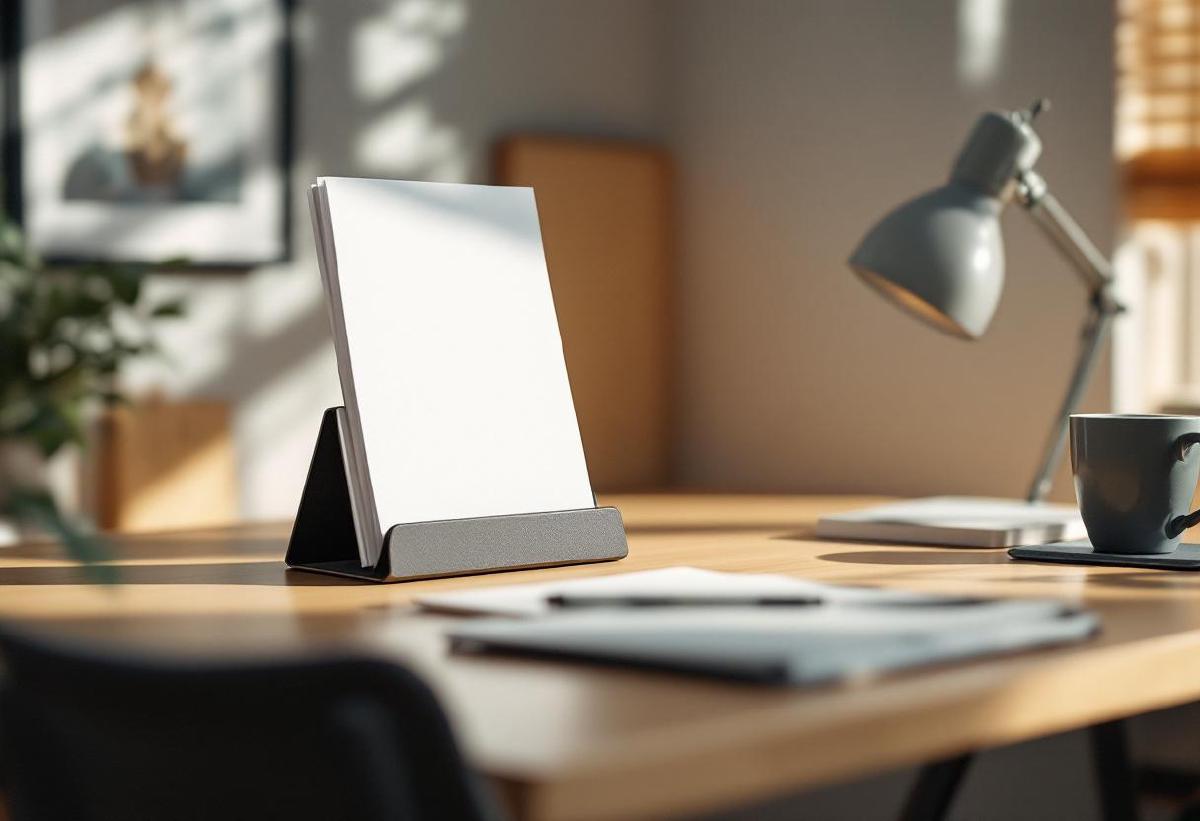
A quality document holder transforms your workspace ergonomics by positioning reference materials at eye level, reducing neck strain and improving overall posture during extended work sessions. These essential desk accessories eliminate the need to constantly look down at papers, preventing the “tech neck” syndrome that affects millions of office workers.
Professional document holders range from simple inclined stands to sophisticated adjustable systems with multiple viewing angles. The right choice depends on document types, desk space constraints, and specific ergonomic requirements. Whether reviewing contracts, referencing printed materials, or following step-by-step instructions, a properly positioned document holder enhances both comfort and productivity.
Quick Picks: Best Document Holders 2026 #
- Best Overall: Fellowes Professional Series - Premium adjustable stand with multiple viewing angles
- Best Value: Mind Reader Metal Document Holder - Solid construction at budget-friendly pricing
- Most Adjustable: 3M Document Holder with Adjustable Clip - Infinite angle adjustment with secure paper clipping
- Best for Legal Documents: Kantek Letter-Size Copyholder - Designed specifically for standard legal and letter documents
- Most Compact: Deflecto Portable Document Holder - Foldable design perfect for mobile workers
- Best Premium: Humanscale M/Connect 2 - Luxury document holder with monitor mounting option
What Is a Document Holder and Why Do You Need One? #
A document holder, also called a copyholder or paper stand, positions printed materials at eye level to match your computer monitor height. This alignment eliminates the repetitive neck movement between screen and desk-level papers that causes cervical spine strain and eye fatigue.
Ergonomic research consistently demonstrates that proper document positioning reduces musculoskeletal disorders in office workers. The ideal setup places reference materials at the same distance and viewing angle as your primary monitor, creating a neutral head position that prevents forward head posture.
Key Ergonomic Benefits #
Improved Neck Posture: Maintains cervical spine neutrality by eliminating downward head tilting Reduced Eye Strain: Consistent focal distance between screen and documents prevents accommodation stress Enhanced Productivity: Quick visual transitions between materials improve workflow efficiency Decreased Fatigue: Proper positioning reduces overall physical stress during extended work periods
Types of Document Holders #
Traditional Inclined Stands #
Basic angled platforms that hold documents at fixed inclines, typically 15-30 degrees. These simple designs work well for occasional reference tasks but lack adjustability for different document types or user preferences.
Adjustable Copy Holders #
Multi-position stands offering variable angle adjustment and height modification. Premium models include document clips, line guides, and extension arms for optimal positioning flexibility.
Monitor-Mounted Systems #
Document holders that attach directly to computer monitors, saving desk space while maintaining optimal eye-level positioning. These systems work particularly well in compact workspaces or multi-monitor configurations.
Portable/Foldable Models #
Compact designs that collapse for travel or storage. Ideal for mobile workers, students, or anyone needing occasional document reference without permanent desk space allocation.
Electronic Document Cameras #
Advanced systems that digitize physical documents for on-screen viewing, eliminating the need for physical document positioning. These high-tech solutions suit specialized workflows requiring document annotation or sharing.
Top 6 Document Holders for Desk Use #
1. Fellowes Professional Series - Best Overall #
Price: $49.99 US | £42.99 UK
Buy on Amazon US | Buy on Amazon UK
The Fellowes Professional Series represents the gold standard in document holder design, combining premium construction with comprehensive adjustability. This model accommodates documents up to 18" wide with infinite angle adjustment from 10° to 80°, making it suitable for everything from quick reference cards to large architectural drawings.
Key Features:
- Infinite angle adjustment (10° to 80°)
- Accommodates documents up to 18" wide
- Magnetic document clips prevent paper slipping
- Weighted base provides stability
- Line guide included for reading accuracy
- Adjustable easel legs for different heights
Pros:
- Exceptional build quality with metal construction
- Magnetic clips securely hold multiple document types
- Line guide aids in accurate reading and data entry
- Wide compatibility with various paper sizes
- Professional appearance suitable for client-facing environments
Cons:
- Premium pricing may exceed budget-conscious buyers
- Larger footprint requires adequate desk space
- Weight makes it less suitable for frequent repositioning
The Fellowes Professional Series excels in professional environments requiring frequent document reference. The magnetic clips and line guide make it particularly valuable for data entry, legal work, or any task involving detailed document review.
2. Mind Reader Metal Document Holder - Best Value #
Price: $24.99 US | £21.99 UK
Buy on Amazon US | Buy on Amazon UK
The Mind Reader Metal Document Holder delivers essential functionality at an accessible price point. This no-frills design focuses on core features: stable document positioning, adjustable viewing angles, and durable construction that withstands daily use.
Key Features:
- Five preset viewing angles (15°, 30°, 45°, 60°, 75°)
- Heavy-duty metal construction
- Non-slip base padding
- Holds documents up to 12" wide
- Foldable design for storage
- Document lip prevents paper sliding
Pros:
- Excellent value proposition for essential features
- Durable metal construction ensures longevity
- Multiple viewing angles cover most use cases
- Compact design fits smaller desk spaces
- Non-slip base maintains position during use
Cons:
- Fixed angle presets limit fine adjustment
- Smaller document capacity compared to premium models
- Basic design lacks premium features like line guides
- May not accommodate oversized documents
Budget-conscious users appreciate the Mind Reader’s straightforward approach. While lacking advanced features, it provides reliable document positioning for standard office tasks at a fraction of premium model costs.
3. 3M Document Holder with Adjustable Clip - Most Adjustable #
Price: $38.99 US | £33.99 UK
Buy on Amazon US | Buy on Amazon UK
3M’s engineering expertise shines in this highly adjustable document holder featuring infinite angle positioning and a unique adjustable clip system. The design accommodates various document thicknesses while maintaining precise positioning control.
Key Features:
- Infinite angle adjustment with friction control
- Adjustable clip accommodates different paper thicknesses
- Weighted base with non-slip feet
- Holds documents up to 14" wide
- Line guide with adjustable positioning
- Height-adjustable easel system
Pros:
- Infinite adjustment allows precise positioning optimization
- Adjustable clip securely holds various document types
- Friction control maintains selected angles reliably
- Line guide improves reading accuracy significantly
- Compact footprint suitable for space-constrained desks
Cons:
- Plastic construction less premium than metal alternatives
- Clip mechanism may wear with heavy use
- Setup complexity higher than simple fixed-angle models
- Mid-range pricing without premium materials
The 3M Document Holder appeals to users prioritizing adjustability over premium materials. The infinite angle control and adjustable clip system provide exceptional positioning flexibility for diverse document types.
4. Kantek Letter-Size Copyholder - Best for Legal Documents #
Price: $32.99 US | £28.99 UK
Buy on Amazon US | Buy on Amazon UK
Specifically designed for legal and letter-size documents, the Kantek Copyholder optimizes viewing of standard business paperwork. The design focuses on compatibility with common document sizes while providing ergonomic positioning for extended reading sessions.
Key Features:
- Optimized for letter and legal size documents
- Six preset viewing angles (20° to 70°)
- Magnetic document clips
- Adjustable line guide
- Non-glare surface treatment
- Compact profile for desk efficiency
Pros:
- Perfect sizing for standard business documents
- Magnetic clips eliminate paper slipping issues
- Non-glare surface reduces eye strain
- Multiple angle options accommodate user preferences
- Professional appearance suitable for business environments
Cons:
- Limited compatibility with oversized documents
- Preset angles may not satisfy all positioning needs
- Smaller capacity compared to wide-format models
- Basic construction lacks premium materials
Legal professionals and business users working primarily with standard-size documents will appreciate the Kantek’s focused design approach. The magnetic clips and non-glare surface make extended document review more comfortable.
5. Deflecto Portable Document Holder - Most Compact #
Price: $19.99 US | £17.99 UK
Buy on Amazon US | Buy on Amazon UK
The Deflecto Portable Document Holder prioritizes mobility and space efficiency. This foldable design collapses to briefcase-friendly dimensions while providing essential document positioning functionality for mobile workers or temporary setups.
Key Features:
- Folds completely flat for transport
- Three viewing angle positions
- Lightweight construction (under 1 lb)
- Holds documents up to 11" wide
- Document edge guides
- Quick setup and breakdown
Pros:
- Ultimate portability for mobile workers
- Quick setup makes it ideal for temporary workstations
- Space-efficient storage when not in use
- Affordable pricing for occasional use scenarios
- Lightweight design won’t burden travel bags
Cons:
- Limited stability compared to weighted models
- Smaller document capacity restricts usage
- Basic construction may not withstand heavy use
- Limited angle options reduce positioning flexibility
Students, consultants, and mobile workers benefit from the Deflecto’s portability focus. While lacking premium features, it provides essential document positioning capability wherever work happens.
6. Humanscale M/Connect 2 - Best Premium #
Price: $189.99 US | £159.99 UK
Buy on Amazon US | Buy on Amazon UK
Humanscale’s M/Connect 2 represents the pinnacle of document holder design, featuring premium materials, monitor mounting capability, and infinite positioning adjustment. This professional-grade system integrates seamlessly with modern monitor arms and ergonomic workstations.
Key Features:
- Mounts directly to monitor or monitor arm
- Infinite 360° positioning adjustment
- Premium aluminum construction
- Accommodates documents up to 17" wide
- Patented counterbalance mechanism
- Professional cable management integration
Pros:
- Premium materials ensure exceptional longevity
- Monitor mounting saves valuable desk space
- Infinite positioning allows perfect ergonomic alignment
- Professional appearance enhances workspace aesthetics
- Counterbalance mechanism maintains positioning effortlessly
Cons:
- Premium pricing reflects professional-grade construction
- Requires compatible monitor arm or mounting system
- Complex installation compared to desktop models
- May be overkill for basic document reference needs
Executive offices and professional environments benefit from the M/Connect 2’s premium approach. The monitor mounting capability and infinite adjustment justify the investment for users prioritizing ergonomics and aesthetics.
Comparison Table #
| Model | Price (US/UK) | Adjustability | Max Width | Mounting | Weight | Best For |
|---|---|---|---|---|---|---|
| Fellowes Professional | $49.99/£42.99 | Infinite 10°-80° | 18" | Desktop | 3.2 lbs | Professional use |
| Mind Reader Metal | $24.99/£21.99 | 5 presets | 12" | Desktop | 2.1 lbs | Budget option |
| 3M Adjustable Clip | $38.99/£33.99 | Infinite | 14" | Desktop | 1.8 lbs | Maximum adjustability |
| Kantek Letter-Size | $32.99/£28.99 | 6 presets | Legal size | Desktop | 1.5 lbs | Standard documents |
| Deflecto Portable | $19.99/£17.99 | 3 presets | 11" | Desktop | 0.8 lbs | Portability |
| Humanscale M/Connect | $189.99/£159.99 | Infinite 360° | 17" | Monitor arm | 2.5 lbs | Premium integration |
Ergonomic Setup Guidelines #
Optimal Positioning Principles #
The document holder should match your monitor’s height and distance to maintain consistent head positioning. Position the holder at the same focal distance as your screen (typically 20-26 inches) to prevent accommodation stress on your eyes.
Height Alignment: Top of documents should align with your monitor’s top edge Distance Matching: Documents should be the same viewing distance as your screen Angle Optimization: Adjust viewing angle to minimize glare while maintaining readability
Common Setup Mistakes #
- Positioning too low: Forces downward head tilting, negating ergonomic benefits
- Incorrect distance: Creates focal adjustment stress between screen and documents
- Poor lighting: Inadequate illumination causes eye strain and reading difficulty
- Improper angle: Excessive tilt creates glare or uncomfortable viewing positions
Integration with Monitor Arms #
Monitor-mounted document holders provide optimal ergonomic alignment by maintaining consistent relative positioning as monitors adjust. This integration ensures documents move with your screen, maintaining proper ergonomic relationships regardless of height or angle adjustments.
Document Types and Holder Selection #
Standard Business Documents #
Letter and legal-size papers (8.5" x 11" and 8.5" x 14") work with most document holders. Choose models with appropriate width capacity and consider magnetic clips for multi-page documents.
Technical Drawings and Plans #
Oversized documents require wide-format holders with adequate support. Look for models accommodating 18" or larger widths with stable bases that prevent tipping.
Books and Manuals #
Thick documents need adjustable clips or adequate depth to prevent binding. Consider models with book rests or extended platforms for comprehensive support.
Digital Printouts and Reports #
Multi-page documents benefit from holders with secure clipping systems and line guides for accurate reading. Magnetic clips work particularly well for preventing page flutter.
Maintenance and Care Tips #
Daily Maintenance #
- Surface Cleaning: Wipe document contact surfaces with microfiber cloth
- Adjustment Check: Verify angle mechanisms maintain selected positions
- Stability Test: Ensure base remains secure and non-slip
- Document Handling: Use proper insertion techniques to prevent clip wear
Weekly Deep Cleaning #
- Mechanism Lubrication: Apply appropriate lubricants to adjustment mechanisms
- Base Inspection: Clean non-slip pads and check adhesion
- Clip Maintenance: Inspect magnetic clips for debris or damage
- Stability Assessment: Verify weighted bases maintain stability
Long-term Care #
- Storage Considerations: Store adjustable models in neutral positions
- Climate Control: Avoid extreme temperatures that may affect materials
- Replacement Planning: Monitor wear indicators for timely replacement
- Upgrade Assessment: Evaluate changing needs for feature upgrades
Frequently Asked Questions #
Can document holders accommodate thick manuals or books? #
Most document holders support documents up to 0.5-1 inch thick, but specific capacity varies by model. Look for holders with adjustable clips or extended platforms for thick materials. Some models include book rests specifically designed for bound documents.
Do document holders work with tablet computers or e-readers? #
Many document holders accommodate tablets and e-readers, but verify weight capacity and adjust angles accordingly. Electronic devices may require different positioning than paper documents due to screen glare considerations and viewing angle optimization.
How do I prevent glare when using a document holder? #
Position the document holder to avoid direct lighting reflection, typically perpendicular to primary light sources. Adjust viewing angles to minimize glare while maintaining readability. Consider models with non-glare surface treatments for challenging lighting conditions.
Can monitor-mounted document holders support heavy documents? #
Monitor-mounted holders typically support 2-5 pounds of document weight, depending on the mounting system and monitor arm capacity. Check specifications for both the document holder and monitor arm to ensure compatibility with your document types.
Are document holders compatible with standing desks? #
Document holders work excellently with standing desks, often improving ergonomics more significantly than seated positions. Choose adjustable models that accommodate different working heights, or consider monitor-mounted options that adjust automatically with your desk.
How do I choose between desktop and monitor-mounted options? #
Desktop models offer stability and independence from monitor positioning but consume desk space. Monitor-mounted options save space and maintain optimal relative positioning but require compatible mounting systems. Choose based on available desk space and monitor configuration.
Do document holders require assembly? #
Most document holders require minimal assembly, typically involving base attachment or angle mechanism setup. Portable models often require no assembly, while premium models may need more complex installation, especially monitor-mounted systems.
Can multiple people share a document holder in an office setting? #
Adjustable document holders accommodate multiple users effectively, especially models with infinite angle adjustment and height modification. Consider usage patterns and adjustment frequency when selecting models for shared environments.
Conclusion #
The right document holder transforms your workspace ergonomics, reducing physical strain while improving productivity and focus. Whether choosing the comprehensive adjustability of the Fellowes Professional Series, the budget-friendly reliability of the Mind Reader Metal holder, or the premium integration of the Humanscale M/Connect 2, prioritize models that match your specific document types and ergonomic requirements.
Consider your workspace constraints, document handling patterns, and budget when making your selection. A quality document holder represents a valuable investment in long-term health and productivity, preventing the cumulative strain that leads to chronic neck and eye problems common in modern office work.
The models reviewed here represent the best options available in 2026, each excelling in specific use cases. Choose the option that best aligns with your needs, and enjoy the immediate ergonomic benefits of proper document positioning in your daily workflow.