If you’re working from home with multiple monitors, a side project, or just need room to spread out, a standard rectangular desk starts feeling cramped fast. An L-shaped desk gives you roughly 50–70% more surface area while tucking neatly into a corner — making it the most space-efficient upgrade for a dedicated home office.
The problem? The market is flooded with wobbly, particle-board nightmares dressed up with lifestyle photography. We dug through the noise to find 6 L-shaped desks that are actually worth buying in 2026, from a $150 budget pick to a premium sit-stand powerhouse.
Our Top Picks at a Glance #
| Desk | Best For | Price (USD) | Desktop Size | Height Adjustable |
|---|---|---|---|---|
| Fezibo L-Shaped Standing Desk | Best overall | ~$400 | 63" × 55" | Yes (electric) |
| Walker Edison Modern Corner Desk | Best budget | ~$160 | 51" × 51" | No |
| Uplift V2 L-Shaped Standing Desk | Best premium sit-stand | ~$1,100 | 60" × 60" | Yes (electric) |
| VASAGLE L-Shaped Computer Desk | Best under $100 | ~$90 | 58" × 44" | No |
| Bestier L-Shaped Desk with Shelves | Best with built-in storage | ~$130 | 60" × 42" | No |
| FlexiSpot E7L | Best for heavy setups | ~$650 | 63" × 55" | Yes (electric) |
1. Fezibo L-Shaped Standing Desk — Best Overall #
The Fezibo L-Shaped combines the two things remote workers want most: corner desk space and sit-stand flexibility. The dual motors lift up to 176 lbs smoothly across a 27.5"–46.5" height range, and the three memory presets mean you’re not fumbling with buttons every time you switch positions.
The 63" × 55" desktop is generous enough for a dual-monitor arm, laptop, and still have a clear writing zone on the return side. A splice board design lets you configure the L in either direction, which is surprisingly rare. Cable management gets a built-in tray and grommet holes — not world-class, but better than most in this price range.
The surface is a textured melamine that resists scratches and coffee rings. It won’t fool anyone into thinking it’s solid walnut, but it looks clean in any of the five colour options.
Pros:
- Electric dual-motor sit-stand with 3 memory presets
- Reversible L-shape configuration
- 176 lb lift capacity — handles dual monitors and more
- Built-in cable management tray
- 5-year warranty on frame
Cons:
- Assembly takes 45–60 minutes with two people
- Melamine surface shows fingerprints in black finish
- Slight wobble at maximum standing height (common for L-shapes)
👉 Check price on Amazon US | Amazon UK
2. Walker Edison Modern Corner Desk — Best Budget #
If you need a no-frills corner desk that looks decent and won’t collapse under a monitor, the Walker Edison Modern is hard to beat at ~$160. The tempered glass and powder-coated steel frame gives it a surprisingly premium look for the price, and at 51" × 51" it provides a proper L-shape without dominating a bedroom-office.
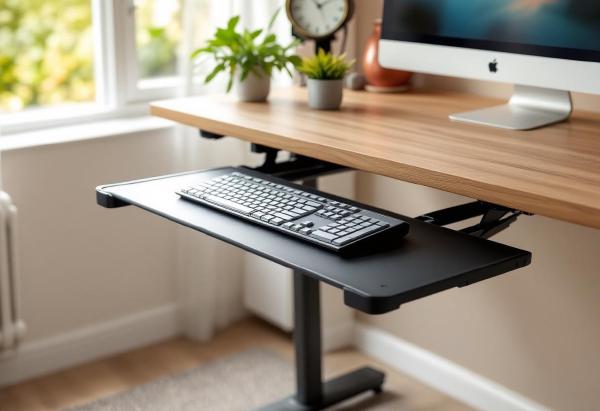
The steel L-frame is sturdy enough for everyday use — keyboard, single monitor, laptop, desk lamp — but this isn’t designed for a triple-monitor battlestation. The glass top is fingerprint-prone but wipes clean easily, and the keyboard tray slides out smoothly.
For a starter home office or guest room setup, this is the sweet spot between “too cheap to trust” and “more desk than I need.”
Pros:
- Under $170 — excellent value
- Tempered glass looks modern and cleans easily
- Powder-coated steel frame, solid at this weight class
- Compact footprint fits smaller rooms
- Slide-out keyboard tray
Cons:
- Glass shows fingerprints constantly
- No cable management built in
- 51" sides may feel tight with large monitors
- Not height adjustable
👉 Check price on Amazon US | Amazon UK
3. Uplift V2 L-Shaped Standing Desk — Best Premium Sit-Stand #
The Uplift V2 L-Shaped is what you buy when you’re done compromising. The commercial-grade frame lifts 535 lbs (yes, really) with whisper-quiet dual motors, and the height range (22.6"–48.7") accommodates everyone from 5'0" to 6'8". The desktop options include solid bamboo, rubberwood, and premium laminate in over a dozen colours.
Where the Uplift truly separates itself is customisation. You configure it online — pick your desktop shape, size, colour, grommet placement, and accessories. The integrated wire management channel runs the full length of the frame, and you can add their power grommet, monitor arms, or under-desk hammock (yes, really) at checkout.
The 15-year warranty on the frame tells you everything about build confidence. This desk will outlast several laptops.
Pros:
- 535 lb lift capacity — handles anything
- Whisper-quiet dual motors
- Bamboo, rubberwood, or laminate desktops
- 15-year frame warranty
- Massive customisation options
- Advanced wire management channel
Cons:
- Starts at ~$1,100 — serious investment
- 3–4 week lead time on custom orders
- Heavy (200+ lbs shipped) — need help for assembly
- Overwhelming number of configuration options
👉 Check price on Amazon US | Amazon UK
4. VASAGLE L-Shaped Computer Desk — Best Under $100 #
The VASAGLE proves you don’t need to spend hundreds to get a functional L-shaped workspace. At ~$90, you get a 58" × 44" particleboard-and-steel desk with a built-in CPU stand and a corner design that works in either orientation.
Is it going to win design awards? No. Is the surface going to develop rings if you leave wet mugs on it? Probably. But the steel frame is genuinely sturdy, assembly takes about 30 minutes, and the industrial-rustic look fits the aesthetic that half of Pinterest is chasing anyway.
For a first home office, a secondary workspace, or a teenager’s study setup, the VASAGLE hits the right price-to-function ratio. Just add a desk mat to protect the surface and you’re set.
Pros:
- Under $100 — hard to beat on value
- Sturdy steel frame with adjustable feet
- Reversible L-shape
- Built-in CPU stand / printer shelf
- Quick 30-minute assembly
Cons:
- Particleboard surface — not moisture resistant
- No cable management features
- Narrow 44" return side
- Basic aesthetic (love it or leave it)
👉 Check price on Amazon US | Amazon UK
5. Bestier L-Shaped Desk with Shelves — Best with Built-In Storage #
The Bestier takes a different approach: instead of making you buy separate desk organisers and monitor risers, it builds storage directly into the desk. The included monitor stand/shelf sits at the back of the desktop, and side shelves give you spots for books, speakers, or decorative items.
At 60" × 42", it’s a generous workspace. The shelving keeps things within reach without cluttering the actual desk surface — a genuine productivity win if you reference physical materials or just like having your desk accessories on display.
The build quality is solid for the ~$130 price point. The steel frame handles the weight, and the engineered-wood surface comes in several finishes including a convincing walnut.
Pros:
- Built-in shelves and monitor riser included
- 60" × 42" working surface
- Under $140 — great value with accessories
- Reversible configuration
- Headphone hook and cup holder (small touches that matter)
Cons:
- Shelves aren’t adjustable
- Assembly is fiddly — budget 60+ minutes
- Not suitable for monitor arms (shelves interfere)
- Engineered wood, not solid
👉 Check price on Amazon US | Amazon UK
6. FlexiSpot E7L — Best for Heavy Setups #
If you’re running a triple-monitor setup with a desktop PC, docking station, and enough peripherals to open a small electronics shop, you need a frame that won’t flinch. The FlexiSpot E7L uses a triple-motor system (two for height, one for the corner joint) to lift 440 lbs across a 22.8"–48.4" range.
The unique selling point is the independently adjustable corner segment — the three sections can form a smooth L even as the desk moves up and down. Most cheaper L-shaped standing desks have a fixed splice that creates gaps at different heights. The E7L solves this elegantly.
The desktop is a solid 63" × 55" bamboo or melamine surface with integrated cable channels. If you’ve already got a FlexiSpot standing desk and love the build quality, the E7L is its bigger, corner-hugging sibling.
Pros:
- Triple-motor system — smooth, powerful, gap-free
- 440 lb lift capacity
- Independent corner segment adjustment
- Bamboo or melamine desktop options
- Rock-solid stability even at standing height
- 10-year warranty
Cons:
- ~$650 — mid-premium price
- Very heavy (shipping weight 150+ lbs)
- Requires corner placement (no floating mid-room)
- Limited colour options vs Uplift
👉 Check price on Amazon US | Amazon UK
How to Choose the Right L-Shaped Desk #
Measure Your Space First #
L-shaped desks need corner clearance plus room for your chair to roll back. Measure the two walls, subtract 2–3 inches for cable access behind the desk, and verify your chair has at least 30" of clearance behind the sitting position. A 60" × 60" desk needs roughly a 7’ × 7’ floor zone.
Fixed vs Standing #
A fixed L-desk costs $90–$200. An electric sit-stand L-desk starts around $350 and goes up to $1,200+. If you already know you want to alternate between sitting and standing (and you should — check our standing desk vs sitting desk breakdown), invest in the motorised frame now. Retrofitting an L-shaped desk with a converter is awkward because of the corner geometry.
Weight Capacity Matters #
Add up your gear: monitors (~15 lbs each), monitor arm (~5 lbs), laptop, keyboard, mouse, speakers, and any desktop PC. Most setups land between 40–80 lbs. Budget desks rated for 110 lbs are fine. If you’re running heavy gear or plan to lean on the desk, look for 170+ lb capacity.
Cable Management #
L-shaped desks create a cable management challenge because power and data often need to route around a corner. Look for built-in cable trays, grommet holes near both sides, and enough under-desk clearance for a cable management solution.
Frequently Asked Questions #
Is an L-shaped desk better than a straight desk for home office? #
If you have the corner space, yes. An L-shaped desk gives you 50–70% more surface area in roughly the same footprint. The return side is perfect for a secondary workspace — reference documents, a drawing tablet, or a dedicated laptop zone. If your room is narrow without a proper corner, stick with a straight desk and add a laptop stand for vertical space.
What size L-shaped desk do I need for dual monitors? #
For two 27" monitors on arms, you want at least 55" on the primary side. A 60" × 55" L-desk is the sweet spot — you’ll have room for both monitors plus desk accessories without crowding. Check our monitor arm guide for mounting options that free up desk real estate.
Can I put an L-shaped standing desk in the middle of a room? #
Most L-shaped standing desks are designed for corner placement because the frame geometry needs wall support for lateral stability. The FlexiSpot E7L and Uplift V2 are stable enough for near-wall placement with a few inches of gap, but true mid-room floating isn’t recommended.
How do I manage cables on an L-shaped desk? #
Route cables along the back edge using adhesive cable clips, then use a cable management tray under the desk to bundle them before they drop to the floor. Place your power strip on the underside of the desk near the corner — this becomes the central hub where all cables converge.
Are L-shaped desks hard to assemble? #
They’re bigger and heavier than straight desks, so budget 45–90 minutes and ideally a second person. Standing desk versions are more complex (motors, control box, more hardware). The VASAGLE and Bestier are the simplest at ~30 minutes solo. The Uplift V2 is the most involved at 60–90 minutes.
The Bottom Line #
For most home offices, the Fezibo L-Shaped Standing Desk hits the best balance of price, features, and sit-stand flexibility at ~$400. If budget is tight, the VASAGLE at ~$90 gets the job done without pretending to be something it’s not. And if you want the absolute best and have the budget, the Uplift V2 L-Shaped is a buy-it-for-life desk with a 15-year warranty to prove it.
Whichever you choose, pair it with a proper ergonomic chair, a desk mat to protect the surface, and a cable management kit to keep the extra corner from becoming a cable graveyard.