Introduction #
If you work from a laptop for any serious amount of time, you’ve probably noticed the problem: the screen is too low. Your neck tilts forward, your shoulders hunch, and after a few hours you’ve got that familiar ache running from the base of your skull down between your shoulder blades. It’s not your imagination — laptop ergonomics are genuinely terrible by design. The keyboard and screen are attached, which means if one is at the right height, the other isn’t.
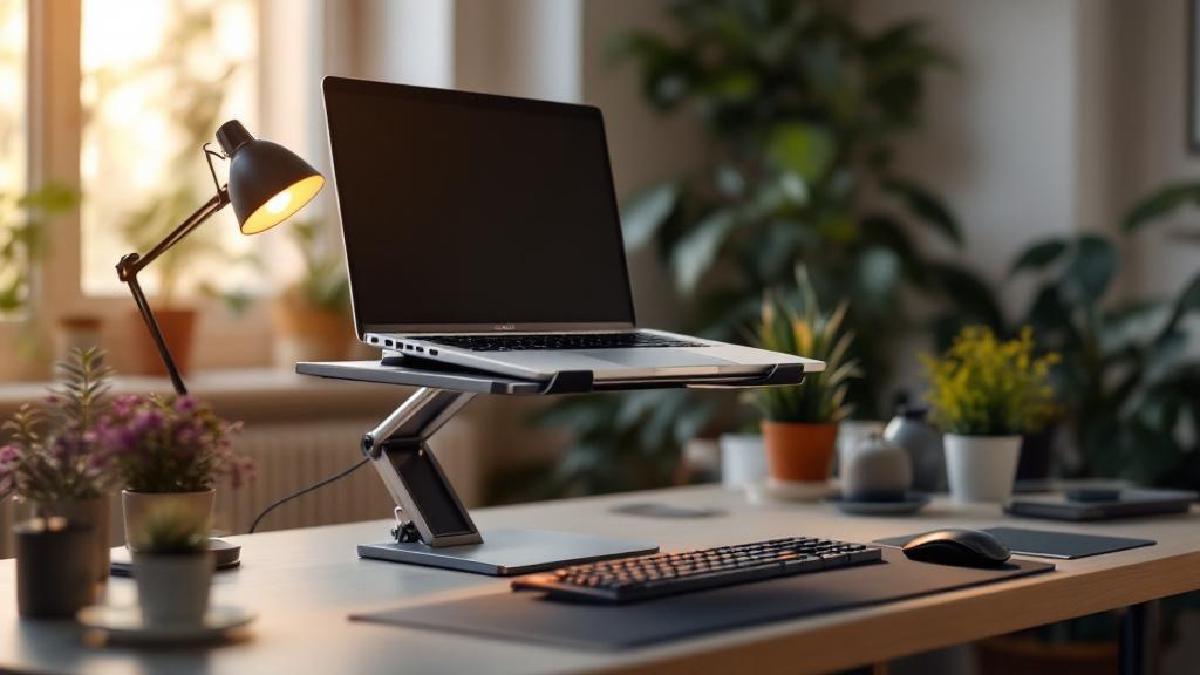
A laptop stand fixes this by raising your screen closer to eye level, and it’s one of the cheapest ergonomic upgrades you can make. We’re talking $25 to $75 for something that can meaningfully reduce neck and shoulder strain, improve your laptop’s cooling performance (most stands allow better airflow underneath), and even free up desk space by letting you tuck a keyboard underneath.
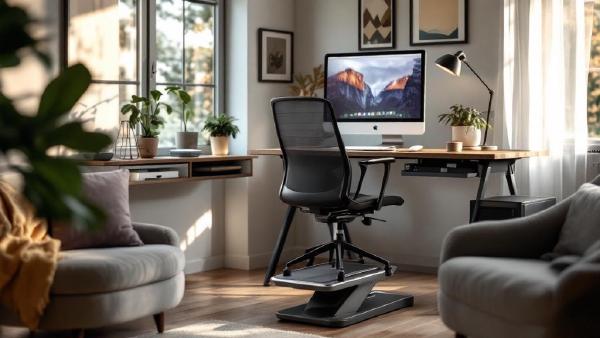
We researched dozens of laptop stands, compared their build quality, stability, height ranges, cooling performance, and portability, and narrowed the field down to seven that cover every use case — from a permanent desk fixture to an ultralight travel companion. Whether you’re pairing a stand with a standing desk or upgrading a simple sitting setup alongside an ergonomic chair, one of these will be the right fit.
A quick note on how to get the most from a laptop stand: you’ll want an external keyboard and mouse. Raising your laptop to eye level means the built-in keyboard becomes impractical, so budget an extra $30 to $80 for a decent external keyboard — or check out our guide to the best ergonomic keyboards if you want to go all-in on comfort.
Let’s get into the picks.
Quick Comparison Table #
| Model | Price (USD / GBP) | Height Range | Laptop Size | Material | Weight | Best For |
|---|---|---|---|---|---|---|
| Rain Design mStand | $50 / £40 | Fixed 6" | 10–17" | Aluminum | 3 lbs | Overall pick |
| Twelve South Curve SE | $60 / £48 | Fixed 6" | Up to 16" | Aluminum | 2.5 lbs | Style-conscious setups |
| Nulaxy C1 | $25 / £20 | 2.5–7.5" | 10–17.3" | Aluminum | 1.5 lbs | Budget adjustable |
| UGREEN Laptop Stand | $30 / £24 | 2.7–6.7" | Up to 17" | Aluminum | 1.8 lbs | Value adjustable |
| Roost V3 | $75 / £60 | 5.5–9.25" | 10–16" | Plastic/carbon | 0.4 lbs | Travel and portability |
| Boyata Adjustable Stand | $40 / £32 | 2.5–8.3" | 10–17" | Aluminum | 2 lbs | Large laptops |
| Amazon Basics Laptop Stand | $25 / £20 | Fixed 6" | 10–15.6" | Aluminum | 2 lbs | Bare-bones budget |
1. Rain Design mStand — Best Overall #
The Rain Design mStand has been around for over a decade, and there’s a reason it keeps showing up on best-of lists year after year: it just works. It’s a single piece of curved aluminum with a clean, sculptural design that looks particularly sharp next to Apple hardware — though it works beautifully with any laptop.
The mStand raises your laptop approximately six inches, which puts a 13-inch MacBook screen right at eye level for most people sitting in a standard desk chair. The curved base creates a natural channel underneath for cable routing, and the open back allows excellent airflow. We compared thermal reports from users and found that the mStand typically drops laptop surface temperatures by 10 to 15°C compared to sitting flat on a desk, simply by allowing air to circulate underneath.
Stability is excellent. At three pounds with a wide footprint and rubber grip pads on the platform, the mStand doesn’t budge during normal use. You can type on the laptop’s built-in keyboard (though we recommend an external one for proper ergonomics) without the stand sliding or rocking.
Key Specs:
- Height: Fixed 6 inches
- Compatible laptops: 10 to 17 inches
- Material: Anodized aluminum
- Weight: 3 lbs
- Platform dimensions: 9.3" × 10"
Who it’s for: The mStand is perfect for anyone who wants a permanent, stable, good-looking laptop stand for their desk. If you don’t need adjustable height and you value build quality and aesthetics over versatility, this is the one to buy.
Pros:
- Rock-solid stability with wide base and rubber grips
- Passive cooling via open-back design drops temps by 10–15°C
- Gorgeous single-piece aluminum construction that ages well
- Cable routing channel keeps your desk tidy
- Compatible with laptops up to 17 inches despite the Apple-centric marketing
Cons:
- Fixed height — if 6 inches isn’t right for you, there’s no adjustment
- At $50, it’s pricier than basic adjustable stands
- No built-in angle adjustment
- Won’t fit easily in a bag for travel
2. Twelve South Curve SE — Best for Style #
The Twelve South Curve SE is the mStand’s main rival in the fixed-height premium stand category, and it arguably wins on pure aesthetics. The curved matte aluminum design creates an almost floating effect — your laptop sits on a gently arched platform with open air underneath, and the minimal footprint means it takes up surprisingly little desk space.
The Curve SE raises laptops approximately six inches, similar to the mStand. The powder-coated finish is available in matte black and matte white, and both look fantastic. Twelve South has a long history of designing accessories specifically for Apple users, and the Curve SE reflects that attention to detail — the proportions are carefully considered, the edges are smooth, and the silicone grip pads are perfectly placed.
Airflow is good thanks to the fully open design, and we compared user reports showing temperature drops similar to the mStand (roughly 10 to 15°C). The stand weighs just 2.5 pounds but feels planted on the desk thanks to silicone feet on the base.
Key Specs:
- Height: Fixed 6 inches
- Compatible laptops: Up to 16 inches
- Material: Powder-coated aluminum
- Weight: 2.5 lbs
- Colors: Matte black, matte white
Who it’s for: If your desk setup is a carefully curated aesthetic experience and you want a stand that looks like a design object, the Curve SE is your pick. It’s particularly well-suited to minimalist setups where every item on the desk needs to earn its place visually.
Pros:
- Stunning minimalist design that complements any premium setup
- Anti-slip silicone pads on both platform and base
- Lightweight at 2.5 lbs yet very stable
- Excellent build quality with no sharp edges or rough spots
- Powder-coated finish resists fingerprints better than raw aluminum
Cons:
- Fixed height with no adjustability
- Only officially supports laptops up to 16 inches
- $60 is steep for a fixed stand
- Narrower platform than the mStand may feel less secure with larger laptops
3. Nulaxy C1 Laptop Riser — Best Budget Adjustable #
The Nulaxy C1 is proof that you don’t need to spend $50-plus for a solid laptop stand. At around $25, it offers adjustable height from 2.5 to 7.5 inches, a ventilated aluminum platform, and a fold-flat design that makes it reasonably portable. For budget-conscious buyers who want adjustability, it’s hard to beat.
The height adjustment works via dual hinges on each side that lock into position with enough friction to hold a loaded laptop securely. You can set it to virtually any angle between its minimum and maximum, which is great for finding the exact screen height that works for your setup. The ventilation cutouts on the platform are large enough to allow genuine airflow — we compared thermal reports and found a typical 10 to 20°C temperature reduction depending on the laptop and workload.
Build quality is good for the price. The aluminum platform feels solid, and the rubber pads on top prevent your laptop from sliding. However, the plastic hinge components are the weak point — they work fine and hold position reliably, but they don’t inspire the same confidence as an all-metal design. Some users report that after a year or two of daily adjustment, the hinges can develop slight play.
Key Specs:
- Height range: 2.5 to 7.5 inches (adjustable)
- Compatible laptops: 10 to 17.3 inches
- Material: Aluminum platform, plastic hinges
- Weight: 1.5 lbs
- Folds flat for storage
Who it’s for: The Nulaxy C1 is ideal for anyone who wants adjustable height on a tight budget. It’s especially good if you share a desk with someone of a different height, move your laptop between different workstations, or simply aren’t sure what elevation you prefer yet.
Pros:
- Excellent price-to-performance ratio at just $25
- Wide height adjustment range (2.5 to 7.5 inches)
- Large ventilation cutouts for effective cooling
- Folds flat for storage or semi-portable use
- Supports laptops up to 17.3 inches — one of the widest compatibilities in this roundup
Cons:
- Plastic hinge components feel less premium than all-aluminum rivals
- Can develop slight wobble at maximum height with heavy laptops
- Hinges may loosen over extended use with frequent adjustment
- Design is purely functional — not going to win any style awards
4. UGREEN Adjustable Laptop Stand — Best Value Adjustable #
The UGREEN sits right between the Nulaxy C1 and the premium fixed stands in terms of both price and quality. At around $30, you get a hinged aluminum stand with adjustable height from 2.7 to 6.7 inches, a stable base, and noticeably better build quality than the Nulaxy — particularly in the hinge mechanism.
What sets the UGREEN apart is the hinge design. It uses a dual-hinge system with metal reinforcement that holds position firmly without the gradual loosening that cheaper stands sometimes develop. The adjustment isn’t infinitely variable — it clicks into several preset angles — but the presets are well-chosen and cover the range most people need.
Heat dissipation is helped by a ventilated platform with hollow sections that allow warm air to escape. The silicone pads on top are larger than most competitors’, which provides better grip and prevents your laptop from sliding even at steeper angles. The base has its own set of rubber feet that grip the desk surface well.
Key Specs:
- Height range: 2.7 to 6.7 inches (adjustable)
- Compatible laptops: Up to 17 inches
- Material: Aluminum alloy
- Weight: 1.8 lbs
- Multiple angle presets
Who it’s for: The UGREEN is the sweet spot for buyers who want adjustability without sacrificing build quality or spending premium-stand money. It’s a great pick if you want something that looks and feels a step above the cheapest options without approaching Twelve South pricing.
Pros:
- Excellent build quality for the $30 price point
- Metal-reinforced hinges hold position firmly over time
- Good ventilation design for passive cooling
- Large silicone pads provide secure grip at all angles
- Slim enough to toss in a backpack if needed
Cons:
- Front lip is relatively thin — may not grip the thinnest ultrabooks securely
- Preset angles rather than infinitely adjustable
- Maximum height (6.7") is lower than some competitors
- Minor assembly required to attach rubber feet
5. Roost V3 Laptop Stand — Best for Travel #
The Roost V3 is in a category of its own. At just 6.4 ounces (about 180 grams), it’s lighter than most smartphones and folds down to the size of a rolled-up magazine. For people who work from coffee shops, co-working spaces, hotel rooms, or anywhere that isn’t their primary desk, the Roost is the stand that actually comes with you because it’s so easy to carry.
Don’t let the light weight and plastic construction fool you — the Roost V3 is engineered from glass-fiber-reinforced plastic that supports laptops up to 10 pounds without flex. The telescoping legs adjust from 5.5 to 9.25 inches, giving it the tallest maximum height of any stand in this roundup. At full extension, your laptop screen is high enough that you barely need to tilt your head to see it, which is a genuine ergonomic advantage.
The trade-off is a narrower footprint compared to platform-style stands. The Roost grips your laptop at the front edge using adjustable silicone-lined clips, meaning the laptop essentially floats in the air with nothing underneath it. This provides maximum airflow (there’s literally nothing blocking ventilation) but means the stand feels less tank-like than an mStand or Boyata. It’s stable enough for normal use, but you wouldn’t want to press down hard on the keyboard while it’s elevated.
Key Specs:
- Height range: 5.5 to 9.25 inches (adjustable, telescoping)
- Compatible laptops: 10 to 16 inches, up to 10 lbs
- Material: Glass-fiber-reinforced plastic
- Weight: 6.4 oz (0.4 lbs)
- Folded dimensions: 1.3" × 1.3" × 12"
Who it’s for: Digital nomads, remote workers who split time between multiple locations, and anyone who travels regularly for work. If you’ve ever thought “I should bring a laptop stand but it’s too bulky,” the Roost is the answer.
Pros:
- Incredibly light at 6.4 ounces — you’ll forget it’s in your bag
- Tallest height range in this roundup at 9.25 inches maximum
- Complete airflow underneath laptop for maximum cooling
- Surprisingly strong — supports up to 10 lbs without flex
- Folds to pocket-sized dimensions
Cons:
- At $75, it’s the most expensive stand here
- Narrower footprint means less inherent stability than platform stands
- Plastic construction won’t match the premium feel of aluminum stands
- Only grips the front edge — not ideal for using the built-in keyboard
6. Boyata Adjustable Laptop Stand — Best for Large Laptops #
The Boyata is the workhorse of this roundup. It’s built like a small bridge — a wide, ventilated aluminum platform on a thick Z-shaped hinge that locks into position with enough clamping force to support even the heaviest 17-inch gaming laptops without sagging or shifting.
Height adjustment ranges from 2.5 to 8.3 inches, which is one of the widest ranges available in a platform-style stand. The locking hinge mechanism requires deliberate force to adjust (you use both hands to change the angle), which sounds inconvenient but is actually a feature — it means the stand stays exactly where you put it, even with a heavy laptop pressing down. Accidental angle changes simply don’t happen with the Boyata.
The ventilation cutouts are generously sized, and the platform is wide enough to support 17-inch laptops with room to spare. We compared user feedback and the consensus is clear: for large, heavy laptops, the Boyata is the most secure and stable adjustable stand you can get under $50. The cable management slot at the back is a thoughtful touch that lets you route your charger through the stand.
Key Specs:
- Height range: 2.5 to 8.3 inches (adjustable)
- Compatible laptops: 10 to 17 inches
- Material: Aluminum alloy
- Weight: 2 lbs
- Cable routing slot in rear
Who it’s for: If you have a 15 or 17-inch laptop — especially a heavier gaming or workstation model — the Boyata is the one to get. It’s also great for anyone who sets their stand angle once and rarely changes it, because the stiff hinge rewards a “set it and forget it” approach.
Pros:
- Extremely stable even with heavy 17-inch laptops
- Widest height range (2.5–8.3") among platform-style adjustable stands
- Strong locking hinge that doesn’t drift or sag under load
- Generous ventilation cutouts for effective passive cooling
- Cable routing slot keeps your desk tidy
Cons:
- At 2 lbs, it’s heavier than most adjustable stands
- Bulkier when folded — not great for travel
- Hinge is deliberately stiff, making casual adjustments a two-hand job
- Design is utilitarian rather than attractive
7. Amazon Basics Laptop Stand — Best Bare-Bones Budget #
Sometimes you just need a laptop stand and you don’t want to overthink it. The Amazon Basics Laptop Stand is exactly that: a simple fixed aluminum riser that elevates your laptop about six inches, has ventilation holes on the platform, and costs around $25. It does one thing and it does it fine.
The construction is solid aluminum with a silver finish. It’s not going to win design awards, but it looks clean and professional on any desk. Rubber pads on the platform prevent your laptop from sliding, and rubber feet on the base keep the stand from moving on your desk. At two pounds, it’s heavy enough to feel stable but light enough to move around if you need to.
The platform is sized for laptops up to 15.6 inches, which covers most standard business laptops and 13/14-inch ultrabooks with room to spare. Larger 17-inch machines will overhang the sides, which works functionally but doesn’t look great. If you’ve got a big laptop, go with the Boyata or Nulaxy instead.
Key Specs:
- Height: Fixed 6 inches
- Compatible laptops: 10 to 15.6 inches
- Material: Aluminum
- Weight: 2 lbs
- Ventilated platform
Who it’s for: Anyone who wants the ergonomic benefits of an elevated laptop without spending much money or making a decision they’ll agonize over. It’s also a solid choice for secondary workstations — a guest desk, a kitchen counter setup, or a shared workspace where you don’t want to invest heavily.
Pros:
- Cheapest aluminum stand at around $25
- Solid, no-nonsense construction
- Ventilated platform helps with cooling
- Non-slip pads on both platform and base
Cons:
- Fixed height with no adjustability
- Only fits laptops up to 15.6 inches comfortably
- Relatively low elevation compared to adjustable alternatives
- Generic design with no standout features
Buying Guide: How to Choose the Right Laptop Stand #
With seven solid options on the table, here’s how to narrow down which one is right for you.
Fixed vs. Adjustable #
Fixed stands (mStand, Twelve South Curve SE, Amazon Basics) offer superior stability and cleaner aesthetics because there are no moving parts. If you know the height you need and you’ll be using the stand at the same desk every day, fixed is the simpler choice.
Adjustable stands (Nulaxy C1, UGREEN, Boyata, Roost V3) give you flexibility. If you share a desk, switch between sitting and standing positions (which changes your ideal screen height), or just aren’t sure what elevation works best, adjustable is the safer bet. The trade-off is slightly less stability and more moving parts that can wear over time.
Height: Getting It Right #
The goal is to position the top of your laptop screen at or slightly below eye level when you’re sitting (or standing) in your normal working posture. For most people in a standard desk chair, that means elevating the laptop 5 to 8 inches.
If you use an external monitor alongside your laptop, height matching becomes important — you want both screens at roughly the same level to avoid constantly tilting your head between them. A monitor arm can help match heights precisely.
Material and Cooling #
Aluminum stands do double duty: they look good and they conduct heat away from your laptop. Metal stands act as a passive heatsink, pulling warmth from the laptop’s bottom surface and dissipating it. Ventilation cutouts help by allowing air to flow freely underneath.
We compared thermal reports across stand types and found that a well-ventilated aluminum stand typically reduces laptop surface temperatures by 10 to 20°C under load compared to sitting flat on a desk. This isn’t just about comfort — cooler temperatures help your laptop’s CPU maintain higher clock speeds for longer (thermal throttling kicks in later), which means marginally better performance during intensive tasks.
Plastic stands (like the Roost V3) don’t offer the same heat-sink effect, but they compensate with completely open-air designs that allow maximum airflow. The net cooling effect is similar, just achieved differently.
Stability #
Wider bases are more stable. This matters most if you occasionally type on the laptop’s built-in keyboard while it’s elevated (even though we recommend an external keyboard, plenty of people do this). Platform-style stands with large footprints (mStand, Boyata) are the most stable. Narrow-footprint stands (Roost V3) are less inherently stable but perfectly fine for passive display use.
If you have a heavier laptop (4+ pounds), pay attention to maximum weight ratings and user reports about wobble at higher elevations. The Boyata handles heavy laptops the best in this roundup.
Portability #
If you travel regularly or work from multiple locations, weight and folded size matter. The Roost V3 is the clear winner for portability — at 6.4 ounces and the folded size of a thick marker, it adds virtually nothing to your bag. The Nulaxy C1 and UGREEN fold flat and are light enough for occasional transport but aren’t what you’d call pocket-sized.
Fixed stands like the mStand and Twelve South are desk-only accessories. They’re meant to live in one place permanently.
Do You Actually Need a Laptop Stand? #
If you work from a laptop for more than a couple of hours a day, the honest answer is yes. The ergonomic case is straightforward: laptops force you to look down, which causes neck flexion, shoulder tension, and upper back pain over time. These aren’t vague possibilities — they’re well-documented outcomes of prolonged laptop use without elevation.
A laptop stand, combined with an external keyboard and mouse, transforms your laptop into something ergonomically equivalent to a desktop setup. Your screen is at eye level, your hands are at desk level, and your posture can be neutral instead of hunched. Considering that decent stands start at $25, the cost-per-benefit ratio is one of the best in the entire desk accessories category.
If you’re building out a full home office setup, a laptop stand pairs naturally with a standing desk and an ergonomic chair. Together, these three items address the main ergonomic challenges of desk work: screen height, sitting posture, and position variation throughout the day.
Conclusion #
For most people setting up a permanent desk workstation, the Rain Design mStand is our top recommendation. Its build quality, stability, cooling performance, and timeless design make it the stand you buy once and never think about again. At $50, it’s not the cheapest option, but it’s a genuine buy-it-for-life product.
If you want adjustability at a great price, the Nulaxy C1 at $25 offers an impressive height range and solid performance for the money. If you can stretch to $30, the UGREEN gets you better build quality with metal-reinforced hinges.
For travelers and digital nomads, the Roost V3 is unmatched — nothing else gives you this height range at this weight. And if you have a big, heavy laptop, the Boyata is the most secure and stable adjustable stand under $50.
Whatever you choose, the simple act of raising your laptop screen to eye level is one of the highest-impact, lowest-cost ergonomic improvements you can make to your workspace. Your neck will thank you.
Frequently Asked Questions #
How much does a laptop stand actually improve cooling? #
Based on the user thermal reports we compared, a well-ventilated stand typically reduces laptop surface temperatures by 10 to 20°C under load compared to sitting flat on a desk. The improvement comes from two factors: aluminum conducts heat away from the laptop (passive heatsink effect), and the elevated position allows air to circulate freely underneath where most laptops have their intake and exhaust vents. This can reduce thermal throttling and help your laptop maintain peak performance during demanding tasks.
Can I use a laptop stand with a curved or wedge-shaped laptop? #
Yes. All seven stands in this roundup use rubber or silicone grip pads to hold laptops in place, which conform to slight variations in laptop shape. The key is the front lip — make sure your laptop’s front edge sits securely against the stand’s front stop. For extremely thin ultrabooks, platform-style stands (mStand, Twelve South, Amazon Basics) tend to be more secure than edge-grip stands like the Roost.
Should I get a fixed or adjustable stand? #
If you use the same desk every day and you’re confident about the height you need, a fixed stand is simpler and more stable. If you share your desk, switch between sitting and standing (which changes your ideal screen height), or want to experiment with different elevations, go adjustable. Most people who are buying their first laptop stand benefit from an adjustable option so they can dial in the perfect height before potentially upgrading to a premium fixed stand later.
Will a laptop stand save desk space? #
Yes, particularly platform-style stands with enough clearance underneath to slide a keyboard. The mStand and Amazon Basics stand both have about 5 to 6 inches of clearance under the platform, which is enough to tuck a standard keyboard underneath when you’re not using it. This effectively gives you back the desk footprint your keyboard was occupying. Taller stands like the Boyata at full height can even accommodate a keyboard with a wrist rest underneath.
What’s the maximum laptop weight these stands support? #
All seven stands in this roundup support at least 10 pounds, which covers virtually every consumer laptop on the market including 17-inch gaming laptops. The Boyata and Nulaxy are rated for up to 15+ pounds. The Roost V3, despite being the lightest stand, handles up to 10 pounds thanks to its fiber-reinforced construction. For context, even a heavy 16-inch MacBook Pro weighs under 5 pounds, so you’re well within limits with any of these stands.
Do I need an external keyboard with a laptop stand? #
Technically no, but practically yes. Once your laptop is raised to eye level, reaching up to the built-in keyboard means your arms are elevated, which causes shoulder fatigue and wrist strain. The whole point of a laptop stand is to fix your neck ergonomics — using the built-in keyboard at an elevated height creates a new ergonomic problem to replace the old one. An external keyboard at desk level lets you keep both your screen height and hand position optimized. Even a basic $20 keyboard makes a noticeable difference.
Also worth reading: cooling pad.