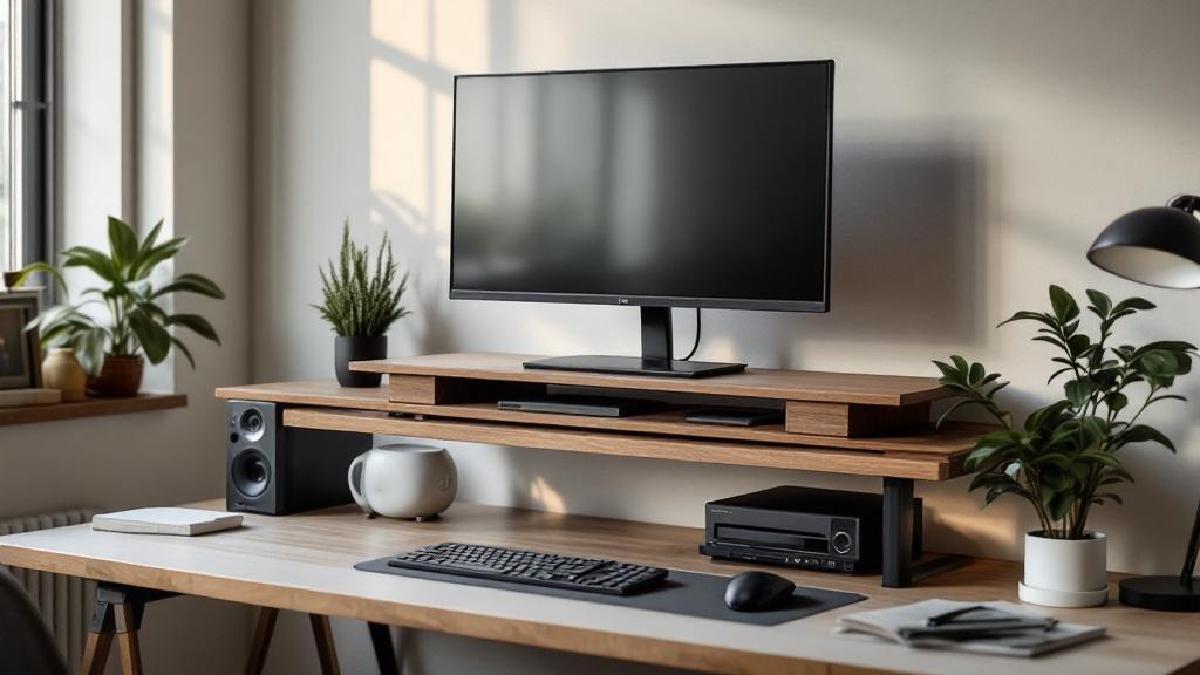
A monitor arm is the gold standard for screen positioning, but a monitor riser does 80% of the job at 20% of the cost — and doubles as desk storage. If your screen sits directly on the desk, you’re looking down at it, and that forward head tilt causes neck strain, shoulder tension, and headaches over time. A riser brings the top of your screen to eye level, which is where ergonomics guidelines say it should be.
We tested risers on stability, height adjustability, weight capacity, and how much useful desk space they actually reclaim. Here are seven worth buying.
Quick Comparison Table #
| Riser | Price (USD) | Material | Height | Adjustable | Weight Capacity | Storage | Best For |
|---|---|---|---|---|---|---|---|
| Grovemade Desk Shelf | $120 | Walnut/Maple | 4.75" | No | 75 lb | Under-shelf | Premium look |
| VIVO Height Adjustable | $28 | Steel + Wood | 3.5-5.5" | Yes (3 levels) | 44 lb | Under-shelf | Best value |
| Vaydeer Dual Monitor Riser | $40 | Metal mesh | 5.5" | No | 66 lb | Under-shelf + drawer | Dual monitors |
| SimpleHouseware Mesh Riser | $16 | Metal mesh | 5.5" | No | 44 lb | Under-shelf | Budget pick |
| Twelve South Curve Riser | $50 | Matte white/black metal | 6" | No | 40 lb | Open air | MacBook/iMac aesthetic |
| FITUEYES Glass Riser | $26 | Tempered glass + metal | 3.2" | No | 55 lb | Under-shelf | Minimalist look |
| HUANUO Adjustable Riser | $35 | Bamboo | 2.5-5.5" | Yes (6 levels) | 55 lb | Under-shelf | Height flexibility |
1. Grovemade Desk Shelf — Best Premium #
Price: $120 on Amazon US | £110 on Amazon UK
Grovemade makes desk accessories for people who care about materials. The Desk Shelf is solid walnut or maple (your choice), with machined aluminum legs and a linoleum top surface that won’t scratch monitor bases. At $120, it’s expensive for a shelf. But it’s also the only one here that actually looks like furniture rather than office equipment.
What we like:
- Solid hardwood construction — walnut or maple options
- Machined aluminum legs with rubber feet
- Linoleum top surface prevents scratches
- Elegant design that elevates desk aesthetics
- Space underneath fits full-size keyboard and mouse
- 75 lb capacity handles any monitor
What we don’t:
- $120 is 4-6× the competition
- Fixed height — no adjustment
- Ships from Grovemade; Amazon availability varies
- Only one width option (25")
- Walnut colour varies piece to piece
If you’ve invested in a quality standing desk and ergonomic chair, this shelf matches that level of fit and finish. Pairs beautifully with a desk mat underneath.
Verdict: The desk shelf for people who’ve graduated from particle board furniture. Worth it if aesthetics matter to you.
2. VIVO Height Adjustable Monitor Riser — Best Value #
Price: $28 on Amazon US | £25 on Amazon UK
VIVO’s riser nails the fundamentals: adjustable height (3.5", 4.5", or 5.5"), steel frame, wood-top platform, and enough space underneath for a keyboard and mouse. At $28, it’s hard to imagine what else you’d need. The three height levels cover most monitor-to-eye-level gaps.
What we like:
- Three height positions via leg adjustment
- Steel frame with sturdy construction
- 44 lb capacity handles most monitors
- Platform fits keyboard underneath when not in use
- Under $30 with consistently high reviews
- Assembly takes 5 minutes
What we don’t:
- Wood top is MDF, not solid wood
- Visible screws on the legs
- Maximum 44 lb excludes heavy ultrawide monitors
- Limited colour options (black or brown)
- Legs can wobble slightly at maximum height
The best-selling monitor riser on Amazon for good reason. Combine with good cable management to keep the shelf space tidy.
Verdict: Does everything a monitor riser needs to do at a price that makes deliberation pointless. Buy this if you want function over form.
3. Vaydeer Dual Monitor Riser — Best for Dual Monitors #
Price: $40 on Amazon US | £35 on Amazon UK
Running dual monitors? Most risers are too narrow. Vaydeer’s 42" wide platform holds two 27" monitors side by side with room to spare. The metal mesh construction keeps it cool, the built-in drawer stores small items, and the 66 lb capacity handles the combined weight of two monitors easily.
What we like:
- 42" width fits two monitors comfortably
- 66 lb capacity for heavy dual-monitor setups
- Built-in pull-out drawer for supplies
- Metal mesh allows airflow
- Non-slip feet on both the riser and the platform
- Integrated phone/tablet slot at front edge
What we don’t:
- Not height adjustable
- Metal mesh aesthetic is industrial, not premium
- Drawer is shallow — pens and cables, not much else
- Takes up significant desk real estate
- Assembly required (15 minutes)
If you’ve already set up dual monitors but don’t want to invest in two monitor arms, this single riser solves the height problem for both screens at once.
Verdict: The only riser here purpose-built for dual monitors. Wide enough, strong enough, with useful storage built in.
4. SimpleHouseware Metal Mesh Riser — Best Budget #
Price: $16 on Amazon US | £14 on Amazon UK
Sixteen dollars. Metal mesh construction. Holds 44 pounds. Raises your monitor 5.5 inches. Done.
What we like:
- $16 — cheapest functional riser
- No assembly required — one piece
- Metal mesh is sturdy and allows airflow
- Space underneath fits keyboard and small items
- Minimalist industrial look
- Available in black, silver, white
What we don’t:
- Not height adjustable
- Fixed height (5.5") may be too high for some setups
- Metal mesh can snag cables
- No drawer or extra storage features
- Can flex slightly under heavy monitors
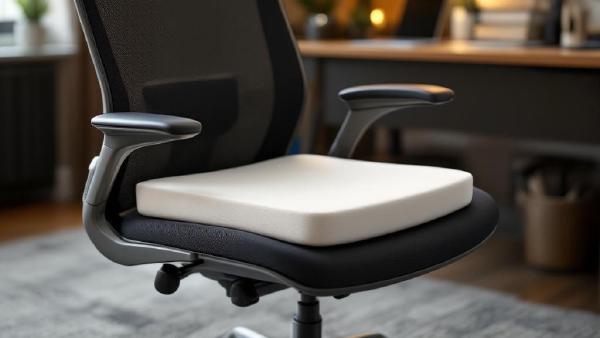
If you’re building a home office on a budget, this $16 riser combined with a $35 chair cushion gives you real ergonomic improvement for $51 total.
Verdict: The no-brainer budget option. It’s $16, it works, and it’ll probably outlast risers three times its price.
5. Twelve South Curve Riser — Best for Mac Setups #
Price: $50 on Amazon US | £45 on Amazon UK
Twelve South designs exclusively for Apple users, and the Curve Riser looks like it belongs in an Apple Store. The open-air design with a single curved metal stand raises your monitor 6 inches while maintaining full airflow — important if you’re placing a MacBook beneath it in clamshell mode. It matches Apple’s design language perfectly.
What we like:
- Design perfectly complements Apple hardware
- Open-air design allows laptop in clamshell underneath
- 6" height raise — good for most desk heights
- Matte white or matte black finish
- Solid metal construction at 2.5 lb
- Cable routing through the open back
What we don’t:
- $50 for a metal shelf is brand premium
- No storage or drawer
- Not height adjustable
- 40 lb capacity limits to lighter monitors
- Open design doesn’t hide desk clutter
Matches an iMac or Apple Studio Display aesthetic. Pair with an Apple-friendly USB-C dock underneath for a clean single-cable setup.
Verdict: The Mac-matching riser. Overpriced for what it is structurally, but the design integration is genuinely excellent for Apple setups.
6. FITUEYES Tempered Glass Monitor Riser — Best Minimalist #
Price: $26 on Amazon US | £22 on Amazon UK
Glass risers look modern and don’t visually clutter a desk the way opaque shelves do. FITUEYES uses 8mm tempered glass rated to 55 lb, with chrome or black metal legs. The transparent design makes small desks feel less cramped, and the glass surface wipes clean instantly — no dust traps like mesh designs.
What we like:
- Transparent design keeps desk looking open
- 8mm tempered safety glass (55 lb capacity)
- Chrome or black leg options
- Easy to clean — just wipe
- Low profile (3.2") for subtle elevation
- Rubber feet protect desk surface
What we don’t:
- 3.2" height may not be enough for taller users
- Glass shows fingerprints and dust immediately
- Not height adjustable
- Tempered glass is strong but can shatter if edge-chipped
- Feels cold to touch in winter
If you’re working on a smaller desk and visibility of the surface matters, glass beats opaque risers for perceived spaciousness. Keep a desk organizer nearby for items that would otherwise clutter the transparent shelf.
Verdict: The clean, modern option for minimalist desk setups. Low profile suits users who need a subtle lift rather than maximum height.
7. HUANUO Adjustable Bamboo Riser — Best Height Flexibility #
Price: $35 on Amazon US | £30 on Amazon UK
HUANUO’s bamboo riser offers six height positions from 2.5" to 5.5" — the widest adjustment range here. The bamboo material is sustainable, attractive, and naturally antimicrobial. Each height level locks solidly via notched legs, and the 55 lb capacity handles anything short of an ultrawide.
What we like:
- Six height positions (2.5" to 5.5")
- Sustainable bamboo construction
- 55 lb capacity
- Natural wood aesthetic suits any decor
- Notched legs lock securely at each level
- Space underneath fits keyboard and mouse
What we don’t:
- Bamboo grain varies between units
- Slightly more assembly than metal risers
- Maximum height (5.5") lower than some fixed options
- Bamboo can mark if not protected from moisture
- Heavier than metal alternatives (4 lb)
The six-position adjustment makes this the most flexible riser if you’re unsure exactly how high your monitor needs to be. Adjust, test for a day, readjust. Pairs well with an adjustable standing desk where your eye level changes between sitting and standing positions.
Verdict: Most adjustable riser for the price. Bamboo looks and feels premium without the Grovemade price tag.
Monitor Riser vs Monitor Arm: Which Do You Need? #
Choose a riser if:
- Budget is under $40
- You want desk storage underneath
- Your monitor doesn’t need to tilt, swivel, or move frequently
- You have a single monitor setup
- Your desk can’t support a clamp mount
Choose a monitor arm if:
- You need precise height, tilt, and rotation adjustment
- You frequently switch between sitting and standing
- You run dual monitors and need independent positioning
- You want to reclaim the space directly under the screen
- Your budget allows $30-$100+
Use both if:
- You want a riser as a desk shelf for storage plus an arm for screen positioning — they solve different problems
Frequently Asked Questions #
How high should my monitor be? #
The top of the screen should be at or slightly below eye level when you’re sitting upright. For most people, this means raising the monitor 3-6 inches above the desk surface. A monitor that’s too low causes forward head tilt; too high causes neck extension. Both lead to pain.
Can a monitor riser hold an ultrawide monitor? #
Check the weight capacity. Ultrawides typically weigh 15-25 lb, which is within range of most risers here. The Vaydeer (66 lb) and HUANUO (55 lb) are the safest bets. Also ensure the riser platform is wide enough — most ultrawides need at least 24" of base width.
Do I need a riser if I have an adjustable monitor? #
Many monitors have height-adjustable stands, but they often don’t go high enough. If your monitor’s built-in stand can reach eye level, you don’t need a riser. If it tops out below your eye line, a riser underneath adds the missing inches.
Is a stack of books an acceptable monitor riser? #
Functionally, yes. Aesthetically and ergonomically, no. Books create an uneven surface, can slip, and don’t provide the stability a monitor needs. A $16 SimpleHouseware riser is a permanent upgrade over a precarious book tower.
How do I measure the right riser height? #
Sit in your normal position and look straight ahead. Have someone measure from your desk surface to the top of where your eyes point. Subtract your monitor’s height (including its stand). The difference is roughly the riser height you need. Most people need 3-5 inches.
Can I use a riser on a standing desk? #
Yes, but be aware it adds fixed height that you can’t adjust when transitioning between sitting and standing. If your standing desk has a wide height range, a low-profile riser (like FITUEYES at 3.2") works. For sit-stand flexibility, a monitor arm is a better solution.
We test and recommend the best products for your home office. When you buy through our links, we may earn a commission — at no extra cost to you. This helps us keep creating helpful content.