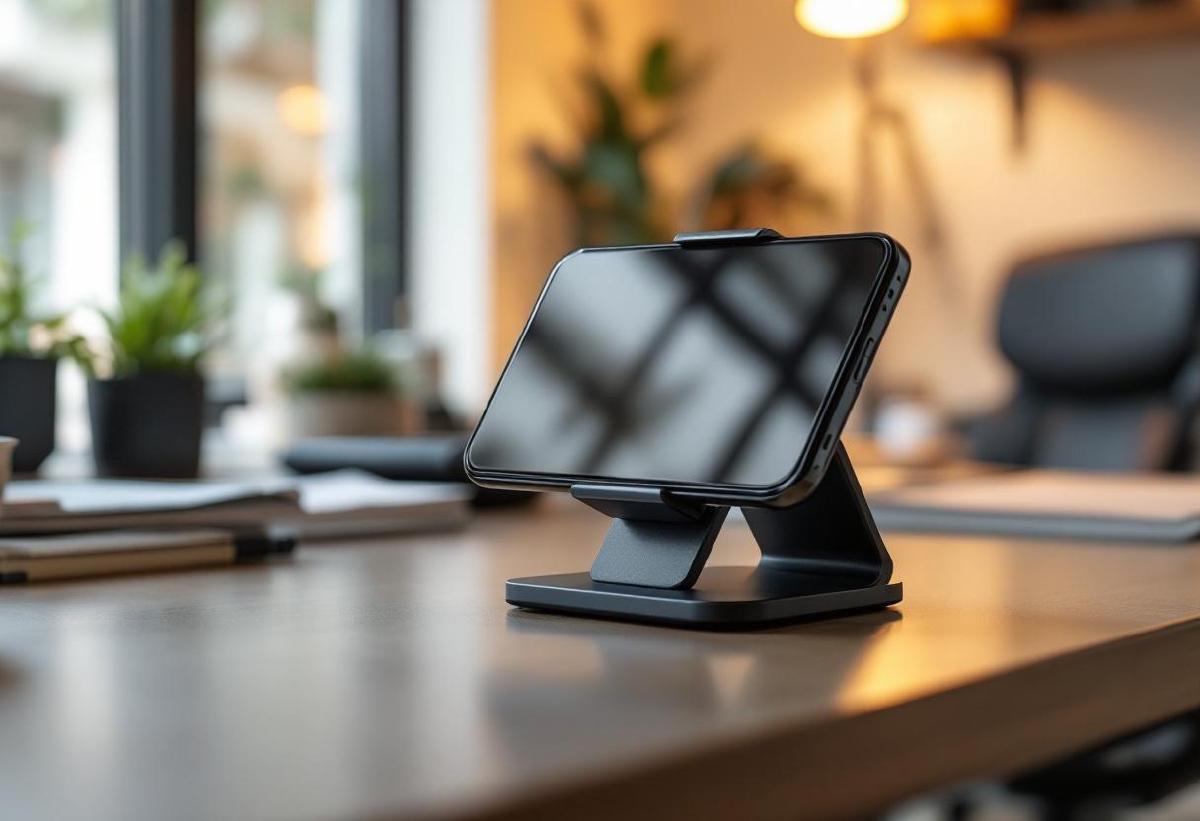
A good desk phone holder is one of those small upgrades that makes a bigger difference than you’d expect. It keeps your phone at eye level for video calls, charges your device while you work, and eliminates the neck strain from constantly looking down at your desk.
Whether you’re taking Zoom calls, following recipes while cooking, watching videos during breaks, or just want your notifications visible while working, the right phone holder improves both productivity and ergonomics.
We’ve tested six different styles of desk phone holders across various price points, focusing on adjustability, build quality, device compatibility, and overall value. From basic stands to premium wireless charging mounts, there’s an option for every workspace and budget.
Pair your phone holder with our recommended wireless chargers for a complete charging solution, and consider adding desk organizers to keep your entire workspace tidy.
Quick Comparison #
| Phone Holder | Price | Charging | Adjustability | Phone Size Range | Best For |
|---|---|---|---|---|---|
| Lamicall Adjustable | $15 / £12 | No | Height + Angle | 4-13" devices | Best overall value |
| Belkin MagSafe 3-in-1 | $150 / £130 | MagSafe + Watch + AirPods | Fixed angle | iPhone 12+ only | Apple ecosystem |
| Anker PowerWave Stand | $40 / £35 | 10W wireless | Fixed angle | Most phones | Wireless charging |
| Ugreen Foldable | $25 / £20 | No | Multi-position | 4-12.9" devices | Travel + portability |
| Peak Design Mobile | $60 / £50 | Optional MagSafe | Full articulation | MagSafe phones | Content creators |
| Gooseneck Holder | $20 / £18 | No | 360° flexible | 3.5-7" phones | Ultimate flexibility |
1. Lamicall Adjustable Phone Stand — Best Overall Value #
The Lamicall adjustable stand has earned its spot as Amazon’s choice for good reason: it’s incredibly well-built for $15, works with virtually any device, and offers the adjustability most people need for daily use.
The aluminum construction feels premium and stable. The weighted base keeps devices steady even when tapping the screen aggressively. The stand holds phones from 4 inches up to 13-inch tablets, making it versatile enough for iPads, Android tablets, and even small laptops in a pinch.
Adjustability is excellent with both height (6 levels) and angle (270 degrees) customization. You can position your phone in portrait or landscape, adjust for different seating positions, or angle it perfectly for video calls. The rubber padding protects your device and provides a secure grip.
The cable management slot on the back is perfectly sized for Lightning or USB-C cables, keeping your charging setup tidy. The stand works great with phones in cases, including thicker protective cases that some stands can’t accommodate.
At $15, it’s an absolute steal. The build quality rivals stands costing 3-4 times more, and the adjustability covers 90% of use cases. For most people, this is all the phone stand they’ll ever need.
Pros:
- Exceptional build quality for the price
- Accommodates devices from phones to 13" tablets
- Multiple height and angle adjustments
- Works with thick cases and PopSockets
- Weighted aluminum base is very stable
- Built-in cable management
Cons:
- No wireless charging capability
- Takes up some desk space when not in use
- Silver color may not match all setups
- Not collapsible for travel
Best for: Anyone who wants a reliable, adjustable phone stand without paying premium prices. Perfect for home offices, kitchen counters, and bedside tables.
Check price on Amazon US → Check price on Amazon UK →
2. Belkin MagSafe 3-in-1 Wireless Charger — Best for Apple Ecosystem #
The Belkin MagSafe 3-in-1 is the ultimate charging station for iPhone users who also have an Apple Watch and AirPods. It’s expensive at $150, but it replaces three separate chargers while keeping your desk clean and organized.
The MagSafe charging is perfectly positioned at a comfortable viewing angle for video calls or monitoring notifications. Your iPhone snaps into place with a satisfying click and charges at full 15W speed. The magnetic alignment means perfect placement every time.
The Apple Watch charger handles any size Apple Watch and works with all band styles. The AirPods charging spot works with AirPods Pro, regular AirPods with wireless charging cases, and even other small wireless charging devices.
Build quality is excellent—this feels like Apple hardware. The weighted base is stable, the materials are premium, and everything is precisely aligned. The power supply is external but uses a single cable to the base, keeping desk clutter minimal.
The major limitation is compatibility: it only works with iPhone 12 and newer for MagSafe charging. Older iPhones can charge wirelessly but won’t magnetically attach. Android users need not apply.
Pros:
- Charges iPhone, Apple Watch, and AirPods simultaneously
- MagSafe magnetic alignment for perfect placement
- Premium build quality matches Apple aesthetics
- Replaces three separate chargers
- Perfect viewing angle for video calls
- Single power cable to desk
Cons:
- Very expensive for a phone stand
- iPhone 12+ only for magnetic mounting
- Large footprint takes significant desk space
- Not adjustable once positioned
- Only works in Apple ecosystem
Best for: iPhone users who want a premium all-in-one charging solution and have the budget for convenience.
Check price on Amazon US → Check price on Amazon UK →
3. Anker PowerWave Stand — Best Wireless Charging Value #
The Anker PowerWave Stand delivers reliable wireless charging at an excellent price point. At $40, it’s the sweet spot between cheap wireless chargers that barely work and premium options that cost 3x more.
The 10W charging speed works well with most Android phones and iPhones (iPhone caps at 7.5W for wireless). While not as fast as MagSafe, it’s convenient enough for desk use where your phone sits for hours anyway. The LED indicator shows charging status without being distracting.
The stand angle is fixed but well-chosen—perfect for video calls and checking notifications without being too upright for comfortable viewing. Portrait and landscape orientations both work well, and the stand accommodates phones with cases up to 5mm thick.
Build quality is solid. The base has enough weight to stay put, the charging coil is properly aligned, and the materials feel durable. Anker’s reputation for reliable charging electronics shows in the consistent performance.
The PowerWave works with any Qi-compatible phone, making it universal unlike MagSafe options. Setup is plug-and-play: connect the power adapter and you’re ready to charge.
Pros:
- Reliable 10W wireless charging at good price
- Works with all Qi-compatible phones
- Proper viewing angle for calls and notifications
- Anker’s proven charging reliability
- Accommodates cases up to 5mm thick
- Both portrait and landscape orientations
Cons:
- Fixed angle isn’t adjustable
- Charging speed slower than wired
- LED indicator may be distracting in dark rooms
- Takes up more space than non-charging stands
- Power adapter adds cable clutter
Best for: Users who want wireless charging convenience without paying premium prices, and anyone with multiple phone brands in the household.
Check price on Amazon US → Check price on Amazon UK →
4. Ugreen Foldable Phone Stand — Best for Travel and Small Spaces #
The Ugreen Foldable stand solves the portability problem that plagues most desk phone holders. It collapses completely flat (about the size of a large coaster) but expands into a surprisingly stable and adjustable stand.
The mechanism is cleverly designed with multiple locking positions for different viewing angles. It works in portrait or landscape, accommodates phones and tablets up to 12.9 inches, and the multi-step height adjustment lets you find the perfect position for any situation.
Despite folding flat, the deployed stand is remarkably stable. The aluminum construction provides enough weight and the rubber feet grip well on most surfaces. The phone cradle has soft silicone padding that protects devices and provides secure grip.
The compact size makes it perfect for laptop bags, kitchen drawers, or bedside tables where space is limited. The build quality is excellent for a $25 folding mechanism—all the joints feel solid and the overall construction is robust.
The trade-off for portability is maximum stability. While perfectly adequate for normal use, it’s not as rock-solid as heavier, non-folding stands when dealing with aggressive screen tapping or larger tablets.
Pros:
- Folds completely flat for easy storage
- Multiple angle and height adjustments
- Works with phones and tablets up to 12.9"
- Excellent build quality for folding design
- Perfect for travel or small spaces
- Aluminum construction looks professional
Cons:
- Less stable than non-folding alternatives
- More complex mechanism than simple stands
- Slightly more expensive than basic options
- Folding joints could eventually wear out
Best for: Frequent travelers, people with limited desk space, and anyone who needs a stand that can disappear when not in use.
Check price on Amazon US → Check price on Amazon UK →
5. Peak Design Mobile Creator Kit — Best for Content Creation #
The Peak Design Mobile system is engineered for content creators who need professional-level phone positioning. The magnetic mount provides full 360-degree articulation while maintaining MagSafe compatibility and rock-solid stability.
The SlimLink magnetic system is ingenious—stronger than MagSafe but still allows easy one-handed removal. The mount attaches to desks, tripods, car vents, or any Peak Design ecosystem accessory. For video calls, streaming, or content creation, the positioning flexibility is unmatched.
Build quality is outstanding. The machined aluminum construction feels like precision equipment, and every component is designed to last. The magnetic force is strong enough to hold phones securely even when fully extended or at extreme angles.
The system approach means you can use the same phone mount across multiple accessories—desk stand, car mount, tripod adapter, etc. For creators who need versatile phone positioning, it’s worth the ecosystem investment.
The main limitation is cost and complexity. At $60 just for the desk mount (plus $40 for the phone case/adapter), it’s expensive for basic phone holding. But if you need professional positioning capabilities, nothing else comes close.
Pros:
- Full 360-degree articulation and positioning
- Professional build quality and materials
- Compatible with entire Peak Design ecosystem
- Stronger magnetic hold than standard MagSafe
- Perfect for content creation and streaming
- Works with MagSafe phones and accessories
Cons:
- Very expensive for basic phone holding needs
- Requires Peak Design case or adapter
- Complex system may be overkill for simple use
- Limited to MagSafe-compatible phones
- Takes time to learn optimal positioning
Best for: Content creators, streamers, and anyone who needs professional-level phone positioning and mobility across multiple accessories.
Check price on Amazon US → Check price on Amazon UK →
6. Gooseneck Phone Holder — Best for Ultimate Flexibility #
Sometimes you need your phone positioned exactly where traditional stands can’t reach—over your keyboard for reference, angled for presentations, or extended for group video calls. The gooseneck holder solves these positioning challenges with ultimate flexibility.
The flexible arm extends up to 26 inches and holds position reliably once bent. You can position your phone virtually anywhere around your workspace—above your monitor for video calls, beside your keyboard for reference, or extended out for group presentations.
The clamp mount attaches securely to desk edges, monitor arms, or shelves up to 2.3 inches thick. The phone holder accommodates devices from 3.5 to 7 inches with adjustable grips that work with most cases.
The gooseneck mechanism is the key feature—it’s stiff enough to hold phones securely but flexible enough to adjust with one hand. Quality varies significantly between brands, but good gooseneck holders can maintain position for years.
The main drawback is aesthetics—gooseneck arms look more utilitarian than sleek stands. But for specific positioning needs that traditional stands can’t address, nothing else offers this level of flexibility at such a reasonable price.
Pros:
- Ultimate positioning flexibility with 26" reach
- Clamps to various surfaces and mounting points
- Works with phones from 3.5-7 inches
- Adjustable grips accommodate cases
- One-handed positioning adjustments
- Inexpensive solution for complex positioning
Cons:
- Less aesthetically pleasing than traditional stands
- Gooseneck can eventually lose tension over time
- Takes up more visual space when extended
- Not as stable as fixed stands for heavy use
- Limited to smaller phone sizes
Best for: Users with specific positioning needs that traditional stands can’t address, presentation setups, and anyone who needs to position their phone in multiple locations around their workspace.
Check price on Amazon US → Check price on Amazon UK →
Our Top Pick #
The Lamicall Adjustable Phone Stand offers the best combination of build quality, adjustability, and value. At $15, it handles virtually any device, provides excellent positioning options, and feels like a much more expensive product.
For wireless charging, upgrade to the Anker PowerWave Stand for reliable Qi charging without the premium price. Apple users with multiple devices should consider the Belkin MagSafe 3-in-1 for the ultimate charging station experience.
Buying Guide #
Consider Your Primary Use Case #
- Video calls: Choose stands with portrait orientation and adjustable angles
- Media consumption: Landscape-optimized stands work better for videos
- Charging: Wireless charging stands offer convenience but cost more
- Reference while working: Fixed stands at consistent angles work well
Phone Size and Case Compatibility #
Most stands work with phones from 4-7 inches, but verify your specific device size:
- Small phones (iPhone Mini, etc.): May slide in stands designed for larger phones
- Large phones (iPhone Pro Max, etc.): Ensure adequate width and stability
- Thick cases: Check maximum case thickness (typically 3-5mm for wireless charging)
Charging Options #
No charging: Simplest and least expensive, requires separate charging cable Wireless charging: Convenient but slower than wired, typically 5-15W speeds MagSafe: Fastest wireless charging for compatible iphones (15W) Multi-device: Charges phone plus other devices like watches or earbuds
Adjustability vs Simplicity #
More adjustable stands offer better positioning but have more complex mechanisms. Consider:
- Fixed angle: Simple, reliable, usually optimized for video calls
- Basic adjustable: Height and angle options cover most needs
- Full articulation: Professional positioning but more complex and expensive
Stability and Build Quality #
Heavier bases provide better stability but take more desk space. Metal construction typically lasts longer than plastic but costs more. Consider how aggressively you’ll tap your screen and choose accordingly.
Ergonomics and Health #
Proper Phone Positioning #
- Eye level: Top of phone screen should be at or slightly below eye level
- Arm’s reach: Position phone 16-24 inches from your eyes
- Angle: 10-20 degree backward tilt reduces reflections and neck strain
- Landscape for calls: Wider field of view is better for video conferences
Reducing “Text Neck” #
Traditional phone use (looking down at devices) creates neck strain. A properly positioned phone holder:
- Keeps your head in neutral position
- Reduces forward head posture
- Minimizes shoulder hunching
- Allows natural eye movement patterns
Integration with Workspace #
Consider how your phone holder fits with other desk accessories:
- Monitor height: Phone screen should complement, not compete with monitor placement
- Keyboard clearance: Ensure phone doesn’t interfere with typing
- Cable management: Route charging cables to avoid desk clutter
Wireless Charging Compatibility #
iPhone Compatibility #
- MagSafe (iPhone 12+): 15W charging with magnetic alignment
- Qi Wireless (iPhone 8+): 7.5W charging, no magnetic alignment
- Older iPhones: Require Lightning cable, no wireless charging
Android Compatibility #
- Samsung Galaxy: Usually 10-15W wireless charging
- Google Pixel: Varies by model, typically 5-10W
- OnePlus, Xiaomi, etc.: Check specific model support
Case Considerations #
Wireless charging works through cases but with limitations:
- Maximum thickness: Usually 3-5mm for reliable charging
- Metal cases: Block wireless charging entirely
- PopSockets: Must be positioned to avoid charging area
- Magnetic car mounts: May interfere with alignment
For complete wireless charging setup, check our guide to wireless chargers for desks.
FAQ #
Do phone holders work with all phone sizes? #
Most adjustable stands work with phones from 4-7 inches, covering virtually all smartphones. Some accommodate tablets up to 13 inches. Always check the manufacturer’s compatibility list for your specific device.
Can I use my phone holder with a case on? #
Yes, most phone holders accommodate cases. Wireless charging stands typically support cases up to 3-5mm thick, while non-charging stands often handle thicker cases. Metal cases may interfere with wireless charging.
Is wireless charging slower than wired charging? #
Yes, wireless charging is generally slower. Typical speeds are 5-15W wirelessly vs 20-100W+ wired. However, for desk use where phones sit for extended periods, the convenience often outweighs the speed difference.
What’s the best angle for video calls? #
Position your phone so the camera is at eye level or slightly below, with a 10-20 degree backward tilt. This creates a flattering angle and reduces neck strain during long calls.
Do I need a MagSafe phone holder? #
MagSafe provides convenient magnetic alignment and faster wireless charging (15W vs 7.5W) for iPhone 12 and newer. It’s not necessary but offers better user experience if you have a compatible device.
How do I prevent my phone from overheating while charging? #
Ensure good airflow around your phone, avoid direct sunlight on charging stands, remove thick cases during charging sessions, and don’t use the phone heavily while wireless charging.