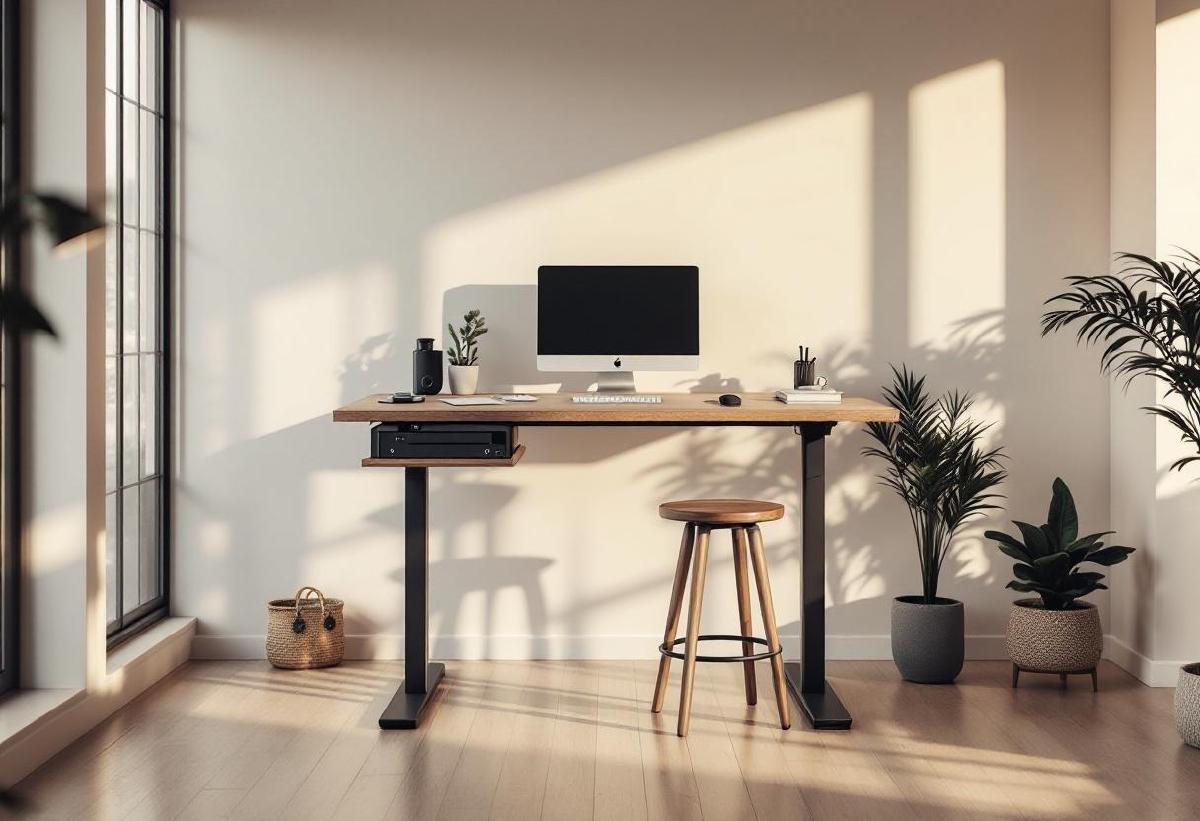
Standing all day is just as bad as sitting all day. The real sweet spot is movement — alternating between sitting, standing, and perching throughout your workday. That’s where standing desk stools come in. These active chairs give you a middle ground between full sitting and full standing, letting you lean, perch, and shift your weight while keeping your legs engaged.
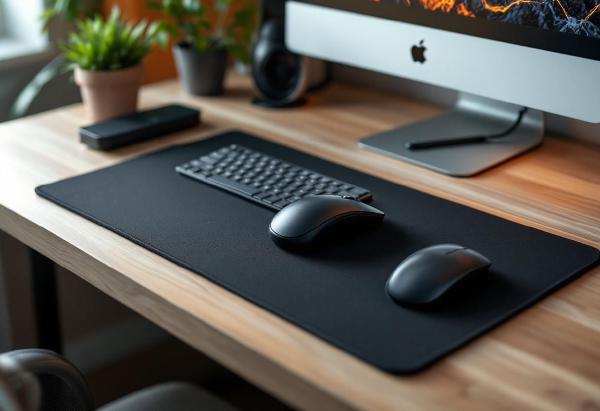
If you own a standing desk (or even a sit-stand converter), a standing desk stool is arguably the most impactful accessory you can add. Pair it with a good standing desk mat and you’ve got a setup that keeps your body moving and your energy levels up through long work sessions.
We’ve tested seven of the best standing desk stools and active chairs for home office use in 2026, from budget wobble stools to premium ergonomic perches.
Quick Comparison #
| Standing Desk Stool | Price | Height Range | Weight Capacity | Seat Type | Tilt/Motion | Weight | Best For |
|---|---|---|---|---|---|---|---|
| Fully Tic Toc | $245 / £210 | 23"–33" | 270 lbs | Contoured | 360° tilt | 13 lbs | Best overall |
| Autonomous ErgoStool | $109 / £95 | 24"–35" | 270 lbs | Fabric round | 360° tilt | 12 lbs | Best value |
| Varier Move | $499 / £430 | 22"–32" | 265 lbs | Saddle | 360° tilt | 14 lbs | Best premium |
| Learniture Active Stool | $80 / £70 | 23"–33" | 250 lbs | Round padded | Wobble base | 8 lbs | Best budget |
| Songmics Standing Stool | $90 / £78 | 24"–34" | 265 lbs | Round PU | 360° tilt | 11 lbs | Best for beginners |
| Wobble Stool by Uncaged | $120 / £105 | 23"–33" | 280 lbs | Round fabric | 360° wobble | 10 lbs | Best wobble range |
| CoreStool by Focal Upright | $399 / £345 | 22"–36" | 300 lbs | Anti-slip seat | Pivot base | 9 lbs | Best height range |
1. Fully Tic Toc — Best Overall #
Price: $245 on Amazon US | £210 on Amazon UK
The Fully Tic Toc (previously known as the Mogo) is the standing desk stool that gets the balance right between active movement and genuine comfort. It’s not trying to be a chair — it’s a perching tool that keeps your body engaged without exhausting you.
What makes it great:
The contoured seat is wider and more supportive than typical round stool tops, distributing your weight comfortably during extended perching sessions. The 360-degree tilt mechanism has a satisfying resistance that encourages micro-movements — lean forward to engage your core, shift sideways to stretch, lean back to rest — all while staying productive at your desk.
Height adjustment via the pneumatic cylinder is smooth and covers a generous 23" to 33" range, accommodating users from about 5'2" to 6'2" at standard standing desk heights. The weighted base is stable enough that you won’t topple, but responsive enough that the stool moves with you naturally. Build quality is excellent — the materials feel durable and the mechanism is solid after months of daily use.
Where it falls short:
At $245, it’s a significant investment for what’s essentially a supplementary seating option — you’ll still want a proper office chair for focused sitting sessions. The 13 lb weight makes it less portable than lighter alternatives if you move between rooms. There’s no backrest (by design), which means perching sessions of more than 45 minutes can fatigue your back.
Verdict: The Tic Toc nails the core purpose of a standing desk stool: keeping you in motion without getting in the way of your work. If you’re serious about active working and want something that’ll last years, this is the one.
2. Autonomous ErgoStool — Best Value #
Price: $109 on Amazon US | £95 on Amazon UK
The Autonomous ErgoStool delivers 80% of the premium stool experience at less than half the price. If you want to try active perching without a major financial commitment, this is where to start.
What makes it great:
The tilt mechanism offers smooth 360-degree movement with adjustable resistance — tighten it for stability or loosen it for maximum wobble. The fabric-covered round seat is comfortable enough for 30-40 minute perching sessions, and the height range (24" to 35") is the widest in the mid-range category, making it suitable for taller users or higher desk settings.
Assembly takes about five minutes — screw the seat onto the cylinder, attach the base, done. The overall build is surprisingly sturdy for the price, with a solid metal cylinder and weighted base that prevents tipping. Available in multiple fabric colours to match your office aesthetic.
Where it falls short:
The seat cushioning is thin and compresses over time — after six months of daily use, you’ll notice it’s firmer than new. The round seat shape doesn’t guide your posture the way contoured alternatives do, and the fabric can get warm during long sessions. The base is functional but looks cheap compared to the Fully’s refined design.
Verdict: At $109, the ErgoStool is the sweet spot of price and performance. It’s the standing desk stool we recommend to anyone who’s stool-curious but doesn’t want to spend $250+ to find out if active perching is for them.
3. Varier Move — Best Premium Active Stool #
Price: $499 on Amazon US | £430 on Amazon UK
Norwegian furniture company Varier (formerly Stokke) has been making ergonomic seating since the 1970s, and the Move is their standing-height masterpiece. It’s expensive, undeniably — but it’s also the most thoughtfully designed active stool you can buy.
What makes it great:
The saddle-shaped seat tilts your pelvis forward naturally, encouraging the same spinal alignment you’d get from a well-adjusted ergonomic chair but in a standing position. The convex base allows omnidirectional movement — forward, backward, side-to-side — creating constant gentle engagement of your core and leg muscles.
Unlike wobbly stools that feel unstable, the Move’s motion is controlled and predictable. You always feel planted, even at full tilt. The height adjustment is gas-lift operated and the construction is built to Scandinavian furniture standards — solid wood base options are available alongside the standard versions. This is a stool designed to last a decade or more.
Where it falls short:
$499 is hard to justify for a stool, full stop. The saddle seat takes getting used to and isn’t as comfortable as flat-top stools for initial sessions. The height range (22" to 32") is slightly shorter than some competitors, which could be limiting for very tall users with high desk settings. It’s also heavier than most at 14 lbs.
Verdict: The Varier Move is the Aeron of standing desk stools. If ergonomic quality is your priority and budget is secondary, nothing else moves (pun intended) as naturally or lasts as long. Pairs beautifully with a premium standing desk.
4. Learniture Active Stool — Best Budget Option #
Price: $80 on Amazon US | £70 on Amazon UK
The Learniture Active Stool is the cheapest way to add active perching to your standing desk setup. Originally designed for classroom use, it turns out that the same wobble that keeps students engaged works brilliantly for home office workers.
What makes it great:
The rounded rubber base creates a natural wobble motion — lean in any direction and the stool gently tilts with you, then returns to centre. It’s a simpler mechanism than pneumatic tilt systems, but surprisingly effective at encouraging micro-movements. At just 8 lbs, it’s the lightest stool in this list and easy to move between your desk and a standing mat.
The padded round seat is comfortable for shorter perching sessions (20-30 minutes), and the height adjustment covers a practical 23" to 33" range. Assembly is instant — it comes fully built. At $80, you can try the active perching concept with minimal risk.
Where it falls short:
The wobble base is either too much or not enough depending on your preference — there’s no way to adjust the resistance. Build quality is basic; the plastic components feel like what they are (budget). The seat is small (12" diameter) which can feel cramped for larger users, and there’s no way to lock the stool in place when you want stability.
Verdict: Perfect for testing whether active perching suits your work style. If you love it, you’ll eventually upgrade. If not, you haven’t lost much. Either way, it’s better than standing stationary for hours.
5. Songmics Standing Desk Stool — Best for Beginners #
Price: $90 on Amazon US | £78 on Amazon UK
If you’re nervous about wobble stools feeling unstable, the Songmics offers a gentler introduction. Its tilt range is more conservative than aggressive wobblers, giving you active movement without the “am I going to fall?” feeling.
What makes it great:
The PU leather seat is easy to clean (crucial if you snack at your desk) and has a comfortable firmness that’s neither too soft nor too hard. The tilt mechanism has moderate resistance — enough to encourage movement but not so much that beginners feel unsafe. Height adjustment is smooth and the 24" to 34" range works for most standing desk configurations.
The anti-slip base ring adds confidence, and the 11 lb weight provides stability without making the stool a chore to relocate. Build quality sits solidly in the mid-range — nothing luxurious, but nothing that feels like it’ll break either.
Where it falls short:
PU leather isn’t breathable, so the seat can get sticky during warm weather or long sessions. The conservative tilt range that makes it beginner-friendly also means less active movement compared to the Fully or Autonomous stools. At $90, it’s not meaningfully cheaper than the ErgoStool, which offers more tilt range and a fabric seat.
Verdict: A safe first stool for anyone who wants gentle active sitting without committing to full wobble. Good quality for the price, but the ErgoStool at $19 more is the better long-term investment.
6. Wobble Stool by Uncaged Ergonomics — Best Wobble Range #
Price: $120 on Amazon US | £105 on Amazon UK
If you want maximum movement from your active stool, the Wobble Stool lives up to its name. The tilt range is more aggressive than competitors, allowing deeper leans and bigger weight shifts for serious core engagement.
What makes it great:
The 360-degree wobble has a wider tilt angle than any other stool in this list — you can lean significantly in any direction before hitting the limit. This creates a more dynamic perching experience that genuinely engages your core muscles and encourages frequent position changes. The fabric seat is breathable and sized generously at 13.5" diameter.
The pneumatic height adjustment is responsive and the 280 lb weight capacity is the highest among mid-range options. The curved base design is the secret to the enhanced wobble range — it’s more rounded than flat-bottomed competitors, creating a more pronounced rocking motion.
Where it falls short:
The aggressive wobble is exactly what some people don’t want — if you need to concentrate on precision work, the constant movement can be distracting. The base can scuff hardwood floors (use a chair mat or standing mat underneath). At $120, it’s pricier than the ErgoStool without being obviously better for most users.
Verdict: The Wobble Stool is for people who want their standing desk stool to feel like an exercise tool. If you want to build core strength while working and don’t mind the constant motion, it delivers more active engagement than anything else in its price range.
7. Focal Upright CoreStool — Best Height Range #
Price: $399 on Amazon US | £345 on Amazon UK
The CoreStool by Focal Upright covers the widest height range of any stool here (22" to 36"), making it the best choice for users who need extreme adjustability — very tall users, unusually high desks, or shared workspaces where multiple people use the same stool.
What makes it great:
The 14-inch height range is exceptional. At its lowest, it works as a standard active sitting stool; at its highest, it provides a comfortable lean for users up to 6'5" at elevated desk heights. The anti-slip concave seat keeps you centred during active perching, and the single-post pivot base provides controlled tilting without the wobble-board feeling.
Build quality is premium — the aluminium construction is both light (9 lbs) and durable, and the minimalist design looks sharp next to high-end standing desks. The 300 lb weight capacity is the highest in our list. The footprint is tiny, making it ideal for compact home offices.
Where it falls short:
$399 is steep, especially when the Fully Tic Toc delivers comparable quality at $245. The anti-slip seat material, while functional, isn’t as comfortable as padded fabric alternatives for longer sessions. The single-post pivot design offers less dynamic range of motion than rounded-base wobblers. Colour options are limited.
Verdict: If height range is your primary requirement, the CoreStool has no equal. It’s also the stool to choose if aesthetics matter to you — it looks like a piece of modern furniture rather than office equipment.
How to Use a Standing Desk Stool Effectively #
The Sit-Stand-Perch Cycle #
The ideal routine for an 8-hour workday:
- Start seated in your office chair for 30-45 minutes
- Raise your desk and stand on your anti-fatigue mat for 20-30 minutes
- Switch to your stool for 15-25 minutes of active perching
- Repeat the cycle
This keeps your body moving through different postures throughout the day, preventing the static loading that causes pain in any single position.
Finding the Right Height #
When perched on your stool, your desk surface should be at or slightly below elbow height with your arms relaxed at your sides. If you’re also using a monitor arm, adjust your screen height so the top third of the display is at eye level when perched.
Breaking In Your Stool #
Start with 15-minute perching sessions and gradually increase. Your stabilising muscles need time to adapt — jumping straight to hour-long sessions will leave you sore. Most users hit their comfort stride after 5-7 days of regular use.
Frequently Asked Questions #
Are standing desk stools worth it? #
Yes, if you already have a standing desk and find yourself either standing too long (foot fatigue) or sitting back down in your chair too quickly. A stool provides a comfortable middle ground that extends your total standing time by reducing leg fatigue. They also engage core muscles that go dormant in a regular chair.
Can I use a standing desk stool as my only chair? #
We wouldn’t recommend it. Standing desk stools are designed for perching sessions of 20-45 minutes at a time, not full-day sitting. You’ll still want a proper ergonomic office chair for focused deep work and meetings. The stool is a complement, not a replacement.
What height should a standing desk stool be? #
When perched, your hips should be slightly higher than your knees, with your feet flat on the floor. For most people at a standing desk set to elbow height, this means a stool height of 25-30 inches. The exact height depends on your leg length and desk setting.
Do standing desk stools help with back pain? #
Active stools encourage natural spinal alignment and core engagement, which can help reduce back pain caused by prolonged static sitting. They’re not a medical treatment, but many users report less lower back stiffness when incorporating a stool into their sit-stand routine. Combine with a footrest during seated periods for comprehensive back support.
How much should I spend on a standing desk stool? #
$80-120 gets you a solid, functional stool that’ll last 2-3 years. $200-300 buys premium build quality and better tilt mechanisms that’ll last 5+ years. Over $400 is for design-conscious buyers who want furniture-grade construction. Start budget if you’re unsure, then upgrade once you know active perching works for you.
What’s the difference between a wobble stool and a leaning stool? #
Wobble stools have rounded bases that tilt in all directions — you actively balance on them. Leaning stools (like the Fully Tic Toc) have flat or weighted bases with a tilt mechanism in the stem — they lean when you lean but feel more stable. Wobble stools engage more core muscles; leaning stools are easier to use while concentrating.
Building the complete active standing desk setup? Don’t miss our guides to the best standing desks, best standing desk mats, and best under-desk treadmills for maximum movement throughout your workday.