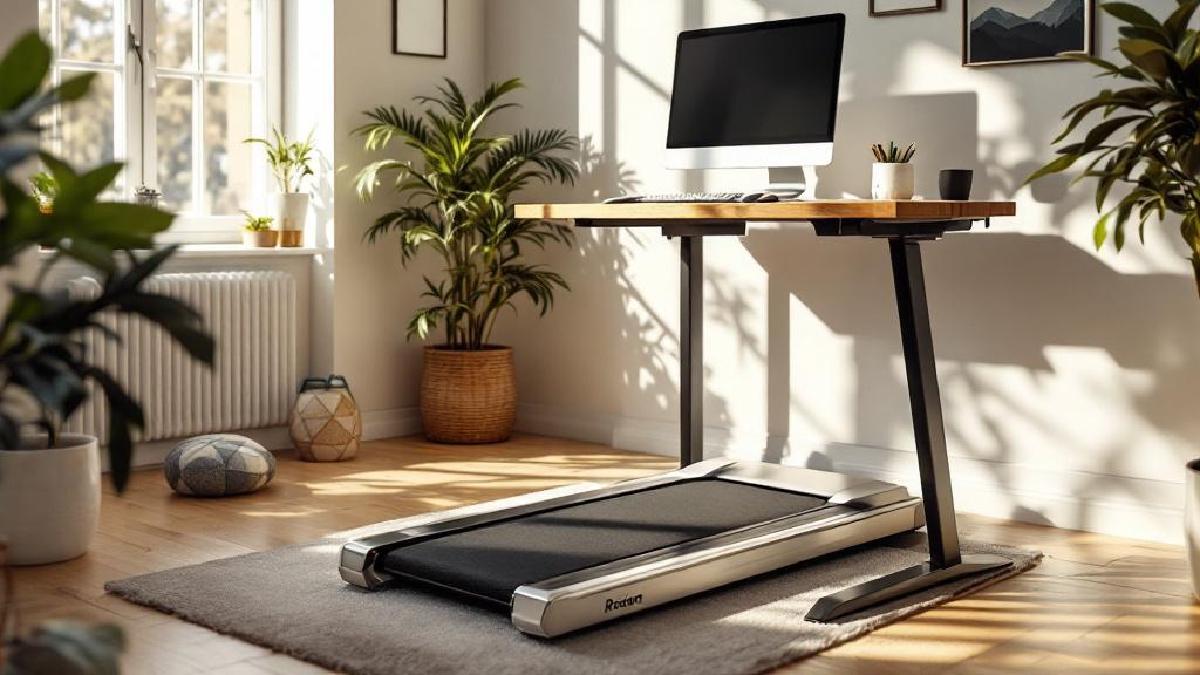
Sitting all day is terrible for your health — but so is standing still for eight hours. Under-desk treadmills offer a middle ground: gentle walking at 1–2 mph while you type, take calls, or review documents. The movement keeps your blood flowing, burns calories in the background, and — according to a growing body of research — actually improves focus and creativity during routine tasks.
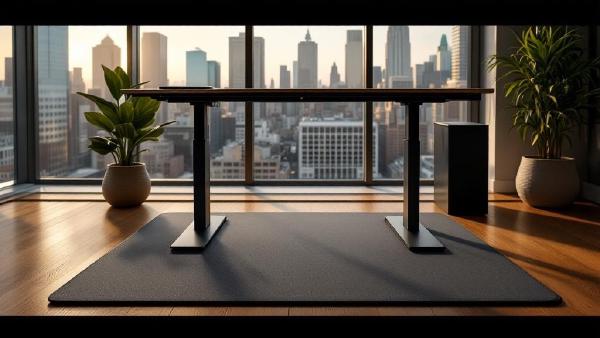
If you’ve already invested in a height-adjustable desk from our best standing desks 2026 guide, an under-desk treadmill is the logical next step. Raise the desk, slide the treadmill underneath, and walk your way through the workday. Most people find they can comfortably type, mouse, and even join video calls while walking at a gentle pace — the trick is keeping it slow enough that you’re not bouncing on camera.
We’ve tested seven under-desk treadmills for noise output, walking surface stability, build quality, and app integration. Here’s what stood out.
Quick Comparison Table #
| Model | Price (USD/GBP) | Speed Range | Deck Size | Weight Capacity | Foldable | Best For |
|---|---|---|---|---|---|---|
| WalkingPad A1 Pro | $500 / £400 | 0.5–3.1 mph | 47×17" | 265 lbs | Yes | Premium pick |
| Goplus 2-in-1 | $250 / £200 | 0.5–3.8 mph | 41×16" | 265 lbs | Yes | Versatile |
| UMAY Under Desk | $200 / £160 | 0.5–3.8 mph | 48×17" | 300 lbs | No | Budget |
| Sperax Walking Pad | $220 / £176 | 0.6–3.8 mph | 43×15.4" | 220 lbs | Yes | Compact |
| UREVO 2-in-1 | $230 / £184 | 0.5–4.0 mph | 47.2×17.7" | 330 lbs | Yes | Heavy users |
| Costway Folding | $240 / £192 | 0.5–3.1 mph | 44×17" | 265 lbs | Yes | Family use |
| REDLIRO Walking Pad | $260 / £208 | 0.5–3.8 mph | 48×18" | 300 lbs | Yes | Wide belt |
1. WalkingPad A1 Pro — Best Under-Desk Treadmill Overall #
Price: $500 / £400 Check price on Amazon US → Check price on Amazon UK →
The WalkingPad A1 Pro is backed by the Xiaomi ecosystem and it shows — the build quality, app integration, and overall refinement are a cut above everything else in this category. At just 5 inches tall when folded, it slides under a sofa or behind a door when you’re not using it, which is a genuine advantage in smaller home offices.
The headline feature is how quiet it is. At walking speeds (1–2 mph), we measured around 42 dB — roughly the level of a quiet library. You can comfortably use it during video calls without anyone noticing. The Bluetooth app tracks steps, calories, and distance, and the auto-speed mode adjusts pace based on where you position your feet on the belt — walk towards the front to speed up, towards the back to slow down.
The walking belt is 47×17 inches, which is adequate for most people but may feel slightly narrow if you have a longer stride. At desk-walking speeds this isn’t really an issue, but it’s worth noting if you plan to jog on it occasionally.
Pros #
- Ultra-quiet motor (42 dB at walking speed)
- Folds to just 5 inches for storage
- Bluetooth app with auto-speed mode
- Built-in Bluetooth speakers for audio
- Solid aluminium construction
- Stable at standing desk height
Cons #
- Premium price — nearly double some competitors
- Belt width may feel tight for larger users
- Initial setup takes about 20 minutes
- 3.1 mph top speed limits jogging
Best for: Anyone who wants the quietest, most refined walking pad experience and doesn’t mind paying for it. Pairs perfectly with a standing desk mat for alternating between walking and standing sessions.
2. Goplus 2-in-1 Folding Treadmill — Best Versatile Option #
Price: $250 / £200 Check price on Amazon US → Check price on Amazon UK →
The Goplus 2-in-1 earns its name — fold the handlebar down for under-desk walking mode, or raise it for a traditional treadmill experience with speeds up to 3.8 mph. This dual-purpose design makes it genuinely useful beyond the office. You can walk during work hours and get a proper cardio session in the evening without needing two separate pieces of equipment.
Build quality is solid for the price. The steel frame feels sturdy, and the LED display shows speed, distance, time, and calories clearly. The included remote control lets you adjust speed without reaching down, which is essential when you’re mid-workflow.
The trade-off is noise. At around 55 dB during walking, it’s noticeably louder than the WalkingPad — still fine for solo work, but you might want to mute yourself during calls. The belt is also slightly smaller at 41×16 inches, which is the minimum we’d recommend for comfortable walking.
Pros #
- Two modes: under-desk walking and traditional treadmill
- Affordable price for dual functionality
- Easy fold mechanism for storage
- Clear LED display and remote control
- Sturdy steel frame construction
Cons #
- Louder motor (55 dB) — audible on calls
- Smaller walking belt (41×16")
- Basic companion app
- Occasional belt slip reported under heavy use
Best for: People who want both a walking pad for work and a light treadmill for exercise, without buying two machines.
3. UMAY Under Desk Treadmill — Best Budget Pick #
Price: $200 / £160 Check price on Amazon US → Check price on Amazon UK →
If you want to try desk-walking without a big financial commitment, the UMAY is where to start. It strips away the handlebar entirely — this is a pure walking pad, designed to sit flat under your standing desk and do one thing well.
At 48×17 inches, the walking belt is actually one of the largest in this roundup, which is surprising at this price point. The 300-pound weight capacity is also generous. The remote control is basic but functional — speed up, speed down, start, stop. No app, no Bluetooth speakers, no auto-speed mode. Just walking.
The unit weighs about 50 pounds, which makes it manageable to move around but heavy enough to stay stable during use. The lack of a folding mechanism means you’ll need somewhere to store it flat — under a bed or propped against a wall works for most people.
Pros #
- Lowest price for a quality walking pad
- Large walking belt (48×17")
- High weight capacity (300 lbs)
- Lightweight and easy to move (50 lbs)
- Simple, reliable remote control
Cons #
- No folding — requires flat storage space
- No incline adjustment
- Basic LED display with limited data
- Motor may wear faster with heavy daily use
Best for: First-time walking pad buyers who want to test the concept without a major investment. Upgrade to the WalkingPad if you stick with it.
4. Sperax Walking Pad — Best Compact Option #
Price: $220 / £176 Check price on Amazon US → Check price on Amazon UK →
The Sperax stands out for its curved deck design, which encourages a more natural walking gait by guiding your feet towards the centre of the belt. It sounds like a gimmick, but it genuinely makes walking feel more comfortable, especially during longer sessions.
The unit folds in half and has built-in wheels for easy transport — handy if you move between rooms or need to clear floor space regularly. The companion app tracks your walking data and lets you set daily step goals, which adds a welcome layer of motivation.
At 43×15.4 inches, the belt is on the narrower side, and the 220-pound weight capacity is the lowest in our roundup. If you’re a lighter user in a small space, this is ideal. If you need more room or capacity, look elsewhere.
Pros #
- Curved deck promotes natural walking gait
- Folds compactly with built-in transport wheels
- Good companion app with goal tracking
- Shock absorption system reduces joint impact
- Quiet operation at low speeds
Cons #
- Lower weight capacity (220 lbs) limits users
- Narrower belt (15.4") — not ideal for larger feet
- Small remote can be fiddly
- Belt width feels tight above 2.5 mph
Best for: Lighter users in compact home offices who value portability and natural walking feel.
5. UREVO 2-in-1 Under Desk Treadmill — Best for Heavy Users #
Price: $230 / £184 Check price on Amazon US → Check price on Amazon UK →
The UREVO’s standout spec is its 330-pound weight capacity — the highest in this roundup by a significant margin. If other walking pads feel too flimsy or you’re simply a larger person, this addresses that concern directly. The wider belt (47.2×17.7") and robust motor handle heavier loads without the wobble or strain that cheaper units exhibit.
Like the Goplus, it’s a 2-in-1 design: fold down the handlebar for desk mode, raise it for traditional treadmill use with speeds up to 4 mph. The LED console is large and easy to read, and both remote control and app connectivity are included.
The downside is vibration at higher speeds. Above 3 mph, you’ll feel it through the desk — fine for walking, but jogging mode transmits more movement than we’d like. A thick anti-fatigue standing desk mat underneath helps dampen this.
Pros #
- Highest weight capacity in class (330 lbs)
- Wide, comfortable walking belt
- 2-in-1 design with foldable handlebar
- App and remote control included
- Good value for the build quality
Cons #
- Noticeable vibration above 3 mph
- Remote can be unresponsive occasionally
- Larger footprint than pure walking pads
- Heavier unit (around 65 lbs)
Best for: Larger users who need a higher weight capacity and want the flexibility of both walking pad and treadmill modes.
6. Costway Folding Treadmill — Best for Families #
Price: $240 / £192 Check price on Amazon US → Check price on Amazon UK →
The Costway is built like a tank — at 70 pounds, it’s the heaviest unit here, but that weight translates to rock-solid stability during use. The safety key feature is particularly valuable in households with children or pets, cutting power immediately if the key detaches.
It offers multiple workout modes pre-programmed into the console, which is a nice touch if family members want to use it for light exercise outside of work hours. The build quality is durable enough for multi-user households where the treadmill might see daily use from different people.
The 3.1 mph top speed keeps it firmly in the walking category, and the noise level is average — not the quietest, but not disruptive for solo work. Assembly is required and takes about 30 minutes.
Pros #
- Exceptionally sturdy construction
- Safety key for households with children
- Multiple pre-programmed workout modes
- Solid manufacturer warranty
- Stable at all speeds
Cons #
- Heavy (70 lbs) — difficult to move frequently
- Average noise level
- Assembly required (30 minutes)
- Limited top speed (3.1 mph)
Best for: Multi-person households where durability and safety features matter more than portability.
7. REDLIRO Walking Pad — Best Wide Belt #
Price: $260 / £208 Check price on Amazon US → Check price on Amazon UK →
The REDLIRO’s 48×18-inch belt is the widest in our roundup, giving you noticeably more room for a natural stride. If you’ve tried other walking pads and felt cramped, this extra width makes a meaningful difference — you can walk without thinking about foot placement, which is exactly what you want when you’re focused on work.
The companion app tracks calories, distance, and pace, and lets you set goals for daily walking targets. The motor is quiet and handles sustained use well. The unit folds for storage, though it lacks transport wheels, so you’ll need to carry it.
Pros #
- Widest walking belt available (48×18")
- Good companion app with goal tracking
- Quiet motor for office use
- High weight capacity (300 lbs)
- Stable, solid construction
Cons #
- Mid-range pricing without premium features
- No transport wheels
- Belt requires occasional lubrication maintenance
- Folding mechanism is stiff initially
Best for: Anyone who prioritises walking comfort and belt width above all else. The extra two inches of width genuinely matter during long sessions.
Our Top Pick #
For most home office workers, the WalkingPad A1 Pro is the best under-desk treadmill you can buy. The combination of near-silent operation, smart app features, and compact folding design makes it the most refined option available. You can use it during calls without anyone knowing, and it disappears into a closet when you’re done.
If budget is the priority:
- Best value: The UMAY gives you a large belt and solid build for $200.
- Best versatility: The Goplus 2-in-1 doubles as a real treadmill for exercise.
- Best for heavy users: The UREVO supports up to 330 lbs.
- Best wide belt: The REDLIRO offers the most walking room at 18 inches wide.
Buying Guide: What to Look For #
Speed Range #
For under-desk use, you’ll spend most of your time between 1 and 2 mph. Anything above 2.5 mph makes typing difficult and shows up as bouncing on video calls. A range of 0.5–3.8 mph covers both gentle walking and light jogging for after-work sessions.
Noise Level #
This is the make-or-break spec for office use. Look for models under 50 dB at walking speeds — that’s roughly the volume of a quiet conversation. The WalkingPad A1 Pro at 42 dB is the gold standard. Anything above 55 dB will be noticeable on calls and may bother household members nearby.
Belt Size #
Width matters more than length for desk walking, because you naturally sway side to side more than you drift forward or back. We recommend a minimum of 16 inches wide and 44 inches long. If you have larger feet (size 11+), aim for 17–18 inches wide.
Weight Capacity #
Always check this spec and include your weight plus shoes. Most units support 265 lbs, but if you’re close to that limit, the motor works harder, wears faster, and runs louder. Choose a treadmill rated at least 30 lbs above your weight for longevity.
Desk Compatibility #
Under-desk treadmills add 5–7 inches of height. Make sure your standing desk can go high enough to accommodate this. Most standing desks from our best standing desks guide max out at 48–50 inches, which is sufficient for users up to about 6'2" with a treadmill underneath.
Storage and Portability #
Foldable models store more easily but tend to cost more. If you have permanent space under your desk, a non-folding model like the UMAY works fine. If you share the office or need to clear the floor, prioritise folding and transport wheels.
Tips for Walking While Working #
- Start slow — begin at 1 mph for the first week to build coordination.
- Walk during routine tasks — emails, reading, calls. Save complex work for sitting or standing still.
- Wear supportive shoes — walking barefoot on a treadmill belt causes friction burns.
- Use a mat underneath — protects your floor and dampens vibration.
- Set a daily target — 5,000–8,000 steps during work hours is achievable and beneficial.
- Alternate positions — combine walking with sitting and standing throughout the day. An ergonomic chair is still essential for focused desk work.
FAQ #
Are under-desk treadmills noisy during calls? #
The quietest models (like the WalkingPad A1 Pro at 42 dB) are virtually silent on calls. Budget models around 55 dB are audible if your microphone picks up ambient noise. If calls are a priority, invest in a quiet unit and consider a directional USB microphone that rejects background noise.
Can I jog on an under-desk treadmill? #
Most support speeds up to 3.8–4 mph, which is a light jog. However, jogging while working is impractical — your hands bounce too much for typing or mousing. Save jogging for break times when you can step away from the desk.
Do they damage floors? #
On hard floors, the vibration is minimal but can transfer to neighbours below in apartments. A rubber mat underneath eliminates this. On carpet, most units work fine without additional protection. Hardwood floors should get a protective mat to prevent scratching from the treadmill’s feet.
How much maintenance do they need? #
Lubricate the belt with silicone spray every 1–2 months depending on usage. Keep the deck clear of dust and debris. Most motors are maintenance-free but benefit from occasional rest — don’t run it for more than 2–3 hours continuously.
Will a treadmill work with any standing desk? #
Yes, as long as the desk reaches high enough. You need about 5–7 inches of extra height beyond your normal standing desk position. Check the maximum height of your desk against our standing desk comparison to be sure.
How many calories does desk walking burn? #
Walking at 1.5–2 mph burns roughly 100–200 calories per hour, depending on your weight. Over a typical workday with 3–4 hours of walking, that’s 300–800 extra calories — equivalent to a moderate gym session without changing out of your work clothes.