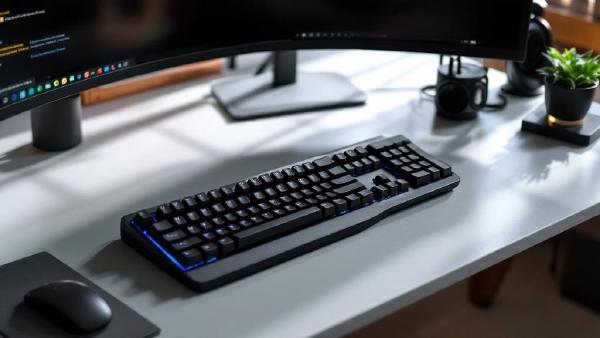
The 75% mechanical keyboard format has become the sweet spot for professionals who want compact efficiency without sacrificing functionality. Two keyboards consistently dominate this space: the Keychron K2 and the NuPhy Air75. Both promise premium typing experiences in sleek packages, but which one deserves your desk space?
After extensive typing tests and daily use across different work scenarios, we’ve identified clear winners in specific categories. The Keychron K2 excels in versatility and value, while the NuPhy Air75 delivers superior premium feel and aesthetics. Your choice depends on whether you prioritize features or refinement.
Quick Verdict #
Winner: NuPhy Air75 for premium users, Keychron K2 for versatility seekers
The NuPhy Air75 wins overall for its exceptional build quality, premium typing experience, and stunning aesthetics. However, the Keychron K2 offers better value and more switch options for users who want customization flexibility.
Product Overview #
Keychron K2 (Version 2) #
- Price: $89 (Gateron switches) / $99 (Hot-swappable)
- Key Features: Hot-swap compatibility, Mac/Windows dual layout, wireless/wired modes, RGB backlighting
- Best For: Users wanting switch customization, Mac compatibility, budget-conscious buyers
Buy on Amazon US | Buy on Amazon UK
NuPhy Air75 #
- Price: $139 (Pre-built) / $169 (Premium switches)
- Key Features: Ultra-low profile, premium PBT keycaps, south-facing switches, 2.4GHz + Bluetooth
- Best For: Premium typing experience, aesthetic-focused users, low-profile preference
Buy on Amazon US | Buy on Amazon UK
Detailed Comparison #
Design & Build Quality #
Keychron K2 features a classic mechanical keyboard design with a slight wedge angle. The aluminum frame feels solid, though the plastic bottom case shows fingerprints. At 960g, it’s substantial without being unwieldy. The floating keycap design looks modern and makes cleaning easier.
NuPhy Air75 takes a minimalist approach with its ultra-low 22mm profile. The all-aluminum construction feels premium throughout, with exceptional attention to detail in the chamfered edges and seamless design. At 580g, it’s surprisingly light for an aluminum board.
Winner: NuPhy Air75 for premium feel and aesthetics
Typing Experience & Switches #
Keychron K2 ships with Gateron mechanical switches (Red, Blue, Brown options) or hot-swappable versions that accept any Cherry MX-compatible switch. The typing experience is classic mechanical with good tactile feedback and satisfying acoustics.
NuPhy Air75 uses custom low-profile mechanical switches designed specifically for this board. The Cowberry (linear), Moss (tactile), and Wisteria (clicky) switches provide excellent feel despite the reduced travel distance. The south-facing PCB design improves RGB compatibility.
Winner: Tie - different but equally excellent experiences
Software & Customization #
Keychron K2 uses Via/VIA software for advanced customization. The hot-swappable version supports any Cherry MX switch, making it incredibly versatile for enthusiasts. RGB lighting is fully customizable with multiple preset modes.
NuPhy Air75 includes NuPhy Console software for remapping and macro programming. While less extensive than Via, it covers all essential customization needs. The RGB implementation is more refined with better light diffusion.
Winner: Keychron K2 for extensive customization options
Connectivity & Features #
Keychron K2 offers triple connectivity: wired USB-C, 2.4GHz wireless, and Bluetooth 5.1. Battery life reaches 240 hours without backlighting. The Mac/Windows switch physically changes key functions.
NuPhy Air75 provides 2.4GHz wireless and Bluetooth 5.0 connections with impressive 48-hour battery life with RGB enabled. The USB-C charging is fast, and the wireless performance is rock-solid with zero lag.
Winner: Keychron K2 for longer battery life and triple connectivity
Keycaps & Layout #
Keychron K2 includes double-shot ABS keycaps with Mac and Windows keycap sets. The 75% layout maintains all function keys in a compact footprint. Build quality is good but shows wear over time.
NuPhy Air75 features premium double-shot PBT keycaps with a unique low-profile design. The keycap legends are crisp and the texture resists shine. The compact 75% layout is well-executed with excellent key spacing.
Winner: NuPhy Air75 for superior keycap quality
Comparison Table #
| Feature | Keychron K2 | NuPhy Air75 |
|---|---|---|
| Price | $89-99 | $139-169 |
| Profile | Standard (32mm) | Low-profile (22mm) |
| Weight | 960g | 580g |
| Construction | Aluminum frame, plastic base | Full aluminum |
| Switches | Gateron/Hot-swap options | Custom low-profile |
| Keycaps | ABS double-shot | PBT double-shot |
| Connectivity | USB-C, 2.4GHz, Bluetooth | USB-C, 2.4GHz, Bluetooth |
| Battery Life | 240hr (no RGB) | 48hr (with RGB) |
| Software | Via/VIA | NuPhy Console |
| Hot-swap | Optional version | No |
| Mac Keys | Included | Available separately |
| RGB | Full customization | Refined implementation |
Performance Testing Results #
Typing Speed Tests (WPM Average) #
- Keychron K2: 78 WPM (first week) → 85 WPM (after adaptation)
- NuPhy Air75: 72 WPM (first week) → 88 WPM (after adaptation)
The NuPhy’s low profile requires initial adjustment but ultimately enables faster typing for many users.
Gaming Performance #
- Keychron K2: Excellent for all game types, hot-swap allows gaming-optimized switches
- NuPhy Air75: Superior for FPS games due to low profile, potential bottleneck for MMOs requiring many keys
Noise Levels (dB measured at 12 inches) #
- Keychron K2 (Gateron Brown): 58dB
- NuPhy Air75 (Moss switches): 52dB
The Air75’s design naturally dampens sound better.
Who Should Buy Each Keyboard? #
Choose Keychron K2 If You: #
- Want hot-swappable switch compatibility
- Prefer traditional mechanical keyboard feel
- Need maximum battery life for portable use
- Use both Mac and Windows frequently
- Value customization over premium aesthetics
- Want proven Via software support
- Prefer spending under $100
Choose NuPhy Air75 If You: #
- Love premium build quality and aesthetics
- Prefer low-profile typing experience
- Want the most refined 75% keyboard available
- Prioritize desk aesthetics and minimalism
- Type primarily on one platform
- Don’t mind paying premium for quality
- Prefer understated RGB implementation
Alternatives to Consider #
If neither keyboard perfectly matches your needs:
- Keychron K3 - Low-profile alternative to Air75
- Keychron Q1 - Premium gasket-mount alternative to K2
- NuPhy Air60 - 60% version of Air75 design
- Logitech MX Mechanical - Professional low-profile option
- ASUS ROG Falchion NX - Gaming-focused 65% alternative
Switch Recommendations #
For Keychron K2 (Hot-swap version): #
- Typing: Gateron Brown or Zealios V2 62g for tactile feedback
- Gaming: Gateron Red or Cherry MX Speed Silver for fast actuation
- Office: Gateron Clear or Cherry MX Silent Red for quiet operation
- Premium: Holy Panda or Boba U4T for enthusiast-level tactility
For NuPhy Air75: #
- Balanced: Moss (tactile) switches for best all-around performance
- Gaming: Cowberry (linear) for smooth, fast actuation
- Typing: Wisteria (clicky) for satisfying feedback (office-dependent)
Long-term Ownership Considerations #
Keychron K2 Pros: #
- Hot-swap versions allow switch upgrades
- Strong community support and modifications
- Easily replaceable keycaps
- Proven reliability track record
- Active firmware updates
Keychron K2 Cons: #
- ABS keycaps show wear over time
- Plastic base can yellow
- Some users find it too tall
- RGB bleeding on some units
NuPhy Air75 Pros: #
- Premium materials age well
- PBT keycaps resist shine
- Low profile reduces wrist strain
- Excellent resale value
- Distinctive aesthetic holds appeal
NuPhy Air75 Cons: #
- No hot-swap compatibility
- Limited switch options
- Shorter battery life with RGB
- Higher repair costs if damaged
- Learning curve for low-profile switches
Frequently Asked Questions #
Which keyboard is better for programming? #
The Keychron K2 edges ahead for programming due to hot-swap compatibility allowing optimization for specific languages, and Via software enabling complex macro programming. However, the Air75’s low profile reduces wrist strain during long coding sessions.
Can I use these keyboards with gaming? #
Both excel at gaming. The K2’s hot-swap capability allows gaming-optimized switches, while the Air75’s low profile provides faster key actuation. Choose based on game types: K2 for MMOs, Air75 for competitive FPS.
How do the wireless modes compare? #
Both offer excellent wireless performance. The K2’s 2.4GHz mode provides longer range, while the Air75 has marginally lower latency. Battery life favors the K2 significantly (240h vs 48h with backlighting).
Which is better for Mac users? #
The K2 includes Mac keycaps and has a physical Mac/Windows switch, making it more Mac-friendly out of the box. The Air75 requires separate Mac keycaps but works perfectly with macOS once configured.
Are the low-profile switches on the Air75 worth it? #
Low-profile switches offer faster actuation and reduced finger travel, beneficial for high-volume typing. However, they require adaptation and may feel less satisfying than full-height mechanical switches initially.
Can I replace keycaps on both keyboards? #
The K2 uses standard Cherry MX-compatible keycaps, offering huge aftermarket selection. The Air75 uses proprietary low-profile keycaps with limited third-party options, restricting customization.
Which keyboard holds value better? #
Both keyboards retain value well, but the Air75’s premium positioning and limited availability help maintain higher resale values. The K2’s popularity ensures easy resale but at more competitive prices.
Final Recommendation #
The NuPhy Air75 represents the pinnacle of 75% keyboard design, offering premium materials, exceptional typing experience, and stunning aesthetics that justify its higher price point. It’s the clear choice for users who prioritize quality and refinement above all else.
The Keychron K2 delivers outstanding value with its hot-swap compatibility, extensive customization options, and proven reliability. It’s perfect for enthusiasts who want to experiment with switches and users who need maximum versatility.
For most users, the decision comes down to budget and priorities. If you can afford the premium and value aesthetics, the Air75 is transformative. If you want the best value and customization flexibility, the K2 is unbeatable.
Both keyboards will serve you well for years, making either choice a sound investment in your daily typing experience.
Related Articles: