Your desk is the wrong height for typing. Almost certainly.
Standard desks are 28-30 inches tall. The ergonomically correct typing height — where your elbows are at 90 degrees and your wrists are neutral — is typically 26-28 inches for most people. That 2-4 inch gap means your shoulders are slightly raised, your wrists are slightly extended, and after eight hours of this, your body lets you know about it.
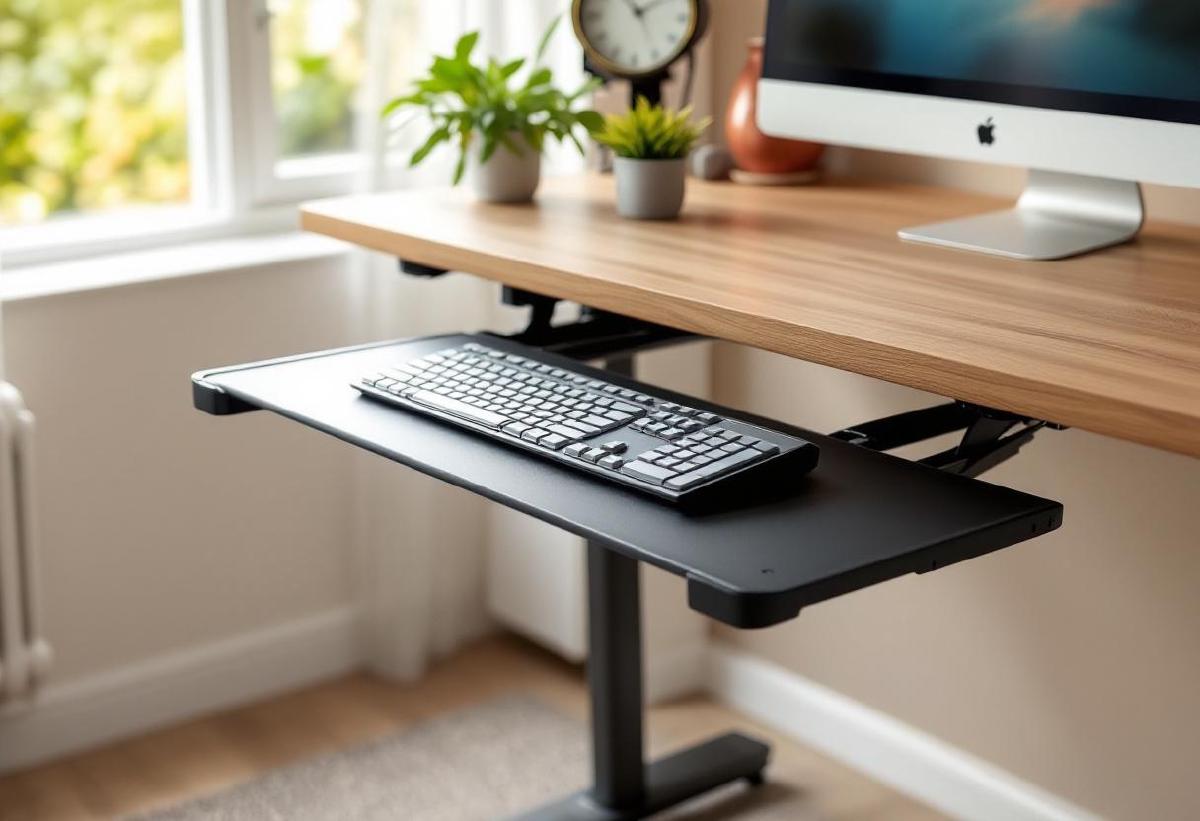
An adjustable keyboard tray drops your keyboard and mouse below desk level, putting them exactly where your hands naturally fall. It also frees up your desk surface for monitors, notebooks, and desk accessories. If you’re not ready to invest in a standing desk with adjustable height, a keyboard tray is the most impactful ergonomic upgrade you can make for under $200.
Here are the 7 best adjustable keyboard trays in 2026, from budget clamp-ons to premium articulating systems.
Our Top Picks at a Glance #
| Keyboard Tray | Best For | Tray Size | Height Range | Price (USD) |
|---|---|---|---|---|
| VIVO Adjustable Keyboard Tray | Best overall | 25.6" × 9.8" | ±3" from desk | ~$45 |
| Humanscale 6G | Best premium | 27" × 10" | Full articulating | ~$200 |
| Mount-It! MI-7137 | Best budget | 25" × 9.5" | -5.1" below desk | ~$35 |
| 3M AKT80LE | Best ergonomic design | 28" × 11.5" | Full articulating + tilt | ~$160 |
| VIVO Clamp-On Tray | Best easy install | 26.5" × 11.8" | Fixed (clamp height) | ~$40 |
| Fellowes Office Suites | Best with wrist rest | 20.5" × 11.5" | -2" below desk | ~$60 |
| KBTray Under Desk Slider | Best slim profile | 24" × 10" | Rail-mounted slide | ~$30 |
1. VIVO Adjustable Keyboard Tray — Best Overall #
The VIVO adjustable tray delivers the essential features at a sensible price. The 25.6" × 9.8" platform fits a full-size keyboard and mouse side by side, with height adjustment (±3 inches from desk level), tilt control, and a smooth-gliding track for pulling the tray out and pushing it back.
Installation is straightforward with the included track that screws into the desk underside. The tray swivels 360 degrees, tilts ±15 degrees, and slides in and out on ball-bearing rails. Build quality is a step above the cheapest options — the steel track is sturdy and the tray doesn’t flex or wobble during use.
The 9.8" depth is adequate for most keyboards but tight for larger ergonomic keyboards with built-in wrist rests. Measure your keyboard before buying.
Pros:
- Height, tilt, and swivel adjustment
- Ball-bearing slide rail for smooth operation
- 25.6" width fits keyboard + mouse
- Steel construction — no wobble
- Competitive price for the feature set
Cons:
- Requires screwing into desk underside
- 9.8" depth may be tight for large keyboards
- Tilt lock can loosen over time
- No padded wrist rest included
- Track installation requires some DIY comfort
👉 Check price on Amazon US | Amazon UK
2. Humanscale 6G — Best Premium #
The Humanscale 6G is the keyboard tray equivalent of buying a Herman Miller chair — it’s expensive, beautifully engineered, and you’ll understand the price the moment you use it.
The dial-based height and tilt adjustment is buttery smooth. The build is commercial-grade steel and aluminium, designed to last a decade of daily use. The track mechanism uses a counterbalance system so the tray floats at whatever height you set it — no knobs to tighten, no locking mechanisms to fail.
At ~$200, it’s four times the price of budget trays. But if you spend 8+ hours a day at your desk and you’re dealing with wrist pain or posture issues, the 6G is a legitimate health investment. The smooth, precise adjustability means you’ll actually use the adjustments instead of setting it once and forgetting.
Pros:
- Commercial-grade build quality
- Counterbalanced float mechanism — effortless adjustment
- Smooth dial-based height and tilt control
- Large platform (27" × 10")
- 10+ year durability expectation
Cons:
- Premium price (~$200)
- Requires under-desk screw installation
- Overkill for occasional desk use
- Heavy (adds noticeable weight to desk)
- Mouse platform sold separately on some models
👉 Check price on Amazon US | Amazon UK
3. Mount-It! MI-7137 — Best Budget #
The Mount-It! MI-7137 delivers functional under-desk keyboard tray for ~$35. The 25" × 9.5" tray accommodates a standard keyboard and mouse, slides on a C-clamp mounted track (no screwing into your desk), and drops your keyboard about 5 inches below desk level.
The gel wrist rest is a nice inclusion at this price — most budget trays skip it entirely. The slide mechanism is smooth enough for daily use, though it doesn’t have the silky ball-bearing feel of premium trays.
The main limitation is no height adjustment — the tray sits at a fixed position determined by the clamp and track. This works for most desk heights, but if your desk is unusually tall or short, you can’t compensate. For the price, it’s a perfectly functional way to get your keyboard off your desk and improve your typing posture.
Pros:
- Budget price (~$35)
- No-drill C-clamp installation
- Gel wrist rest included
- 25" width fits keyboard and mouse
- Easy to remove without leaving marks
Cons:
- No height adjustment
- Fixed tilt (slight negative tilt only)
- C-clamp may not fit all desk edges
- Track isn’t as smooth as screw-mounted options
- Platform can flex slightly under pressure
👉 Check price on Amazon US | Amazon UK
4. 3M AKT80LE — Best Ergonomic Design #
3M’s Adjustable Keyboard Tray is the choice of corporate ergonomics departments, and for good reason. It features the widest platform here (28" × 11.5"), fully articulating height and tilt adjustment, a separate mouse platform that can be positioned left or right, and the Precise Optical Mousing Surface built into the tray.
The lever-activated adjustment system lets you change height and tilt with one hand without reaching under the desk. The tray tilts both positive and negative — negative tilt (front edge higher) is the ergonomically preferred position for typing, and most cheap trays can’t do it.
The separate mouse platform prevents the common problem of mousing with your arm extended too far to the right. You can position it at the same height as your keyboard, eliminating shoulder strain.
Pros:
- Widest platform (28" × 11.5") — fits any keyboard comfortably
- Separate adjustable mouse platform (left or right)
- Lever-activated one-hand height/tilt adjustment
- Negative tilt capability (ergonomically superior)
- Built-in mousing surface
- Commercial-grade durability
Cons:
- Expensive (~$160)
- Complex installation
- Heavy and substantial — not for thin desks
- Large under-desk footprint
- Industrial appearance
👉 Check price on Amazon US | Amazon UK
5. VIVO Clamp-On Tray — Best Easy Install #
If drilling into your desk is a dealbreaker — you’re renting, or your desk has cable management underneath, or you just don’t want to — the VIVO Clamp-On Tray attaches with a heavy-duty C-clamp in about 60 seconds. No tools beyond what’s included, no permanent modifications.
The tray itself is generous at 26.5" × 11.8", larger than most screw-mounted competitors. It doesn’t adjust height or tilt (it sits at the height determined by the clamp position), but it slides in and out smoothly on a 15.7-inch track.
The trade-off is ergonomic flexibility. A fixed-position tray only works if that position happens to be right for you. But for most standard-height desks, the clamp puts the tray at approximately the right height for neutral typing posture.
Pros:
- No-drill clamp installation — 60-second setup
- Large tray (26.5" × 11.8")
- No permanent desk modifications
- Smooth slide track
- Easy to remove and reinstall
Cons:
- No height or tilt adjustment
- Clamp doesn’t fit all desk thicknesses
- Less stable than screw-mounted trays
- May interfere with desk drawers
- Can’t achieve precise ergonomic positioning
👉 Check price on Amazon US | Amazon UK
6. Fellowes Office Suites — Best with Wrist Rest #
The Fellowes Office Suites tray is designed around wrist comfort. The full-width gel wrist rest with Microban antimicrobial protection runs the entire length of the tray, providing cushioned support for both keyboard and mouse use.
The tray adjusts height (about 2 inches below desk) and offers slight tilt adjustment. The platform is wide enough for keyboard and mouse, and the gel rest is genuinely comfortable — firmer than cheap gel pads but still cushioning.
If you’re coming from a desk setup where wrist pain from your keyboard is the primary issue, the integrated wrist rest here is better than buying a separate tray and wrist rest — they’re designed to work together, with the rest at exactly the right height relative to the tray surface.
Pros:
- Full-width gel wrist rest with antimicrobial coating
- Height and tilt adjustment
- Keyboard and mouse fit side by side
- Wrist rest is firm and supportive (not squishy)
- Clean, professional appearance
Cons:
- Limited height range (-2" only)
- Screw installation required
- Wrist rest isn’t removable (integral to design)
- Smaller platform than some competitors
- Gel may flatten over time with heavy use
👉 Check price on Amazon US | Amazon UK
7. KBTray Under Desk Slider — Best Slim Profile #
The KBTray slider is for people who want a keyboard tray that practically disappears when pushed in. At just over 1 inch thick in the closed position, it adds virtually no bulk under your desk. The 24" × 10" tray slides out on low-profile rails, holds your keyboard and mouse, and slides back flush when not in use.
There’s no height or tilt adjustment — the tray sits directly under your desk surface at a fixed position. But the slim profile means it doesn’t reduce your legroom, which is a genuine problem with bulkier articulating trays.
Installation is simple (four screws into the desk underside), and the rails are smooth enough for one-handed operation. At ~$30, it’s one of the most affordable ways to get your keyboard below desk level and reclaim that desk surface for other uses.
Pros:
- Ultra-slim profile — barely visible when closed
- Minimal legroom impact
- Smooth slide-out rails
- Simple 4-screw installation
- Very affordable (~$30)
Cons:
- No height or tilt adjustment
- No wrist rest
- Fixed position may not suit all body types
- Simpler rail mechanism than premium options
- Platform can feel thin under heavy typing
👉 Check price on Amazon US | Amazon UK
Why Your Desk Height Is Probably Wrong #
Most people don’t realise their desk is ergonomically incorrect for typing because it feels “normal.” But there’s a difference between habitual and healthy.
Here’s a quick test: sit at your desk with your feet flat on the floor and your elbows at 90 degrees. Where are your hands? If they’re below the desk surface, your desk is the right height. If they’re at or above desk level, you’re typing with raised shoulders and extended wrists — the two primary contributors to office-related wrist and back pain.
A keyboard tray corrects this without replacing your desk. Combined with a footrest (if your chair is too high after adjustment) and a monitor arm (to get your screen at eye level), a keyboard tray completes the ergonomic triangle of screen height, typing height, and seating position.
Negative Tilt: The Posture Secret #
Most people tilt their keyboard feet up, raising the back edge. This is backwards. Ergonomic research consistently shows that negative tilt — where the front edge of the keyboard is slightly higher than the back — reduces wrist extension and strain.
Keyboard trays with tilt adjustment let you achieve this negative tilt easily. Your wrists stay straight, your forearms angle slightly downward, and your shoulders relax. After a week, you’ll wonder how you typed any other way.
Frequently Asked Questions #
Will a keyboard tray work with my desk? #
Most trays require either screw-mounting into the desk underside or C-clamp attachment to the desk edge. Check your desk thickness (clamp trays typically need 0.5-2 inches), and make sure there’s nothing obstructing the underside (drawers, support beams, cable trays). Standing desks and sit-stand converters generally work but check the specific tray’s compatibility.
Can I fit an ergonomic keyboard and mouse on a keyboard tray? #
Measure your keyboard first. Standard trays are 25-27 inches wide. A full-size keyboard is about 17 inches, leaving 8-10 inches for a mouse — enough for most people. Split or wide ergonomic keyboards may be too large for smaller trays. Look for trays 27"+ wide or ones with a separate mouse platform.
Do keyboard trays reduce desk space? #
Yes — that’s a feature. By moving your keyboard and mouse below the desk surface, you free up approximately 2 square feet of usable desk space. This is prime real estate for documents, notebooks, or just a cleaner-looking desk setup.
Will installing a keyboard tray damage my desk? #
Screw-mounted trays put small holes in the desk underside (invisible from above). C-clamp trays leave no marks but may slightly scuff the desk edge over time. If preserving your desk is critical, use a clamp-style tray with felt padding on the contact points.
How do I type on a tray without looking down? #
The same way you type on a desk — by touch. The tray puts your keyboard at a more natural height, but you’re still facing your monitor. Most people adjust within a day or two. If you currently look at your keyboard while typing, a tray won’t make that worse.
Can I use a keyboard tray with a standing desk? #
You can, but it somewhat defeats the purpose. Standing desks adjust height to accommodate both sitting and standing. Adding a fixed keyboard tray means the keyboard height no longer adjusts with the desk. If you want a tray with a standing desk, choose one that detaches or retracts fully so it doesn’t interfere when you stand.
Final Verdict #
The VIVO Adjustable Keyboard Tray is the best choice for most home offices — it offers height, tilt, and swivel adjustment at a price that won’t require a business case. If you want the premium experience with effortless adjustment, the Humanscale 6G is worth the investment for full-time desk workers.
For renters or anyone avoiding drill holes, the VIVO Clamp-On Tray or Mount-It! MI-7137 install in minutes without permanent modification. And if ergonomic correctness is your priority, the 3M AKT80LE with its separate mouse platform and negative tilt is what professional ergonomists recommend.
Your desk doesn’t need to be the wrong height forever. A keyboard tray is a ~$35-200 fix for a problem that causes real physical discomfort — and unlike an ergonomic chair, it works with whatever desk you already own.