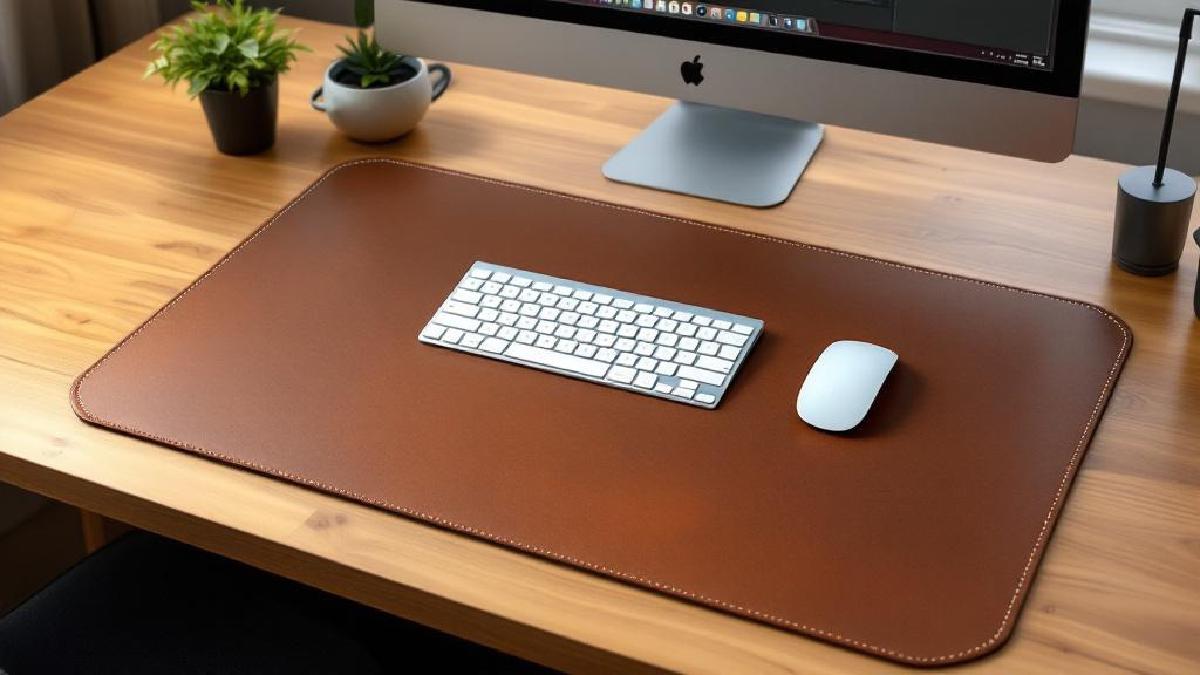
A desk mat does more than you’d think. It protects your desk surface from scratches, scuffs, and coffee rings. It gives your mouse a smooth, consistent tracking surface across the entire desk. It dampens keyboard noise — particularly noticeable with mechanical keyboards. And it ties your whole setup together visually, turning a bare desk into something that looks intentional.
If you’ve invested in a good keyboard and mouse, a quality desk mat is the surface they deserve to sit on. And if your desk is real wood or glass, a mat prevents the gradual wear that daily use inevitably causes.
We’ve tested seven desk mats across different materials, sizes, and price points — from $25 budget options to $120 premium leather. Here’s what we found.
Quick Comparison Table #
| Desk Mat | Price (USD/GBP) | Size | Material | Thickness | Best For |
|---|---|---|---|---|---|
| Orbitkey Desk Mat | $110 / £88 | 35.4×15.7" | PU Leather | 5mm | Minimalist style |
| Grovemade Leather Pad | $120 / £96 | 36×17" | Full-grain leather | 4mm | Premium quality |
| YSAGi Desk Pad | $25 / £20 | 31.5×15.7" | PU/Velvet | 4mm | Budget |
| Oakywood Felt+Cork | $90 / £72 | 39.4×17.7" | Wool felt/Cork | 6mm | Eco-friendly |
| Knodel Desk Pad | $30 / £24 | 35.4×17.7" | Leatherette | 5mm | Large + affordable |
| LTT Desk Pad | $40 / £32 | 36×12" | Felt | 5mm | Mouse tracking |
| Minimal Desk Setup Mat | $35 / £28 | 32×16" | PU/Fabric | 4mm | Small desks |
1. Orbitkey Desk Mat — Best Minimalist Desk Mat #
Price: $110 / £88 Check price on Amazon US → Check price on Amazon UK →
The Orbitkey is the desk mat you see in every Instagram setup photo, and it earns that status. The top surface is soft-touch PU leather that’s waterproof and easy to wipe clean — spill coffee on it and it wipes off without staining. The underside is a non-slip micro-suction layer that grips your desk firmly without adhesive, so you can reposition it freely.
What sets the Orbitkey apart is the built-in magnetic cable holder along one edge — a subtle magnetic strip that holds a charging cable in place so it doesn’t slide off your desk when disconnected. It’s a small feature that makes a surprising difference in daily use, especially if you’re constantly plugging and unplugging a laptop charger or USB-C dock.
The mat also has a document hideaway — a flap along the top edge where you can slide papers, sticky notes, or a notebook for quick access. It sounds gimmicky, but it’s genuinely useful for keeping reference material accessible without cluttering your desk surface.
At 35.4×15.7 inches, it’s sized for a keyboard and mouse with some room to spare, but won’t cover a full 60-inch desk edge-to-edge. If you need wall-to-wall coverage, the Knodel or Oakywood are larger options.
Pros #
- Premium PU leather with waterproof surface
- Magnetic cable holder prevents cable drop
- Document hideaway for papers and notes
- Non-slip micro-suction base (no adhesive)
- Stitched edges prevent fraying
- Rolls up for travel or cleaning
Cons #
- PU leather, not genuine leather — lacks the aging patina
- Smaller surface area than some competitors
- Premium price for a desk mat
- Limited colour options in standard sizes
Best for: Anyone who wants a polished, functional desk mat with thoughtful features like the cable holder and document hideaway.
2. Grovemade Leather Desk Pad — Best Premium Desk Mat #
Price: $120 / £96 Check price on Amazon US → Check price on Amazon UK →
If you want a desk mat that gets better with age, the Grovemade is the answer. Made from full-grain vegetable-tanned leather in Portland, Oregon, it develops a unique patina over months of use — the scratches and oil from your hands become part of the character rather than defects.
The leather surface is firm rather than cushy, providing excellent mouse tracking for both optical and laser sensors. The padded felt backing grips your desk gently while protecting the surface underneath. The stitching along the edges is tight and consistent — this feels like a product made by people who care about craft.
There’s no cable holder, no document hideaway, no clever features. Just beautifully made leather on a desk. For some people, that simplicity is exactly the point. The Grovemade aesthetic extends across their full product line — if you pair it with their desk shelf and accessories, the whole setup looks cohesive and premium.
The downside is maintenance. Genuine leather needs occasional conditioning (every 3–6 months) to keep it supple and prevent drying. It will absorb water if you don’t wipe spills quickly. And the price — $120 for a desk pad — is a tough sell unless you genuinely value the material and craftsmanship.
Pros #
- Full-grain leather develops beautiful patina over time
- Excellent mouse tracking surface
- Padded felt backing protects desk
- Handmade quality from Grovemade
- Eco-friendly vegetable tanning process
- Stitching is durable and refined
Cons #
- Expensive for a desk mat
- Requires leather conditioning maintenance
- Not waterproof — spills must be wiped immediately
- Ships rolled, takes time to flatten completely
Best for: Users who appreciate natural materials, don’t mind maintenance, and want a desk mat that ages beautifully over years of use.
3. YSAGi Large Desk Pad — Best Budget Desk Mat #
Price: $25 / £20 Check price on Amazon US → Check price on Amazon UK →
The YSAGi proves you don’t need to spend $100+ for a good desk mat. At $25, it covers your desk in waterproof PU leather that’s smooth enough for comfortable mouse tracking, and the dual-sided design (leather on one side, velvet on the other) lets you switch surfaces depending on your mood or need.
The waterproof coating handles coffee spills without blinking, and the non-slip rubber base keeps it anchored to your desk. For the price, the quality is genuinely impressive — it looks and feels like mats costing three times as much in photos, though the PU leather doesn’t have the same hand-feel as premium options up close.
The main trade-off is longevity. After 6–12 months of daily use, the edges may begin to curl slightly, and the PU surface can show wear in high-friction areas (where your mouse sits). At $25, replacing it annually is still cheaper than a single Grovemade, so many users treat it as a consumable rather than a permanent investment.
Pros #
- Exceptional value at $25
- Dual-sided (leather/velvet) for versatility
- Waterproof and easy to clean
- Smooth mouse tracking
- Available in many colours and sizes
- Non-slip rubber base
Cons #
- PU leather has a slight chemical smell initially
- Edges may curl after extended use
- Thinner than premium options
- Won’t develop a patina — it just wears out
Best for: Budget-conscious buyers, first desk mat purchasers, or anyone who prefers to replace rather than maintain their desk surface. An obvious pairing with any standing desk setup.
4. Oakywood Felt + Cork Desk Mat — Best Eco-Friendly Option #
Price: $90 / £72 Check price on Amazon US → Check price on Amazon UK →
The Oakywood takes a completely different approach to desk mat materials: merino wool felt on top, natural cork on the bottom. The result is a mat that feels warm and organic — a welcome contrast to the cold, synthetic surfaces that dominate most desk setups.
The wool felt surface dampens sound noticeably. If you use a mechanical keyboard, the difference is immediately apparent — keystrokes sound thudded rather than clacky, which is gentler on the ears during long typing sessions. The felt also provides a surprisingly smooth mouse tracking surface, though optical mice work better on it than laser mice.
The cork base grips your desk firmly and acts as a natural thermal insulator — your wrists stay warm even on cold mornings. At 39.4×17.7 inches, it’s the largest mat in our roundup, covering a generous desk area.
The downside is cleaning. Felt absorbs liquid rather than repelling it, so coffee spills require immediate blotting and may leave a stain. Dust and lint are also attracted to the felt surface, requiring regular vacuuming or lint rolling. If you eat at your desk, this mat demands more care than PU leather alternatives.
Pros #
- Natural wool felt and cork — eco-friendly materials
- Excellent sound dampening for mechanical keyboards
- Large size covers more desk area
- Cork base provides natural grip and insulation
- Available in attractive natural colours
- Sustainable manufacturing process
Cons #
- Absorbs liquids — not spill-resistant
- Attracts dust and lint
- Spot-clean only — cannot be machine washed
- Higher price for a non-leather mat
- Laser mice may track inconsistently on felt
Best for: Environmentally conscious users who prefer natural materials and appreciate sound dampening, especially with mechanical keyboards.
5. Knodel Oversized Desk Mat — Best Large Budget Option #
Price: $30 / £24 Check price on Amazon US → Check price on Amazon UK →
If you want maximum desk coverage at minimum cost, the Knodel delivers. At 35.4×17.7 inches, it’s larger than the Orbitkey and nearly as big as the Oakywood, for less than a third of the price. The leatherette surface is waterproof, smooth, and available in over a dozen colour combinations.
The stitched edges are well-finished and prevent fraying — a common failure point on cheap desk mats. The non-slip base stays put on wood, glass, and laminate surfaces. It’s not exciting, but it does exactly what a desk mat should do: protect your desk, provide a consistent mouse surface, and look presentable.
Pros #
- Large surface area at a budget price
- Waterproof leatherette — easy to clean
- Stitched edges resist fraying
- Stable non-slip base
- Wide colour selection
- Thick enough to dampen keyboard noise slightly
Cons #
- Faux leather — no premium hand-feel
- Heavier than other mats in this range
- Single-sided (no reversible option)
- May show scuff marks over time
Best for: Users who want full-desk coverage without spending much. Ideal for large standing desks where a smaller mat would leave exposed surface.
6. LTT Desk Pad — Best for Mouse Tracking #
Price: $40 / £32 Check price on Amazon US → Check price on Amazon UK →
The LTT (Linus Tech Tips) Desk Pad is designed with mouse performance as the primary concern. The dense felt surface provides consistent tracking across every inch — there are no dead spots, no inconsistencies, and no surface texture that interferes with optical or laser sensors.
At 36×12 inches, it’s narrower than other mats in this list, covering your keyboard and mouse area but not extending to the edges of your desk. This focused sizing works well if you have other items on your desk (speakers, plants, a desk organiser) and only need the working area covered.
The felt surface is quiet under both mouse and keyboard, and the quality of the weave is noticeably higher than generic cloth mouse pads. It’s a no-frills product — no cable holder, no document hideaway, just a really good surface for your peripherals.
Pros #
- Excellent mouse tracking consistency
- Dense felt dampens keyboard and mouse noise
- Well-made with quality stitched edges
- Good size for keyboard + mouse area
- Reasonable price for the quality
Cons #
- Narrower than full desk mats (12" depth)
- Plain design — no colours or patterns
- Felt attracts lint over time
- Single-sided only
Best for: Users who prioritise mouse tracking performance and prefer a focused mat size over full desk coverage.
7. Minimal Desk Setup Mat — Best for Small Desks #
Price: $35 / £28 Check price on Amazon US → Check price on Amazon UK →
Not every desk is 60 inches wide. If you’re working on a compact desk or a small section of a shared table, the Minimal Desk Setup Mat is sized appropriately at 32×16 inches — large enough for a keyboard and mouse with some margin, small enough to not overwhelm a small surface.
The PU leather top is smooth and water-resistant, and the fabric backing provides grip without scratching your desk. It’s thin (4mm), so it doesn’t create a noticeable lip at the edge that catches your wrist. The minimalist branding is subtle enough to be professional.
Pros #
- Well-sized for compact desks and limited spaces
- Thin profile doesn’t create a wrist-catching edge
- Smooth PU surface with water resistance
- Portable — rolls up easily for travel
- Budget-friendly price
Cons #
- Smaller surface area limits coverage
- Thinner construction wears faster
- Less premium feel than dedicated leather mats
- Limited colour options
Best for: Small desk users, laptop-only setups, or anyone who wants a desk mat that doesn’t dominate their workspace.
Our Top Pick #
For most home offices, the Orbitkey Desk Mat offers the best combination of style, features, and protection. The magnetic cable holder and document hideaway are genuinely useful daily features, the waterproof surface handles spills without worry, and it looks polished on any desk.
If budget matters:
- Best budget: The YSAGi at $25 is hard to beat for the price.
- Best large + cheap: The Knodel covers more desk for just $30.
- Best premium: The Grovemade Leather Pad ages beautifully if you’re willing to invest.
- Best eco: The Oakywood Felt+Cork is ideal for sustainability-minded users.
Buying Guide #
Material #
PU Leather — waterproof, easy to clean, affordable. Doesn’t develop character over time. Best for low-maintenance users.
Genuine Leather — develops a patina, feels premium, lasts for years with care. Absorbs water, needs conditioning. Best for those who appreciate craftsmanship.
Felt — dampens sound, warm to the touch, eco-friendly options available. Absorbs liquids, attracts lint. Best for mechanical keyboard users.
Rubber/Silicone — durable, completely waterproof, excellent grip. Less aesthetically pleasing, can feel clinical. Best for utility-first users.
Size #
Measure your desk and your working area. A mat should cover at least your keyboard and mouse with 2–3 inches of margin on each side. For a standard setup, 30×15 inches is the minimum. If you want edge-to-edge coverage on a 60-inch desk, look for extra-wide options (some brands offer 80×40 cm and above).
Thickness #
4–6mm is the sweet spot. Thinner mats provide a lower profile but less cushioning and noise dampening. Thicker mats are more comfortable but create a noticeable edge that can catch your wrist. Most mats in our list fall within this ideal range.
Edge Finishing #
Stitched edges last longest and prevent fraying. Heat-sealed edges are smooth but can separate over time. Raw-cut edges are the first to deteriorate. Always choose stitched if available — it’s the single best indicator of longevity in desk mats.
Mouse Compatibility #
Most desk mats work with optical mice. Laser mice can be more finicky, especially on felt and textured surfaces. If you use a laser mouse, test tracking on a small area before committing. Dark, smooth surfaces (like PU leather) tend to work best with all sensor types.
FAQ #
How do I clean a desk mat? #
PU leather and leatherette mats wipe clean with a damp cloth — use mild soap for stubborn stains. Felt mats should be vacuumed or lint-rolled regularly and spot-cleaned with a damp cloth for spills. Genuine leather benefits from a specialised leather cleaner every few months. Never machine wash a desk mat unless the manufacturer explicitly says it’s safe.
Does a desk mat improve mouse performance? #
Yes. A consistent surface eliminates the tracking inconsistencies caused by wood grain, glass reflections, or desk texture. Your mouse reads the surface more reliably, which translates to smoother, more precise cursor movement — noticeable in precision work like design or spreadsheet navigation.
Can I use a desk mat on a standing desk? #
Absolutely — and we’d recommend it. Standing desks are often used with adjustable-height surfaces that see a lot of daily movement and vibration. A desk mat protects the surface from accelerated wear and keeps your peripherals anchored. Check our standing desk guide for desk recommendations.
Real leather or PU leather? #
Real leather ages beautifully, feels premium, and lasts longer — but costs more, requires maintenance, and isn’t waterproof. PU leather is practical, waterproof, and cheap — but wears out eventually and lacks character. Choose based on whether you value longevity and aesthetics (real) or convenience and price (PU).
How often should I replace my desk mat? #
PU leather mats typically last 1–2 years before showing wear. Genuine leather can last 5–10 years with conditioning. Felt mats last 2–3 years with care. If the surface becomes uneven, the edges are fraying, or mouse tracking degrades, it’s time for a replacement.
Do I need a separate mouse pad if I have a desk mat? #
Usually not. Most desk mats provide a good mouse tracking surface across their entire area. The exception is if you need a specific mouse pad surface (like a hard pad for competitive gaming) or if your desk mat is textured in a way that interferes with your mouse sensor.
Also worth reading: wireless charging mouse pad.