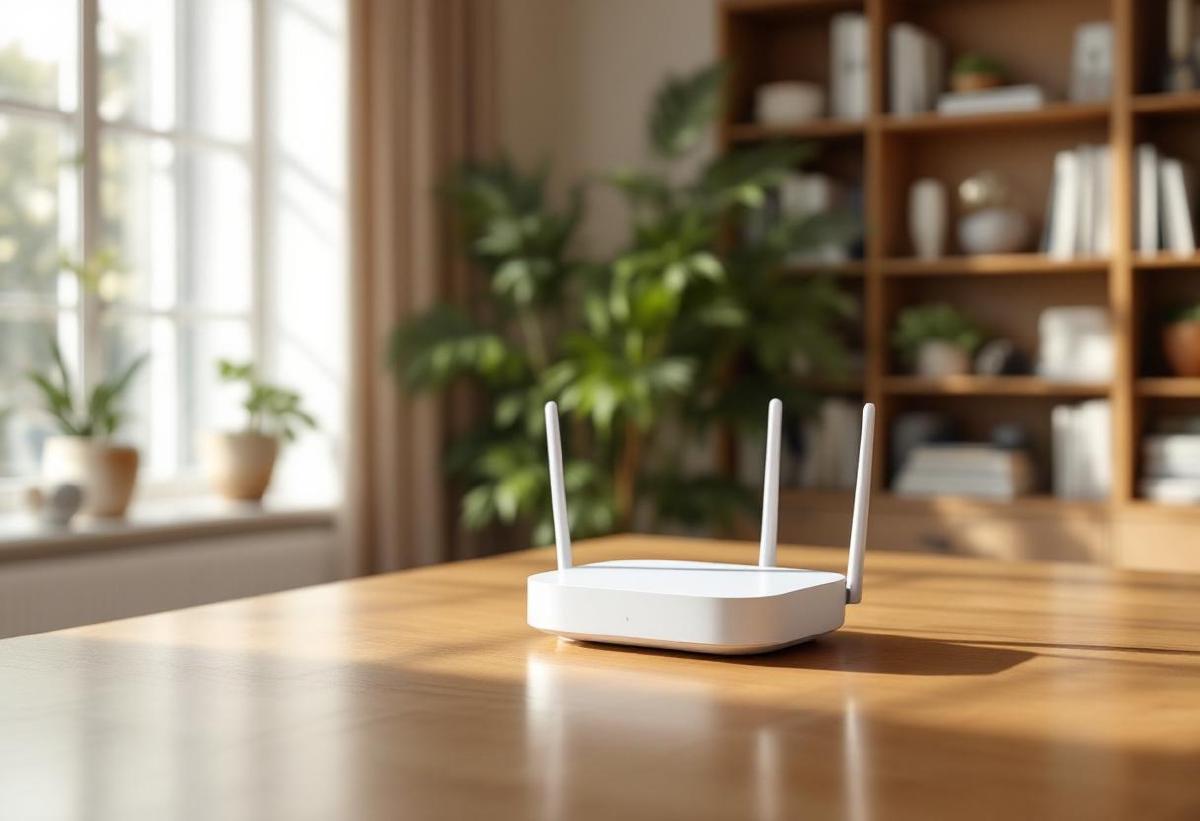
A patchy WiFi connection is the silent productivity killer of the home office. You don’t notice it until you’re mid-video-call and the screen freezes, or a 2GB file upload crawls at 1 Mbps because your router is in the living room and you’re working in the spare bedroom. Mesh WiFi systems solve this by distributing multiple access points around your home, creating a seamless blanket of coverage instead of one overloaded router struggling to reach every corner.
In 2026, mesh systems have matured dramatically. WiFi 7 is now mainstream, tri-band systems have become affordable, and setup has gotten genuinely simple — most systems configure themselves in under 15 minutes via an app. Whether you’re in a small apartment or a large multi-floor home, there’s a mesh system that matches your needs and budget.
Also see: Best USB-C Docking Stations | Best Monitors for Working From Home | Best Standing Desks 2026
Quick Comparison #
| System | WiFi Standard | Coverage | Nodes | Speed (Max) | Price |
|---|---|---|---|---|---|
| Eero Pro 7 (3-pack) | WiFi 7 | ~6,000 sq ft | 3 | 9.4 Gbps | ~$599 |
| Google Nest WiFi Pro (3-pack) | WiFi 6E | ~6,600 sq ft | 3 | 5.4 Gbps | ~$399 |
| TP-Link Deco XE75 Pro (3-pack) | WiFi 6E | ~7,000 sq ft | 3 | 5.4 Gbps | ~$299 |
| Netgear Orbi RBK863S (3-pack) | WiFi 6E | ~9,000 sq ft | 3 | 10.8 Gbps | ~$699 |
| Eero 6+ (3-pack) | WiFi 6 | ~4,500 sq ft | 3 | 1.8 Gbps | ~$199 |
| TP-Link Deco M5 (3-pack) | WiFi 5 | ~4,500 sq ft | 3 | 1.3 Gbps | ~$99 |
| Asus ZenWiFi Pro ET12 (2-pack) | WiFi 6E | ~5,500 sq ft | 2 | 11 Gbps | ~$549 |
Best Mesh WiFi Systems for Home Office #
Eero Pro 7 — Best Overall WiFi 7 Mesh System #
Amazon’s Eero Pro 7 is the go-to recommendation for home office workers who want top-tier performance and zero complexity. It supports WiFi 7 (the latest standard), offers tri-band operation across 2.4 GHz, 5 GHz, and 6 GHz bands, and uses the new 320 MHz channel width for blazing throughput near the nodes.
The setup experience is genuinely excellent — the Eero app walks you through the process in minutes, and ongoing management (guest networks, device prioritization, parental controls) is all done from your phone. Eero’s Thread support also makes it useful if you have smart home devices.
The 3-pack covers up to 6,000 square feet, which handles most homes comfortably. If you work with large files, do frequent video calls, or have multiple people working from home simultaneously, the WiFi 7 headroom future-proofs you nicely.
Key Features:
- WiFi 7 (802.11be) with 320 MHz channels
- Tri-band: 2.4 GHz + 5 GHz + 6 GHz
- Up to 9.4 Gbps aggregate throughput
- Built-in Zigbee and Thread smart home hub
- Amazon eero Secure subscription for advanced features (optional)
Pros:
- Best-in-class WiFi 7 performance
- Exceptional app and setup experience
- Smart home hub built in
- Expandable — add nodes anytime
Cons:
- Advanced security features require subscription ($2.99/mo)
- No built-in LAN switch ports (just 1 WAN + 1 LAN per node)
- Premium price
Check Price on Amazon US | Check Price on Amazon UK
Google Nest WiFi Pro — Best for Google/Android Households #
The Google Nest WiFi Pro is a compelling all-rounder that integrates beautifully with Google Home. It supports WiFi 6E (not quite WiFi 7, but excellent real-world performance), uses the 6 GHz band for backhaul between nodes, and handles multi-device households extremely well.
The industrial design is minimalist and attractive — these don’t look like traditional routers. Each node doubles as a Thread border router for Matter smart home devices. Google’s network management is straightforward with the Home app, though it lacks some of the advanced controls power users might want.
For a household running Pixel phones, Chromebooks, Nest cameras, and Google smart home devices, the integration is seamless and genuinely useful.
Key Features:
- WiFi 6E tri-band (2.4/5/6 GHz)
- 6 GHz band used as dedicated backhaul
- Thread and Matter smart home support
- Google Home app integration
- WPA3 security
Pros:
- Beautiful minimal design
- Excellent Google ecosystem integration
- Simple, clean app experience
- Good coverage per node
Cons:
- Limited advanced networking controls
- No built-in speaker (unlike older Nest WiFi)
- 1 Gbps WAN port (no 2.5G) is a minor bottleneck on fast ISPs
Check Price on Amazon US | Check Price on Amazon UK
TP-Link Deco XE75 Pro — Best Value WiFi 6E #
TP-Link’s Deco line has consistently offered the best performance-per-dollar in mesh WiFi, and the XE75 Pro continues that tradition with WiFi 6E at a price well below the Eero or Google options. The 3-pack covers up to 7,000 square feet — better coverage than most premium rivals — and each node includes a 2.5 GbE port for high-speed wired backhaul if your home is Ethernet-wired.
The Deco app is solid, offering more granular controls than most consumer systems — VLAN support, QoS, and detailed device management. If you have a home NAS or gaming setup alongside your work machine, that flexibility matters.
Key Features:
- WiFi 6E tri-band with 6 GHz backhaul
- 2.5 GbE WAN/LAN port per node
- Up to 7,200 sq ft coverage (3-pack)
- TP-Link HomeShield security (basic tier free)
- 160 MHz channel support on 5 GHz
Pros:
- Excellent price for WiFi 6E performance
- 2.5 GbE ports beat the competition at this price
- Large coverage area
- More advanced controls than Eero/Google
Cons:
- App is functional but less polished than Eero
- HomeShield advanced features require subscription
- Not WiFi 7 (though 6E is plenty for most users in 2026)
Check Price on Amazon US | Check Price on Amazon UK
Netgear Orbi 960 (RBK963S) — Best for Large Homes #
If you’re working from a large house — multiple floors, thick walls, a long distance from router to home office — the Netgear Orbi 960 is in a class of its own. Its quad-band design uses a dedicated 6 GHz backhaul channel at 10.8 Gbps, meaning node-to-node communication doesn’t compete with your device bandwidth at all.
The coverage is exceptional: a 3-pack handles up to 9,000 square feet, and the signal remains strong even through thick concrete and brick. For remote workers whose office is far from the main router, this is the professional-grade solution.
Key Features:
- Quad-band WiFi 6E (2.4/5/5/6 GHz)
- Dedicated 6 GHz high-speed backhaul
- 10.8 Gbps aggregate throughput
- 2.5 GbE WAN + 2.5 GbE LAN on each node
- Up to 9,000 sq ft (3-pack)
Pros:
- Best range and wall penetration of any consumer mesh
- Dedicated backhaul keeps client traffic unimpeded
- 2.5 GbE ports throughout
- Excellent for multi-story homes
Cons:
- Most expensive option tested
- Bulky nodes (these are large units)
- Orbi app is functional but dated
- Overkill for apartments or small homes
Check Price on Amazon US | Check Price on Amazon UK
Eero 6+ — Best Budget Mesh System #
Not everyone needs WiFi 7 or 6E. If your broadband tops out at 500 Mbps and you’re in a medium-sized home, the Eero 6+ (3-pack) gives you solid WiFi 6 coverage at a very accessible price. It handles up to 4,500 square feet, covers the 6 GHz band, and ships with the same excellent Eero app experience as the Pro models.
The 6+ uses a tri-band configuration (2.4/5/6 GHz) and supports 1.8 Gbps max throughput — more than enough for video calls, cloud storage, and multi-device households at typical broadband speeds. If you’re moving up from a single aging router, this is a substantial upgrade at a modest price.
Key Features:
- WiFi 6 (802.11ax) dual + 5 GHz band
- Up to 4,500 sq ft (3-pack)
- 1 GbE WAN + 1 GbE LAN per node
- Eero app — same as Pro models
- Works with Amazon Alexa
Pros:
- Best-value Eero with reasonable performance
- Great app and setup experience
- Expandable system
- Perfect for apartments and medium homes
Cons:
- No 6 GHz band (only 2.4 + 5 GHz)
- 1 GbE ports limit future-proofing
- Not suitable for homes >4,500 sq ft
Check Price on Amazon US | Check Price on Amazon UK
Asus ZenWiFi Pro ET12 — Best for Power Users #
The Asus ZenWiFi Pro ET12 is the mesh router for people who want enterprise-grade features in a home package. It’s a 2-pack with WiFi 6E and 11 Gbps aggregate throughput, but the real differentiator is ASUS’s router software — full ASUSWRT, which offers VPN server/client, advanced QoS, traffic monitoring, IPTV support, and AiProtection security built-in with no subscription.
If you’re running a home server, need VPN split tunneling, want granular firewall control, or are managing a complex network alongside your work setup, the ET12 gives you tools that consumer-friendly systems simply don’t offer.
Key Features:
- WiFi 6E tri-band (2.4/5/6 GHz)
- 11 Gbps aggregate throughput
- 2.5 GbE + 1 GbE LAN ports per node
- Full ASUSWRT with VPN, QoS, AiProtection
- 2-pack covers up to 5,500 sq ft
Pros:
- Best-in-class advanced features (no subscription)
- AiProtection security included free
- Excellent for power users and home labs
- Strong, consistent signal
Cons:
- Setup more complex than Eero/Google
- App is functional but less consumer-friendly
- 2-pack may not cover very large homes
- Higher price for 2 nodes vs competitors’ 3-packs
Check Price on Amazon US | Check Price on Amazon UK
How to Choose the Right Mesh WiFi System #
How Much Coverage Do You Need? #
Measure your home’s square footage and compare to the system’s rated coverage. Coverage ratings are typically in open-air conditions — real-world performance through walls is lower. As a rule of thumb: halve the advertised coverage for a home with many walls, and use that as your target.
- Apartment / small home (<2,000 sq ft): 2-node system, WiFi 6 is fine
- Medium home (2,000–4,000 sq ft): 3-node WiFi 6 or WiFi 6E
- Large home (4,000+ sq ft): 3+ nodes, tri-band with dedicated backhaul
WiFi 6 vs WiFi 6E vs WiFi 7 #
- WiFi 6 (802.11ax): Solid performance, widely supported by all devices. Maximum ~9.6 Gbps theoretical. Still the right call at budget price points.
- WiFi 6E: Adds the 6 GHz band — less congested, faster for compatible devices. Great for 2026 home offices where many devices are 6E-capable.
- WiFi 7 (802.11be): Newest standard with 320 MHz channels and multi-link operation. Best long-term investment but premium cost. Worth it if you’re buying once and keeping for 5+ years.
Wired Backhaul: When It Matters #
Mesh systems can connect nodes wirelessly (convenient) or via Ethernet cable (faster, more reliable). If your home is pre-wired with Ethernet or you can run cables between floors, wired backhaul dramatically improves performance — the nodes have a dedicated high-speed link between them, leaving all wireless bandwidth for your devices.
Managing Your Network with Your Work Setup #
For a productive home office, consider:
- Device prioritization: Give your work laptop top bandwidth priority during hours
- Guest network: Keep IoT devices and smart home gear on a separate network from your work machines
- QoS: Prioritize video call traffic over streaming or downloads
Pairing your mesh WiFi with a good USB-C docking station means you can plug your laptop in via Ethernet (through a KVM switch if you have multiple machines) for calls when you need maximum reliability, while still benefiting from mesh WiFi elsewhere in the house.
Frequently Asked Questions #
How many mesh nodes do I need for a home office? #
For most homes, 3 nodes provides comprehensive coverage. Keep your modem area tidy with a good power strip — mesh nodes and modems add up. Place the main node near your modem/ISP gateway, then distribute satellites to ensure your home office is covered by a nearby node — not the main router on the other side of the house. If you work in a room more than 40 feet from the nearest node (through walls), add an additional node.
Will a mesh system improve my video call quality? #
Yes, if your current WiFi is the bottleneck. A mesh system with a node near your home office maintains a stronger, more consistent signal than a distant single router. This reduces dropped packets that cause stuttering in Zoom/Teams/Meet calls. If your issue is ISP bandwidth rather than local WiFi, a mesh system won’t help — check your broadband speed first. A smart plug can help you schedule router reboots if your ISP connection is flaky.
Can I use a mesh system with my ISP’s router/modem? #
Yes. You can either: (1) Put your ISP router in bridge/modem-only mode and use the mesh system as your router, or (2) Connect the mesh system in “access point” mode behind your ISP router. Option 1 gives you full control and avoids double-NAT issues. Option 2 is simpler but means your ISP router handles routing. Most ISPs will switch your router to bridge mode on request.
Is it worth upgrading to WiFi 7 in 2026? #
If you’re buying a new mesh system now and plan to keep it for 4-5 years: yes, WiFi 7 is worth the premium. It provides meaningfully better performance in congested multi-device environments and future-proofs you as WiFi 7 devices (laptops, phones, tablets) become universal. If budget is a concern, WiFi 6E is still excellent and available at lower price points.
Should I use wired or wireless backhaul between mesh nodes? #
Wired backhaul (Ethernet between nodes) is always better when feasible. It eliminates the overhead of nodes communicating wirelessly with each other, dedicating all airtime to your devices. In practice, wireless backhaul on tri-band systems (where the 6 GHz band is dedicated to inter-node traffic) is quite good — you won’t notice the difference in most scenarios unless you’re doing very high-throughput tasks simultaneously on multiple devices.