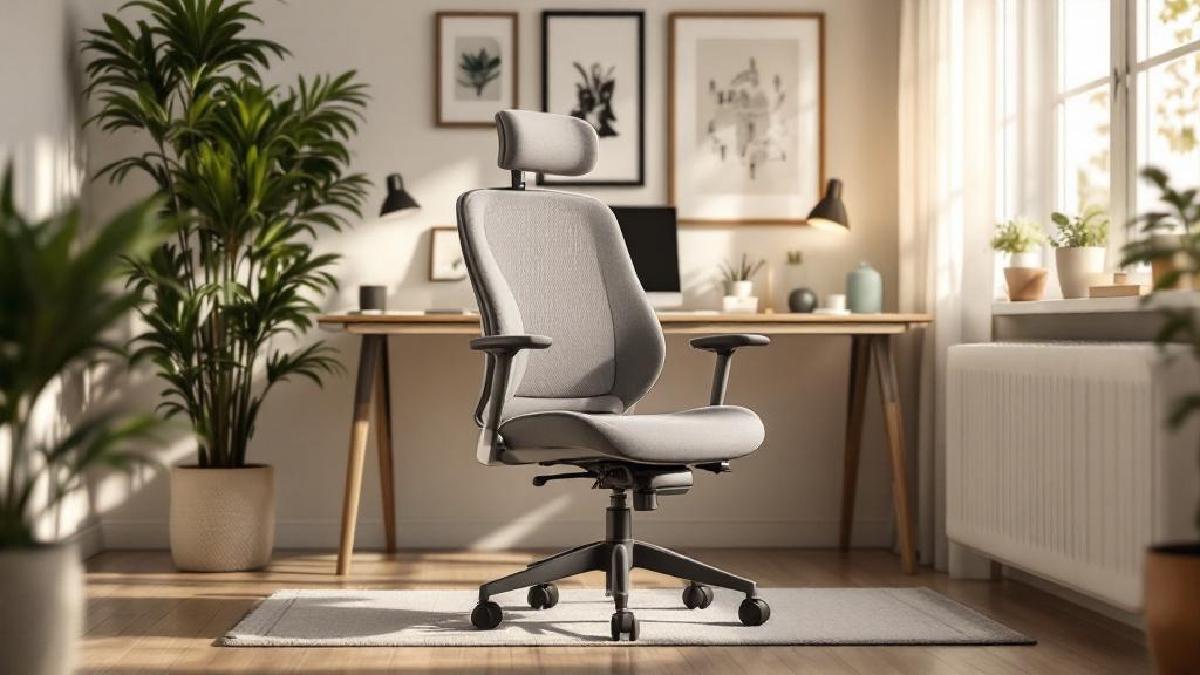
Premium ergonomic chairs like the Herman Miller Aeron or Steelcase Leap are genuinely excellent — and genuinely out of reach for most home offices. At $1,000–$1,500, they’re difficult to justify unless you’re sitting eight or more hours a day and have the budget to match.
The good news: you don’t need to spend that much to sit comfortably. The $100–$200 range has matured significantly in the last few years, with chairs offering real lumbar support, meaningful adjustability, and decent build quality — not just the illusion of ergonomics. The key is knowing which features matter and which are just marketing language.
We’ve evaluated six chairs under $200 across the dimensions that actually affect day-to-day comfort: lumbar support quality, seat depth and height range, armrest adjustability, breathability, and how they hold up after months of use. Here’s what we found.
Quick Comparison Table #
| Chair | Price (USD/GBP) | Lumbar | Armrests | Seat Depth Adj. | Weight Cap. | Best For |
|---|---|---|---|---|---|---|
| HON Ignition 2.0 | $190 / £152 | Adjustable | 4D | Yes | 300 lbs | Best overall ergonomics |
| Hbada P3 | $170 / £136 | Adjustable | 4D | Yes | 300 lbs | Best value ergonomics |
| Flash Furniture Mid-Back | $100 / £80 | Fixed | 2D | No | 250 lbs | Best budget pick |
| Sihoo M18 | $190 / £152 | Adjustable | 3D | No | 300 lbs | Best mesh breathability |
| Nouhaus Ergo3D | $200 / £160 | Dynamic | 4D | Yes | 275 lbs | Best for tall users |
| Mimoglad Office Chair | $130 / £104 | Fixed | 2D | No | 280 lbs | Best compact option |
1. HON Ignition 2.0 — Best Overall Under $200 #
Price: ~$190 / £152 Check price on Amazon US → Check price on Amazon UK →
HON is one of those companies that doesn’t get enough credit in home office discussions — they’ve been making commercial office furniture for decades, and the Ignition 2.0 brings that commercial-grade engineering to a price point that budget chairs usually can’t touch. This is the chair I’d recommend to most people in this price range without hesitation.
The lumbar support is independently adjustable — you can move it up or down to align with your lumbar curve, and adjust the forward pressure so it actually supports rather than just existing. This is the detail that separates real ergonomic chairs from chairs that merely claim ergonomics. Most chairs under $200 have fixed lumbar pods that may or may not fall at the right height for your spine. The HON gives you control.
Armrests are four-dimensional: height, width, pivot, and fore-aft adjustment. That’s more range than you’ll find on many chairs that cost twice as much. If you care about shoulder and neck tension — and if you’re typing all day, you should — the ability to position armrests directly under your elbows makes a real difference. The seat depth is also adjustable, allowing you to move the seat pan forward or back so your thighs are properly supported without pressure behind the knee. This matters especially for shorter or taller users outside the 5'6"–6'0" range most chairs are designed around.
The build quality reflects the commercial heritage. HON chairs are built to last years in office environments where they get daily use from multiple occupants. The materials feel solid, the mechanism is smooth, and the pneumatic lift works reliably. It ships partially assembled and the assembly is straightforward. The one limitation is aesthetics — this chair looks like an office chair, not a gaming setup or minimalist home office piece. If that matters to you, the Sihoo or Nouhaus have more contemporary styling.
Key details:
- Lumbar: height-adjustable with adjustable firmness
- Armrests: 4D (height, width, pivot, depth)
- Seat depth adjustment: Yes
- Weight capacity: 300 lbs
- Seat height range: 17–21 inches
Best for: Anyone who wants the most genuine ergonomic adjustability under $200. If you’re spending 6–8 hours a day in your chair and back comfort is the priority, this is the one.
2. Hbada P3 — Best Ergonomics for the Price #
Price: ~$170 / £136 Check price on Amazon US → Check price on Amazon UK →
The Hbada P3 has quietly become one of the most recommended budget ergonomic chairs in home office communities, and having spent time with it, the enthusiasm is justified. It packs in a surprising range of adjustability for its price: height-adjustable lumbar, 4D armrests, adjustable seat depth, and a breathable mesh back — all for around $170.
The mesh back is the first thing you notice when you sit down. Where fabric or foam-padded chairs can feel warm and airless after an hour, the P3’s mesh allows air circulation that keeps things noticeably cooler during long sessions. If you run warm or work in a home office without great airflow, this matters more than it might sound. The mesh tension isn’t as refined as a Herman Miller or Haworth — it’s slightly stiffer — but it’s comfortable across long working days.
The lumbar support is adjustable in height and forward pressure, similar to the HON. It’s perhaps slightly less refined in feel, but it does the job well. The 4D armrests are a genuine selling point at this price — width and pivot adjustment in particular are often reserved for chairs at higher price points. Assembly takes about 30 minutes and the instructions are clear.
One honest limitation: the seat padding, while comfortable initially, is denser than premium chairs. After 2–3 hours, some users find themselves shifting position more than they would in a chair with better seat cushioning. This is a common trade-off in the under-$200 bracket. A good seat cushion can address this if needed.
Key details:
- Lumbar: height-adjustable with pressure control
- Armrests: 4D
- Seat depth adjustment: Yes
- Weight capacity: 300 lbs
- Recline: up to 135° with lockable positions
Best for: Budget-conscious home office users who want genuine ergonomic features — especially adjustable lumbar and 4D armrests — without paying for the HON’s commercial build quality.
3. Flash Furniture Mid-Back Task Chair — Best Pure Budget Pick #
Price: ~$100 / £80 Check price on Amazon US → Check price on Amazon UK →
At half the price of the HON or Hbada, the Flash Furniture Mid-Back chair is playing a different game — and it’s upfront about that. This is a no-frills task chair for anyone who needs a functional seat without a significant investment: guest rooms, occasional use, or a tight home office budget.
You’re giving up adjustable lumbar (it has a built-in lumbar contour, not user-adjustable), seat depth adjustment, and 4D armrests. What you get is a mesh back for airflow, basic height and tilt adjustment, and a clean, neutral appearance that looks professional in video calls. The seat is padded with a foam cushion that’s adequate for 3–4 hour sessions.
For what it costs, the build quality is acceptable. The mechanism feels less refined than the HON or Hbada, and the armrests are basic (height-adjustable but not much else). If you’re sitting in this chair 8 hours every workday, you’ll likely notice its limitations within a few weeks. But for part-time home workers, secondary desks, or people transitioning from a dining chair, it’s a substantial upgrade at a reasonable price.
The Flash Furniture range is broad, and quality can vary between specific models. Look for listings with mesh backs (not foam) and verify the weight capacity is appropriate for you (standard models support up to 250 lbs).
Key details:
- Lumbar: fixed contour (not user-adjustable)
- Armrests: 2D (height adjustment only)
- Seat depth adjustment: No
- Weight capacity: 250 lbs
- Best for part-time home office use
Best for: People who need a functional chair for occasional or part-time use, a second desk chair, or simply can’t spend more than $100. Don’t expect it to replace a proper ergonomic setup for full-time work.
4. Sihoo M18 — Best Mesh Chair for Breathability #
Price: ~$190 / £152 Check price on Amazon US → Check price on Amazon UK →
If breathability is your top priority — if you consistently find yourself getting warm and uncomfortable in padded or foam chairs — the Sihoo M18’s full-mesh construction is worth serious consideration. The mesh seat and back together create substantially better air circulation than any upholstered chair, and at $190, it delivers real ergonomic features alongside that breathability advantage.
The M18 uses a butterfly-wing-shaped mesh back design that’s flexible and conforming — it flexes with your movement rather than holding you rigidly in place. The lumbar support is adjustable in height (not forward pressure, which is a step down from the HON), and the 3D armrests cover height, width, and pivot. Seat depth isn’t adjustable on this model, which is the main ergonomic compromise compared to the HON and Hbada.
The overall aesthetics are modern and minimal — white and grey mesh has a contemporary look that fits well in light-coloured or minimalist home offices. If you’re on video calls frequently and care about how your setup looks, the M18 is more visually appealing than most task chairs in this price range. The recline function is smooth with adjustable tension, and you can lock the recline angle at your preferred position.
Weight capacity is 300 lbs, which is solid for this price point. Assembly is straightforward with clearly labelled parts.
Key details:
- Lumbar: height-adjustable (fixed pressure)
- Armrests: 3D (height, width, pivot)
- Full mesh seat and back
- Weight capacity: 300 lbs
- Seat height range: 16.5–20 inches
Best for: People who run warm, work in environments without good airflow, or prioritise a breathable seat and back over the maximum adjustability of the HON.
5. Nouhaus Ergo3D — Best for Tall Users #
Price: ~$200 / £160 Check price on Amazon US → Check price on Amazon UK →
Most office chairs are designed for people between 5'5" and 6'0". If you’re taller than that, you often find that the seat doesn’t go high enough, the lumbar hits at the wrong point, or the backrest doesn’t provide support where you need it. The Nouhaus Ergo3D was designed with a taller user base in mind, and it shows.
The seat height range extends higher than average, and the backrest is taller — providing upper back support that shorter chairs don’t reach. The lumbar support is dynamic rather than static: it has a spring mechanism that allows it to flex with your movement, maintaining contact with your lumbar curve as you shift position. This is a more sophisticated approach than a fixed or manually-adjusted lumbar pod, and it’s one of the features that justifies the price sitting at the top of this range.
The 4D armrests and seat depth adjustment round out a strong ergonomic feature set. The chair also includes a headrest that adjusts in height and angle — useful for anyone who reclines to think or take calls. Build quality is good, if not quite at the HON’s commercial-grade level. The mechanism is smooth and the gas lift is robust.
One caveat: at $200, this is right at the edge of this roundup’s budget, and you can sometimes find the HON Ignition 2.0 on sale for less. If you’re average height (5'7"–5'11"), the Nouhaus’ advantages over the HON are less pronounced. Its value is clearest for taller users.
Key details:
- Lumbar: dynamic spring mechanism
- Armrests: 4D
- Seat depth adjustment: Yes
- Includes adjustable headrest
- Weight capacity: 275 lbs
- Taller backrest than average
Best for: Users over 6'0" who find standard office chairs don’t provide adequate backrest height or lumbar positioning. Also strong for anyone who reclines frequently and wants headrest support.
6. Mimoglad Office Chair — Best Compact Option #
Price: ~$130 / £104 Check price on Amazon US → Check price on Amazon UK →
The Mimoglad sits in an interesting middle ground: more than a basic budget chair, less than the full ergonomic feature sets of the HON or Hbada, but at a price that makes it accessible to most buyers. It’s particularly well-suited to smaller users and compact home offices where chair size is a constraint.
The seat is shallower and narrower than most chairs in this roundup, which suits smaller frames well. The foam padding is denser and slightly more supportive than the Flash Furniture — adequate for 5–6 hour sessions without the padding-out problem you’d encounter with cheaper foam. The fixed lumbar support is contoured rather than adjustable, which is a step down from the adjustable options but better than nothing.
Armrests are 2D with height and pivot adjustment. The pivot is a useful addition that most 2D armrests omit — it lets you angle the armrests slightly inward to better match your natural hand position while typing. The overall build is solid for the price; the base and mechanism feel more robust than comparable chairs at $100.
Key details:
- Lumbar: fixed contour
- Armrests: 2D with pivot
- Weight capacity: 280 lbs
- Compact dimensions suit smaller users and spaces
- Good seat padding for 5–6 hour sessions
Best for: Smaller users, compact home offices where a full-size ergonomic chair would feel oversized, or anyone wanting a step up from basic budget chairs without committing to the $170–200 range.
Our Top Picks #
For most people, the HON Ignition 2.0 is the best chair under $200. The combination of genuinely adjustable lumbar, 4D armrests, and seat depth adjustment represents ergonomic functionality you’d normally only find in chairs costing significantly more. Its commercial-grade build quality means it’ll last longer than most alternatives in this price range.
If the HON is consistently over budget, the Hbada P3 at $170 offers comparable ergonomic features with very similar adjustability.
For breathability: the Sihoo M18 — full mesh outperforms anything padded in warm conditions.
For tall users: the Nouhaus Ergo3D has the backrest height and dynamic lumbar that taller users genuinely need.
What to Look For in a Budget Ergonomic Chair #
Lumbar Support: Adjustable vs Fixed #
Fixed lumbar support works only if it falls at exactly the right height for your spine — which it may not. Adjustable lumbar (even just height adjustment) dramatically increases the chance the chair will actually support your lower back properly. In the under-$200 range, the HON, Hbada, and Sihoo all provide meaningful lumbar adjustment; the Flash Furniture and Mimoglad rely on fixed contours.
Armrest Adjustability #
Basic armrests only adjust in height. Better armrests also adjust in width (to match shoulder width), pivot (to angle toward or away from your body), and depth (fore-aft position). The more axes of adjustment, the more precisely you can position your arms to reduce shoulder and neck tension. If you type a lot, 4D armrests are worth prioritising.
Seat Depth #
A seat that’s too deep puts pressure behind the knee and encourages slouching. A seat that’s too shallow doesn’t support your thighs. Seat depth adjustment lets you set the seat pan length appropriately for your legs. This feature is often overlooked but matters substantially for comfort over long sessions. It’s included on the HON, Hbada, and Nouhaus in this roundup.
Weight Capacity and Build #
Don’t overlook the weight rating. Most chairs here support 250–300 lbs. If you’re near the upper limit of the rating, consider whether the chair’s mechanism and frame will hold up over time — cheap mechanisms tend to fail first under sustained heavy use.
Mesh vs Foam vs Fabric #
Mesh: Breathable, good for warm users, maintains airflow during long sessions. Can feel stiffer initially. Foam/Fabric: Softer initial feel, warmer over time, varies widely in how quickly the foam compresses and loses support. Mixed (foam seat, mesh back): A common middle ground — softer seat cushion, breathable back.
For full-time use in warm conditions, mesh wins. For occasional use or climate-controlled environments, foam is more immediately comfortable.
FAQ #
Is an ergonomic chair under $200 worth it compared to a $1,000 Herman Miller? #
Yes — with realistic expectations. A $200 chair with good lumbar and arm adjustability is substantially better for your body than a $200 chair without it, and much better than a dining chair or cheap task chair. The gap between a well-chosen $200 chair and an entry-level Herman Miller is smaller than you’d think. The gap between a $200 chair and the Aeron or Leap is real — those chairs have more refined mesh tension, better movement, and proven longevity — but they’re not six times better. Check out our best ergonomic chairs under $500 guide if you can stretch the budget.
How important is lumbar support, really? #
Very. The lower back flattens when you sit without support, which over time causes fatigue, muscle tension, and pain. Adjustable lumbar support maintains the natural inward curve of your lumbar spine, reducing stress on the discs and muscles. It’s the single most impactful ergonomic feature a chair can have. If a chair only has one adjustable feature, it should be the lumbar.
Should I add a seat cushion to a budget chair? #
It can help. A good memory foam seat cushion can compensate for seat padding that’s too firm or has compressed over time. See our best office chair cushions guide for options. That said, a quality cushion costs $30–60, which pushes the total spend closer to the HON or Hbada territory — at which point you may as well spend that money on a better chair to start with.
My back hurts after sitting. Will a new chair fix it? #
Possibly, but a chair is only part of the equation. Sitting position, monitor height, keyboard position, and how often you take movement breaks all affect back health. A better chair won’t fix poor posture or a monitor that’s too low. Check out our guide on how to improve posture working from home for a more complete picture. A standing desk or sit-stand converter can also help by reducing total seated time.
What weight capacity should I look for? #
Most chairs in this price range support 250–300 lbs. Check the specific model’s rating and leave some margin — chairs rated at exactly your weight may wear faster over time. The HON Ignition 2.0 and Hbada P3 are both rated to 300 lbs, which covers most users comfortably.
Thinking about the rest of your home office setup? Our guides to the best standing desks, best ergonomic keyboards, and best monitors for working from home cover the rest of the setup.