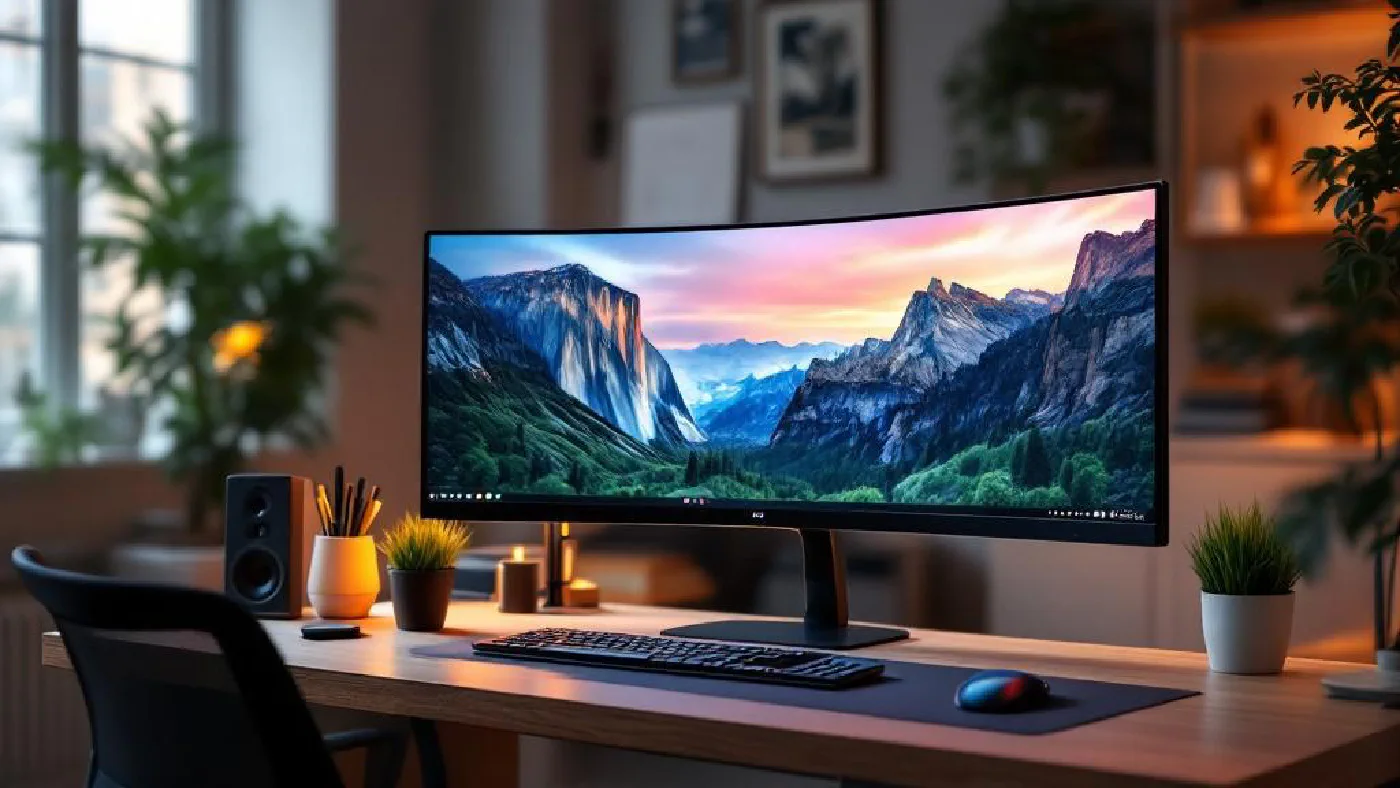
Compare Dell U3425WE if you want the monitor to act as a laptop hub. Consider Samsung S50GC LS34C500GAUXXU if you mainly want a wide screen and already have charging and peripherals sorted. Both provide 3440 × 1440 resolution, but their connections and stands serve different setups.
This is a researched UK buying guide, not a hands-on group test. We have not independently measured panel uniformity, motion, text rendering or colour accuracy.
Affiliate disclosure: As an Amazon Associate, Home Desk Lab earns from qualifying purchases. UK product listings were checked on 21 September 2026. Check the complete model number, seller, price, warranty and returns before purchase. Header imagery is illustrative.
The useful differences #
| Monitor | Screen and maximum refresh | Laptop power | Why shortlist it? |
|---|---|---|---|
| Dell UltraSharp U3425WE | Curved IPS Black, 3440 × 1440, 120 Hz | Up to 90 W through its Thunderbolt upstream connection | Hub connections, KVM and adjustable stand |
| Samsung ViewFinity S50GC LS34C500GAUXXU | Flat VA, 3440 × 1440, 100 Hz | No USB-C charging | Screen space without paying for a monitor hub you may not need |
Maximum refresh rates depend on the input and connected computer. A specification on the box does not guarantee that an existing dock or cable can deliver it.
Dell U3425WE: for a monitor that also works as a hub #
Dell specifies a 34.14-inch IPS Black panel, 1900R curve, KVM, Ethernet and a height/tilt/swivel stand. Its upstream Thunderbolt connection supports up to 90 W power delivery.
The meaningful benefit is consolidating connections at the desk. KVM is particularly relevant if you want to share a keyboard and mouse between two computers. Check the wiring instructions before assuming one cable will connect both machines.
There is an input limit worth noticing: Dell lists 3440 × 1440 at up to 100 Hz over HDMI, compared with 120 Hz over DisplayPort. Check the complete laptop-to-monitor path rather than selecting a cable by connector shape alone.
Full specifications and buying options at Dell UK · Check Dell U3425WE on Amazon UK
Samsung S50GC: for a simpler connection setup #
Samsung’s UK specification identifies LS34C500GAUXXU as a flat, 34-inch VA monitor with 3440 × 1440 resolution and a maximum 100 Hz refresh rate. It has HDMI and DisplayPort, but no USB-C, USB hub or built-in speakers.
This is worth comparing if your computer already has the connections you need. Budget for separate laptop charging and any speakers or dock you require. The supplied stand offers tilt; check whether its height suits your desk.
Samsung’s direct page said no longer available when checked, although the exact UK model had an Amazon listing. Do not assume continuing stock from either page.
Samsung UK specifications · Check Samsung LS34C500GAUXXU on Amazon UK
What extra screen space are you buying? #
At the same scaling setting, 3440 × 1440 has 880 more horizontal pixels than 2560 × 1440 and the same vertical count. That can help with two documents, a spreadsheet and notes, or a timeline. It does not make a 34-inch ultrawide equivalent to two full 27-inch QHD screens.
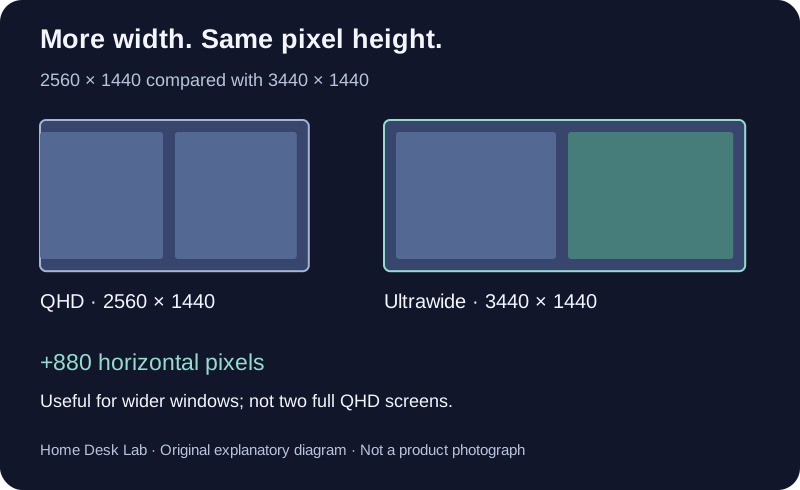
Original diagram: pixel workspaces shown proportionally. Physical size and text size also depend on the panel and scaling.
Before buying, arrange your normal applications on the screen you already have. Identify what is missing: width for another column, larger text, a second independent display, or simply better window organisation. That answer is more useful than a general promise of increased productivity.
Five checks before ordering #
- Desk fit: measure the full monitor and stand depth, leaving room for cables. Diagonal size is not the desktop footprint.
- Power: compare the monitor’s delivery rating with your laptop’s requirements. Some laptops still need their own charger.
- Video path: confirm resolution and refresh support for the computer, dock, cable and selected input.
- Switching: distinguish picture-by-picture display from a KVM that also switches USB peripherals.
- Mounting: if using an arm, check supported weight, VESA pattern and any curved-display restrictions.
Our monitor-arm guide is a starting point, but validate the exact arm against the monitor’s current specification.
What about a flat creative-work monitor? #
ASUS ProArt PA348CGV remains a model to investigate if you want a flat 34-inch IPS display. ASUS’s manufacturer data sheet lists 3440 × 1440, up to 120 Hz over DisplayPort/USB-C and 90 W power delivery. We did not verify a current exact Amazon UK offer, so we are not presenting an alternative-model search result as a buy link.
Ultrawide or two monitors? #
Choose around the tasks you actually do. One continuous display avoids a central bezel; two displays let you position and share each screen separately. For video meetings, check how your chosen application shares a window versus the entire desktop.
Do not upgrade purely for a higher refresh-rate number if the current screen already meets your needs. Connections, readable text, usable space and fit may be more valuable for your work.
Research and corrections #
Reviewed on 21 September 2026 using the linked manufacturer specifications and exact UK retailer pages. The update corrects the Samsung’s flat-panel description, removes unverified price conversions and warranty claims, and separates confirmed buying routes from models needing further availability checks. We retain the original publication date and URL.