Laptop speakers are designed for portability, not quality — and after eight hours of tinny audio bleeding out of a MacBook’s keyboard deck, the fatigue is real. A proper pair of desk speakers transforms your workday: podcasts sound rich instead of hollow, video calls are crisp instead of muffled, and music actually fills the room during focus sessions.
The good news is that office speakers don’t need to be massive or expensive. The best ones are compact enough to sit behind or beside your monitor, connect wirelessly or via USB, and deliver balanced sound that’s tuned for voices and mid-range clarity rather than earth-shaking bass.
We’ve tested seven pairs for sound quality, desk footprint, connectivity options, and how well they handle the three core office tasks: music playback, video calls, and podcast listening.
Quick Comparison Table #
| Speaker | Price (USD/GBP) | Power | Connectivity | Size | Best For |
|---|---|---|---|---|---|
| Audioengine A2+ | $269 / £219 | 60W peak | Bluetooth, USB, RCA, 3.5mm | 4×6" each | Audiophiles |
| Bose Companion 2 III | $99 / £89 | 10W | 3.5mm | 3×7.5" each | Budget wired |
| Harman Kardon SoundSticks 4 | $299 / £259 | 140W peak | Bluetooth, 3.5mm | Various | Design lovers |
| Creative Pebble V3 | $34 / £29 | 8W RMS | USB-C, Bluetooth, 3.5mm | 4.5×4.5" each | Ultra-budget |
| Edifier R1280T | $119 / £109 | 42W | RCA, 3.5mm, Optical | 6×9" each | Bookshelf balance |
| Sonos Era 100 | $249 / £229 | Smart amp | WiFi, Bluetooth, AirPlay | 7×5" | Smart home |
| JBL 104-BT | $149 / £129 | 60W | Bluetooth, TRS, RCA, USB | 6×9" each | Studio monitoring |
1. Audioengine A2+ — Best Office Speakers Overall #
Price: $269 / £219 Check price on Amazon US → Check price on Amazon UK →
The Audioengine A2+ is the speaker most recommended in r/homeoffice and desk setup communities, and for good reason — it delivers genuinely impressive audio from a remarkably small package. Each speaker is roughly the size of a large coffee mug, meaning they tuck behind or beside your monitor without dominating your desk.
The 2.75-inch Kevlar woofers and silk tweeters produce a warm, detailed sound that’s particularly strong with vocals and acoustic music — exactly what you want for podcasts, video calls, and background listening during work. The built-in DAC means you can connect via USB for digital audio that bypasses your computer’s (usually mediocre) sound card.
Bluetooth 5.0 with aptX support handles wireless streaming from your phone with near-CD quality, and the rear RCA inputs connect to turntables or audio interfaces if you use your home office for creative work too. The speakers have enough power to fill a standard home office comfortably, though bass-heavy music genres may leave you wanting a subwoofer (Audioengine sells a matching one).
Pros #
- Audiophile-grade sound from compact speakers
- Built-in USB DAC for high-quality digital audio
- Bluetooth 5.0 with aptX for wireless streaming
- Multiple inputs (USB, Bluetooth, RCA, 3.5mm)
- Customisable with optional subwoofer
- Small enough to fit behind any monitor
Cons #
- No built-in microphone for calls
- Higher price than casual office speakers
- Bass is adequate but not deep without a sub
- No remote control included
Best for: Anyone who values audio quality and wants speakers that are genuinely enjoyable to listen to all day, not just functional.
2. Bose Companion 2 Series III — Best Budget Wired Speakers #
Price: $99 / £89 Check price on Amazon US → Check price on Amazon UK →
Bose has a reputation for making speakers sound larger than they look, and the Companion 2 Series III delivers on that promise. These compact wired speakers connect via a single 3.5mm cable and produce a surprisingly wide soundstage for their size — voices sound clear and natural, which makes them excellent for video calls and podcasts.
There’s no Bluetooth, no USB input, no app — just a 3.5mm cable from your computer and a volume knob on the right speaker. This simplicity is actually a feature: there’s nothing to pair, no firmware to update, and no wireless dropouts. Plug in and forget.
The sound signature leans warm, with more emphasis on mids and upper bass than clinical accuracy. For office use, this is ideal — it flatters speech and makes music pleasant at low to moderate volumes. At higher volumes, distortion creeps in, but you probably shouldn’t be blasting music in a home office anyway.
Pros #
- Bose sound quality at an affordable price
- Simple 3.5mm connection — no setup required
- Wide soundstage for the size
- Clear vocal reproduction for calls and podcasts
- Compact and unobtrusive design
Cons #
- No Bluetooth or wireless connectivity
- No USB input — relies on your computer’s DAC
- Distorts at high volume
- Limited bass depth without a subwoofer
Best for: Anyone who wants reliable, good-sounding desk speakers without the complexity of Bluetooth pairing or app-based EQ.
3. Harman Kardon SoundSticks 4 — Best Design Statement #
Price: $299 / £259 Check price on Amazon US → Check price on Amazon UK →
The SoundSticks have been a design icon since their original iMac-era launch, and the fourth generation maintains that transparent, sculptural aesthetic. They look unlike anything else on a desk — which is either a selling point or a dealbreaker depending on your taste.
Beyond the looks, the 2.1 system (two satellite speakers plus a subwoofer) delivers 140W peak power — dramatically more than any other option in this roundup. The subwoofer provides genuine bass presence, which makes music sound full and immersive. For video calls, the satellite speakers handle mids and highs clearly.
The trade-off is desk footprint. The subwoofer alone is the size of a cantaloupe, and the satellite speakers need stands or desk space beside your monitor. If you have a large desk with room to spare, the SoundSticks reward you with both stunning looks and powerful sound. On a compact desk, they’re impractical.
Pros #
- Iconic transparent design — a desk centrepiece
- 140W peak power with dedicated subwoofer
- Full, immersive sound with real bass
- Bluetooth and 3.5mm connectivity
- Ambient lighting on subwoofer
Cons #
- Large footprint — subwoofer needs floor or shelf space
- Premium price for the design factor
- Not portable
- Bass may be excessive for video calls at higher volumes
Best for: Design-conscious users with large desks who want speakers that sound great and look stunning. Pairs beautifully with a minimalist desk setup.
4. Creative Pebble V3 — Best Ultra-Budget Speakers #
Price: $34 / £29 Check price on Amazon US → Check price on Amazon UK →
At $34, the Creative Pebble V3 shouldn’t sound as good as it does. These small, spherical speakers punch well above their price class with clear mids, surprisingly present bass (for their size), and enough volume to fill a small office without distortion.
The V3 model adds Bluetooth and USB-C power to the original Pebble formula, making them genuinely versatile. You can power them from your monitor’s USB port, connect audio via Bluetooth from your phone or USB-C from your computer, and switch between sources easily. The 45-degree upward-firing angle directs sound towards your ears rather than into your chest, which helps with clarity at desk height.
Don’t expect miracles — these won’t compete with the Audioengine or Edifier for audio fidelity, and the bass disappears at lower volumes. But as a massive upgrade from laptop speakers at a price anyone can justify, the Pebble V3 is unbeatable.
Pros #
- Incredible value — meaningful upgrade from laptop speakers
- Bluetooth, USB-C, and 3.5mm connectivity
- Compact design takes minimal desk space
- Upward-firing angle improves clarity
- USB-C powered — no wall adapter needed
Cons #
- Bass is minimal at low volumes
- Limited power (8W RMS) caps volume
- Plastic construction feels inexpensive
- No EQ or app control
Best for: Anyone on a tight budget who wants a noticeable audio upgrade without spending more than the price of a few coffees.
5. Edifier R1280T — Best Bookshelf Speakers for Desk #
Price: $119 / £109 Check price on Amazon US → Check price on Amazon UK →
The Edifier R1280T is a proper bookshelf speaker that happens to work brilliantly on a desk. At 6×9 inches each, they’re the largest speakers in this roundup — but the size brings genuine audio presence that smaller speakers can’t match. The 4-inch bass driver and 13mm silk dome tweeter deliver a balanced, natural sound signature that’s excellent across all genres.
Side-panel controls for bass and treble let you tune the sound to your room and preference without relying on software EQ. The included remote control handles volume and mute from your desk, which is convenient for quick adjustments during calls. Dual RCA inputs mean you can connect two sources simultaneously — your computer and a turntable, for example.
These speakers suit larger desks where the extra footprint isn’t an issue. If you’re using a standing desk with a spacious surface, the R1280T delivers the best sound-per-pound in this list. On a compact desk, they’ll feel oversized.
Pros #
- Rich, balanced sound with real bass presence
- Physical bass and treble controls for easy tuning
- Remote control included
- Dual RCA inputs for two sources
- Classic wood-grain aesthetic
- Excellent price-to-performance ratio
Cons #
- Large for a desk speaker (6×9 inches each)
- No Bluetooth (the R1280DB model adds it for ~$30 more)
- No USB input
- Wired connection only
Best for: Users with desk space to spare who want the best sound quality in the $100–150 range. The R1280DB variant adds Bluetooth if wireless is essential.
6. Sonos Era 100 — Best Smart Speaker for Office #
Price: $249 / £229 Check price on Amazon US → Check price on Amazon UK →
If your home office is part of a broader Sonos ecosystem — or you want it to be — the Era 100 integrates music, podcasts, and voice control into a single speaker that sounds far better than its compact size suggests. It supports WiFi streaming, Bluetooth, AirPlay 2, and Spotify Connect, plus voice control via Alexa or Sonos Voice.
Sound quality is impressive for a single speaker. Sonos’s Trueplay tuning adjusts the output to your room’s acoustics, and the result is a wide, room-filling sound that beats most stereo desk speaker pairs in terms of spatial presentation. For music and podcasts, it’s excellent. For video calls, you’ll still want a dedicated headset or microphone — the Era 100 doesn’t have call-optimised features.
The limitation is that it’s a single speaker, so you don’t get true stereo separation. You can pair two for stereo, but that doubles the cost. For background office listening, one is plenty.
Pros #
- Excellent sound from a compact single speaker
- Trueplay room calibration optimises audio
- WiFi, Bluetooth, AirPlay 2, and Spotify Connect
- Voice control via Alexa or Sonos Voice
- Integrates with broader Sonos multi-room system
- Clean, minimal aesthetic
Cons #
- Single speaker — no stereo separation
- Not optimised for video calls
- Requires WiFi for full functionality
- Premium price for a single speaker
- Sonos app required for setup and control
Best for: Sonos users who want seamless music and podcast playback in their office, controlled by voice or app. Pair with a separate microphone for calls.
7. JBL 104-BT — Best Studio Monitor for Office #
Price: $149 / £129 Check price on Amazon US → Check price on Amazon UK →
The JBL 104-BT borrows from JBL’s professional studio monitor line, delivering flat, accurate sound reproduction that’s ideal for users who want to hear audio as it was intended — no artificial bass boost, no hyped treble, just clean, honest audio.
This matters for video editors, podcast producers, or anyone doing creative work where accurate monitoring is important. The coaxial driver design places the tweeter at the centre of the woofer, creating a focused, consistent sweet spot — you hear the same sound whether you’re directly in front or slightly off-axis.
For pure music enjoyment, the flat response might sound less exciting than the Audioengine’s warmer signature. But for critical listening — reviewing call recordings, editing audio, or mixing music — the JBL 104-BT is the clear winner. Bluetooth adds wireless convenience for casual listening, and the balanced TRS inputs support professional audio interfaces.
Pros #
- Flat, accurate studio monitor sound
- Coaxial driver creates consistent sweet spot
- Bluetooth, USB, TRS, and RCA inputs
- Professional build quality
- Good volume range without distortion
- Compact for studio monitors
Cons #
- Flat sound may seem less exciting for casual listening
- No dedicated subwoofer output
- Bluetooth codec is standard SBC (no aptX)
- Power indicator light is overly bright
Best for: Creative professionals — video editors, podcast producers, musicians — who need accurate sound monitoring alongside everyday office use.
Our Top Pick #
For most home offices, the Audioengine A2+ is the best desk speaker you can buy. It combines audiophile-quality sound with a compact form factor and versatile connectivity. Voices are clear for calls, music is rich for focus sessions, and the USB DAC means you get better audio quality than your laptop’s built-in hardware can provide.
If that’s over budget:
- Best budget: The Creative Pebble V3 at $34 is a dramatic upgrade from laptop speakers.
- Best wired simplicity: The Bose Companion 2 at $99 is plug-and-play perfection.
- Best for music lovers: The Edifier R1280T delivers the richest sound under $120.
- Best smart: The Sonos Era 100 integrates with multi-room audio systems.
How We Tested #
We tested each speaker pair in a 10×12-foot home office over two weeks, evaluating:
- Music playback across genres (jazz, classical, pop, electronic) at low, medium, and high volumes
- Voice clarity during Zoom and Teams calls, both listening and comparing how well mids reproduce speech
- Podcast audio across different production qualities
- Bluetooth latency — noticeable lip-sync delay when watching video
- Desk footprint — how much usable space they consume
- Heat and power draw during extended use
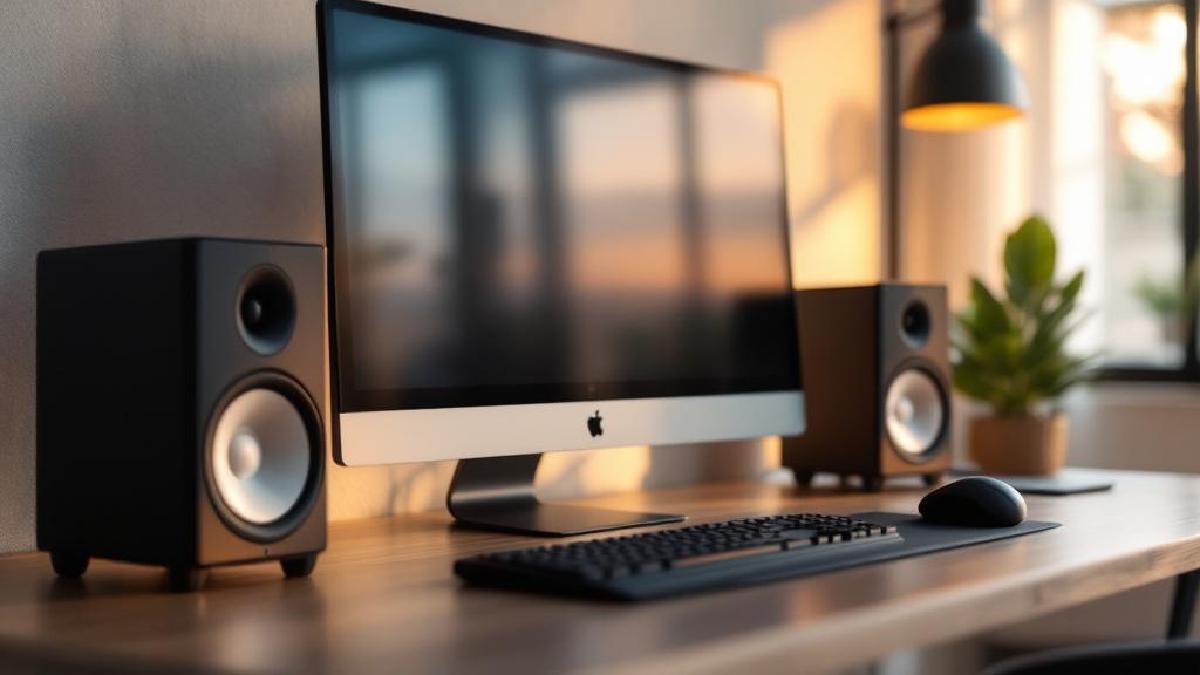
All speakers were positioned at ear level, roughly 2–3 feet from the listening position, angled slightly inward — the standard nearfield setup for desk speakers.
Buyer’s Guide #
Wired vs Bluetooth #
Wired connections (3.5mm, USB, RCA) offer zero latency and consistent quality. Bluetooth introduces slight latency (40–200ms depending on codec) that’s noticeable when watching video but irrelevant for music. For office use, Bluetooth’s convenience usually outweighs the latency concern. If you watch a lot of video content, use a wired connection.
Power and Volume #
Most home offices need 10–40W of power. You’re not filling a living room — you’re sitting 2–3 feet from the speakers. Even the 8W Creative Pebbles are adequate at desk distance. More power gives you headroom for dynamic peaks in music without distortion, not necessarily louder volume.
Stereo Separation #
Two speakers spaced 2–4 feet apart create a stereo image that makes music more immersive and spatial. A single speaker (like the Sonos Era 100) trades stereo separation for convenience. For pure work use, mono is fine. For enjoying music, stereo is noticeably better.
Desk Space #
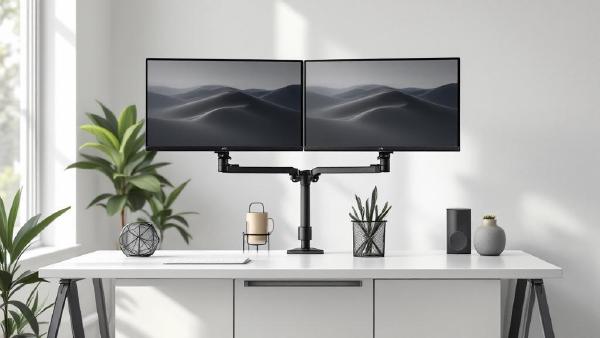
Speakers need room. Budget 4–6 inches behind your monitor for compact pairs, or shelf space beside your desk for larger bookshelf speakers. If desk space is tight, a monitor arm frees up the surface area speakers need.
FAQ #
Do I need a subwoofer for office speakers? #
For most people, no. Desk speakers with 3-inch or larger drivers produce enough bass for comfortable listening at moderate volumes. A subwoofer adds cost, desk/floor space, and bass that’s often excessive for a small room. If you listen to bass-heavy music and want to feel it, then yes — otherwise, save the money.
Bluetooth or wired for video calls? #
Wired. Bluetooth latency can cause lip-sync issues during video calls, and some Bluetooth codecs compress audio quality. A 3.5mm or USB connection eliminates both problems. That said, for listening to the other party’s audio (not your own), Bluetooth is perfectly fine.
Can I use office speakers for video editing? #
For basic editing, any decent speakers work. For professional editing where audio accuracy matters, choose studio monitors like the JBL 104-BT — they reproduce sound without colouration, so what you hear is what your audience will hear. Consumer speakers with boosted bass or treble can mislead your mix.
How do I reduce speaker vibration on my desk? #
Isolation pads (foam or rubber, ~$15–20) placed under each speaker decouple them from your desk surface, reducing transmitted vibration and tightening bass response. A desk mat also helps dampen resonance. It’s a cheap upgrade that noticeably improves sound quality.
Are monitor speakers different from office speakers? #
Studio monitors are designed for accuracy — flat frequency response with no artificial emphasis. Consumer office speakers are tuned for enjoyment — slightly boosted bass and treble that make music sound more exciting. Both work for office use; it’s a matter of whether you prefer accurate or flattering sound.
What about a soundbar for my desk? #
Soundbars work but sacrifice stereo separation. Two separated speakers create a wider, more immersive sound stage. If desk space is extremely limited, a compact soundbar is better than laptop speakers — but a proper speaker pair is better than a soundbar.