Not everyone wants to replace their entire desk just to stand while working. Maybe you like your current desk. Maybe you’re renting and the landlord’s furniture stays. Maybe you just don’t want to spend $500+ on a full standing desk when a converter can do the job for half the price.
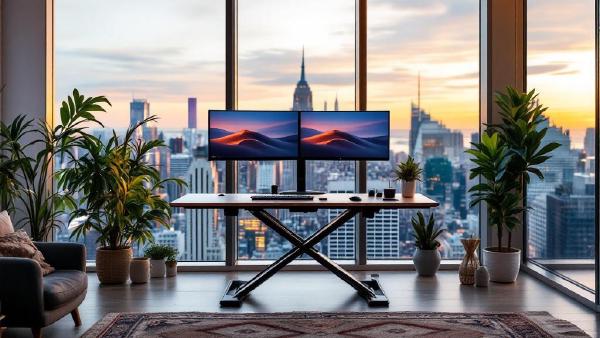
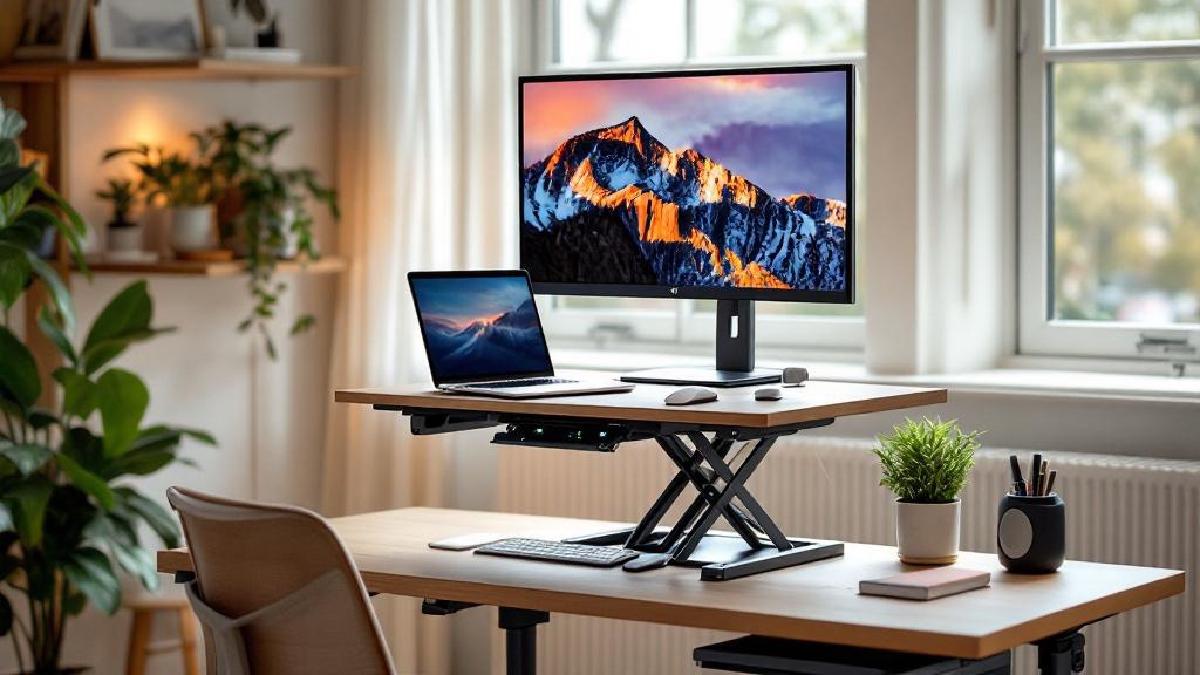
Sit-stand desk converters sit on top of your existing desk and raise your monitor and keyboard to standing height. When you want to sit, you lower them back down. It’s a simpler, cheaper path to the health benefits of alternating between sitting and standing throughout your day — no desk swap required.
We evaluated over 20 converters across price ranges, testing for height range, stability at full extension, ease of adjustment, and workspace size. Here are the seven best options for 2026.
Quick Comparison Table #
| Converter | Price (US/UK) | Lift Type | Height Range | Work Surface | Best For |
|---|---|---|---|---|---|
| VariDesk ProPlus 36 | $395 / £350 | Spring-assisted | 4.5–17.5″ | 36 × 30″ | Overall reliability |
| FlexiSpot M7B | $280 / £250 | Gas spring | 4.7–19.7″ | 28 × 16″ | Budget value |
| Ergotron WorkFit-T | $379 / £340 | Constant force | 5–15.5″ | 37.5 × 22″ | Wide desks |
| UPLIFT E7 Converter | $349 / £310 | Electric | 6–20″ | 35 × 23″ | Electric convenience |
| FlexiSpot M7MB | $300 / £265 | Gas spring | 4.7–19.7″ | 42 × 24″ | Dual monitors |
| Fezibo Converter | $180 / £160 | Gas spring | 5–16″ | 32 × 22″ | Under $200 |
| VIVO 32″ Converter | $140 / £125 | Gas spring | 6–16.5″ | 32 × 16″ | Entry-level |
What to Look For in a Desk Converter #
Before diving into individual picks, here’s what actually separates a good converter from a wobbly regret:
Height range matters more than you think. The converter needs to raise your screen to eye level when standing. If you’re tall (6′+), you need a converter that reaches at least 17–20 inches of lift. Most cheap converters max out around 15–16 inches, which isn’t enough for taller users.
Stability at full height is non-negotiable. A converter that wobbles when you type at standing height defeats the purpose. Spring-assisted and gas-spring mechanisms tend to be the most stable because they use counterbalanced force rather than relying on friction locks alone.
Surface area determines what fits. If you use dual monitors, you need a converter with at least 35 inches of width. A single monitor and laptop user can get away with 28–32 inches.
Lift mechanism type:
- Spring-assisted — uses internal springs; smooth and fast but can be stiff to lower at first
- Gas spring — hydraulic lift; usually the smoothest operation
- Electric — motor-driven; easiest to use but adds complexity and cost
- Pneumatic — air-pressure-based; similar to gas spring but less common
Weight capacity should exceed your actual gear weight by at least 10 lbs. Monitors, arms, keyboards, and laptops add up faster than you’d expect.
1. VariDesk ProPlus 36 — Best Overall #
Price: $395 / £350
Check Price on Amazon US → Check Price on Amazon UK →
VariDesk basically invented the desk converter category, and the ProPlus 36 is their flagship for good reason. It’s the converter that shows up in offices everywhere because it just works — every time, for years.
The spring-assisted lift mechanism raises and lowers the entire platform in about two seconds using a squeeze handle on either side. No cranking, no buttons, no waiting. Squeeze, lift to the height you want, release. The weighted spring holds position firmly at any height across its 4.5–17.5-inch range.
The two-tier design gives you a 36-inch-wide upper platform for monitors and a lower keyboard tray that maintains proper ergonomic positioning for your wrists. Both tiers move together as a single unit, which means your keyboard-to-screen distance stays consistent whether sitting or standing.
Build quality is tank-like. The steel frame doesn’t flex, and the surface finish resists scratches well. At 52 lbs, this thing isn’t going anywhere — which is both a pro (stability) and a con (good luck moving it between rooms).
Pros:
- Rock-solid stability even at max height — virtually zero wobble
- Spring-assisted lift is smooth and fast (2-second transitions)
- 36″ wide upper deck fits dual monitors comfortably
- 35 lb weight capacity handles most setups easily
- No assembly required — literally unbox and place on desk
Cons:
- $395 is steep for a converter (you’re near full standing desk territory)
- Heavy at 52 lbs — not portable
- Spring can feel stiff for the first few weeks
- Maximum 17.5″ lift may not be enough for users over 6'2″
- Takes up significant desk real estate even when lowered
Best for: Anyone who wants a proven, zero-hassle converter that’ll last for years. If reliability matters more than price, this is the safe bet.
2. FlexiSpot M7B — Best Value #
Price: $280 / £250
Check Price on Amazon US → Check Price on Amazon UK →
FlexiSpot has built a reputation for delivering 80% of the premium experience at 60% of the price, and the M7B continues that pattern. The gas spring mechanism is impressively smooth — you squeeze the handle and the platform glides up and down with minimal effort.
The 19.7-inch maximum height is notably higher than the VariDesk, making this a better option for taller users. The gas spring also means there’s no break-in period; it feels smooth from day one.
The work surface is smaller at 28 × 16 inches for the upper tier, so dual-monitor setups will feel cramped. But for a single monitor plus laptop, or a single ultrawide, there’s plenty of room. The keyboard tray adds functional space for your input devices.
FlexiSpot includes a phone/tablet slot along the front edge — a small detail, but handy if you reference your phone while working. The removable keyboard tray can also be detached if you prefer a flat, single-level surface.
Pros:
- Excellent price-to-performance ratio
- Gas spring mechanism is smooth and effortless from day one
- 19.7″ max height suits taller users
- Removable keyboard tray adds flexibility
- Phone/tablet slot is a nice touch
Cons:
- 28″ width is tight for dual monitors
- Lighter build means slightly more wobble at max height than VariDesk
- 33 lb weight capacity is adequate but not generous
- Aesthetics are more utilitarian than premium
Best for: Single-monitor users who want a quality converter without paying VariDesk prices. Particularly good for taller users thanks to the higher max lift.
3. Ergotron WorkFit-T — Best for Wide Desks #
Price: $379 / £340
Check Price on Amazon US → Check Price on Amazon UK →
Ergotron is the company behind most of the monitor arms you see in professional setups, and that engineering pedigree shows in the WorkFit-T. The constant-force lift technology means the platform stays at whatever height you set it — no drifting, no creeping down over time.
The standout here is the 37.5-inch-wide work surface. That’s enough for two 27-inch monitors side by side with room to spare, or a monitor plus a laptop stand without anything feeling crowded. If workspace is your priority, this is the converter to get.
The cross-bar design underneath means the converter’s footprint is surprisingly compact relative to its surface area. It integrates well into existing desks without dominating the space visually.
The 15.5-inch max height is the main limitation. It’s fine for average-height users but can be a problem if you’re over 6 feet tall.
Pros:
- 37.5″ wide surface is the most spacious in this roundup
- Constant-force technology means zero drift at any height
- Clean, professional aesthetic fits office environments
- Compact footprint relative to work surface size
- 40 lb weight capacity handles heavy setups
Cons:
- 15.5″ max height is limiting for tall users
- $379 is premium pricing
- 15-minute assembly required (not complex, but not zero)
- The surface can feel slightly slippery — consider a desk mat
Best for: Dual-monitor users with wide desks who need maximum workspace on their converter. Ideal for users under 6 feet tall.
4. UPLIFT E7 Converter — Best Electric #
Price: $349 / £310
Check Price on Amazon US → Check Price on Amazon UK →
If you’ve used a full electric standing desk and loved the convenience, the UPLIFT E7 Converter brings that same experience to a desk-top form factor. Press a button, and a quiet motor raises or lowers the platform smoothly. No squeezing handles, no lifting effort required.
The electric mechanism also means you can save preset heights — typically up to four memory slots. This is a genuine workflow improvement if you alternate between sitting and standing on a schedule. Press “1” for sitting, “2” for standing, and the converter moves itself.
The 20-inch maximum height is the tallest in this roundup, making it the best option for very tall users. The motor is quiet enough to use during calls without anyone noticing.
The tradeoff is complexity. Electric means a motor, a control box, a power cable, and electronics that can eventually fail. Manual converters have essentially no failure modes. Electric ones do.
Pros:
- Button-press convenience eliminates any effort from height changes
- Memory presets (up to 4) for consistent positioning
- 20″ max height — best for tall users
- Quiet motor won’t disturb calls
- 35 × 23″ work surface fits dual monitors
Cons:
- Requires power outlet — adds cable to manage
- More potential failure points than manual converters
- Slower transitions (8–10 seconds vs. 2 seconds for spring-assist)
- Heavier and bulkier than manual options
- $349 is approaching full standing desk territory
Best for: Users who switch between sitting and standing frequently throughout the day and want the easiest possible transition. Great for tall users who need maximum height.
5. FlexiSpot M7MB — Best for Dual Monitors #
Price: $300 / £265
Check Price on Amazon US → Check Price on Amazon UK →
The M7MB is the wider sibling of the M7B, stretching the upper platform to 42 inches — the widest in this lineup. If dual monitors are non-negotiable and you want a gas-spring converter at a mid-range price, this is your pick.
The 42-inch width comfortably fits two 27-inch monitors or even a 34-inch ultrawide plus a secondary screen. The keyboard tray is proportionally wider too, giving you space for a full-size ergonomic keyboard and a mouse without cramping.
The gas spring mechanism matches the M7B — smooth, effortless, with the same 19.7-inch max height. Build quality is comparable, with only the expected slight increase in wobble due to the wider platform.
The main consideration is desk space. A 42-inch converter needs a desk at least 48 inches wide to work well, and it’ll dominate that desk completely. Make sure you’ve got the real estate.
Pros:
- 42″ width comfortably handles any dual-monitor setup
- Same smooth gas spring as the M7B
- 19.7″ max height works for tall users
- Wide keyboard tray doesn’t cramp your input devices
- Reasonable price for the size
Cons:
- Needs a large desk (48″+ recommended)
- Heavier than narrower models — not portable
- More wobble at max height than compact converters
- The size can feel visually overwhelming in smaller home offices
Best for: Dedicated dual-monitor users who need every inch of workspace and have a desk large enough to support this size.
6. Fezibo Standing Desk Converter — Best Under $200 #
Price: $180 / £160
Check Price on Amazon US → Check Price on Amazon UK →
Fezibo has carved out a niche making affordable home office gear that punches above its price, and this converter is a good example. At $180, it’s significantly cheaper than the premium options while still delivering a gas-spring mechanism with smooth operation.
The 32 × 22-inch upper surface fits a single 27-inch or 32-inch monitor and a laptop side by side — a common setup for remote workers. The keyboard tray is a reasonable size for most standard keyboards and mice.
Build quality is where the price shows. The frame is sturdy enough, but you’ll notice slightly more flex in the surface material and a bit more wobble at higher positions compared to the VariDesk or Ergotron. For most people, this is perfectly acceptable. If you’re the type who gets distracted by minor vibrations while typing, you might want to step up.
The 16-inch max height is adequate for most users up to about 5'11". Taller users should look at the FlexiSpot or UPLIFT options.
Pros:
- Best price-to-quality ratio under $200
- Gas spring mechanism works well
- 32″ width fits a monitor + laptop comfortably
- Easy 10-minute assembly
- Clean design that doesn’t look cheap
Cons:
- 16″ max height limits taller users
- More wobble at extension than premium models
- Surface material feels less premium
- 30 lb weight capacity is tight for heavy setups
Best for: Budget-conscious buyers who want a proper gas-spring converter without spending $300+. Great starter option if you’re not sure standing work is for you.
7. VIVO 32″ Standing Desk Converter — Best Entry-Level #
Price: $140 / £125
Check Price on Amazon US → Check Price on Amazon UK →
VIVO makes the no-frills, get-it-done option. At $140, this is the cheapest converter here that we’d still recommend. The gas spring works, the height range is usable, and it’ll let you try standing work without a meaningful financial commitment.
The 32-inch platform handles a single monitor setup well. The keyboard tray is slightly narrower than competitors, which can feel cramped if you use a full-size keyboard with a separate number pad. A compact or 75% keyboard works better here.
At this price, you’re getting functional rather than refined. The height adjustment handle feels a bit plasticky, and there’s noticeable wobble at the top of the 16.5-inch range. But the fundamentals work: it goes up, it goes down, and it holds position.
The 16.5-inch max height is actually slightly better than the Fezibo, giving taller users an extra half inch of room.
Pros:
- Lowest price for a functional converter
- Gas spring mechanism works reliably
- 16.5″ max height is decent for the price
- Simple design with minimal assembly
- Good way to test if standing work suits you
Cons:
- Noticeable wobble at max height
- Narrow keyboard tray
- Plasticky adjustment handle
- Aesthetically basic
- 25 lb weight capacity limits heavier setups
Best for: Anyone who wants to try standing work for under $150 and doesn’t want to commit to a premium converter yet. A solid “starter” option.
Converter vs. Full Standing Desk: Which Makes More Sense? #
This is the real question most people should ask before buying anything.
Get a converter if:
- You like your current desk and don’t want to replace it
- Your budget is under $400
- You rent and can’t (or don’t want to) deal with furniture logistics
- You want to try standing work before committing to a full desk
- Your workspace is limited and a large desk swap isn’t practical
Get a full standing desk if:
- You’re starting fresh with a new office setup
- Budget allows $400–800
- You want maximum desk space without a platform sitting on top
- Stability at standing height is a top priority
- You plan to use monitor arms (converters make arm mounting complicated)
The honest truth: full standing desks give you a cleaner setup with more space and better stability. Converters are the practical compromise when replacing your desk isn’t feasible.
Frequently Asked Questions #
Are sit-stand desk converters stable enough for typing? #
The best ones — yes. Premium converters like the VariDesk ProPlus 36 and Ergotron WorkFit-T have minimal wobble even at full height. Budget options have more movement. If typing stability matters to you, stick with spring-assisted or constant-force mechanisms over basic gas springs.
How much weight can a desk converter hold? #
Most converters support 25–40 lbs. A typical single-monitor setup (monitor + keyboard + mouse + laptop) weighs about 15–25 lbs, so you’re usually fine. Dual monitors with heavy stands can push 30+ lbs — check the capacity before buying.
Can I mount a monitor arm on a desk converter? #
Technically yes, but it’s not ideal. Clamp-style monitor arms can attach to the converter’s upper platform, but they add height and weight that the converter wasn’t designed around. If you need a monitor arm, a full standing desk is usually the better path.
How long does it take to adjust a desk converter? #
Spring-assisted and gas spring converters take 2–5 seconds. Electric converters take 8–12 seconds. Neither is slow enough to discourage frequent switching, which is the point.
Will a converter damage my existing desk? #
Most converters have rubber pads on the bottom that protect your desk surface. Very heavy converters (50+ lbs plus gear) could potentially cause wear marks over years if your desk has a soft finish. A desk mat underneath provides extra protection.
What height should I set the converter to when standing? #
Your screen should be at eye level and your elbows should be at roughly 90 degrees when typing. For most people, this means the converter platform needs to be 14–20 inches above the desk surface, depending on your height and monitor size. Check our home office setup guide for detailed ergonomic positioning.
The Bottom Line #
The VariDesk ProPlus 36 is our top pick for its unmatched reliability and build quality. If budget is a concern, the FlexiSpot M7B delivers 90% of the experience for significantly less. Dual-monitor users should look at the FlexiSpot M7MB or Ergotron WorkFit-T for maximum workspace, and tall users will appreciate the UPLIFT E7 Converter’s industry-leading 20-inch lift.
Whatever you choose, the important thing is that you start alternating between sitting and standing. Your back will thank you within the first week.
Also worth reading: electric desk riser.