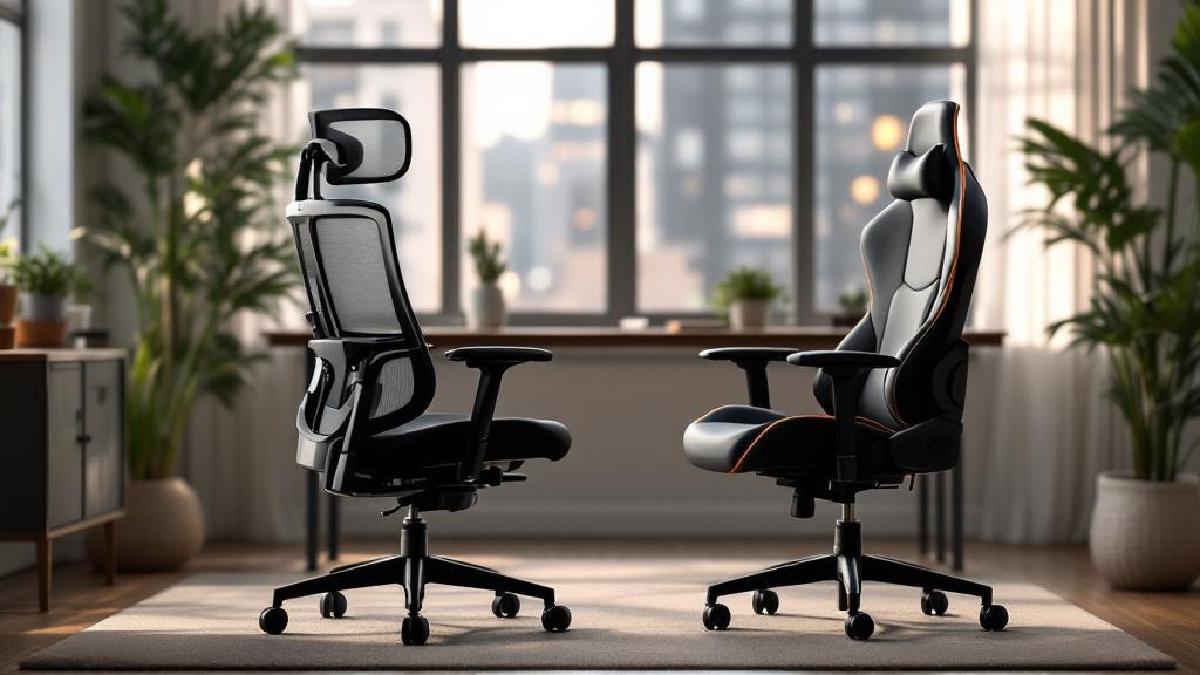
The Herman Miller Aeron and Secretlab Titan Evo are two of the most recommended office chairs online — but they come from completely different worlds. The Aeron is a 30-year-old design icon favoured by corporate offices and ergonomic purists. The Titan is a gaming-chair-turned-office-chair that’s built a massive following through aggressive marketing and genuinely solid engineering.
At roughly $1,400 vs $500, they’re not even in the same price bracket. So the real question isn’t just which is “better” — it’s which one makes sense for your work, body, and budget.
We’ve spent extended time in both chairs to give you an honest breakdown. If you’re considering either of these alongside more budget-friendly options, check out our best ergonomic chairs under $500 roundup.
Quick Verdict #
Buy the Aeron if you run hot, want a chair that’ll last 15+ years, and you’re willing to pay premium for best-in-class ergonomic engineering. Buy the Titan if you want excellent comfort and adjustability at a third of the price, and you prefer a padded seat to mesh.
Spec Comparison Table #
| Feature | Herman Miller Aeron (Remastered) | Secretlab Titan Evo (2026) |
|---|---|---|
| Price | ~$1,395 (fully loaded) | ~$519 (Fabric/SoftWeave) |
| Seat Material | 8Z Pellicle mesh | Cold-cure foam + fabric/leather |
| Weight Capacity | 350 lbs (Size C) | 395 lbs (XL) |
| Sizes Available | A (small), B (medium), C (large) | S, R (regular), XL |
| Lumbar Support | PostureFit SL (adjustable sacral + lumbar) | Built-in 4-way L-ADAPT lumbar |
| Recline Range | ~22° | ~165° |
| Armrests | Fully adjustable (height, angle, depth, width) | 4D adjustable CloudSwap armrests |
| Tilt Mechanism | Kinemat tilt (pivots at ankles, knees, hips) | Multi-tilt with lock |
| Seat Depth Adjustment | No (sized per model) | Yes |
| Headrest | Optional add-on (~$100) | Magnetic memory foam pillow included |
| Warranty | 12 years | 5 years |
| Weight | ~45 lbs (Size B) | ~73 lbs (Regular) |
| Made In | USA | China |
Design and Build Quality #
Herman Miller Aeron #
The Aeron’s design is timeless — it literally sits in the Museum of Modern Art’s permanent collection. The remastered version updated the original 1994 design with a mineral-grey colourway, improved mesh zones, and refined adjustments. Every component feels like it was engineered to a specific tolerance. The aluminium frame, glass-filled nylon, and steel internals give it a precision feel that no other office chair quite matches.
The three-size system (A, B, C) means you’re getting a chair shaped for your body rather than a one-size-fits-most compromise. This matters more than most people realise — it’s a big part of why the Aeron feels so naturally supportive.
Secretlab Titan Evo #
The Titan Evo has come a long way from Secretlab’s early gaming chair roots. The 2026 series uses a steel frame with a pebble-seat base design that’s wider than previous generations. Build quality is genuinely impressive for the price — the cold-cure foam is dense and supportive, the fabric options feel premium, and the magnetic headrest and armrest pads are a clever touch.
That said, it still looks and feels like a product designed for mass production. That’s not a criticism — it’s how Secretlab keeps the price accessible. But side by side with the Aeron, you notice differences in material refinement and mechanical precision.
Winner: Aeron — The engineering and material quality justify the price gap, though the Titan punches well above its weight class.
Comfort and Ergonomics #
Sitting Experience #
The Aeron’s mesh seat is polarising. If you’ve never sat in a full-mesh chair, the first few days can feel strange — there’s no cushion, just tension-based support that distributes your weight evenly. Once you adjust, most people find it exceptionally comfortable for long sessions. The mesh also means zero heat buildup, which is a genuine advantage if you work in a warm environment.
The Titan’s cold-cure foam is more immediately comfortable in a familiar way. It’s firm but not hard, and it holds its shape well over time. The wider seat also gives you more room to shift positions — cross-legged sitters tend to prefer the Titan for this reason.
Lumbar Support #
The Aeron’s PostureFit SL is arguably the best lumbar system in any office chair. It provides separate support pads for the sacrum and lumbar region, encouraging a natural S-curve in your spine. It’s subtle but effective — you don’t feel pushed into position; you just notice that your back doesn’t hurt after 8 hours.
The Titan’s 4-way L-ADAPT system is also excellent for the price. You can adjust height and depth of the internal lumbar mechanism without any external pillow. It’s more aggressive than the Aeron’s — you feel the lumbar support more prominently, which some people love and others find intrusive.
Recline and Movement #
The Aeron’s Kinemat tilt is unique — it pivots at your ankle, knee, and hip joints simultaneously, keeping your feet flat on the floor as you recline. The recline range is limited (~22°) but it’s designed for active working positions rather than leaning back to watch videos.
The Titan reclines to nearly 165°, which is great for breaks and media consumption. The multi-tilt mechanism is solid if unremarkable. For pure work posture, the Aeron’s approach is more sophisticated; for versatility, the Titan wins.
Winner: Tie — The Aeron is better for pure work ergonomics; the Titan is more versatile and immediately comfortable.
Adjustability #
Both chairs offer extensive adjustability, but in different ways.
The Aeron gives you: tilt tension, tilt limiter (3 positions), seat angle, armrest height/width/depth/angle, and PostureFit SL adjustment. Everything is intuitive and clicks into place with satisfying precision.
The Titan offers: recline angle with lock, tilt tension, seat depth, 4D armrests, 4-way lumbar, and magnetic headrest positioning. The seat depth slider is something the Aeron lacks entirely (it relies on sizing instead).
If you’re between sizes or have unusual proportions, the Titan’s broader adjustability can be advantageous. If you fit cleanly into an Aeron size, its adjustments are more refined.
Winner: Titan — Slightly more range of adjustment, especially seat depth.
Durability and Warranty #
This is where the Aeron pulls decisively ahead. Herman Miller’s 12-year warranty is one of the best in the industry, and these chairs routinely last 15-20 years. The mesh doesn’t sag, the mechanisms don’t wear, and replacement parts are readily available. The secondhand market is full of decade-old Aerons that still work perfectly.
Secretlab’s 5-year warranty is reasonable for the price point, and the Titan’s build quality suggests it’ll last well beyond that. But foam eventually compresses (expect noticeable softening around year 4-5), and the mechanisms aren’t as over-engineered as the Aeron’s.
Winner: Aeron — Built to last twice as long, with a warranty to match.
Value for Money #
Here’s where it gets interesting. The fully loaded Aeron costs roughly $1,395. The Titan Evo in SoftWeave fabric runs about $519. That’s a $876 difference.
Is the Aeron 2.7x better? No. Is it meaningfully better for pure ergonomic performance and longevity? Yes. But the Titan delivers maybe 80% of the ergonomic benefit at 37% of the price. For most home office workers, that’s a compelling ratio.
If you amortise costs: the Aeron at $1,395 over 15 years = $93/year. The Titan at $519 over 7 years = $74/year. The per-year cost is actually closer than the sticker prices suggest.
Winner: Titan — Better value proposition for most budgets, though the Aeron’s cost-per-year is surprisingly competitive.
Who Should Buy Which? #
Buy the Herman Miller Aeron if: #
- You work 8+ hours daily in your chair and back support is a priority
- You run hot — the full mesh is unbeatable for airflow
- You want a chair that’ll last through your entire career
- You value refined engineering and don’t mind the premium
- You fit cleanly into a size A, B, or C
Buy the Herman Miller Aeron (Size B) | UK
Buy the Secretlab Titan Evo if: #
- You want excellent ergonomics without spending $1,400
- You prefer padded foam comfort over mesh
- You like to recline deeply during breaks
- You sit cross-legged or shift positions frequently
- You want a headrest included out of the box
Buy the Secretlab Titan Evo | UK
Alternatives Worth Considering #
If neither chair feels quite right:
- On a tighter budget? Check our best ergonomic chairs under $500 — the Autonomous ErgoChair Pro and HON Ignition 2.0 are strong picks.
- Want a standing desk instead? A standing desk with a budget chair can be more impactful than an expensive chair alone. See our standing desk vs sitting desk comparison.
- Need cushion support? A quality office chair cushion can improve any chair for under $50.
FAQ #
Is the Herman Miller Aeron worth three times the price of the Secretlab Titan? #
For most people, no. The Titan delivers excellent comfort and ergonomics at a much lower price. However, if you prioritise long-term durability, heat management, and world-class lumbar support, the Aeron’s premium is justifiable — especially when you factor in its 12-year warranty and 15+ year lifespan.
Can you sit cross-legged in the Herman Miller Aeron? #
Not comfortably. The Aeron’s contoured mesh seat and raised edges make cross-legged sitting awkward. The Secretlab Titan’s wider, flatter seat is much better for alternative sitting positions.
How long does the Secretlab Titan foam last before it sags? #
Secretlab’s cold-cure foam holds up better than standard foam, but you’ll likely notice some softening after 3-4 years of heavy daily use. It won’t go flat, but it won’t feel as firm as day one. The Aeron’s mesh, by contrast, maintains consistent tension for well over a decade.
Which chair is better for back pain? #
Both are genuinely good for back support. The Aeron’s PostureFit SL system is more clinically refined and passively encourages proper spinal alignment. The Titan’s lumbar is more adjustable and prominent. If you have chronic back issues, the Aeron’s approach tends to get higher marks from ergonomic professionals — but the Titan is far from a poor choice.
Should I buy a used Aeron instead of a new Titan? #
A used Aeron in good condition (typically $500-700) is one of the best value propositions in office seating. You get the Aeron’s engineering at Titan pricing. Just inspect the mesh for stretching, check the tilt mechanism, and confirm the size fits you. It’s a legitimate third option that combines the best of both worlds.
Final Thoughts #
There’s no wrong choice here — both the Herman Miller Aeron and Secretlab Titan Evo are genuinely excellent chairs that’ll serve you well for years. The Aeron is the better chair in objective ergonomic terms. The Titan is the better value. Your decision should come down to budget, material preference (mesh vs foam), and how long you want the chair to last.
Whichever you choose, pair it with a proper desk setup — a good monitor at the right height, a quality keyboard, and maybe a footrest if your feet don’t reach the floor comfortably. The chair is just one piece of the ergonomic puzzle.
Also worth reading: gaming chairs for office work.