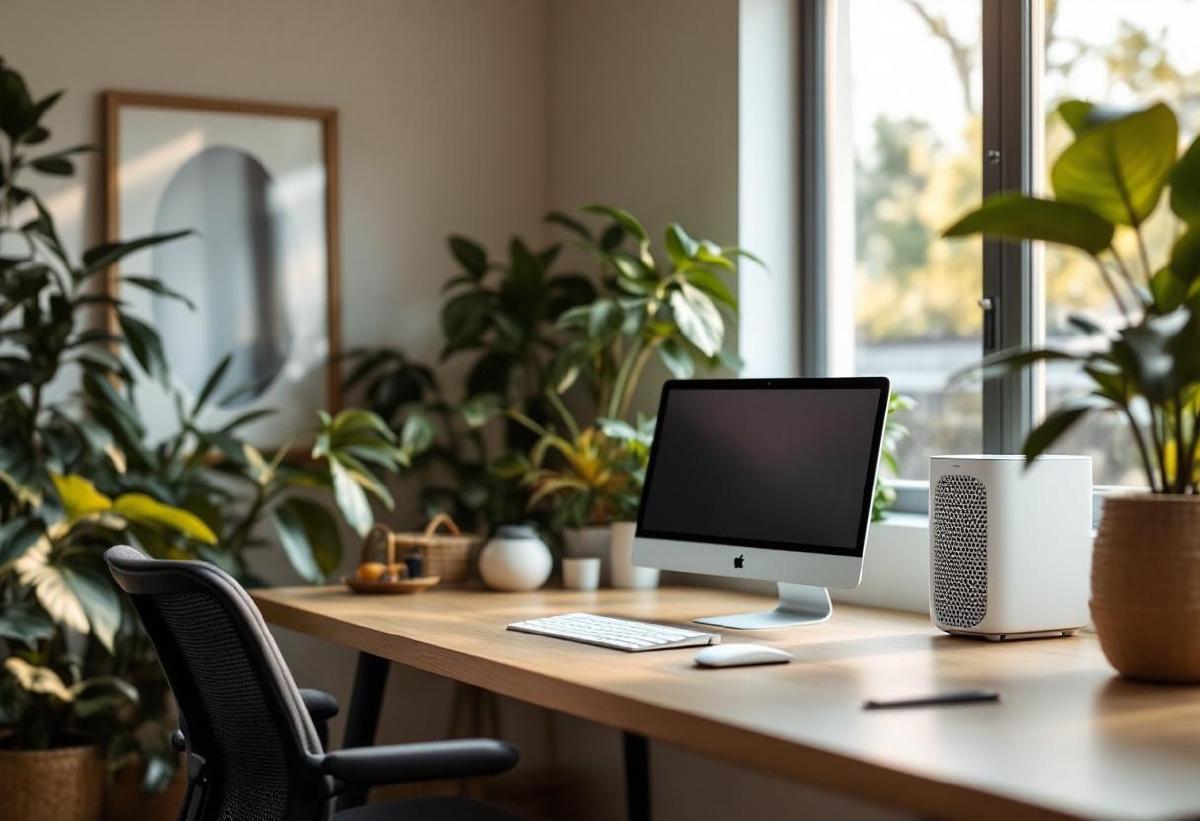
Air quality in a home office is one of those things you don’t notice until it’s bad. Stuffy rooms, dust particles floating through afternoon sunlight, lingering cooking smells drifting in from the kitchen — they all chip away at concentration without you realising it. Studies consistently link poor indoor air quality to reduced cognitive function, and a home office with a closed door and limited ventilation is a prime candidate.
An air purifier solves this quietly (literally). A good one removes dust, allergens, pet dander, VOCs from furniture off-gassing, and even odours — leaving you with cleaner air and one fewer excuse for brain fog. If you’ve already invested in a proper ergonomic chair and a standing desk, clean air is the next upgrade your body will thank you for.
We’ve compared seven air purifiers across noise levels, filtration quality, room coverage, and the all-important question: will it distract me during a video call? Here’s what we found.
Quick Comparison Table #
| Air Purifier | Price (USD/GBP) | Room Size | Filter Type | Noise Level | CADR | Best For |
|---|---|---|---|---|---|---|
| Levoit Core 300S | $100 / £80 | 219 sq ft | H13 HEPA | 24-48 dB | 141 CFM | Best value |
| Coway Airmega AP-1512HH | $150 / £130 | 361 sq ft | True HEPA + Carbon | 24-53 dB | 246 CFM | Best overall |
| Blueair Blue Pure 411i Max | $120 / £100 | 190 sq ft | HEPASilent | 18-46 dB | 121 CFM | Quietest |
| Dyson Purifier Cool TP07 | $420 / £350 | 400 sq ft | HEPA + Carbon | 33-62 dB | 100 CFM | Fan + purifier combo |
| Winix 5500-2 | $160 / £135 | 360 sq ft | True HEPA + PlasmaWave | 28-56 dB | 243 CFM | Allergy sufferers |
| Medify MA-25 | $130 / £110 | 500 sq ft | H13 HEPA + Carbon | 25-51 dB | 200 CFM | Large offices |
| Molekule Air Mini+ | $300 / £250 | 250 sq ft | PECO | 30-58 dB | N/A | VOC destruction |
1. Coway Airmega AP-1512HH — Best Overall Air Purifier for Home Office #
Price: $150 / £130 Check price on Amazon US → Check price on Amazon UK →
The Coway Airmega AP-1512HH has been a top recommendation for years, and the reason is simple: it does everything well without costing a fortune. The four-stage filtration system — pre-filter, odour filter, True HEPA filter, and Vital Ion — captures 99.97% of particles down to 0.3 microns. That includes dust, pollen, pet dander, mould spores, and smoke.
For a home office, the key metric is noise. On its lowest setting, the AP-1512HH runs at 24 dB — quieter than a whisper. You genuinely forget it’s on. Even on medium, it stays below conversational levels, so it won’t interfere with video calls or deep focus work. The auto mode uses a built-in air quality sensor to adjust fan speed in real time, indicated by a colour-changing LED ring (blue = good, purple = poor). Once the air cleans up, it dials back to near-silent.
At 361 square feet of coverage, it handles any reasonable home office and then some. Filter replacements run about $40 per year — not cheap, but not outrageous for what amounts to constantly filtered air.
Pros #
- Excellent four-stage filtration at a fair price
- Near-silent lowest setting (24 dB)
- Air quality sensor with auto-adjust
- Compact footprint (16.8 × 9.6 × 18.3 inches)
- Filter replacement indicator
- Eco mode turns off fan when air stays clean
Cons #
- Indicator LED can be bright in a dark room (tape over it)
- Filters aren’t washable — ongoing replacement cost
- No app control (analogue buttons only)
- Auto mode can ramp up suddenly if you open a window
2. Levoit Core 300S — Best Value Air Purifier #
Price: $100 / £80 Check price on Amazon US → Check price on Amazon UK →
The Levoit Core 300S punches well above its price. For around $100, you get H13 True HEPA filtration (the same grade used in hospitals), Wi-Fi connectivity with the VeSync app, and Alexa/Google Home compatibility. The smart features let you check real-time air quality readings, schedule run times, and adjust fan speed from your phone — handy if the purifier sits across the room.
The three-stage filtration (pre-filter, H13 HEPA, activated carbon) handles particles, allergens, and light odours effectively. At its lowest fan speed, it produces just 24 dB of noise, and the sleep mode dims all LEDs. The cylindrical 360-degree air intake design means it doesn’t need to face any particular direction — just place it and forget it.
Room coverage tops out at 219 square feet, which suits most home offices. If your office is larger or open-plan, step up to the Coway or Medify. But for a standard room, the Core 300S delivers remarkable filtration per dollar.
Pros #
- Excellent value for H13 HEPA filtration
- Smart app control with scheduling
- Very quiet sleep mode (24 dB)
- Compact cylindrical design fits anywhere
- Multiple filter options (allergen, toxin absorber, pet)
- Display-off mode for light-sensitive sleepers
Cons #
- Limited to 219 sq ft — not ideal for large rooms
- Carbon filter is thin — limited odour capacity
- App occasionally disconnects from Wi-Fi
- No built-in air quality sensor (relies on app estimates)
3. Blueair Blue Pure 411i Max — Quietest Air Purifier #
Price: $120 / £100 Check price on Amazon US → Check price on Amazon UK →
If noise is your dealbreaker, the Blueair 411i Max starts at just 18 dB on its lowest setting. That’s essentially inaudible — quieter than a library, quieter than your own breathing. Blueair achieves this through their HEPASilent technology, which combines mechanical filtration with electrostatic charge to capture particles with less airflow resistance, meaning the fan doesn’t have to work as hard.
The design is distinctive: a fabric pre-filter wraps around the outside of the cylindrical body, available in multiple colours. It catches larger particles and is machine washable, which reduces the frequency of main filter replacements. The inner filter handles fine particles and light odours.
The 411i Max is compact enough to sit on your desk beside your monitor, though floor placement gives better air circulation. Room coverage is 190 square feet — adequate for a dedicated office but not a sprawling open space.
The one catch: no smart features on this model. It’s three manual speed buttons and that’s it. For some people, that simplicity is a feature, not a limitation.
Pros #
- Whisper-quiet 18 dB minimum — genuinely inaudible
- HEPASilent technology for efficient filtration
- Washable fabric pre-filter (saves on replacements)
- Attractive, minimalist Scandinavian design
- Energy-efficient (10W on lowest speed)
- Small footprint perfect for desktops
Cons #
- No smart features or app control
- Smaller coverage area (190 sq ft)
- Lower CADR than similarly priced competitors
- Carbon filtration is minimal — not great for strong odours
4. Dyson Purifier Cool TP07 — Best Fan and Purifier Combo #
Price: $420 / £350 Check price on Amazon US → Check price on Amazon UK →
The Dyson TP07 is expensive, but it replaces two devices: an air purifier and a fan. If you’d otherwise need both — and if you’re in a home office without air conditioning, you probably do — the combined cost starts to make sense. The sealed HEPA + activated carbon filtration system captures gases, allergens, and ultrafine particles, while the bladeless fan delivers a smooth, adjustable airflow.
The Dyson Link app provides detailed real-time air quality data: PM2.5, PM10, VOCs, NO2, temperature, and humidity. It’s genuinely interesting to watch your office air quality change throughout the day — opening a window, cooking lunch, or even running a laser printer all register as spikes. The auto mode reacts to these readings and adjusts both purification and fan speed accordingly.
For a home office, the oscillation feature distributes clean air evenly across the room, and the night mode caps noise and dims the display. The bladeless design means no spinning parts to accumulate dust, and the whole unit wipes clean easily.
The downside beyond price: the CADR is lower than dedicated purifiers at this price point, and the fan isn’t as powerful as a dedicated fan. It’s the Swiss Army knife approach — good at both, best at neither.
Pros #
- Combined air purifier and cooling fan
- Comprehensive air quality monitoring via app
- Sealed HEPA + carbon filtration
- Bladeless design — safe and easy to clean
- Night mode with reduced noise and dimmed display
- Oscillation for whole-room air distribution
Cons #
- Significantly more expensive than dedicated purifiers
- Lower CADR relative to price
- Fan mode can be noisy at higher speeds
- Filter replacements are pricey ($70+)
- Tall profile (41 inches) — prominent in a room
5. Winix 5500-2 — Best for Allergy Sufferers #
Price: $160 / £135 Check price on Amazon US → Check price on Amazon UK →
If allergies are your primary motivation, the Winix 5500-2 goes further than most with its four-stage system: washable pre-filter, True HEPA filter, activated carbon filter, and Winix’s PlasmaWave technology. PlasmaWave generates hydroxyls that break down allergens, bacteria, and VOCs at a molecular level without producing harmful ozone — it’s been independently tested and certified as ozone-safe.
The 360 square foot coverage and 243 CADR put it in the same performance bracket as the Coway, but the PlasmaWave adds an extra layer of purification that’s particularly effective for biological allergens. The smart sensor adjusts fan speed automatically, and the sleep mode brings noise down to 28 dB with dimmed indicators.
For home offices with pets, this is a strong contender. Dog and cat dander, hair, and the associated odours get handled by both the HEPA and carbon stages. The washable pre-filter catches pet hair before it reaches the HEPA filter, extending its life significantly.
Pros #
- PlasmaWave breaks down allergens at molecular level
- True HEPA with strong 243 CADR
- Washable pre-filter saves on replacements
- Smart sensor with auto mode
- No harmful ozone produced
- Good balance of price and performance
Cons #
- Slightly larger footprint than competitors
- PlasmaWave indicator light adds visual noise
- Can’t disable PlasmaWave and auto mode independently
- Carbon filter is integrated — must replace with HEPA
6. Medify MA-25 — Best for Large Home Offices #
Price: $130 / £110 Check price on Amazon US → Check price on Amazon UK →
The Medify MA-25 is rated for 500 square feet — generous enough to handle a large home office, a studio apartment workspace, or an office that opens onto a living area. Despite the coverage, it remains compact (22 × 10 × 10 inches) and affordable at around $130.
Dual H13 HEPA filters sit on both sides of the unit, pulling air in from two directions simultaneously. This dual-intake design boosts efficiency without requiring a bigger fan, keeping noise manageable. The three fan speeds give you control, with the lowest running at 25 dB. A timer function (1, 2, 4, or 8 hours) helps manage energy use if you only need purification during work hours.
The built-in air quality monitor uses a PM2.5 sensor and displays a colour-coded indicator. It’s not as detailed as the Dyson’s app-based readings, but it gives you at-a-glance confirmation that the air is clean.
Pros #
- 500 sq ft coverage — handles large or open offices
- Dual H13 HEPA filters for double the filtration area
- Compact for its coverage area
- Built-in PM2.5 sensor
- Timer function for scheduled use
- Child lock feature
Cons #
- No smart/app control
- Filters are proprietary and must be Medify brand
- Medium and high speeds are noticeably loud
- No carbon filter — limited odour removal
- Basic design lacks visual appeal
7. Molekule Air Mini+ — Best for VOC and Chemical Removal #
Price: $300 / £250 Check price on Amazon US → Check price on Amazon UK →
Most air purifiers trap particles in a filter. The Molekule destroys them. Its PECO (Photo Electrochemical Oxidation) technology uses UV-A light to generate free radicals on a coated filter surface that oxidise pollutants at the molecular level — VOCs, formaldehyde, mould, bacteria, and viruses get broken down into harmless components rather than accumulating in a filter.
This matters for home offices with new furniture off-gassing, fresh paint, or proximity to kitchens and garages where chemical fumes might drift in. Traditional HEPA filters pass gases right through; carbon filters adsorb them temporarily but can release them back. PECO actually destroys the molecules.
The Molekule app provides particle and chemical pollutant readings, auto-adjusts fan speed, and sends filter replacement reminders. The design is sleek — a leather handle and aluminium body that looks more like a Bluetooth speaker than an air purifier.
The trade-off: the PECO filter needs replacing every 6 months ($60), and independent testing has questioned whether the CADR matches traditional HEPA purifiers. For raw particle removal speed, the Coway or Winix outperform it. But for chemical and VOC destruction specifically, nothing else in this price range offers what PECO does.
Pros #
- PECO technology destroys pollutants rather than trapping them
- Excellent for VOCs, formaldehyde, and chemical removal
- Sleek, modern design with leather handle
- App control with pollutant monitoring
- Auto-protect mode adjusts fan speed
- Compact and portable
Cons #
- Expensive for its room coverage (250 sq ft)
- PECO filter replacements are costly ($60/6 months)
- CADR not independently rated — uncertain particle removal speed
- Fan noise at higher speeds is noticeable
- Ongoing debate about PECO vs HEPA effectiveness
How to Choose the Right Air Purifier for Your Office #
Room size matters most. Measure your office and pick a purifier rated for at least that square footage — ideally 1.5× your room size for faster air changes. An undersized purifier runs on high constantly, which means more noise and faster filter wear.
Noise is non-negotiable for office use. Anything above 40 dB on its working setting will be audible during calls. The Blueair 411i Max (18 dB) and Coway AP-1512HH (24 dB) are the quietest options here.
Filter type depends on your problem. HEPA for particles and allergens. Activated carbon for odours and light VOCs. PECO for chemical destruction. Most people need HEPA + carbon; the Molekule is for specific chemical concerns.
Running costs add up. Budget $30-70 per year for filter replacements. Units with washable pre-filters (Winix, Blueair) reduce this. Energy consumption is minimal — most purifiers use 5-50W, less than a desk lamp.
Frequently Asked Questions #
Do air purifiers actually help with focus and productivity? #
Research from Harvard’s T.H. Chan School of Public Health found that improved indoor air quality is associated with measurably better cognitive function scores. The mechanism is straightforward: cleaner air means better oxygen quality, fewer irritants causing low-grade inflammation, and reduced allergen exposure that causes fatigue. It won’t make you smarter, but it removes an invisible drag on your brain.
How loud are air purifiers during video calls? #
On their lowest settings, the purifiers in this list range from 18-33 dB — well below the threshold most microphones pick up. The Blueair and Levoit are essentially inaudible. If you’re running a purifier on medium or high during a call, most modern headsets with noise cancellation will filter it out on your end, but consider switching to low during meetings.
Where should I place an air purifier in my home office? #
Ideally 3-5 feet from your desk, on the floor or a low shelf, with at least a foot of clearance around all intake/output vents. Avoid corners where airflow gets restricted. If you have a standing desk, floor placement works well since air naturally circulates upward.
How often do filters need replacing? #
HEPA filters typically last 6-12 months depending on use and air quality. Carbon filters last 3-6 months. Pre-filters should be cleaned monthly. Most purifiers have replacement indicators. Running a purifier 8 hours daily during work extends filter life compared to 24/7 operation.
Is an air purifier worth it if I already open windows? #
Yes. Open windows bring in fresh air but also pollen, pollution, and dust. An air purifier filters what’s already inside, including particles too small to see. The best approach is both: ventilate periodically, then let the purifier clean what comes in. If you’re near a busy road, an air purifier is especially valuable since opening windows may worsen particle counts.
Do air purifiers help with pet dander in a home office? #
Absolutely — this is one of their strongest use cases. HEPA filters capture pet dander particles effectively, and carbon filters reduce pet odours. The Winix 5500-2 with PlasmaWave is particularly effective for pet-related allergens. If you have pets that visit your office, a purifier makes a noticeable difference within hours.
The Bottom Line #
For most home offices, the Coway Airmega AP-1512HH offers the best combination of filtration quality, noise levels, and price. It cleans the air efficiently, runs nearly silently, and costs a reasonable amount to maintain. If budget is tight, the Levoit Core 300S delivers impressive HEPA filtration for $100. And if silence is paramount, the Blueair 411i Max at 18 dB is essentially undetectable.
Clean air is invisible infrastructure. You won’t notice it working, but you’ll notice the difference — fewer afternoon headaches, less stuffiness, and one fewer reason your brain checks out at 3 PM. Pair it with good lighting and a comfortable chair, and your home office stops fighting against you.