Compare BenQ e-Reading if you want adjustable brightness, colour temperature and automatic controls. Choose IKEA TERTIAL if you prefer a movable arm and a replaceable bulb. The important difference is how you want to control and position the light, rather than a universal “best” lamp.
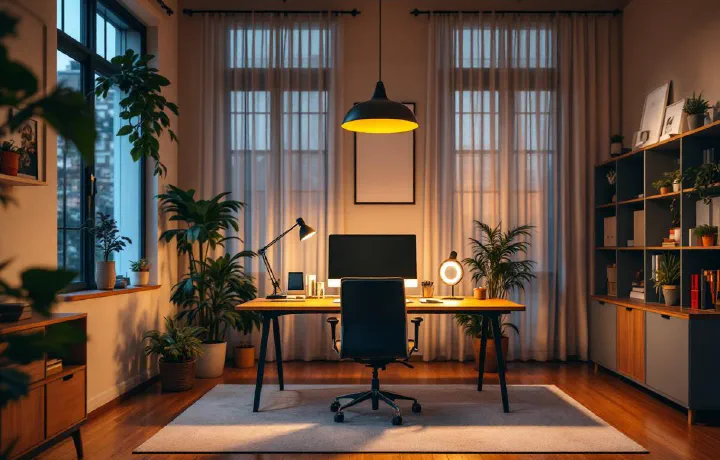
These are research-based options for UK buyers. We have not physically tested them or measured their brightness, flicker, stability or long-term reliability. Manufacturer information was reviewed on 21 September 2026. The buying-information links below are non-affiliate manufacturer links; prices, delivery and availability must be checked there. The header is a category illustration, not a photograph of either recommended model.
Quick comparison #
| Choice | Why consider it? | Controls and light source | Main check before buying |
|---|---|---|---|
| BenQ e-Reading Desk Lamp | You want to change brightness and white tone from the lamp | LED lighting; manual adjustment and ambient-light sensor modes | Space for the lamp and the exact base or clamp package |
| IKEA TERTIAL, dark grey, 404.508.02 | You want a repositionable arm and a separately chosen bulb | Replaceable E27 bulb; adjustable arm and head | Compatible desk edge and the additional bulb purchase |
This shortlist covers task lamps that can be directed towards a work area. If your priority is keeping the desktop clear beneath a monitor, use our separate monitor light-bar comparison. A lamp positioned for reading paper and a light positioned for a video call solve different problems.
BenQ e-Reading: for adjustable light controls #
BenQ’s UK page documents brightness and colour-temperature adjustment, an ambient-light sensor, and separate screen and paper modes. It gives a white-tone range of 3000–5700 K and describes an adjustable arm with a ball-joint head. These features make it worth comparing when your desk alternates between computer work and reading.
The practical appeal is changing settings without replacing a bulb. Automatic adjustment may also be useful when daylight varies, although its behaviour in your particular room is something to assess after installation.
The trade-off: this is a substantial desk fitting to plan around. Measure the available area and the path of the arm; do not assume it will fit beside a monitor simply because the desk is wide. BenQ shows a standard base and a separate desk-clamp configuration, so check which package you are ordering.
We have not independently verified the manufacturer’s coverage or lifespan claims. They are not a basis for promising an evenly lit desk or a particular number of years of service.
Check BenQ e-Reading specifications and UK buying information.
IKEA TERTIAL: for a replaceable bulb and adjustable arm #
IKEA’s UK listing identifies this version as article 404.508.02. It has an adjustable arm and head, with a listed clamping range up to 60 mm. IKEA specifies an E27 globe opal-white LED bulb, sold separately, and a maximum bulb power of 13 W.
The trade-off: choosing the lamp is only part of the purchase. You must also choose a compatible bulb with an output and white tone that suit the work area. Do not assume the lamp includes dimming or colour adjustment simply because an E27 bulb can be replaced.
Measure the desk edge, including any lip or frame beneath it, before ordering. Clamp capacity alone does not establish compatibility with a fragile, hollow or unusually shaped desktop. Follow the lamp and desk instructions for mounting.
For someone who wants to direct light towards a notebook and replace the bulb separately, this is a straightforward option to investigate. We have not tested how its joints hold position over time.
Check TERTIAL specifications and UK buying information at IKEA.
What to check before choosing either lamp #
Start with the area you actually need to light #
Put your notebook, keyboard and any paper reference material where you normally use them. Decide whether the lamp needs to reach one fixed spot or move between several. Check that its arm will clear your monitor and that the light source will not sit directly in your line of sight.
A lamp that is easy to position for occasional paperwork may be more useful than a brighter model that cannot reach the page. Manufacturer output figures alone do not show how the light will fall in your layout.
Decide how much adjustment you will use #
Separate brightness from white tone. Dimming changes the amount of light; colour-temperature adjustment changes its appearance from warmer to cooler white. Decide whether you want both at the lamp or would be happy choosing a fixed-tone bulb.
There is no single setting that suits every room and task. Choose a tone you find comfortable alongside the room lighting, then adjust brightness and position. Colour-temperature controls are useful if you want to change the tone without changing a bulb.
Check mounting, power and access #
Keep room to operate the controls and move the arm without knocking other equipment. Check the supplied power connection for the UK package, the cable route and whether the lead reaches your socket without crossing the floor where you walk.
For a sit–stand setup, check the cable through the desk’s full movement. Our under-desk cable organisation guide explains how to plan the slack and supports.
Position the lamp before judging it #
Try the lamp with the screen and documents you actually use. From your normal seated position, look for a bright reflection on the display, a visible light source or a shadow across the page. Change the angle and position, then reassess.
HSE’s workstation checklist recommends checking lighting and screen reflections; moving the screen or shielding it from a reflection source may help. More brightness is not automatically the answer. Review daylight and blinds as well as the lamp.
A desk lamp does not have to replace the room’s general lighting. If the whole room needs attention, our home-office lighting setup guide covers the wider arrangement.
Frequently asked questions #
Should I choose a desk lamp or a monitor light bar? #
Choose an adjustable desk lamp when you need to move the light towards paper or another work area. Consider a monitor light bar when you want lighting beneath a compatible monitor without a lamp base on the desk. Check the mounting requirements either way.
Does IKEA TERTIAL include a bulb? #
The linked UK TERTIAL 404.508.02 is sold without a bulb. IKEA recommends an E27 globe opal-white LED bulb and lists a maximum bulb power of 13 W.
What colour temperature is best for a home-office desk lamp? #
There is no single setting that suits every room and task. Choose a tone you find comfortable alongside the room lighting, then adjust brightness and position. Colour-temperature controls are useful if you want to change the tone without changing a bulb.
Will a desk lamp remove screen glare? #
No lamp can guarantee that in every setup. Check for reflections from your normal sitting position, then change the lamp angle or position, adjust blinds or move the screen as needed.