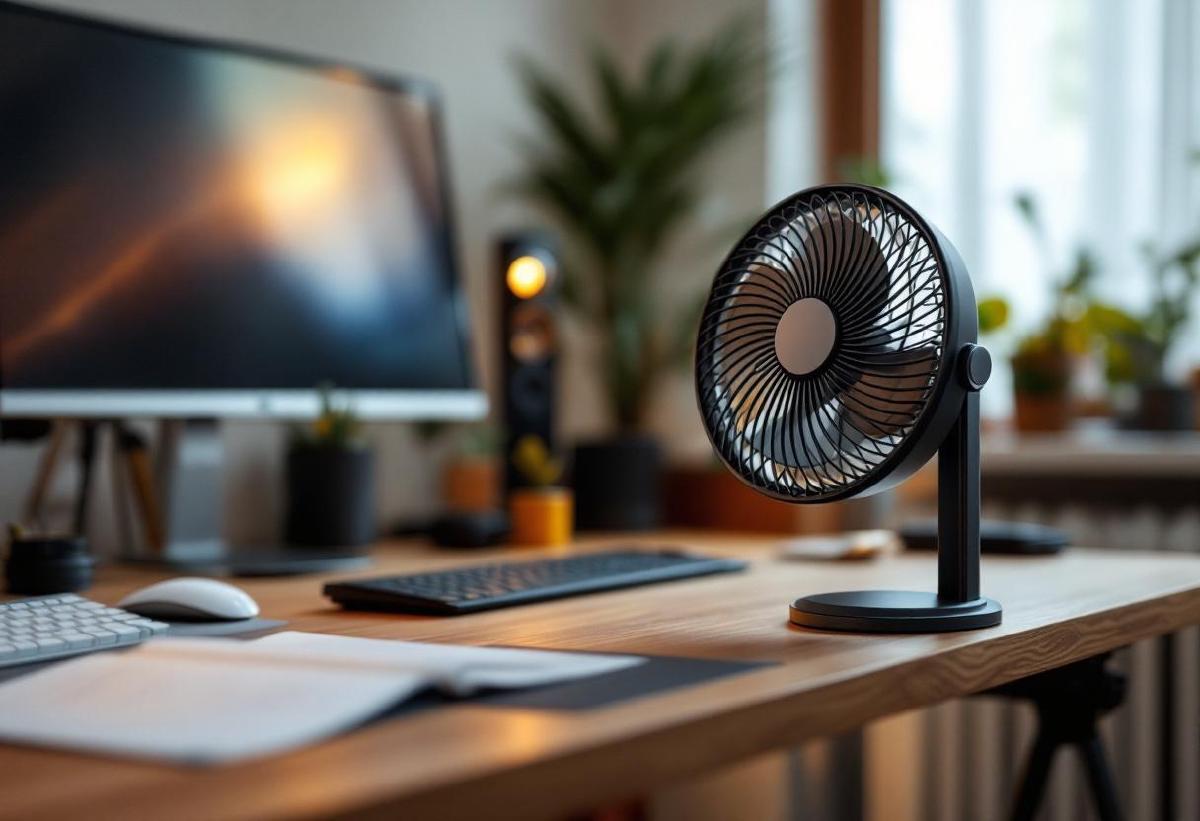
Working from home has many perks, but climate control often isn’t one of them. Corporate offices have industrial HVAC systems maintaining a precise 72°F. Home offices have whatever your house provides — which in summer often means a room that’s 5-10 degrees warmer than the rest of the house, especially if your office faces the sun or sits upstairs where heat rises.
A desk fan is the simplest fix. But “desk fan” covers everything from cheap plastic clip-ons that sound like a small aircraft to elegant bladeless units that move air in near-silence. For a home office, the criteria are specific: quiet enough for video calls, compact enough for a desk that already has a monitor, keyboard, and mouse, and effective enough to actually make a difference.
We’ve tested seven desk fans across noise levels, airflow, power sources, and desk footprint. Here’s what works.
Quick Comparison Table #
| Desk Fan | Price (USD/GBP) | Power | Speeds | Noise Level | Oscillation | Best For |
|---|---|---|---|---|---|---|
| Dreo CF714S | $50 / £40 | AC plug | 4 speeds | 25-48 dB | 120° | Best overall |
| Honeywell QuietSet | $35 / £30 | AC plug | 5 speeds | 28-52 dB | No | Best value |
| Dyson Pure Cool Me | $250 / £200 | AC plug | 10 speeds | 30-55 dB | No | Premium + filtration |
| JISULIFE Clip Fan | $20 / £16 | USB rechargeable | 3 speeds | 25-45 dB | 360° clip | Portable/clip-on |
| Vornado 460 | $30 / £25 | AC plug | 3 speeds | 30-50 dB | Vortex circulation | Whole-room circulation |
| SmartDevil USB Fan | $12 / £10 | USB powered | 3 speeds | 20-40 dB | No | Budget desk fan |
| Honeywell TurboForce | $25 / £20 | AC plug | 3 speeds | 35-56 dB | 90° | Maximum airflow |
1. Dreo CF714S — Best Overall Desk Fan #
Price: $50 / £40 Check price on Amazon US → Check price on Amazon UK →
The Dreo CF714S is one of those products that makes you wonder why desk fans were ever bad. It’s a compact, bladeless oscillating fan that produces smooth, even airflow without the choppy buffeting of bladed fans — your papers won’t flutter, your microphone won’t pick up gusts, and the breeze feels natural rather than mechanical.
The 120-degree oscillation covers a wide arc, useful if your desk is large or if you want airflow that doesn’t hit the same spot continuously (which can dry out your eyes during long screen sessions). Four speed settings range from a gentle breeze at 25 dB to a serious cooling mode at 48 dB. For daily office use, speeds 1 and 2 are the sweet spot — perceptible airflow with minimal noise.
The control panel is touch-sensitive with a clean display showing speed and timer settings. An 8-hour timer with 1-hour increments lets you set it to run during work hours and shut off automatically — useful if you tend to leave things running.
At 13 inches tall, it’s compact enough to sit beside a monitor arm without obstructing your view, and the 6-inch base footprint is minimal on a desk with a good desk mat.
Pros #
- Bladeless design — smooth, natural airflow
- Quiet on low settings (25 dB)
- 120° oscillation for wide coverage
- 8-hour programmable timer
- Touch controls with clean display
- Compact footprint for desk use
- Easy to clean (no blade cage to disassemble)
Cons #
- AC plug required — not USB or battery powered
- Top speeds audible during quiet video calls
- Oscillation motor adds slight hum
- No remote control
- Premium price for a desk fan
- Airflow is gentle — won’t cool a hot room
2. Honeywell QuietSet — Best Value Desk Fan #
Price: $35 / £30 Check price on Amazon US → Check price on Amazon UK →
Honeywell’s QuietSet lives up to its name. The five speed settings are labelled by use case — Sleep, White Noise, Relax, Cool, and Power — and the lower three are genuinely quiet. “Sleep” mode at 28 dB is barely perceptible. “Relax” provides noticeable airflow while staying well under conversational noise levels.
The design is traditional — a bladed fan with a protective cage — but the engineering focuses on noise reduction. The blade pitch and motor are optimised for the quietest possible operation at each speed level, which is the entire point of the QuietSet line. It moves more air more quietly than generic fans at the same price.
No oscillation on this model, so aim it where you need it. The adjustable tilt lets you angle airflow up or down, which is useful for directing a breeze at your face from a lower desk position. The 8-inch blade diameter strikes a good balance between airflow volume and desk compatibility.
Pros #
- Five clearly labelled noise-optimised speeds
- Genuinely quiet on low settings (28 dB)
- Adjustable tilt for directional airflow
- Affordable and widely available
- Honeywell build quality and reliability
- Simple dial control — nothing to break
Cons #
- No oscillation — fixed direction
- Traditional bladed design (not as sleek)
- No timer function
- AC power only
- Blade cage collects dust
- Breeze can feel “choppy” compared to bladeless
3. Dyson Pure Cool Me — Best Premium Desk Fan #
Price: $250 / £200 Check price on Amazon US → Check price on Amazon UK →
The Dyson Pure Cool Me combines a personal fan with HEPA filtration, sending a focused stream of purified air directly at you. If you’re already considering both a desk fan and an air purifier, this two-in-one approach saves desk space and potentially money compared to buying both separately.
The Core Flow technology projects a focused beam of air that you aim by sliding the dome on top — it’s an intuitive, almost playful control method. The airflow is smooth and laminar, without the turbulence of bladed fans. The sealed HEPA + carbon filter captures 99.97% of particles as small as 0.3 microns, so the air hitting your face is genuinely cleaner than the room air.
An LCD display shows real-time air quality readings, and a sleep timer dims the display and reduces airflow gradually. The build quality is quintessentially Dyson — premium materials, tight tolerances, and that distinctive design that looks like it belongs on a spaceship.
The catch: it’s a personal fan, not a room cooler. The focused airflow is perfect for one person at a desk but won’t cool a room. And at $250, you’re paying the Dyson premium. But if you value air quality and aesthetics alongside cooling, nothing else combines them this elegantly.
Pros #
- HEPA + carbon filtration built in
- Smooth, focused laminar airflow
- Intuitive dome control for airflow direction
- LCD air quality display
- Premium build quality and design
- Sleep timer with gradual wind-down
- Very quiet on lower settings
Cons #
- Expensive for a desk fan
- Personal cooling only — won’t cool a room
- Filter replacements add ongoing cost ($30/year)
- No oscillation — single-direction focused beam
- No app control (unlike larger Dyson purifiers)
- Limited airflow volume compared to traditional fans
4. JISULIFE Clip Fan — Best Portable Option #
Price: $20 / £16 Check price on Amazon US → Check price on Amazon UK →
The JISULIFE clip fan attaches to your monitor, laptop stand, desk edge, or shelf with a strong spring-loaded clip. It takes up zero desk space — a genuine advantage on smaller desks where every square inch counts.
The rechargeable battery lasts 4-8 hours depending on speed, and it charges via USB-C. This means complete cable freedom: clip it to your monitor bezel, angle the 360-degree rotatable head toward your face, and forget it until the battery runs out. No power cable snaking across your desk mat, no outlet needed.
Three speeds handle everything from a subtle breeze to noticeable cooling. At its lowest, it’s quiet enough for calls. Build quality is plastic-fantastic — it won’t win design awards — but at $20 for a rechargeable, clip-anywhere fan, the value proposition is strong.
Pros #
- Clips anywhere — zero desk footprint
- USB-C rechargeable (4-8 hour battery)
- 360° rotatable head
- Three speed settings
- Extremely affordable
- Lightweight and portable
Cons #
- Plastic build quality feels cheap
- Clip can scratch monitor bezels (use a cloth buffer)
- Battery life drops significantly on high speed
- Limited airflow compared to AC-powered fans
- Motor hum noticeable in quiet rooms
- Fan blades exposed — not child-safe
5. Vornado 460 — Best for Whole-Room Circulation #
Price: $30 / £25 Check price on Amazon US → Check price on Amazon UK →
The Vornado 460 takes a different approach: instead of blowing air directly at you, it circulates air throughout the entire room using Vornado’s signature vortex action. The spiralling airflow bounces off walls and ceiling to create a consistent ambient breeze everywhere, rather than a focused stream at your face.
This matters in home offices where the temperature is uneven — one corner bakes in sunlight while the other stays cool. The Vornado equalises temperatures across the room, which can make the space 2-3 degrees cooler overall. It’s also more comfortable for extended use than a direct fan, which can dry out eyes and skin during an 8-hour workday.
The compact 7-inch frame sits discreetly on a desk or shelf. Three speed settings cover gentle circulation to aggressive air movement. It’s not the quietest fan on this list — the vortex motor produces a consistent hum — but many users find the constant white noise actually aids concentration.
Pros #
- Vortex circulation cools entire room evenly
- Compact 7-inch design
- Equalises room temperature
- Consistent white noise can aid focus
- Deep-pitch blade design for smooth airflow
- Durable — Vornado fans last for years
- 5-year satisfaction guarantee
Cons #
- Not designed for personal direct cooling
- Noisier than bladeless or whisper fans
- No oscillation (vortex replaces it)
- No timer or smart features
- AC power only
- Can’t aim a precise breeze at your face
6. SmartDevil USB Fan — Best Budget Option #
Price: $12 / £10 Check price on Amazon US → Check price on Amazon UK →
At $12, the SmartDevil USB fan is essentially an impulse buy — and a surprisingly good one. It plugs directly into any USB-A port (your docking station, monitor, or a wireless charger with a USB port) and provides a gentle desk-level breeze with three speed settings.
The design is minimal: a 6-inch blade behind a tight mesh guard, mounted on a short adjustable stand. The lowest speed at approximately 20 dB is remarkably quiet for the price. It won’t cool you from across the room, but sitting 2-3 feet away on your desk, it provides enough airflow to take the edge off a warm afternoon.
Build quality is exactly what you’d expect for $12 — functional plastic. But the motor is smooth, the USB power draw is minimal (under 5W), and it does the one thing it needs to do: move air quietly at your desk for almost no money.
Pros #
- Incredibly affordable at $12
- USB powered — plug into any USB port
- Very quiet on lowest setting (~20 dB)
- Minimal desk footprint
- Adjustable tilt angle
- Low power draw (under 5W)
Cons #
- Plastic build won’t last forever
- Limited airflow — personal use only
- Requires a USB port (no battery option)
- Not oscillating
- Can tip over easily (lightweight base)
- Not a solution for genuinely hot rooms
7. Honeywell TurboForce — Best Maximum Airflow #
Price: $25 / £20 Check price on Amazon US → Check price on Amazon UK →
If your home office genuinely gets hot — no AC, south-facing windows, top floor — you need airflow that actually moves meaningful volumes of air, and the Honeywell TurboForce delivers. The aerodynamic blade design and turbo motor push air up to 25 feet, which is enough to feel a breeze from across a room.
The 90-degree pivoting head lets you aim it directly or angle it upward for indirect circulation. Three speeds give you range from moderate to genuinely powerful. It’s the opposite philosophy from the Dreo or Dyson: raw cooling power over refinement.
The trade-off is noise. At higher speeds, this fan is audible — it won’t ruin a video call on low, but medium and high settings will register on your microphone. Best used between calls or in situations where heat is a bigger problem than noise.
Pros #
- Powerful airflow — feels it from 25 feet away
- 90° pivot for directional control
- Compact despite strong output
- Extremely affordable
- Wall-mountable (hardware included)
- Honeywell reliability
Cons #
- Noticeably loud on medium and high speeds
- Not subtle — clearly a utility fan
- No timer or smart features
- Blade cage accumulates dust quickly
- Low setting still louder than competing quiet fans
- Vibration possible on hard desk surfaces
How to Choose the Right Desk Fan #
Noise is the primary constraint. If you’re on video calls regularly, anything above 35 dB on your working speed will be picked up by microphones. The Dreo, SmartDevil, and Honeywell QuietSet are the quietest options here.
Power source determines placement. USB fans give cable flexibility and can run off your monitor or dock. AC fans are more powerful but need an outlet. Rechargeable fans offer full freedom but limited runtime.
Direct vs. circulation depends on the problem. If you personally feel warm, a direct fan (Dreo, Honeywell QuietSet) pointed at you is most effective. If the whole room is stuffy, a Vornado circulator improves the ambient temperature more evenly.
Bladeless vs. bladed is mostly about noise and aesthetics. Bladeless fans produce smoother, more natural airflow and are easier to clean. Bladed fans move more air per dollar. Both work fine — it’s a preference.
Frequently Asked Questions #
Will a desk fan interfere with video calls? #
On low settings, the fans in this list stay under 30 dB — below what most microphones detect. If you’re using a quality headset with noise cancellation, even medium settings won’t be heard by meeting participants. Avoid pointing the fan directly at your microphone, as the wind can cause low-frequency rumble regardless of the fan’s own noise level.
USB fan vs. AC fan — which is better for a home office? #
AC fans are more powerful and consistent but require an outlet. USB fans are convenient (plug into your dock or monitor) but limited in airflow. For a permanent desk setup, AC fans with their own power are better. For portability or minimal cable management, USB fans win. If your cable management is already tidy, adding one more AC cable may not be ideal.
Where should I place a desk fan? #
Position it 2-4 feet from your face, slightly to one side rather than dead centre. This prevents direct wind from drying out your eyes during extended screen time. If using a Vornado-style circulator, place it on the floor or low shelf pointing upward — it’ll circulate air through the entire room more effectively than from desk height.
Can a desk fan replace air conditioning? #
No. A fan doesn’t cool air; it moves existing air across your skin, which accelerates sweat evaporation and creates a cooling sensation. In a room that’s 90°F, a fan makes you feel cooler but doesn’t change the temperature. For genuinely hot rooms, a portable AC unit is the real solution — a fan is supplementary. That said, in the 75-85°F range where a room is warm but not oppressive, a good desk fan can make the difference between comfortable and miserable.
How do I clean a desk fan? #
Bladeless fans wipe down with a damp cloth — one of their biggest advantages. Bladed fans need the cage removed to access the blades, which accumulate dust quickly. Use a microfiber cloth or compressed air monthly. A dusty fan blows dusty air, which defeats the purpose — especially if you also have an air purifier working overtime.
Are bladeless fans actually better? #
They’re quieter, easier to clean, and produce smoother airflow — but move less air per dollar. A $50 bladeless fan moves less air than a $25 bladed fan. If raw cooling power matters most, bladed fans win on value. If noise, aesthetics, and smooth airflow matter, bladeless is worth the premium. For a home office where noise discipline matters, bladeless is generally the better fit.
The Bottom Line #
The Dreo CF714S earns the top spot for home offices — its bladeless design, quiet operation, and oscillation make it the most desk-friendly fan we tested. For budget-conscious buyers, the Honeywell QuietSet at $35 delivers impressive quietness for a bladed fan. And if you just need something cheap that works, the SmartDevil USB fan at $12 is hard to argue with.
A fan won’t transform a sauna into a server room, but it will make the difference between a comfortable work session and one where you’re constantly distracted by warmth. If you’ve already sorted your chair, desk, and lighting, thermal comfort is the next domino — and the cheapest one to knock over.