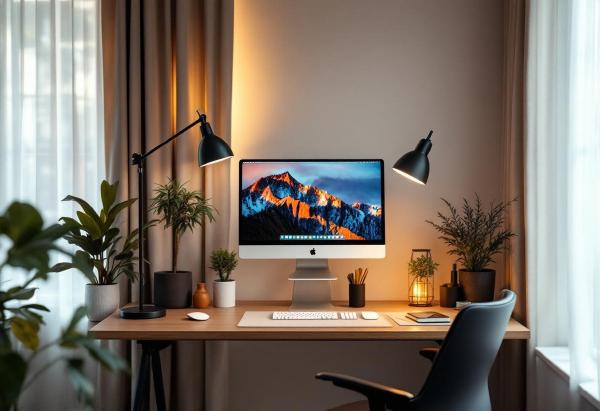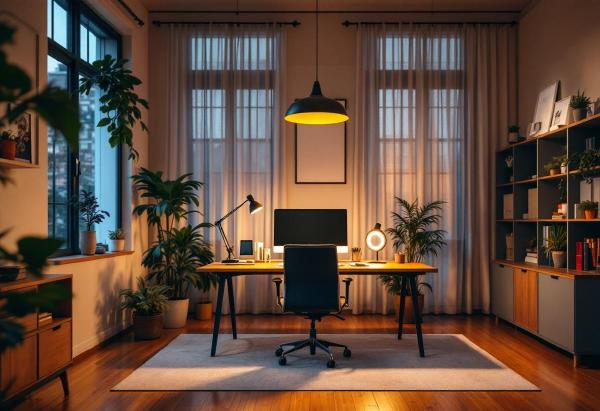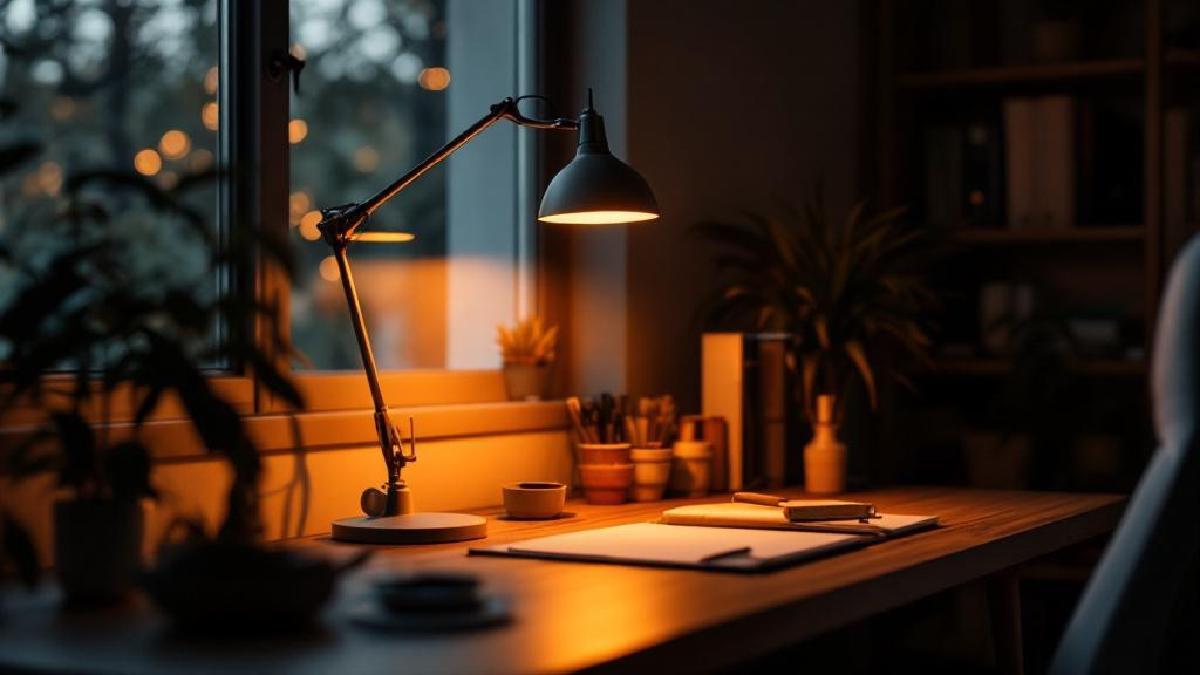
Bad lighting is the home office problem nobody talks about. You’ll spend weeks researching the perfect standing desk and ergonomic chair, then work under a dim overhead light that causes eye strain, headaches, and fatigue by 3 PM.
Proper task lighting reduces eye strain by illuminating your desk surface without creating glare on your monitor. The right desk lamp makes a measurable difference in how your eyes feel after an 8-hour day.
Pair your new lighting with a proper monitor setup and ergonomic keyboard to create the ultimate productive workspace.
We’ve compared ten of the best desk lamps for home offices in 2026, covering monitor light bars, LED task lights, architect lamps, smart lighting, and traditional designs. Here’s what’s worth your money.
Quick Comparison #
| Lamp | Price | Type | Brightness | Color Temp | Best For |
|---|---|---|---|---|---|
| BenQ ScreenBar | $109 / £95 | Monitor bar | 750 lux | 2700-6500K | Best overall |
| BenQ ScreenBar Halo | $179 / £155 | Monitor bar | 1150 lux | 2700-6500K | Dual-zone lighting |
| Xiaomi Mi Light Bar | $35 / £30 | Monitor bar | 600 lux | 2700-6500K | Budget monitor bar |
| Dyson Lightcycle | $600 / £500 | Desk/Floor | 1000 lux | Adaptive | Premium splurge |
| TaoTronics LED | $40 / £35 | Desk clamp | 800 lux | 3000-6000K | Best value |
| Tomons Swing Arm | $45 / £40 | Architect style | 800 lux | 3000K | Document work |
| Philips Hue Go | $80 / £70 | Smart ambient | 300 lux | Full spectrum | Smart home users |
| Banker’s Lamp Classic | $85 / £75 | Traditional | 400 lux | Warm | Classic style |
| Lepro LED Desk Lamp | $26 / £22 | Desk | 250 lux | Adjustable | Budget pick |
| IKEA Tertial | $13 / £10 | Desk clamp | Bulb-dependent | Bulb-dependent | Ultra budget |
1. BenQ ScreenBar — Best Desk Lamp Overall #
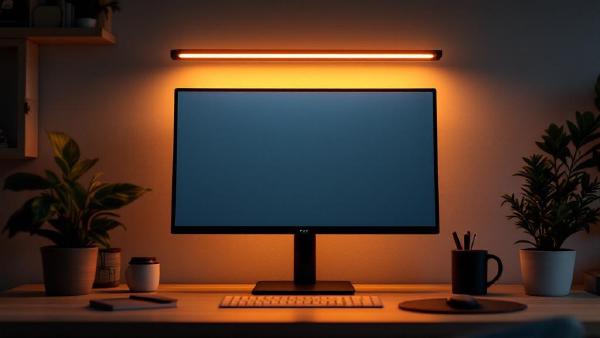
The BenQ ScreenBar changed how people think about desk lighting. Instead of a traditional lamp taking up desk space, it sits on top of your monitor and casts light downward onto your desk surface — without any glare on your screen.
This is the key innovation. Traditional desk lamps inevitably bounce light off your monitor, causing reflections and eye strain. The ScreenBar’s asymmetric optical design creates a clear boundary: light below the monitor, darkness above. It sounds simple, but the execution is remarkably precise.
Setup is dead simple — a weighted clip hooks over your monitor bezel (works on monitors 1-3cm thick), and a single USB-A cable provides power. No batteries, no wall adapter. Your monitor’s USB port powers it.
The auto-dimming sensor adjusts brightness based on ambient light, maintaining a consistent 500 lux on your desk surface (the recommended level for office work). You can also manually set brightness and color temperature (2700K warm to 6500K cool) via touch controls on the bar itself.
At 750 lux maximum output, it’s bright enough for any desk task. The beam width covers approximately 70cm of desk space — enough for your keyboard, mousepad, and a notepad.
Pros:
- Zero desk space used — sits on monitor
- No screen glare (asymmetric light design)
- USB-powered — no wall outlet needed
- Auto-dimming sensor
- Adjustable color temperature (2700-6500K)
- Build quality is excellent (aluminum body)
Cons:
- $109 is expensive for “just a light”
- Touch controls can be finicky
- Doesn’t work well with very thin bezels or curved monitors
- Only lights the desk area directly below the monitor
Best for: Anyone with a monitor-based setup who wants optimal desk lighting without sacrificing desk space or creating screen glare. This is the desk lamp we recommend most often.
Check price on Amazon US → Check price on Amazon UK →
2. BenQ ScreenBar Halo — Best for Dual-Zone Lighting #
The Halo is the ScreenBar’s premium sibling, and the key upgrade is the wireless dial controller and back-glow feature. A soft light ring on the back of the bar illuminates the wall behind your monitor, creating ambient lighting that reduces the harsh contrast between a bright screen and a dark room.
This might sound gimmicky, but if you work in the evenings or in a room without great natural light, the back-glow dramatically reduces eye fatigue. It’s the same principle behind Philips Ambilight TVs — your eyes prefer when the brightness gradient between screen and surroundings is gradual rather than stark.
The wireless controller sits on your desk and lets you toggle between front-only, back-only, and dual-zone lighting. You can independently adjust brightness and color temperature for front and back. It’s intuitive and feels premium.
At 1150 lux maximum, it’s also significantly brighter than the standard ScreenBar. The wider beam angle covers more desk surface.
Pros:
- Back-glow reduces eye fatigue in dark rooms
- Wireless dial controller is excellent
- 1150 lux — brighter than standard ScreenBar
- Independent front/back brightness and color control
- Same zero-glare asymmetric design
- Premium build quality
Cons:
- $179 is steep for a monitor light bar
- Wireless controller needs AAA batteries
- Back-glow looks odd if your monitor isn’t against a wall
- Heavier clip — check monitor compatibility
Best for: People who work in low-light environments or evening hours and want the best possible monitor-area lighting.
Check price on Amazon US → Check price on Amazon UK →
3. Xiaomi Mi Monitor Light Bar — Best Budget Monitor Bar #
If you want the ScreenBar concept at a third of the price, the Xiaomi Mi Monitor Light Bar delivers about 80% of the experience for $35. It clips onto your monitor, casts asymmetric light downward, and avoids screen glare — the same core value proposition as BenQ.
The build quality is noticeably cheaper (more plastic, less aluminum), and the auto-dimming sensor isn’t as precise. The wireless controller is a small cylinder you twist for brightness and press for color temperature — it works, but isn’t as elegant as BenQ’s Halo dial.
Color temperature range matches BenQ (2700-6500K), and the 600 lux maximum output is sufficient for most desk setups. USB-C powered, which is a small upgrade over BenQ’s USB-A.
Where it falls short: the clip mechanism is less secure on thin-bezeled monitors, and the light distribution isn’t as even at the edges. But for $35, these are minor quibbles.
Pros:
- $35 — fraction of BenQ’s price
- Same no-glare monitor bar concept
- USB-C powered
- Wireless dial controller included
- Adjustable color temperature
- Decent 600 lux output
Cons:
- Cheaper build quality than BenQ
- Less even light distribution at edges
- Auto-dimming sensor is imprecise
- Clip struggles with very thin bezels
- No back-glow option
Best for: Budget-conscious buyers who want a monitor light bar without paying BenQ prices.
Check price on Amazon US → Check price on Amazon UK →
4. Dyson Lightcycle Morph — Premium Splurge #
At $600, the Dyson Lightcycle is absurdly expensive for a desk lamp. But it’s also the most technologically advanced lamp you can buy, and it’s the only one on this list that intelligently adapts to your location, time of day, and age.
The Lightcycle uses your location to calculate the color temperature and brightness of natural daylight outside, then matches it. In the morning, you get cool, energizing light. In the evening, it shifts to warm, relaxed tones. This circadian rhythm matching is backed by real research on productivity and sleep quality.
It also factors in your age — as you get older, you need more light to see the same level of detail. The Dyson Link app lets you set your birthdate, and it adjusts accordingly. Clever.
The light quality itself is exceptional: CRI 95+ (color rendering index), meaning colors look accurate and natural. The 1000 lux output is powerful. The arm can be configured as a desk lamp, floor lamp, task light, or indirect uplight — hence “Morph.”
Build quality is Dyson-level premium — aluminum and steel, heatsink technology that maintains LED quality for 60 years (Dyson’s claim).
Pros:
- Adaptive circadian lighting is genuinely useful
- CRI 95+ — exceptional color accuracy
- 4 lighting modes (task, indirect, feature, ambient)
- 60-year LED lifespan (claimed)
- Premium build quality
- USB-C charging port in the base
Cons:
- $600 is extraordinarily expensive
- Dyson Link app required for full features
- Takes up desk space (unlike monitor bars)
- Arguably over-engineered for most people
- Can’t justify the price on performance alone
Best for: People who value cutting-edge technology, have the budget, and want adaptive lighting that supports their circadian rhythm. A luxury, not a necessity.
Check price on Amazon US → Check price on Amazon UK →
5. TaoTronics LED Desk Lamp — Best Value Traditional Lamp #
If you prefer a traditional desk lamp over a monitor bar, the TaoTronics LED is the best balance of features and price at $40. It clamps to your desk edge, saving surface space, and the long adjustable arm reaches wherever you need it.
Five color temperature presets (3000-6000K) and five brightness levels give you 25 combinations. The memory function remembers your last setting. An integrated USB charging port on the base is a nice bonus for charging your phone.
The 800 lux output at close range is bright enough for detailed work. The LED panel provides wide, even illumination without hotspots. It’s not going to win any design awards — the plastic construction looks utilitarian — but it’s functional and reliable.
Pros:
- $40 — excellent value for features
- Clamp mount saves desk space
- 25 brightness/color combinations
- USB charging port built in
- 800 lux output
- Memory function for last setting
Cons:
- Will create some monitor glare (not asymmetric like monitor bars)
- Plastic build feels cheap
- Clamp mark can be visible on desk edge
- Arm joints can loosen over time
Best for: People who want a solid, adjustable desk lamp at a reasonable price and don’t want a monitor light bar.
Check price on Amazon US → Check price on Amazon UK →
6. Tomons Swing Arm Architect Lamp — Best for Document Work #
The Tomons Swing Arm lamp brings classic architect lamp functionality to the modern home office. Its fully articulating arm and head let you position light exactly where needed, making it ideal for document review, sketching, or any task requiring precise illumination.
The metal construction feels substantial and professional while the classic black finish complements any desk setup. The weighted base provides stability even when the arm is fully extended, and the adjustable joints hold their position without drooping over time.
At 800 lux maximum brightness, it provides plenty of light for reading small print or detailed work. The LED bulb runs cool and lasts up to 50,000 hours — essentially the lifetime of the lamp. The warm 3000K color temperature is easy on the eyes during long work sessions.
The swing arm design excels at lighting documents beside your computer without interfering with your screen. You can position it to eliminate shadows when writing or adjust it to provide even illumination across large documents or drawings.
Build quality exceeds the price point with smooth adjustment mechanisms and durable joints. The minimalist design looks at home in both modern and traditional office settings.
Pros:
- Fully articulating arm for precise positioning
- Excellent build quality and stability
- Perfect for document work and reading
- Classic design that suits any office
- LED bulb lasts essentially forever
Cons:
- Single brightness level (no dimming)
- Larger footprint than modern LED lamps
- Warm color temperature only
- No smart features or touch controls
Best for: People who regularly work with paper documents, sketches, or drawings alongside their computer work.
Check price on Amazon US → Check price on Amazon UK →
7. Philips Hue Go — Best Smart Lighting Option #
The Philips Hue Go brings smart home lighting to your desk with millions of colors, app control, and automation features that adapt your lighting throughout the day. While not a traditional task lamp, it excels at creating the perfect ambiance for different types of work.
The portable design means you can use it anywhere on your desk or move it around as needed. The rechargeable battery provides up to 3 hours of use at full brightness, or you can keep it plugged in for continuous operation.
Through the Hue app, you can schedule lighting changes throughout the day — bright, cool white for morning focus, warm tones for afternoon comfort, and gentle colors for evening wind-down. The integration with other Hue products means your desk lighting can sync with your room’s overall lighting scheme.
The light distribution is more ambient than focused, making it perfect for video calls where you want even facial lighting, or for general workspace illumination. You can also use it as accent lighting behind your monitor to reduce eye strain from dark backgrounds.
Voice control through Alexa, Google Assistant, or Siri adds convenience when your hands are busy. The preset scenes include options optimized for reading, concentration, and relaxation.
Pros:
- Full smart home integration and automation
- Millions of colors for any mood or task
- Portable with rechargeable battery
- Excellent for video calls and ambient lighting
- Voice control support
Cons:
- Not ideal for focused task lighting
- Requires Hue Bridge for full functionality
- More expensive than traditional desk lamps
- Lower maximum brightness than dedicated task lights
Best for: Smart home enthusiasts who want automated, app-controlled desk lighting that integrates with their existing Hue ecosystem.
Check price on Amazon US → Check price on Amazon UK →
8. Banker’s Lamp Classic — Best Traditional Style #
For home offices with traditional decor, the classic banker’s lamp provides timeless style that LED lamps can’t match. The brass base and iconic green glass shade create the sophisticated look of vintage law offices and libraries.
The warm tungsten-equivalent LED bulb provides comfortable 400 lux illumination with the warm color temperature that makes long reading sessions comfortable. The focused beam from the shade creates a pool of light perfect for document work without harsh shadows.
While adjustability is limited compared to modern designs, the lamp head tilts to direct light where needed. The weighted brass base provides excellent stability and the quality construction will last decades with minimal maintenance.
This is the lamp to choose when aesthetics matter as much as functionality. It looks stunning on wooden desks and complements traditional office furniture perfectly. The soft lighting creates a comfortable atmosphere that many find more conducive to focused work than harsh LEDs.
Pros:
- Timeless, sophisticated design
- Perfect for traditional office decor
- Comfortable warm light for reading
- Excellent build quality and stability
- Creates focused pool of light for document work
Cons:
- Limited brightness compared to modern LEDs
- Minimal adjustability
- Traditional design may not suit modern offices
- Single color temperature option
Best for: Lawyers, writers, executives, or anyone who appreciates classic design and wants a lamp that adds character to their workspace.
Check price on Amazon US → Check price on Amazon UK →
9. Lepro LED Desk Lamp — Best Budget Pick #
At $26, the Lepro is the cheapest quality desk lamp on this list. It won’t blow you away, but it does the basics well: adjustable brightness, adjustable color temperature, and a clean modern design that doesn’t look like it costs $26.
The gooseneck arm is flexible enough to position the light where you need it. Touch controls on the base are simple and responsive. It charges via USB, so you can power it from your monitor or a USB adapter.
The 250 lux maximum output is the weakest on this list — fine for general desk illumination but not bright enough for detailed close-up work. If you need serious brightness, spend more.
Pros:
- $26 — cheapest option that’s actually good
- Clean, modern design
- Flexible gooseneck positioning
- USB powered
- Touch controls
- Lightweight and portable
Cons:
- Only 250 lux — not very bright
- No memory function
- Feels flimsy compared to pricier options
- USB-A cable (not USB-C)
Best for: Students, budget setups, or anyone who just needs a basic desk lamp and doesn’t want to overthink it.
Check price on Amazon US → Check price on Amazon UK →
10. IKEA Tertial — Ultra Budget Classic #
The Tertial is a $13 adjustable clamp lamp. That’s it. No LED panel, no color temperature control, no USB ports. You supply your own bulb (E26/E27 socket), clamp it to your desk, and point it where you need light.
The spring-loaded arm is surprisingly well-built for the price and holds its position firmly. The steel construction feels more durable than many lamps costing three times as much.
Why include it? Because sometimes you just need a lamp, and spending $13 on something that works is better than spending $0 and squinting. Pair it with a good LED bulb (daylight color temperature, around 800 lumens) and you have a perfectly serviceable desk lamp.
Pros:
- $13 — cheapest functional option
- Sturdy steel construction
- Uses standard bulbs — replaceable forever
- Strong clamp mechanism
- Available in multiple colors
Cons:
- No built-in LED (BYO bulb)
- No dimming or color temperature control
- Industrial look may not suit all spaces
- Can create glare on screens
- No USB or smart features
Best for: People who need a desk lamp today for under $15 and don’t care about features.
Check price on Amazon US → Check price on Amazon UK →
Our Top Pick #
The BenQ ScreenBar is our top recommendation. The monitor-mounted design saves desk space, eliminates screen glare, and provides excellent, adjustable task lighting. If you’re on a budget, the Xiaomi Mi Monitor Light Bar delivers the same concept for a third of the price.
Buying Guide #
Monitor Light Bar vs Traditional Desk Lamp #
Monitor bars are better for most desk setups — they don’t take up space and don’t cause screen glare. Traditional lamps are better if you need to illuminate areas away from your monitor, or if your monitor’s bezel can’t support a bar. Architect lamps (like the Tomons) split the difference — good for mixed screen and document work.
Understanding Color Temperature #
Warm light (2700K-3000K): Creates a cozy, relaxing atmosphere. Best for evening work and reducing blue light exposure before bedtime.
Neutral white (3500K-4000K): Balanced lighting that works well for most office tasks. Provides alertness without being harsh.
Cool white (5000K-6500K): Bright, energizing light that promotes alertness and focus. Best for detailed tasks and morning work sessions.
The ability to switch between these matters. Lamps with adjustable color temperature let you match your lighting to the time of day.
How Much Brightness Do You Need? #
- General office tasks: 300-500 lux
- Detailed document work: 500-750 lux
- Precision tasks: 750-1000 lux or higher
Most lamps on this list exceed the baseline 300-500 lux recommendation. Under 250 lux will feel dim for extended work.
Positioning Your Desk Lamp #
For screen work: Position your lamp to the side of your monitor at a 45-degree angle to avoid glare. The light should illuminate your keyboard and desk surface without reflecting on your screen. Monitor bars solve this naturally by lighting from above.
For document work: Place the lamp opposite your writing hand to avoid shadows. For right-handed people, light from the left works best; for left-handed, from the right.
For mixed tasks: Choose an adjustable lamp that you can reposition throughout the day. Swing arm and articulating designs work best for varying tasks.
Avoiding Common Lighting Mistakes #
- Glare: Position lamps to avoid reflections on your screen
- Shadows: Use multiple light sources or adjustable positioning to eliminate harsh shadows
- Contrast: Balance desk lighting with room lighting — too much contrast strains your eyes
- Blue light: Consider warm color temperatures for evening work to maintain healthy sleep patterns
For complete setup guidance, check our ergonomic desk setup checklist.
FAQ #
Are monitor light bars worth it? #
Yes, if you work at a desk with a monitor. The no-glare, space-saving design genuinely solves problems that traditional desk lamps create. The BenQ ScreenBar or the budget Xiaomi alternative are both solid choices.
Can I use a monitor light bar with a curved monitor? #
It depends on the curve radius. Most bars work with gentle curves (1800R or higher). Tight curves may prevent the clip from sitting flat. Check the manufacturer’s compatibility specs.
What color temperature should I use for office work? #
4000-5000K (neutral to cool white) is ideal for focus and productivity during the day. Switch to 2700-3000K (warm) in the evening to reduce blue light exposure before bed.
Do LED desk lamps use a lot of electricity? #
No. A typical LED desk lamp uses 5-10 watts — pennies per day even if left on for 8 hours. Cost of operation is negligible.
Do LED desk lamps flicker and cause eye strain? #
Quality LED lamps with proper drivers don’t flicker perceptibly. Cheap LEDs may flicker at frequencies that cause eye strain. Look for lamps specifically marketed as “flicker-free” for the most comfortable experience.
How do I avoid screen glare from my desk lamp? #
Position your lamp to the side of your monitor rather than directly behind or in front of it. Monitor light bars like the BenQ ScreenBar are specifically designed to eliminate glare issues entirely.
What’s the best desk lamp for video calls? #
For video calls, choose a lamp that provides even, diffused lighting on your face. Ambient lamps like the Philips Hue Go work well, or position a traditional lamp to bounce light off a wall behind your camera.
Should I get a desk lamp if I already have good overhead lighting? #
Yes. Overhead lighting creates general ambient light but often leaves your desk surface under-illuminated, especially if you’re sitting under the light and casting a shadow. Task lighting supplements overhead lighting, reducing eye strain and improving focus.
For more ways to improve your workspace, check out our guides to the best desk accessories, monitor light bars, and blue light glasses for additional eye strain relief., ring light, task lighting, lighting setup guide