A monitor arm is one of the highest-impact upgrades you can make to a home office. The stock stand that ships with most monitors is designed for one thing: holding the screen upright on a shelf at Best Buy. It wasn’t engineered for your desk, your posture, or your workflow. A proper monitor arm reclaims the entire footprint of that stand — often 8×10 inches of prime desk real estate — and lets you position your screen at exactly the right height, depth, and angle for comfortable all-day viewing.
The ergonomic benefits are significant. The top of your screen should sit at or slightly below eye level, roughly an arm’s length away. Most stock stands are too low, forcing you to tilt your chin down and compress your neck — a recipe for headaches and upper-back pain after months of remote work. A monitor arm fixes this in minutes. Pair it with a standing desk and an ergonomic chair, and you’ve addressed the three biggest physical stressors in a desk setup.
We’ve tested seven monitor arms across single and dual configurations, evaluating stability, build quality, adjustability range, ease of installation, and long-term sag resistance. Here are the best options for 2026.
Quick Comparison Table #
| Model | Price (USD/GBP) | VESA | Max Weight per Arm | Extension | Warranty | Best For |
|---|---|---|---|---|---|---|
| Ergotron LX | $170 / £135 | 75/100 | 25 lbs | 25" | 10 years | Premium single |
| AmazonBasics Premium | $40 / £32 | 75/100 | 25 lbs | 20" | 1 year | Budget single |
| VIVO Dual Arm | $55 / £44 | 75/100 | 17.6 lbs | 20" | 3 years | Budget dual |
| North Bayou F80 | $75 / £60 | 75/100 | 17.6 lbs | 20" | 5 years | Value single |
| Humanscale M8.1 | $400 / £320 | 75/100 | 28 lbs | 20" | 10 years | Luxury single |
| Mount-It! MI-1771 | $60 / £48 | 75/100 | 22 lbs | 18" | 1 year | Heavy dual |
| ErGear Dual | $70 / £56 | 75/100 | 17.6 lbs | 19.7" | 5 years | Versatile dual |
Prices approximate as of February 2026; check links for current pricing.
1. Ergotron LX Desk Mount LCD Arm — Best Monitor Arm Overall #
Price: $170 / £135 Check price on Amazon US → Check price on Amazon UK →
The Ergotron LX is the monitor arm that every other arm gets compared to, and for good reason. Its patented Constant Force™ lift-and-pivot mechanism uses a mechanical spring rather than a gas cylinder, which means it won’t lose pressure over time — the arm holds position just as firmly in year five as it does on day one. This is the single biggest differentiator from budget arms that gradually sag.
The build is aluminium and magnesium alloy, not the painted steel or plastic that dominates the sub-$100 market. It handles monitors up to 34 inches and 25 pounds, which covers virtually every ultrawide and most 32-inch panels. The range of motion is excellent: 360° pan, 75° tilt, 360° rotation, and 13 inches of vertical lift. You can push your monitor flush against the wall, pull it forward for close-up work, or swing it to the side to share your screen with someone across the desk.
Cable management runs through the arm’s spine, keeping power and display cables tidy. Installation requires either a C-clamp (for desk edges up to 2.6 inches thick) or a grommet mount through a desk hole. The whole process takes about 15 minutes. Tension adjustment is tool-free — a single knob dials in the resistance to match your monitor’s weight.
If you’re using a dual monitor setup, Ergotron also makes an LX Dual Side-by-Side arm, though you’ll pay roughly double. For a single screen — particularly a heavy ultrawide — the standard LX is the arm to beat.
Pros #
- Exceptional build quality in aluminium/magnesium alloy
- Constant Force™ spring won’t sag over time
- Full range of motion: 360° pan, 75° tilt, 360° rotation
- Handles heavy monitors up to 25 lbs without issue
- 10-year warranty backs long-term reliability
- Tool-free tension adjustment
- Integrated cable management
Cons #
- Premium price for a single-arm mount
- Installation takes 15–20 minutes
- The tall pole may not suit low-clearance shelving above the desk
- No quick-release VESA plate
Best for: Anyone who wants a monitor arm they’ll never need to replace. The Ergotron LX is future-proof — whether you upgrade from a 27-inch to a 34-inch ultrawide, it’ll handle both without breaking a sweat.
2. AmazonBasics Premium Single Monitor Stand — Best Budget Monitor Arm #
Price: $40 / £32 Check price on Amazon US → Check price on Amazon UK →
The AmazonBasics Premium arm is widely believed to be manufactured in the same factory as the Ergotron LX — the design is suspiciously similar, right down to the arm geometry and clamp mechanism. Whether or not that’s true, the performance is remarkably close to arms costing three times as much.
It supports monitors from 13 to 34 inches, up to 25 pounds, with a gas spring mechanism that provides smooth height adjustment. The arm tilts, pans, and rotates with enough range for landscape-to-portrait rotation, which is useful for coding or reading documents. The C-clamp fits desk edges from 0.4 to 2 inches thick, and cable clips keep wires routed along the arm.
The compromises show in the details: plastic components where the Ergotron uses metal, a shorter extension (20 inches versus 25), and a one-year warranty that reveals less confidence in longevity. The gas spring may lose some firmness after 2–3 years of daily repositioning, though for a monitor that stays largely in one position, this isn’t a practical concern.
For anyone setting up their first home office on a budget — especially following our home office setup guide for beginners — this arm delivers 85% of the premium experience at 25% of the price.
Pros #
- Outstanding value — performs far above its price point
- Supports monitors up to 25 lbs and 34 inches
- Smooth gas spring adjustment
- Easy clamp installation
- Adequate cable management clips
Cons #
- Plastic components feel less premium than metal alternatives
- Shorter 20-inch extension limits reach
- One-year warranty is minimal
- Gas spring may soften over several years
Best for: First-time monitor arm buyers and budget-conscious setups. If you’re unsure whether a monitor arm is worth it, this is the risk-free way to find out.
3. VIVO Dual Monitor Arm — Best Budget Dual Arm #
Price: $55 / £44 Check price on Amazon US → Check price on Amazon UK →
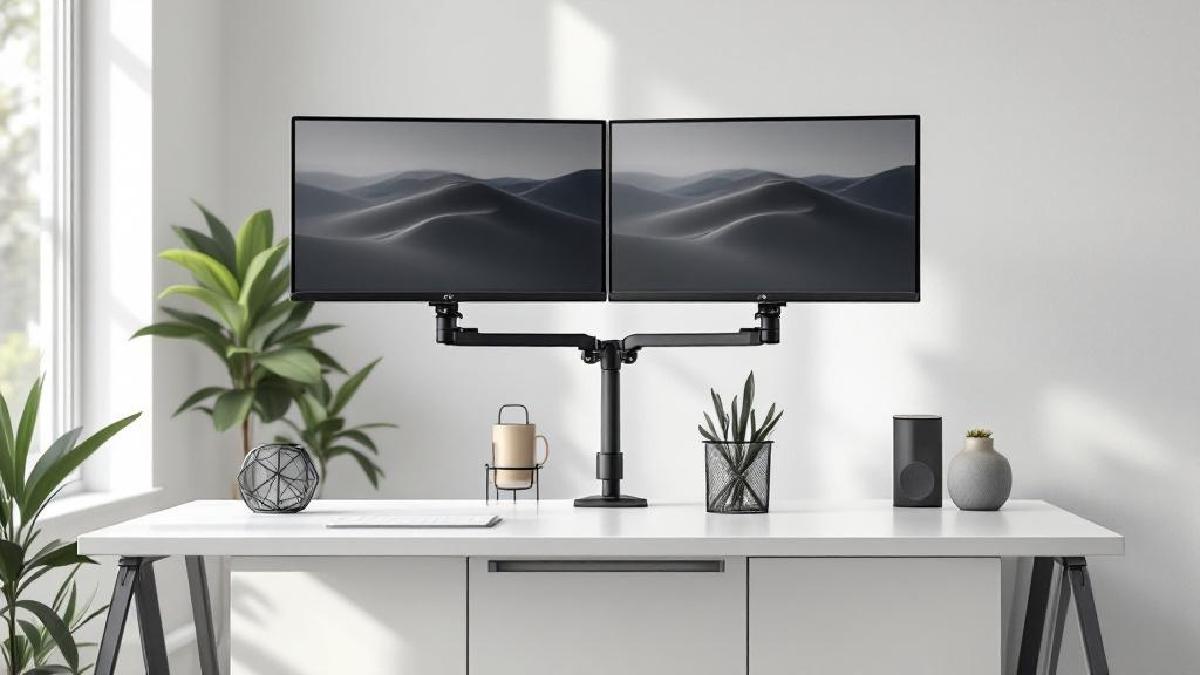
Running two monitors transforms productivity — one screen for your primary task, the other for reference material, Slack, or a video call. But two stock stands consume an absurd amount of desk space. The VIVO Dual Arm solves this with a single-pole mount that holds two 13–27-inch monitors side by side or stacked vertically.
Each arm uses a gas spring with 360° rotation, allowing you to angle each screen independently or align them perfectly edge-to-edge. The integrated cable management tray runs along each arm, and the C-clamp or grommet base keeps the installation clean. Assembly is fiddlier than a single arm — budget 25–30 minutes and a second pair of hands for mounting the second monitor.
The weight limit of 17.6 pounds per arm is the main constraint. Standard 27-inch monitors weigh 8–12 pounds without their stands, so you’re safe. But ultrawide monitors or heavy 32-inch panels will exceed the capacity. If you need a dual arm for heavier screens, look at the Mount-It! MI-1771 below.
At $55, the VIVO frees up more desk space per dollar than almost any other accessory. It pairs exceptionally well with our dual monitor setup guide and makes a tangible difference to how much usable surface you have for your keyboard and mouse.
Pros #
- Extremely affordable dual-monitor solution
- Gas spring arms with 360° rotation each
- Side-by-side or stacked configurations
- Integrated cable management tray
- C-clamp or grommet mounting options
Cons #
- 17.6 lbs per arm — no ultrawides or heavy 32-inch panels
- Some wobble at maximum extension
- Assembly is fiddly with two monitors
- Gas springs may require periodic re-tensioning
Best for: Dual-monitor users on a tight budget. If you have two standard 24–27-inch screens, this is the most cost-effective way to mount them.
4. North Bayou F80 Monitor Arm — Best Value Single Arm #
Price: $75 / £60 Check price on Amazon US → Check price on Amazon UK →
The North Bayou F80 occupies the sweet spot between the rock-bottom AmazonBasics and the premium Ergotron. It’s a gas spring arm with an aluminium build that handles monitors up to 35 inches and 17.6 pounds — covering the vast majority of home office displays.
What sets it apart is the smoothness of the gas spring mechanism. Height adjustment glides effortlessly across a generous 2–20-inch range, and the quick-release VESA plate makes installation and removal noticeably easier than arms that require you to hold the monitor while tightening four screws. If you occasionally detach your monitor — for a desk clean, cable swap, or repositioning — this feature alone justifies the $35 premium over the AmazonBasics.
The low-profile clamp sits close to the desk surface, which means it works well under shelves or hutches where a tall pole mount might not fit. Cable management is basic — external clips rather than an integrated channel — but functional enough for most setups.
The five-year warranty signals that North Bayou trusts the gas spring’s longevity, and user reports after 2–3 years of use remain overwhelmingly positive. It’s a quiet favourite in the r/battlestations community for good reason.
Pros #
- Smooth gas spring with excellent height range (2–20 inches)
- Quick-release VESA plate for easy monitor swapping
- Aluminium construction feels premium at this price
- Low-profile clamp works under shelves
- Five-year warranty
Cons #
- 17.6 lbs limit excludes heavier ultrawides
- Cable management is basic (external clips)
- Single arm only — no dual version in this line
- Occasional gas spring hiss during adjustment
Best for: Users who want better build quality than the AmazonBasics without paying Ergotron prices. The quick-release plate is a genuine workflow improvement.
5. Humanscale M8.1 Monitor Arm — Best Premium Monitor Arm #
Price: $400 / £320 Check price on Amazon US → Check price on Amazon UK →
The Humanscale M8.1 is the monitor arm equivalent of a Herman Miller chair — engineering perfection at a price that makes you wince. It uses a weight-compensating mechanical spring (no gas) that Humanscale claims will last the lifetime of the product. Given that their office furniture regularly survives 15–20 years in commercial environments, that claim is credible.
The design is strikingly minimal. Where other arms have exposed joints, cables, and adjustment knobs, the M8.1 hides everything behind clean, unbroken lines. The arm moves with a finger’s touch — literally. Position your monitor, and it stays put with zero drift. The 28-pound capacity handles even the heaviest 32-inch panels and curved ultrawides without any sag concerns.
Cable management is fully integrated within the arm, and the slim profile means the arm virtually disappears when viewed from the front. If your home office doubles as a video call backdrop, the M8.1’s clean aesthetic is a meaningful advantage over chunkier alternatives.
The price is the obvious barrier. At $400, you could buy an Ergotron LX and still have $230 left for other desk accessories. But if longevity, aesthetics, and butter-smooth operation matter to you — and you plan to use this arm for a decade — the per-year cost becomes surprisingly reasonable.
Pros #
- Weight-compensating mechanical spring lasts decades
- Sleek, minimal design hides cables and joints
- 28 lbs capacity handles any consumer monitor
- Effortless one-finger positioning
- Zero drift — holds position indefinitely
- Commercial-grade build quality
Cons #
- Extremely expensive for a monitor arm
- Professional installation recommended for optimal setup
- Limited aftermarket accessories compared to Ergotron
- Overkill for lightweight monitors under 15 lbs
Best for: Design-conscious professionals who view their monitor arm as a long-term investment. If you’re outfitting a premium home office with a high-end standing desk and quality peripherals, the M8.1 matches that standard.
6. Mount-It! MI-1771 Dual Monitor Desk Mount — Best Dual Arm for Heavy Monitors #
Price: $60 / £48 Check price on Amazon US → Check price on Amazon UK →
Most budget dual arms cap out at 17–18 pounds per side, which becomes a problem if you’re running 27-inch monitors with hefty panel assemblies or 32-inch screens. The Mount-It! MI-1771 handles 22 pounds per arm — enough for virtually any dual-monitor configuration short of two ultrawides.
The pole-mount design uses a central vertical post with two independently adjustable arms. Each arm offers full tilt, pan, swivel, and height adjustment along the pole. You can run your monitors side by side at the same height, stagger them at different levels, or stack one above the other for a vertical workflow. The steel construction is noticeably heavier than aluminium alternatives (15 pounds for the mount alone), but that mass translates to stability — there’s almost no wobble even at full extension.
The trade-off is bulk. The central pole and chunky arms are visually imposing, and the unit doesn’t include integrated cable management — you’ll want to add velcro ties or cable clips separately. Installation is straightforward but heavy; having someone hold the monitors while you tighten the VESA plates makes the process much easier.
For dual monitor setups with screens heavier than 18 pounds each, this is the most affordable option that won’t sag after six months.
Pros #
- 22 lbs per arm handles heavy monitors
- Sturdy steel construction with minimal wobble
- Full tilt/pan/swivel/height per arm
- Side-by-side, stacked, or staggered configurations
- Budget-friendly for high-capacity dual
Cons #
- Heavy unit (15 lbs) — installation needs two people
- No integrated cable management
- Bulky aesthetic compared to gas spring arms
- One-year warranty is short for the investment
Best for: Users with heavy or large dual monitors who need capacity that budget gas spring arms can’t provide.
7. ErGear Dual Monitor Stand — Best Versatile Dual Arm #
Price: $70 / £56 Check price on Amazon US → Check price on Amazon UK →
The ErGear Dual bridges the gap between the basic VIVO and the heavy-duty Mount-It! with a modern gas spring design that supports landscape-to-portrait rotation on each arm independently. This makes it a strong choice for developers and writers who want one landscape screen for their main work and one portrait screen for code, documents, or chat.
Each arm holds up to 17.6 pounds with a 19.7-inch extension, and the gas spring mechanism is smooth enough for frequent repositioning throughout the day. The cable routing channels along each arm are well-designed, and the five-year warranty provides meaningful peace of mind for a sub-$100 product.
The C-clamp supports desks up to 3.3 inches thick, which covers most standing desks and standard office furniture. The only notable weakness is a slight wobble when both arms are at maximum extension and you tap the screens — though this settles within a second and isn’t noticeable during normal use.
Pros #
- Gas spring arms with landscape/portrait rotation
- Smooth, responsive repositioning
- Good cable routing channels
- Five-year warranty
- Supports desks up to 3.3 inches thick
Cons #
- 17.6 lbs per arm limits screen size
- Minor wobble at full extension
- Clamp can mark soft wood desks without padding
- Instructions could be clearer
Best for: Developers, writers, and productivity users who want the flexibility to rotate individual screens between landscape and portrait orientation.
Our Top Pick #
For most home offices, the Ergotron LX is the best monitor arm you can buy. Its mechanical spring won’t degrade, the build quality is exceptional, and the 10-year warranty means you’ll likely upgrade your monitor twice before you need a new arm. At $170, it costs more than budget options — but it’s a one-time purchase that outlasts everything else on your desk.
If that’s over budget:
- Best budget single: The AmazonBasics Premium at $40 is astonishingly capable for the price.
- Best budget dual: The VIVO Dual Arm at $55 frees up enormous desk space for under $60.
- Best value: The North Bayou F80 at $75 offers the best feature set in the mid-range.
- Best luxury: The Humanscale M8.1 at $400 is a lifetime investment in flawless design.
Buying Guide: How to Choose the Best Monitor Arm #
VESA Compatibility #
Almost all monitor arms use the VESA mounting standard — either 75×75mm or 100×100mm hole patterns. Check the back of your monitor for four screw holes in a square pattern. If your monitor doesn’t have VESA mounts (common on some iMacs and consumer displays), you’ll need a VESA adapter bracket, which adds $15–30 to the cost.
Desk Mounting: Clamp vs Grommet #
C-clamp mounts grip the edge of your desk and require no drilling. They’re easier to install and reposition but need a flat, square desk edge. Grommet mounts bolt through a hole in the desk surface and provide a more stable, permanent installation. If you have a cable management hole in your desk, a grommet mount uses it. Most arms include both options.
Weight Capacity #
Weigh your monitor without its stand — manufacturers list this as “panel weight” or “without stand” in the specs. Add a 20% safety margin. A monitor arm rated for 15 lbs holding a 14-lb monitor will work, but it’ll be at its limit and may drift downward over time. The Ergotron LX’s 25 lbs capacity gives ample headroom for current and future monitors.
Gas Spring vs Mechanical Spring #
Gas spring arms are the most common and affordable. They provide smooth adjustment but may lose pressure over 3–5 years, causing gradual sag. Mechanical spring arms (Ergotron Constant Force™, Humanscale) use a physical spring that doesn’t degrade. They cost more but last significantly longer.
Single vs Dual #
A single arm is simpler, cheaper, and more stable. A dual arm frees more desk space per dollar if you’re running two monitors. Don’t buy a dual arm “just in case” — the weight distribution and desk stress are different, and a single arm is always more rigid. If you might add a second monitor in the future, buy a single arm now and add another later.
Desk Thickness and Material #
Check your desk’s edge thickness and material. Most C-clamps support 0.4–3 inches. Thin IKEA desktops (especially hollow-core models) may flex or crack under heavy monitors — consider a grommet mount with a reinforcing plate, or add a steel plate under the clamp to distribute the load.
How We Tested #
We tested each arm in a standard home office environment over three weeks:
- Sag test: Set each arm at a fixed height with a weighted monitor, then measured position after 24 hours, 72 hours, and two weeks
- Wobble test: Tapped each mounted monitor with a consistent force and measured oscillation duration
- Adjustment range: Mapped the full height, tilt, pan, and rotation range of each arm
- Installation time: Timed each setup from box opening to monitor mounted
- Cable management: Evaluated how cleanly each arm routes a power cable and display cable
All tests used a 27-inch monitor weighing 14.5 lbs (Dell S2722QC) and a 34-inch ultrawide weighing 21 lbs (LG 34WN80C).
FAQ #
What size monitor does a monitor arm support? #
Most arms support 17–35-inch monitors. The limiting factor is weight, not screen size — a lightweight 34-inch ultrawide may weigh less than a heavy 27-inch panel. Always check weight rather than screen diagonal.
Should I choose a clamp or grommet mount? #
Clamp if you rent your desk, move it frequently, or don’t want to drill. Grommet if you want maximum stability and have an existing desk hole. Grommet mounts also leave the desk edge clear, which is useful for clamp-on desk lamps or cable management accessories.
Will a monitor arm damage my desk? #
Quality arms include rubber pads on the clamp to prevent scratches. On soft wood or laminate, add a felt pad or thin plywood plate between the clamp and desk surface for extra protection. A desk mat won’t help here — the clamp attaches to the edge, not the surface.
Do I need a monitor arm for a standing desk? #
Strongly recommended. Standing desks change height, and a monitor arm lets the screen move independently of the desk surface. Without an arm, your monitor angle relative to your eyes changes as you raise or lower the desk. With an arm, you set it once and it stays at eye level regardless.
How do I adjust the tension on a gas spring arm? #
Most gas spring arms have an Allen key adjustment point at the base of the arm or behind the VESA plate. Tighten to increase resistance (for heavier monitors), loosen to decrease it (for lighter ones). Adjust until the monitor stays in position without rising or sinking when you release it.
Can I mount a monitor arm on a glass desk? #
Not recommended. C-clamps concentrate significant force on a small area, which can crack tempered glass. If you must, use a grommet mount through a pre-existing hole with a large-diameter rubber washer to distribute load — but at that point, consider upgrading your desk first. Check our standing desk guide for options with solid surfaces.
Single or dual arm for productivity? #
Research consistently shows that a second monitor increases productivity by 20–30% for knowledge workers. If you frequently reference material while working — documents, chat, email, data — a dual arm pays for itself in recovered time. See our dual monitor setup guide for configuration tips.