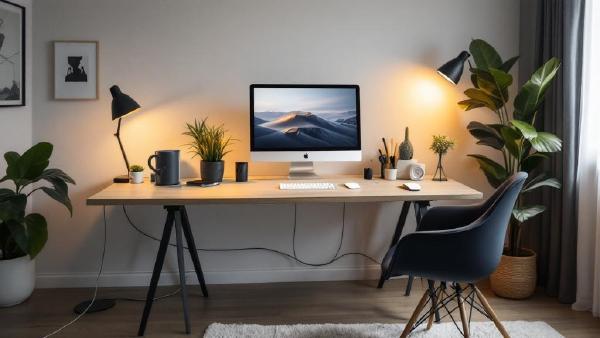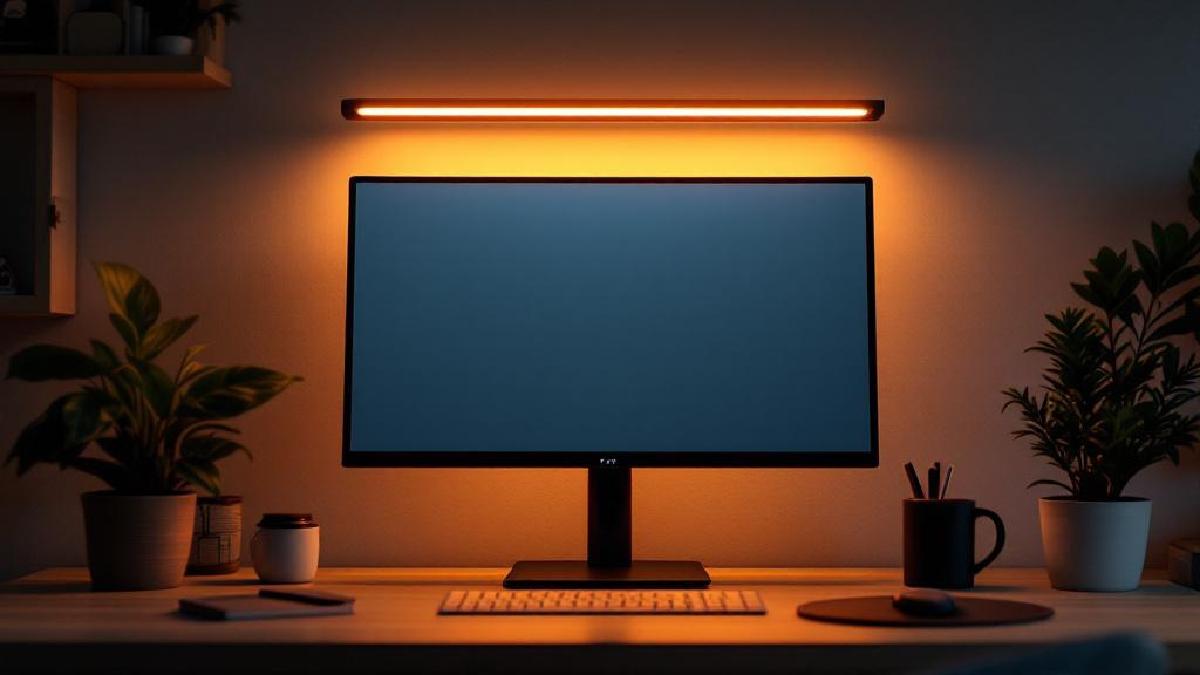
If you’ve ever battled glare on your screen or squinted at your keyboard in a dim room, a monitor light bar is the simplest upgrade you haven’t made yet. Unlike a traditional desk lamp, a light bar clips directly onto your monitor, illuminating your desk surface without any light spilling onto the screen.
The result: zero glare, less eye strain, and a desk free of lamp clutter. For anyone spending 6+ hours a day at a home office setup, it’s a no-brainer.
We’ve tested six of the best monitor light bars in 2026 across brightness, colour temperature range, build quality, and value. Here’s what to buy.
Quick Comparison #
| Light Bar | Screen Size | Colour Temp Range | Dimming | Controls | Price (USD) |
|---|---|---|---|---|---|
| BenQ ScreenBar Halo | Up to 35" | 2700K–6500K | Stepless | Wireless dial | ~$179 |
| BenQ ScreenBar | Up to 34" | 2700K–6500K | Stepless | Touch strip | ~$109 |
| Xiaomi Mi Light Bar | Up to 34" | 2700K–6500K | Stepless | Wireless dial | ~$65 |
| Quntis Monitor Light Bar Pro | Up to 32" | 3000K–6500K | Stepless | Touch controls | ~$40 |
| Baseus Monitor Light Bar Pro | Up to 34" | 2700K–6500K | Stepless | Touch + dial | ~$50 |
| Yeelight Monitor Light Bar Pro | Up to 34" | 2700K–6500K | Stepless | Wireless dial | ~$70 |
1. BenQ ScreenBar Halo — Best Overall #
Price: ~$179 | Buy on Amazon US | Buy on Amazon UK
The BenQ ScreenBar Halo is the gold standard for monitor light bars, and for good reason. It adds rear ambient backlighting to the front task lighting, which reduces the contrast between your bright screen and a dark room — exactly what causes eye fatigue during late sessions.
What makes it stand out:
- Dual lighting — front task light plus rear ambient glow fills the wall behind your monitor, reducing eye strain significantly
- Wireless dial controller — the detached dial sits on your desk for quick brightness/colour temperature adjustments without reaching up
- Auto-dimming sensor — detects ambient light and adjusts output automatically
- Asymmetric light design — illuminates the desk, not the screen (zero glare)
- Fits monitors up to 35" — works with curved monitors too
The Halo’s build quality is excellent. The weighted clamp grips securely without scratching, and it supports monitor bezels from 0.3" to 1.2" thick. The wireless controller uses AAA batteries and responds instantly.
Who it’s for: Anyone who wants the best monitor lighting money can buy and values the rear ambient glow for dark-room comfort.
The catch: At $179, it’s the priciest option here. If you don’t care about rear lighting, the standard ScreenBar saves $70.
2. BenQ ScreenBar — Best Premium (Front-Only) #
Price: ~$109 | Buy on Amazon US | Buy on Amazon UK
The original that started the monitor light bar category. The standard BenQ ScreenBar drops the rear ambient lighting and wireless controller in favour of a simpler touch strip on the bar itself. Everything else — the asymmetric optics, auto-dimming, build quality — remains identical to the Halo.
Key features:
- Same LED quality and asymmetric design as the Halo
- Touch controls on the bar for brightness, colour temperature, and auto mode
- Auto-dimming sensor adjusts to room lighting
- USB-A powered (draws from your monitor’s USB port or any adapter)
- Compact clamp fits most flat and curved monitors up to 34"
The touch strip works well once you learn the layout, though reaching up to the top of a tall monitor is less convenient than the Halo’s desk controller.
Who it’s for: Users who want BenQ quality without paying for rear lighting they may not need.
3. Xiaomi Mi Monitor Light Bar — Best Value #
Price: ~$65 | Buy on Amazon US | Buy on Amazon UK
Xiaomi’s light bar punches well above its price. It includes a wireless dial controller — a feature BenQ charges $179 for on the Halo — at roughly a third of the price. The light quality is genuinely good, with smooth colour temperature transitions from warm 2700K to cool 6500K.
Key features:
- Wireless Bluetooth dial for brightness and colour temperature
- 2700K–6500K range with stepless dimming
- Clean aluminium body with magnetic clamp
- USB-C powered
- Fits monitors up to 34"
The magnetic clamp design is elegant but less adjustable than BenQ’s weighted clamp. On very thick bezels or curved monitors with aggressive curvature, you may need to experiment with positioning. On standard flat panels, it grips perfectly.
Who it’s for: Budget-conscious buyers who want a wireless controller and solid light quality without the BenQ premium.
The catch: Availability can be spotty depending on your region. The clamp is less universally compatible than BenQ’s.
4. Quntis Monitor Light Bar Pro — Best Budget #
Price: ~$40 | Buy on Amazon US | Buy on Amazon UK
At $40, the Quntis is the entry point to monitor light bars, and it’s surprisingly competent. The asymmetric light design works — your desk gets lit, your screen doesn’t get washed out. Touch controls on the bar handle brightness and colour temperature.
Key features:
- Asymmetric optical design (no screen glare)
- 3000K–6500K colour temperature range
- Three brightness levels plus stepless fine-tuning
- Auto-dimming mode
- USB-A powered, fits monitors up to 32"
Build quality is plastic rather than aluminium, and you can tell the difference if you’ve handled a BenQ. But functionally, it does the job. The slightly narrower colour range (3000K vs 2700K on competitors) means the warmest setting isn’t as cosy for evening work.
Who it’s for: First-time light bar buyers who want to try the concept without a big investment.
5. Baseus Monitor Light Bar Pro — Best Mid-Range #
Price: ~$50 | Buy on Amazon US | Buy on Amazon UK
Baseus sits neatly between Quntis and Xiaomi. The Pro version adds a small wired dial controller and a wider colour temperature range. The flat-black aluminium body looks premium, and the clamp uses a weighted gravity pivot similar to BenQ’s design.
Key features:
- Aluminium body with weighted pivot clamp
- Wired dial controller (USB passthrough)
- 2700K–6500K colour temperature with stepless dimming
- Auto-brightness sensor
- Fits curved and flat monitors up to 34"
The wired controller means one more cable on your desk, but it’s more responsive than Bluetooth options since there’s no pairing or battery to worry about. If you value reliability over wireless convenience, it’s a smart trade-off — especially when paired with good cable management.
Who it’s for: Buyers who want a physical controller and solid build quality at a mid-range price.
6. Yeelight Monitor Light Bar Pro — Best for Smart Home #
Price: ~$70 | Buy on Amazon US | Buy on Amazon UK
If your home office is part of a smart home ecosystem, the Yeelight earns its place. It connects via Wi-Fi to the Yeelight app, Google Home, and Amazon Alexa, meaning you can voice-control your desk lighting or include it in routines. The included wireless dial works independently for manual control.
Key features:
- Wi-Fi + Bluetooth connectivity
- Works with Google Home, Alexa, Apple HomeKit (via Yeelight app)
- Wireless Bluetooth dial controller included
- 2700K–6500K with stepless dimming
- Razer Chroma support for gaming setups
- Fits monitors up to 34"
Light quality is on par with Xiaomi. The smart home integration is genuinely useful — “Hey Google, set desk light to warm 50%” is a surprisingly natural workflow once it’s set up.
Who it’s for: Smart home enthusiasts who want voice control and automation for their desk lighting.
The catch: Requires the Yeelight app for smart features. If you just want a light bar with no apps, look elsewhere.
How to Choose the Right Monitor Light Bar #
Do You Need One? #
If you work from home and any of these apply, yes:
- Your room has no window or poor natural light
- You get eye strain or headaches by afternoon
- Overhead lighting creates glare on your screen
- You work in the evening or at night
- You want to reduce clutter from a traditional desk lamp
Key Features to Consider #
Asymmetric light design — This is non-negotiable. Any bar worth buying should illuminate your desk without casting light on the screen. All six picks here do this.
Colour temperature range — Wider is better. 2700K (warm) for evening work, 6500K (cool daylight) for focused daytime work. All picks except Quntis cover the full 2700K–6500K range.
Controller type — Touch controls on the bar are cheapest but least convenient. A wireless dial on the desk is the most ergonomic option. Wired dials split the difference.
Monitor compatibility — Check your monitor’s bezel thickness and whether it’s curved. BenQ’s weighted clamp is the most universally compatible. Magnetic clamps (Xiaomi) can be fussier.
Power source — Most use USB-A or USB-C. If your monitor has a USB port, you can power the bar directly from it. Otherwise, any USB adapter works.
Monitor Light Bar vs Desk Lamp #
| Factor | Monitor Light Bar | Desk Lamp |
|---|---|---|
| Screen glare | None (asymmetric design) | Possible |
| Desk space | Zero (clips to monitor) | Needs placement |
| Even illumination | Excellent across desk | Directional |
| Portability | Tied to monitor | Standalone |
| Price range | $40–$180 | $20–$600+ |
| Ambient lighting | Limited (Halo only) | Better room fill |
For pure task lighting at a desk with a monitor, a light bar wins. If you need room ambience or don’t always work at a monitor, a traditional lamp — or both — makes more sense. We cover the full range in our desk lamp roundup.
FAQ #
Do monitor light bars work with curved monitors? #
Yes, but check compatibility. BenQ and Baseus use weighted clamps that handle curves well. Magnetic clamps (Xiaomi) may need adjustment. Most bars support curvature up to 1000R.
Do they cause any glare on the screen? #
No — that’s the whole point. Asymmetric optical design directs light downward onto the desk at an angle that avoids the screen entirely. All six picks here feature this.
Can I use a light bar with a laptop? #
Technically yes with thin clamp-on models, but laptop screens flex and bezels are thin. A laptop stand with an external monitor is a better long-term setup for dedicated desk work.
How much power do they draw? #
Typically 5W or less — easily powered by a monitor’s USB port, a USB hub, or any phone charger.
Are expensive light bars worth it over cheap ones? #
The BenQ models have noticeably better optics (more even light distribution, no hotspots) and build quality. But for most users, a $50–$70 option like Xiaomi or Baseus delivers 80% of the experience at a fraction of the price.
Do I still need a desk lamp if I have a light bar? #
For task lighting at your desk, no. A light bar replaces a desk lamp for screen-based work. But if you read physical documents, sketch, or want room ambience, keep a lamp as well.
The Bottom Line #
The BenQ ScreenBar Halo is the best monitor light bar you can buy — the rear ambient lighting and wireless dial justify the premium if you work long hours. For most people, the Xiaomi Mi Light Bar at $65 offers the best balance of features, quality, and price. And if you just want to try the concept, the Quntis at $40 is a surprisingly capable entry point.
Any of these will be a meaningful upgrade to your home office setup. Your eyes will thank you.
Also worth reading: lighting guide.