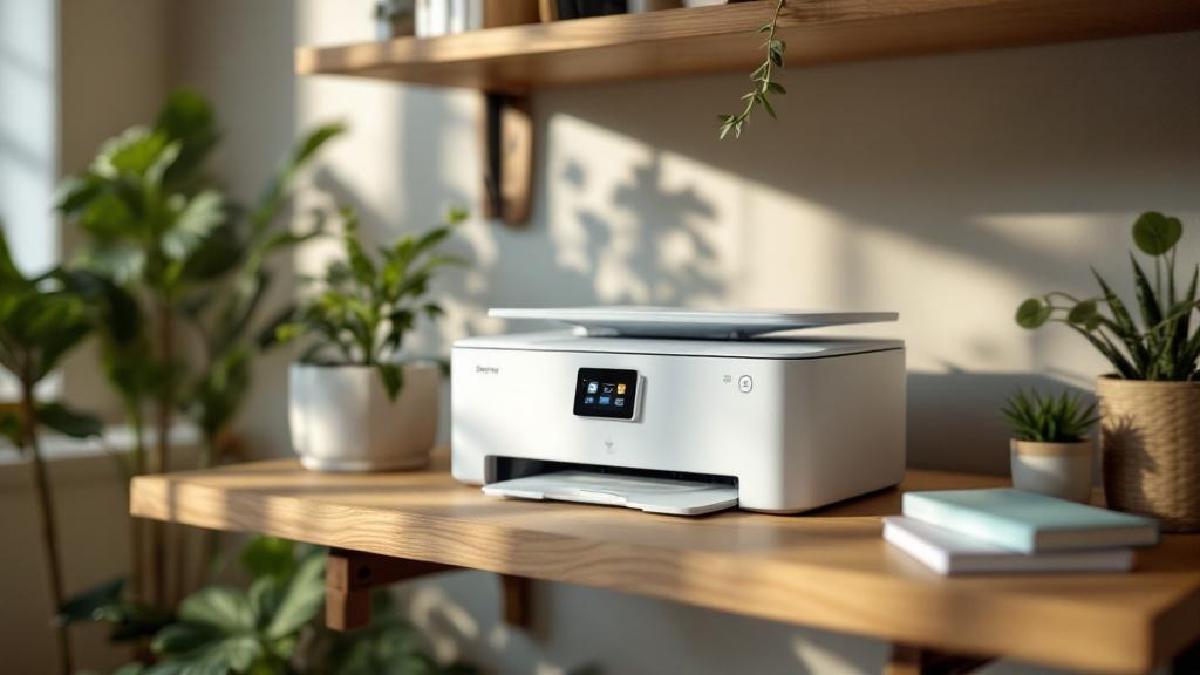
Choosing a printer for a home office feels more complicated than it should be. The hardware cost is only part of the story — ink and toner are where manufacturers make their money, and some printers that look affordable upfront cost significantly more over a year of use than a pricier model with lower running costs.
Then there are the practical questions: do you need scanning and copying? Is wireless printing via your phone a deal-breaker? Do you print colour regularly, or almost entirely black and white? The answers change which printer makes sense for your situation quite dramatically.
We’ve evaluated six printers across these dimensions — cost per page, print quality, scanning capability, wireless functionality, auto-duplex, and long-term ink or toner economics. Here’s an honest breakdown.
Quick Comparison Table #
| Printer | Price (USD/GBP) | Type | Cost/Page (B&W) | ADF | Auto-Duplex | Best For |
|---|---|---|---|---|---|---|
| HP OfficeJet Pro 9125e | $230 / £184 | Inkjet AIO | ~2–3¢ | Yes | Yes | Busy home offices |
| Brother MFC-L2820DW | $200 / £160 | Mono Laser AIO | ~1.5¢ | Yes | Yes | Low-cost B&W printing |
| Epson EcoTank ET-2850 | $250 / £200 | Inkjet AIO | ~0.5¢ | No | Yes | Very high-volume printing |
| Canon PIXMA TR8620a | $180 / £144 | Inkjet AIO | ~4–5¢ | Yes | Yes | Photo + document printing |
| Brother HL-L2460DW | $150 / £120 | Mono Laser | ~1.5¢ | No | Yes | Print-only minimalists |
| HP LaserJet MFP M234sdwe | $180 / £144 | Mono Laser AIO | ~2¢ | Yes | Yes | Compact laser all-in-one |
Cost per page is approximate and varies based on page coverage and supply pricing.
1. HP OfficeJet Pro 9125e — Best All-Rounder for Home Office #
Price: ~$230 / £184 Check price on Amazon US → Check price on Amazon UK →
The OfficeJet Pro 9125e is the printer I’d recommend to most home office workers without qualification. It covers every scenario: colour and black-and-white printing, a flatbed scanner, a 35-sheet auto document feeder for multi-page scan jobs, auto-duplex printing, and wireless printing that actually works reliably — including Apple AirPrint, HP Smart app, and Wi-Fi Direct for connecting without a router.
Print speeds are rated at 22 ppm for black and 18 ppm for colour, and those numbers are reasonably representative. It’s not going to make you wait if you’re printing a 20-page report. The output quality is sharp for text documents and good for graphics — not photo-lab quality, but presentation-worthy colour work is entirely achievable.
Where HP has become aggressive is with the HP+ subscription service. The 9125e is designed to work with HP Instant Ink, their ink subscription plan. If you enrol (optional), you pay a monthly fee based on page count rather than per cartridge, which can cut costs substantially if your printing is predictable. Running it with standard HP cartridges puts colour cost per page around 4–5¢ and black-and-white around 2–3¢. The XL cartridges bring that down meaningfully. Worth noting: some HP+ features require staying enrolled and connected to the internet, which some users find constraining.
The build quality is solid for a consumer-grade all-in-one. The paper drawer holds 250 sheets, which is adequate for home use, and there’s a 35-sheet ADF on top for scanning multi-page documents or making copies quickly. The touchscreen control panel is easy to navigate.
Key details:
- Print speed: 22 ppm (B&W), 18 ppm (colour)
- Paper capacity: 250 sheets (input tray)
- ADF capacity: 35 sheets
- Connectivity: Wi-Fi, USB, Wi-Fi Direct, AirPrint, HP Smart app
- Monthly duty cycle: up to 30,000 pages
Best for: Home office workers who print a mix of colour and black-and-white documents, need reliable scanning and copying, and want a wireless setup that works without fuss.
2. Brother MFC-L2820DW — Best Mono Laser All-in-One #
Price: ~$200 / £160 Check price on Amazon US → Check price on Amazon UK →
If your printing is 95% text documents and you want the lowest running costs of any all-in-one printer in this price range, the Brother MFC-L2820DW is a compelling choice. Laser printing produces consistently crisp, smudge-proof black text that inkjet printers struggle to match at speed, and the economics work out strongly in your favour if you print regularly.
The toner cartridge included in the box is a starter unit rated for around 700 pages. The high-yield TN760 replacement cartridge is rated for 3,000 pages at roughly $40 — that’s about 1.3¢ per page for black-and-white. For comparison, inkjet printers typically run 2–5¢ per page for text. Over a year of moderate use (say, 200 pages/month), that difference adds up to real money. Brother’s toner economics are consistently strong, and the drums are separate from the toner — you replace the drum every 12,000 pages or so, which keeps ongoing costs lower than combined drum/toner units.
The MFC-L2820DW includes a 50-sheet auto document feeder, a flatbed scanner (1200 dpi optical resolution), and a built-in document copier. The ADF is notably larger than the HP’s 35-sheet unit, which matters if you frequently digitise multi-page contracts or documents. Wireless printing works via Wi-Fi and NFC; the Brother iPrint&Scan app handles mobile printing from iOS and Android.
The trade-off is obvious: no colour printing. If you occasionally need to print a coloured chart, a presentation slide, or a photo, you’ll need to either work around it or use a print service. For people who genuinely don’t need colour — accountants, writers, admin workers — this is not a compromise at all.
Key details:
- Print speed: 34 ppm (B&W only)
- Paper capacity: 250 sheets (input tray)
- ADF capacity: 50 sheets
- Cost per page: ~1.3¢ (with high-yield TN760 toner)
- Connectivity: Wi-Fi, USB, NFC, Brother iPrint&Scan
Best for: High-volume black-and-white printers who want laser-sharp text, minimal running costs, and reliable ADF scanning for multi-page documents.
3. Epson EcoTank ET-2850 — Best for Very High Print Volumes #
Price: ~$250 / £200 Check price on Amazon US → Check price on Amazon UK →
The EcoTank concept is smart: instead of expensive ink cartridges, you fill large refillable tanks from small bottles. The tanks hold enough ink for thousands of pages, and when they eventually run dry, replacement bottles cost a fraction of cartridge equivalents. The ET-2850 ships with enough ink to print approximately 7,500 black-and-white pages and 6,000 colour pages — that’s the first year or more of printing for most home users included in the purchase price.
At roughly 0.5¢ per page for black-and-white and 1–2¢ for colour (using EcoTank refill bottles), the running costs are the lowest of any inkjet printer in this roundup by a significant margin. If you print hundreds of pages per month — invoices, school materials, reports — the ET-2850 pays back its higher upfront cost within a few months compared to cartridge-based alternatives.
The trade-off is that the ET-2850 is more of a “print a lot” printer than a “fully featured office device.” It lacks an auto document feeder — there’s a flatbed scanner, but scanning a 10-page document means lifting the lid 10 times. For pure scanning workflows, this is a significant limitation compared to the HP or Brother options. Auto-duplex printing is included, and wireless connectivity via Wi-Fi, AirPrint, and the Epson Smart Panel app works reliably.
Print quality is where EcoTank shines unexpectedly: Epson’s PrecisionCore printhead produces excellent detail for both documents and photos. Colour reproduction is accurate enough for business graphics and respectable for casual photo printing. It’s not a dedicated photo printer, but it holds its own.
Key details:
- Print speed: 15 ppm (B&W), 8 ppm (colour)
- Included ink: up to 7,500 B&W / 6,000 colour pages
- Cost per page: ~0.5¢ (B&W), ~1–2¢ (colour)
- Scanner: flatbed only (no ADF)
- Connectivity: Wi-Fi, USB, AirPrint, Epson Smart Panel
Best for: High-volume printing households — families with school-age children, people who print regularly for work, or anyone who wants to minimise ongoing ink costs and is willing to forgo an ADF.
4. Canon PIXMA TR8620a — Best for Photo + Document Printing #
Price: ~$180 / £144 Check price on Amazon US → Check price on Amazon UK →
The Canon PIXMA TR8620a uses five separate ink tanks — black, cyan, magenta, yellow, and a dedicated photo black — which means significantly better colour depth and tonal range than four-colour systems. If you print photos as well as documents, this setup allows you to swap only the colour that runs out rather than replacing a combined cartridge when one of four colours is depleted.
For document printing, the results are sharp and professional. For photos, the output is genuinely impressive for a $180 all-in-one — good enough to produce gallery-quality 4×6 prints that you’d be happy to frame. Canon’s colour science is among the best in the inkjet market at this price point.
The practical feature set is strong: 35-sheet ADF, auto-duplex printing, Wi-Fi, Bluetooth, AirPrint, and Canon PRINT app support. The ADF handles both one-sided and two-sided document scanning, which is useful for scanning contracts or double-sided materials. There’s also a dedicated rear tray for photo paper, letting you keep regular paper loaded in the front tray and switch to photo stock without manually swapping paper.
The running costs are the highest in this roundup. Ink cartridges are consumed faster because you’re managing five separate tanks, and the standard cartridges have relatively low yield. Opting for XL cartridges improves the economics, but if you’re primarily printing documents and rarely touch photo printing, the cost advantage of the Brother or EcoTank options becomes hard to justify.
Key details:
- Print speed: 15 ppm (B&W), 10 ppm (colour)
- Ink system: 5 separate tanks (including dedicated photo black)
- ADF capacity: 35 sheets (duplex scanning)
- Rear tray: supports photo paper and specialty media
- Connectivity: Wi-Fi, Bluetooth, USB, AirPrint
Best for: Home office users who also want a capable photo printer — not a professional photo lab, but excellent for printing family photos, greeting cards, and presentation materials alongside everyday documents.
5. Brother HL-L2460DW — Best Budget Mono Laser (Print Only) #
Price: ~$150 / £120 Check price on Amazon US → Check price on Amazon UK →
Not everyone needs a scanner or copier. If you’re using a smartphone for document scanning (which modern phone cameras do excellently) and you just want a reliable, fast printer for documents, the Brother HL-L2460DW makes a strong case. At $150, it’s the cheapest printer in this roundup, and it strips the feature set down to the essentials: print fast, print cheaply, don’t break.
It prints at 36 ppm — fast enough that a 20-page document is done before you’ve walked across the room. Laser quality means text is consistently sharp and smudge-proof whether the page is warm off the printer or sitting in a drawer three months later. Auto-duplex printing is included, which matters for anyone printing two-sided documents or trying to reduce paper usage.
The running economics are strong: the high-yield TN730 toner is rated for 3,000 pages at around $40. That’s the same economics as the MFC-L2820DW. The drum is replaceable separately, which keeps long-term costs down. One thing to note: Brother includes a starter toner that’s only good for around 700 pages, so expect to buy a replacement sooner than you’d expect with a new printer.
Wireless connectivity works via Wi-Fi and NFC, and the Brother iPrint&Scan app handles mobile printing. There’s no touchscreen — just basic physical buttons — but that’s appropriate for a print-only device. It’s compact enough to fit on a corner shelf or under a monitor riser without dominating your desk.
Key details:
- Print speed: 36 ppm (B&W only)
- Paper capacity: 250 sheets
- Auto-duplex: Yes
- No scanner, no copier, no ADF
- Connectivity: Wi-Fi, NFC, USB
Best for: Anyone who genuinely only needs printing — fast, cheap black-and-white printing — and handles scanning separately via phone or a dedicated scanner. Excellent value if you’re not paying for features you won’t use.
6. HP LaserJet MFP M234sdwe — Best Compact Laser All-in-One #
Price: ~$180 / £144 Check price on Amazon US → Check price on Amazon UK →
The HP LaserJet MFP M234sdwe occupies an interesting niche: it’s a compact monochrome laser all-in-one at a genuinely competitive price. Where the Brother MFC-L2820DW is the workhorse choice, the M234sdwe is for people who need laser scanning and printing in a smaller footprint and are comfortable with HP’s ecosystem.
Print quality is exactly what you’d expect from a monochrome laser: crisp, consistent, professional-looking text. Speed is rated at 30 ppm, which is slightly slower than the Brother but more than fast enough for home office use. The flatbed scanner is rated at 1200 dpi with a 25-sheet ADF — the ADF is smaller than the Brother’s 50-sheet unit but adequate for most scanning tasks.
The HP Smart app integration is notably polished. Mobile scanning, printing, and even faxing (through an HP service) are all handled through one well-designed app. If you’re an iPhone user who values tight app integration for mobile printing and scanning, HP has invested more here than Brother.
Running costs are comparable to the Brother laser options at around 2¢ per page for black-and-white with standard cartridges. Like the 9125e, HP has designed this model to work with HP+ and Instant Ink, which can improve economics for predictable print volumes. The device requires internet connectivity for HP+ features, so be aware of that if you’re running an offline setup.
Key details:
- Print speed: 30 ppm (B&W only)
- ADF capacity: 25 sheets
- Cost per page: ~2¢ (B&W standard cartridge)
- Compact form factor for desk placement
- Connectivity: Wi-Fi, USB, AirPrint, HP Smart app
Best for: Home office workers who want a compact monochrome laser all-in-one and prefer HP’s ecosystem and app experience over Brother’s.
Our Recommendation #
For most home offices, the HP OfficeJet Pro 9125e is the pragmatic choice: it handles colour and black-and-white, has a capable ADF for scanning, prints at good speed, and works reliably via wireless. It’s the printer that handles 95% of use cases without asking you to compromise.
If you only print black-and-white and print a lot, the Brother MFC-L2820DW wins on economics and scanning capability — the 50-sheet ADF is the largest in this roundup.
If you have very high print volumes and don’t need an ADF, the Epson EcoTank ET-2850 offers the lowest running costs by a wide margin once the initial cost is absorbed.
For pure printing with no scanning requirement, the Brother HL-L2460DW at $150 is hard to beat.
What to Look For in a Home Office Printer #
Ink vs Toner: The Real Cost #
The sticker price is almost irrelevant compared to the cost of consumables. Before buying any printer, calculate what you’ll actually pay per page:
- Inkjet (standard cartridges): Typically 2–5¢ per page for B&W, 5–15¢ for colour. Ink dries out if the printer sits unused.
- Inkjet (EcoTank/MegaTank): 0.5–2¢ per page. High upfront cost, very low ongoing costs.
- Monochrome laser: 1–2¢ per page. Consistent costs, toner doesn’t dry out with infrequent use.
- Colour laser: 3–8¢ per page. Better for colour documents but expensive to run for photos.
For occasional use (under 50 pages/month), any option works. For regular use (200+ pages/month), toner or EcoTank economics are compelling.
Do You Actually Need an ADF? #
An auto document feeder lets you stack multi-page documents and scan or copy them automatically without lifting the lid. If you regularly scan contracts, forms, or multi-page reports, an ADF is genuinely useful. If you mostly scan single pages occasionally, you can manage without one — and skip the complexity and cost.
Wireless Printing Requirements #
Every printer in this list supports Wi-Fi printing, but the quality of mobile printing apps varies considerably. HP Smart is polished and feature-rich. Brother iPrint&Scan is capable but less refined. Canon PRINT is good for photo-oriented printing. Check which mobile platform you’re on and whether the printer’s app supports it fully before committing.
Auto-Duplex: Just Get It #
Two-sided printing is worth having. It halves paper usage for long documents and looks more professional. Every printer in this list includes auto-duplex. If you’re looking at a printer not on this list, check explicitly — entry-level models sometimes omit it.
FAQ #
How much should I budget for ink/toner each year? #
For moderate use (around 200 pages/month), expect to spend $40–80/year on toner for a laser printer, or $60–150/year on inkjet cartridges. EcoTank refill ink is much cheaper — typically $15–30 for a full refill set. Factor consumable costs into your total cost of ownership before buying.
Is a laser printer better than an inkjet for a home office? #
For predominantly text documents: yes, laser wins. Laser toner produces crisper, smudge-proof text at lower cost per page and doesn’t dry out when unused. For colour printing and photos: inkjet wins. The best choice depends on your print mix — if 90% is black-and-white text, go laser. If you print colour charts or photos regularly, a colour inkjet is more practical.
Can I print from my phone without a computer? #
Yes. All six printers here support wireless printing from iOS (AirPrint) and Android (Mopria or manufacturer apps). Most also support cloud printing via Google Drive or HP Smart. You don’t need a computer connected — just a Wi-Fi network.
Should I buy a dedicated scanner or use my printer’s scanner? #
For most home office users, the flatbed or ADF scanner built into an all-in-one printer is sufficient. A dedicated scanner like a Fujitsu ScanSnap is worth considering if you have high-volume scanning needs (digitising large archive boxes, for example) or need faster, more reliable ADF performance. For occasional use, the printer scanner is fine.
How often does ink dry out in an inkjet printer? #
Inkjet ink can dry out in the printhead if the printer sits unused for several weeks. HP and Canon build in automatic maintenance cycles that run periodically to prevent clogging. If you print only occasionally (less than once a month), a laser printer — where toner doesn’t dry — may be more practical than constantly dealing with clogged inkjet heads. EcoTank printers have larger ink reserves and are slightly less prone to drying-related issues than cartridge-based inkjets.
Looking to complete your home office setup? Check out our guides to the best monitors for working from home, best USB-C docking stations, best desk organisers, cable management solutions, best power strips, and the complete home office setup guide for beginners., document scanner.