Working from a coffee shop, co-working space, or shared home office? Anyone sitting beside you can see your screen. Emails, financial data, client documents, passwords — all visible to whoever glances over. A privacy screen filter blacks out your display to anyone viewing from an angle while keeping it perfectly clear for you sitting directly in front.
Privacy screens aren’t just for corporate paranoia. If you work with sensitive data, take video calls with confidential information on screen, or simply don’t want your housemate reading your emails as they walk past your desk, a privacy filter is a cheap, effective security layer.
We’ve compared six of the best privacy screens for monitors in 2026, covering sizes from 24" to 32" and different mounting systems to fit any home office monitor setup.
Quick Comparison #
| Privacy Screen | Price (27") | Viewing Angle | Anti-Glare | Blue Light | Mount Type | Sizes Available | Best For |
|---|---|---|---|---|---|---|---|
| 3M Gold Privacy Filter | $75 / £65 | 60° | Yes | 35% reduction | Adhesive strips | 19"–32" | Best overall |
| 3M Black Privacy Filter | $55 / £48 | 60° | Yes | Minimal | Adhesive strips | 19"–34" | Best value |
| Kensington MagPro Elite | $85 / £73 | 30° | Yes | 40% reduction | Magnetic | 23"–27" | Best magnetic mount |
| Akamai Office Anti-Spy | $35 / £30 | 60° | Yes | 30% reduction | Adhesive + tabs | 20"–32" | Best budget |
| StarTech Anti-Glare Privacy | $65 / £56 | 60° | Yes | 20% reduction | Adhesive strips | 19"–32" | Best for dual monitors |
| Photodon Privacy Filter | $90 / £78 | 45° | Yes | 45% reduction | Custom fit | Any size | Best custom sizing |
1. 3M Gold Privacy Filter — Best Overall #
Price: $75 on Amazon US | £65 on Amazon UK
3M invented the privacy filter in 1998 and they still make the best ones. The Gold Privacy Filter is their premium offering, combining superior privacy performance with a warm gold tint that many users prefer to the harsher look of black filters.
What makes it great:
The micro-louver technology is the most refined in the industry. At 60 degrees off-centre (30 degrees from either side), the screen goes completely dark to onlookers — not dimmed, not blurred, but genuinely black. For you, sitting directly in front, the screen remains clear with a subtle warm gold tone that actually reduces eye strain during long sessions.
The 35% blue light reduction is a welcome bonus that competes with dedicated blue light glasses. The anti-glare coating cuts reflections effectively, which matters if your desk faces a window. Installation uses 3M’s adhesive attachment strips that stick to your monitor bezel — apply once and the filter slides on and off as needed. Available in sizes from 19" to 32", covering virtually every standard monitor size including ultrawide displays.
The reversible design offers two viewing modes: gold side out for privacy with warmth, or gold side in for privacy with a more neutral colour profile. This flexibility lets you match your preference without buying two different filters.
Where it falls short:
$75 for a 27" filter isn’t cheap, especially if you run dual monitors and need two. The gold tint, while pleasant, does shift colours slightly — not ideal for colour-critical design work. The adhesive strips can leave residue if removed after extended periods, and they don’t work well on bezel-less monitors. Brightness reduction is noticeable (about 30-40% dimmer), so you’ll need to increase your monitor brightness to compensate.
Verdict: The Gold Privacy Filter is the default recommendation for most home office workers. Superior privacy performance, comfortable viewing experience, and the 3M build quality that justifies the premium price.
2. 3M Black Privacy Filter — Best Value from 3M #
Price: $55 on Amazon US | £48 on Amazon UK
The Black Privacy Filter uses the same micro-louver technology as the Gold but at a lower price point, with a neutral black appearance instead of the gold tint. For most users who just want privacy without colour shifting, this is the smarter buy.
What makes it great:
Same 60-degree privacy angle and same 3M micro-louver quality as the Gold, but $20 cheaper and without any colour tinting. Your screen looks almost identical to normal from the front — slightly dimmer, but colours remain accurate. This makes the Black filter the better choice for anyone doing design work, photo editing, or colour-sensitive tasks.
The size range is the widest available (19" to 34"), including options for ultrawide monitors that other brands don’t cover. The same reversible design offers matte (anti-glare) on one side and glossy on the other, letting you choose your preferred finish. Installation is identical to the Gold — adhesive strips for easy on/off attachment.
Where it falls short:
Blue light filtering is minimal compared to the Gold filter, so you won’t get the same eye-comfort benefits. The black appearance makes the dimming effect more obvious — your monitor will look noticeably darker from certain angles, which can prompt “is your screen broken?” comments from colleagues. The same adhesive strip limitations apply to bezel-less monitors.
Verdict: If you want 3M quality privacy without colour distortion and at a more reasonable price, the Black filter is the way to go. Buy the Gold only if the warm tint and blue light reduction matter to you.
3. Kensington MagPro Elite — Best Magnetic Mount #
Price: $85 on Amazon US | £73 on Amazon UK
If you frequently remove and reattach your privacy filter — working from home in the morning, then heading to a café — the Kensington MagPro Elite’s magnetic mounting system is a game-changer. No fumbling with slide-on strips; just snap it on and pull it off.
What makes it great:
The magnetic mounting strip adheres to your monitor bezel once, then the filter snaps on and off magnetically in seconds. It’s the fastest attachment system available and the magnets are strong enough that the filter stays put during normal use — tilting your monitor arm or adjusting screen angle won’t dislodge it.
Privacy performance is the tightest here at 30 degrees (15 degrees from each side), meaning the blackout kicks in from a narrower angle than 3M’s 60-degree filters. In practice, this means even someone sitting relatively close to your side can’t see your screen. The 40% blue light reduction is the highest in this list, and the anti-glare coating is excellent.
Where it falls short:
The 30-degree privacy angle is a double-edged sword — if you sit off-centre from your own monitor (leaning in your chair or turning to a colleague), you’ll notice darkening on parts of your own screen. Size options are limited to 23" through 27", excluding larger displays. The magnetic strips don’t work on all monitor materials — some plastic bezels don’t hold the adhesive magnetic strip well. At $85, it’s pricier than the 3M Gold without covering as many monitor sizes.
Verdict: The MagPro Elite is the filter for people who need to quickly switch between private and normal viewing throughout the day. The magnetic snap-on system is genuinely convenient, and the tight privacy angle offers the most aggressive visual protection available.
4. Akamai Office Products Anti-Spy Screen — Best Budget #
Price: $35 on Amazon US | £30 on Amazon UK
At $35, the Akamai filter is less than half the price of 3M’s offerings and delivers surprisingly competent privacy for the money. If budget is the priority and you need basic visual security, it gets the job done.
What makes it great:
The 60-degree privacy angle matches 3M’s specification, and in real-world testing, the side-view blackout is effective — not quite as uniform as 3M’s micro-louver technology, but dark enough that casual onlookers can’t read your screen. You get 30% blue light reduction, functional anti-glare coating, and a dual-mount system with both adhesive strips and slide-on tabs.
Size coverage is good (20" to 32"), and the filter comes with a comprehensive mounting kit including cleaning cloth, adhesive strips, and tab mounts. For the price, the packaging and presentation are professional. It’s a perfectly serviceable privacy filter for anyone working with standard documents, spreadsheets, and emails.
Where it falls short:
The privacy gradient isn’t as sharp as 3M — there’s a transitional zone where the screen is dimmed but not fully blacked out. The matte coating creates a slightly grainy texture over your display that’s noticeable on high-resolution screens. Colour accuracy takes a bigger hit than premium alternatives, with a noticeable cool shift. The adhesive tabs are weaker and may need replacing after several months of daily removal.
Verdict: The Akamai is the privacy filter for budget-conscious workers who need basic visual security. It won’t match 3M’s optical quality, but at 60% less cost, it provides genuine privacy protection for sensitive work.
5. StarTech Anti-Glare Privacy Screen — Best for Dual Monitors #
Price: $65 on Amazon US | £56 on Amazon UK
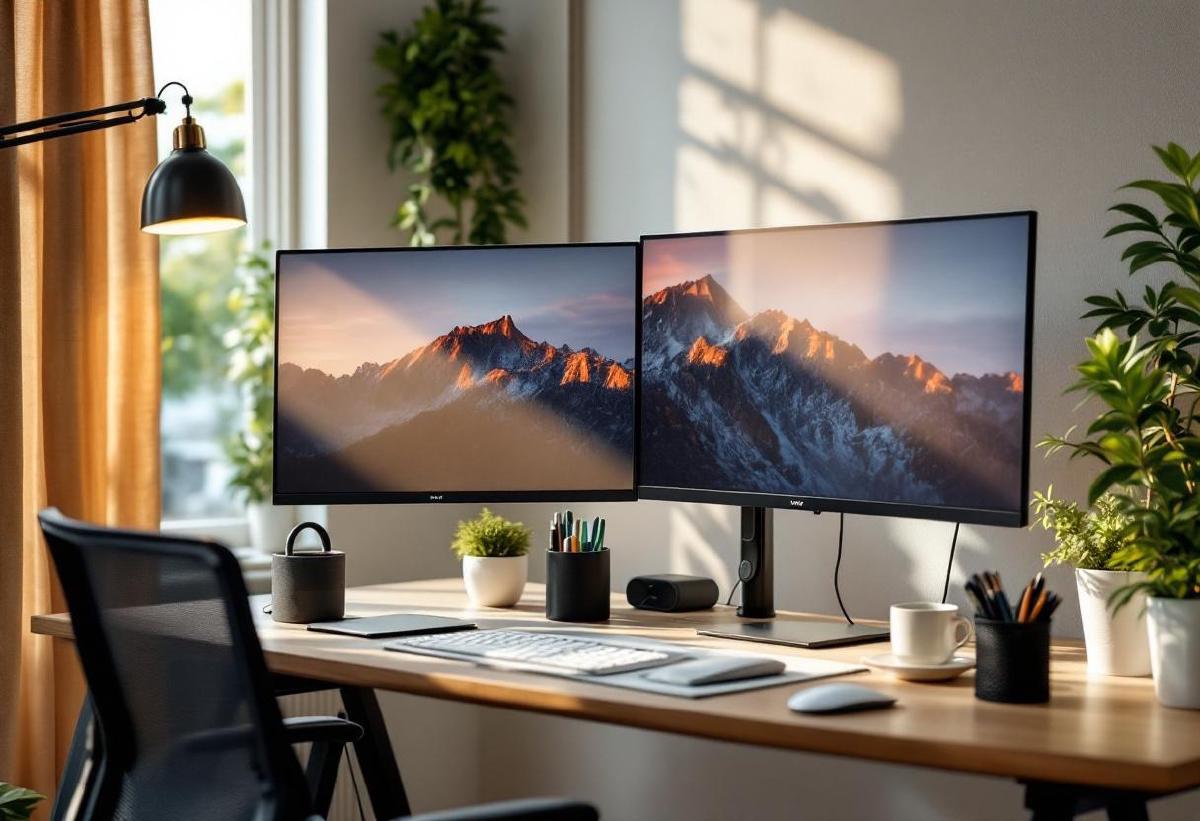
Running a dual monitor setup? StarTech’s privacy filter is our pick for multi-monitor configurations because of its ultra-thin profile and accurate size options that minimise the gap between adjacent screens.
What makes it great:
The slim 0.3mm thickness sits virtually flush against your monitor, which matters when two screens are side by side on a dual monitor arm — thicker filters create an annoying step between screens. The 60-degree privacy angle is effective, and StarTech’s matte anti-glare finish is among the best for reducing reflections from overhead lighting and windows.
The adhesive strip mounting is clean and low-profile, with a smooth slide-on/off action that works well even for recessed or thin-bezel monitors. Size options span 19" to 32" in precise increments, so you can match your exact monitor model. Blue light reduction (20%) is modest but present, and colour accuracy is good for a non-premium filter.
Where it falls short:
The privacy blackout at extreme angles isn’t as absolute as 3M — you might see faint screen glow rather than complete darkness. The mounting system doesn’t include tab options, only adhesive strips, which limits flexibility. At $65 per filter, outfitting a dual monitor setup costs $130 — at that point, you might consider whether a privacy screen for your portable monitor would be more cost-effective.
Verdict: The thin profile and precise sizing make StarTech the natural choice for dual and triple monitor setups where filter thickness affects the multi-screen experience. Solid privacy performance with the best anti-glare finish in the mid-range.
6. Photodon Privacy Filter — Best Custom Sizing #
Price: $90 on Amazon US | £78 on Amazon UK
Got a non-standard monitor? Curved display? Ultrawide? Photodon will custom-cut a privacy filter to your exact screen dimensions. No other brand offers this level of sizing flexibility.
What makes it great:
Photodon’s ordering process lets you specify exact screen dimensions down to the millimetre, and they cut the filter to fit. This is the only viable option for curved monitors, uncommon aspect ratios, or oversized displays that don’t match any standard privacy filter size. The 45-degree privacy angle is tighter than 3M’s 60-degree, providing more aggressive side-view protection.
The 45% blue light reduction is the highest in this list, making it double as a blue light filter for eye comfort during long sessions. The filter material is thicker and more rigid than most alternatives, which some users prefer for durability and a more solid feel against the screen. Photodon’s customer service and satisfaction guarantee are consistently praised.
Where it falls short:
$90 base price (more for larger sizes) puts it at the premium end, and you may wait 5-7 business days for custom cuts. The tighter 45-degree privacy angle means you need to sit more precisely centred — lean slightly to one side and you’ll notice darkening on the far edge of your screen. The rigid filter material is harder to attach and remove than flexible alternatives. No magnetic mount option.
Verdict: The go-to choice for non-standard monitor sizes and users who want the most aggressive blue light reduction. If standard sizes don’t fit your display, Photodon is your only real option — and thankfully, it’s a very good one.
How to Choose the Right Privacy Screen #
Measure Your Monitor #
Privacy screens are sized by diagonal screen measurement, not the monitor’s overall frame. Measure your actual display area. Most product listings include compatible monitor models — check these before buying, especially for bezel-less displays.
Privacy Angle: Wider vs. Tighter #
- 60-degree filters (most options): Block viewing from 30+ degrees off-centre. Good general protection.
- 45-degree filters (Photodon): Tighter protection, but you must sit centred.
- 30-degree filters (Kensington MagPro): Maximum privacy, but reduced viewing sweet spot.
For home offices where you’re the only viewer, 60-degree is usually sufficient. For public spaces like coffee shops, tighter angles provide better protection.
Mounting Methods #
- Adhesive strips — stick once, slide filter on/off. Works on most monitors with bezels.
- Tab mounts — clip to monitor edges. Less permanent, but less reliable.
- Magnetic — snap on/off instantly. Best for frequent removal but requires compatible bezels.
If you use a monitor arm and frequently adjust screen position, magnetic mounting is the most convenient.
Impact on Display Quality #
All privacy screens reduce brightness (typically 25-40%), shift colours slightly, and add a subtle matte texture to your display. Premium options (3M, Photodon) minimise these effects; budget options are more noticeable. Increase your monitor brightness to compensate, and if colour accuracy is critical, test the filter before committing.
Frequently Asked Questions #
Do privacy screens reduce monitor brightness? #
Yes, all privacy screens reduce brightness by approximately 25-40% depending on the brand and model. The micro-louver technology that blocks side viewing also blocks some of the light reaching you. You’ll need to increase your monitor’s brightness setting to compensate — most modern monitors have enough headroom that this isn’t a problem, but very dim or older displays may struggle.
Can you use a privacy screen on a curved monitor? #
Standard rigid privacy screens won’t fit curved monitors properly. Photodon offers custom-cut flexible options that can conform to slight curves, and some manufacturers make specific curved-monitor models. Check compatibility before purchasing — forcing a flat filter onto a curved screen will create air gaps and poor adhesion.
Do privacy screens protect against screen recording? #
No. Privacy screens only block the physical viewing angle — they prevent the person sitting next to you from seeing your screen. They cannot prevent screenshots, screen recordings, or camera-based capture from a device positioned directly in front of your monitor. For digital security, you need software-level protections.
Are privacy screens bad for your eyes? #
Not inherently. The matte anti-glare coating and blue light reduction that most privacy screens include can actually reduce eye strain compared to a bare glossy display. However, the brightness reduction means your eyes may work harder in very dim environments. Keep your desk lamp on and your room well-lit to counteract any dimming effects.
Can I leave a privacy screen on permanently? #
Yes. Many users install a privacy screen and never remove it. The anti-glare and blue light benefits make them practical for permanent use. Just be aware that the slight brightness reduction and matte texture become your new normal. If you do leave it on permanently, clean it regularly with a microfibre cloth — dust and fingerprints are more visible on matte surfaces.
What size privacy screen do I need for a 27-inch monitor? #
You need a privacy screen labelled for 27-inch monitors with your display’s aspect ratio (usually 16:9). The actual filter dimensions for a standard 27" 16:9 display are approximately 596mm × 335mm. Always verify against your specific monitor model — manufacturers list compatible models for each filter size. If your monitor has very thin bezels, check that the mounting method works without covering any screen area.
Securing your home office setup? Explore our guides to the best webcams for video calls, best mesh WiFi systems, and best smart plugs for home offices for a complete, secure workspace.