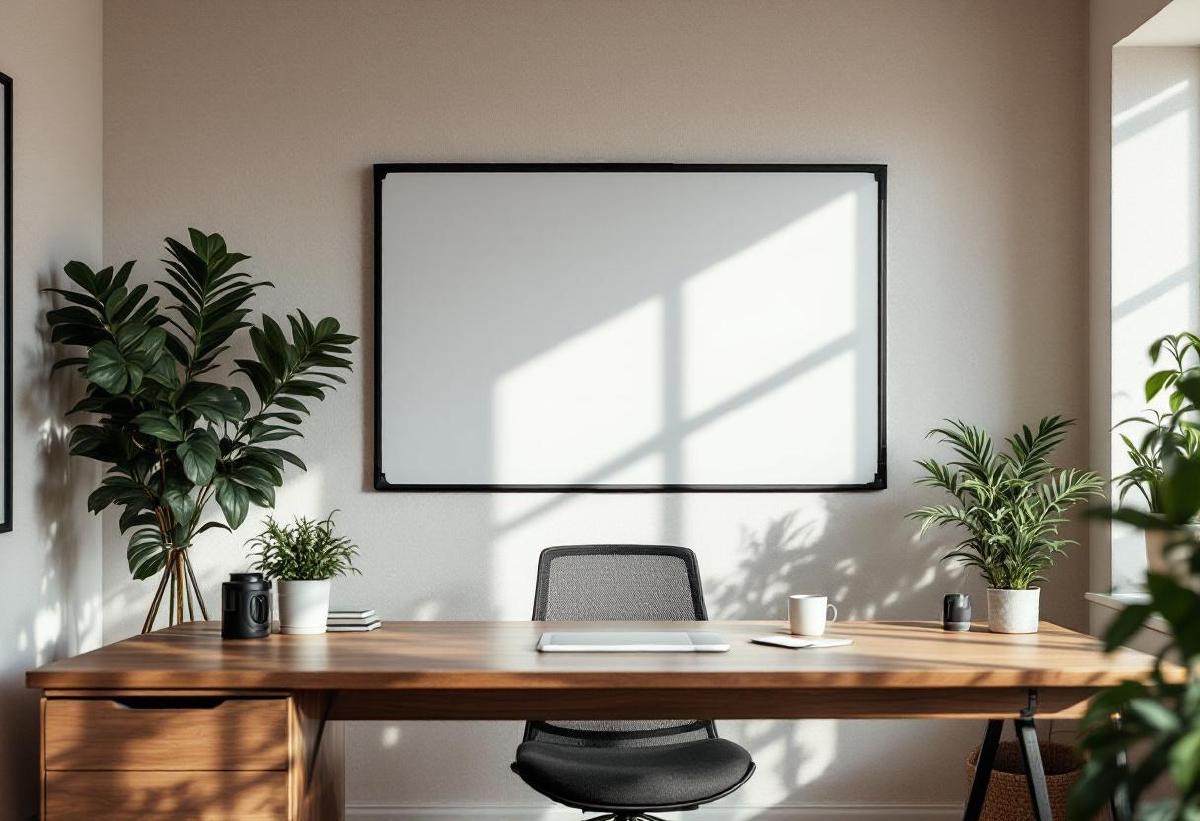
There’s something about physically writing an idea on a whiteboard that no digital tool replicates. Notion boards, Miro canvases, and sticky note apps all try, but the speed of picking up a marker and sketching a diagram during a moment of clarity — that’s analog magic. For home offices, a whiteboard turns a wall into a thinking surface. Project timelines, daily priorities, quick calculations, brainstorm dumps — it’s all visible at a glance without opening another browser tab.
If you’ve been relying on scattered sticky notes or a cramped notebook, a whiteboard is a genuine productivity upgrade. Combined with a proper desk setup and good lighting so you can actually read what you’ve written, it becomes the centrepiece of how you organise your work.
We’ve tested six whiteboards across different types — wall-mounted, glass, portable, and desktop — to find the best options for home office use.
Quick Comparison Table #
| Whiteboard | Price (USD/GBP) | Size | Type | Surface | Magnetic | Best For |
|---|---|---|---|---|---|---|
| Quartet Glass Whiteboard | $180 / £150 | 4×3 ft | Wall-mounted | Tempered glass | Yes | Best overall |
| VIZ-PRO Magnetic Board | $55 / £45 | 4×3 ft | Wall-mounted | Melamine | Yes | Best value |
| Quartet Brilliance Glass | $250 / £210 | 4×3 ft | Frameless glass | Tempered glass | Yes | Premium aesthetics |
| ThinkBoard X2 | $90 / £75 | 4×3 ft | Peel-and-stick | Film | No | Renters |
| Desktop Glass Board | $35 / £28 | 16×12" | Freestanding | Glass | No | Small desks |
| Poppin Mobile Board | $350 / £290 | 4×3 ft | Rolling stand | Lacquered steel | Yes | Flexible placement |
1. Quartet Glass Whiteboard — Best Overall for Home Office #
Price: $180 / £150 Check price on Amazon US → Check price on Amazon UK →
Glass whiteboards are the upgrade most people don’t know they want. Unlike traditional melamine or porcelain boards, glass never stains. Dry-erase markers wipe off completely — even if you accidentally leave writing up for weeks. That “ghosting” problem where old text permanently shadows a traditional whiteboard? Glass eliminates it entirely.
The Quartet Glass Whiteboard mounts flush to the wall with standoff hardware, creating a clean, modern look that doesn’t scream “corporate meeting room.” The tempered glass surface is smooth and satisfying to write on, and the magnetic backing lets you attach documents, reference cards, or photos with standard magnets.
At 4×3 feet, it provides enough space for serious brainstorming without dominating a wall. Installation requires four wall anchors — it’s a proper mounting job, not something you slap up with command strips. Budget 20 minutes and a drill. The result is worth the effort: it feels permanent, professional, and becomes a natural focal point during video calls.
Pros #
- Glass surface never stains or ghosts
- Magnetic — attach reference documents
- Modern, frameless flush-mount design
- Durable tempered glass
- Wipes clean with just a dry cloth
- Available in white, black, and frosted
Cons #
- Heavier than traditional boards — needs solid wall mounting
- Glass can show fingerprints and smudges
- Installation requires drilling (not renter-friendly)
- More expensive than traditional whiteboards
- Can produce glare under direct desk lamp light
2. VIZ-PRO Magnetic Dry-Erase Board — Best Value #
Price: $55 / £45 Check price on Amazon US → Check price on Amazon UK →
Not everyone needs a premium glass board. The VIZ-PRO delivers a perfectly functional magnetic whiteboard at roughly a third of the price. The melamine surface is smooth enough for clean writing, the aluminium frame adds structural rigidity, and the included mounting hardware makes installation straightforward.
For a home office where you need a thinking surface without overthinking the purchase, this is it. Write your priorities, sketch a diagram, erase, repeat. The magnetic surface holds papers and cards. The detachable pen tray keeps markers accessible. It works.
The trade-off is longevity. Melamine surfaces will ghost over time — after 6-12 months of heavy daily use, you’ll notice faint remnants of old writing. A whiteboard cleaner spray helps, but glass boards avoid this entirely. If you’re writing and erasing multiple times daily, budget for eventual ghosting. If you update weekly, it’ll look fine for years.
Pros #
- Excellent price for a full-size magnetic board
- Aluminium frame prevents warping
- Includes pen tray and mounting hardware
- Lightweight — easy to install and reposition
- Available in multiple sizes
- Smooth writing surface out of the box
Cons #
- Melamine surface will ghost over time
- Not as durable as glass or porcelain
- Frame looks more “office” than “home”
- Pen tray collects dust
- Surface can dent if hit with hard objects
3. Quartet Brilliance Glass Whiteboard — Best Premium Option #
Price: $250 / £210 Check price on Amazon US → Check price on Amazon UK →
The Brilliance is Quartet’s flagship glass board, and the differences from their standard model are noticeable. The InvisaMount system hides all mounting hardware behind the board — no visible screws, no standoff brackets, just glass floating on the wall. The effect is strikingly minimal. It looks like a design element, not office equipment.
The surface uses Quartet’s proprietary Total Erase treatment on tempered glass, which gives an ultra-smooth writing experience. Markers glide more freely than on standard glass, and erasing requires even less effort. It’s a subtle difference, but if you’re writing on the board daily, you’ll appreciate it.
This board also comes in a wider range of colours including black (white markers look incredible on it), which can become a genuine design statement in your office. The magnetic surface is strong enough for heavier magnets with stacked papers.
Pros #
- InvisaMount hidden hardware — nothing visible from front
- Ultra-smooth Total Erase glass surface
- Available in black, white, and several colours
- Strong magnetic surface
- Never ghosts or stains
- Premium build quality and finish
Cons #
- Significantly more expensive than standard glass boards
- InvisaMount still requires wall drilling
- Heavy (40+ lbs for 4×3 ft) — may need help installing
- Black surface shows dust more readily
- Premium price for what is still fundamentally a whiteboard
4. ThinkBoard X2 — Best for Renters #
Price: $90 / £75 Check price on Amazon US → Check price on Amazon UK →
If you rent your home and can’t drill into walls, the ThinkBoard X2 is the solution. It’s a peel-and-stick whiteboard film that adheres to any smooth, flat surface — walls, doors, windows, even the side of a bookshelf. The adhesive is repositionable and removable without damaging paint, making it genuinely renter-friendly.
The writing surface is surprisingly good for what’s essentially a sophisticated sticker. Dry-erase markers write and erase cleanly, though the surface isn’t as buttery as glass. The film is clear, so the wall colour shows through — it looks like you’ve turned your wall into a whiteboard rather than sticking something on it.
The X2 connects to the ThinkBoard app via your phone camera, letting you photograph and digitise your board content. It’s a nice bridge between analog brainstorming and digital archiving — write ideas on the board, snap a photo, and it imports a clean version into your notes.
Pros #
- No drilling — peel-and-stick adhesive
- Removable without damaging walls (renter-friendly)
- Clear film lets wall colour show through
- App integration for digitising board content
- Can be cut to custom sizes
- Works on walls, doors, windows, and furniture
Cons #
- Not magnetic — can’t attach papers
- Surface quality below glass or porcelain
- Adhesive can weaken on textured walls
- Bubbles possible if not applied carefully
- More expensive per square foot than traditional boards
- Will ghost faster than glass surfaces
5. Desktop Glass Note Board — Best for Small Desks #
Price: $35 / £28 Check price on Amazon US → Check price on Amazon UK →
Not every home office has wall space for a full board. Desktop glass boards sit on your desk like a small picture frame, providing a quick-reference writing surface within arm’s reach. They’re ideal for daily task lists, phone numbers during calls, quick calculations, or reminders you need visible while working.
At 16×12 inches, it won’t replace a full whiteboard for brainstorming. But as a constantly visible to-do surface next to your monitor, it’s more useful than you’d expect. The glass surface won’t ghost, the non-slip base keeps it stable, and it wipes clean with a finger.
Several designs are available — some freestanding, some with a slight lean angle. Look for ones with a small marker tray built into the base. It’s a small, inexpensive addition to your desk that you’ll use more than you think.
Pros #
- No wall mounting needed — sits on desk
- Glass surface won’t ghost or stain
- Perfect for daily task lists and quick notes
- Compact footprint alongside existing desk accessories
- Inexpensive entry point into whiteboard use
- Multiple colour options (white, black, clear)
Cons #
- Very limited writing space (16×12")
- Not magnetic on most desktop models
- Can tip if bumped
- No digital integration
- Marker tray quality varies by brand
- Won’t replace a full whiteboard for brainstorming
6. Poppin Mobile Whiteboard — Best for Flexible Placement #
Price: $350 / £290 Check price on Amazon US → Check price on Amazon UK →
The Poppin Mobile Whiteboard sits on a rolling stand with locking casters, so you can position it anywhere — beside your desk for daily planning, facing your webcam for client presentations, or tucked in a corner when not needed. It’s double-sided, giving you 48 square feet of combined writing surface.
The lacquered steel surface is both magnetic and durable, with a quality that sits between melamine and glass. It won’t ghost as quickly as cheap boards, and magnets hold firmly. The modern design with clean lines and a minimal frame looks more “design studio” than “conference room.”
The mobility is the killer feature. In a home office that doubles as other spaces, being able to roll a full-size whiteboard out of sight is invaluable. During focused work, pull it next to your desk. During a video call, angle it toward the camera. After work, roll it to a corner. No other whiteboard type offers this flexibility.
Pros #
- Rolling stand — position anywhere, store anywhere
- Double-sided for double the writing surface
- Magnetic lacquered steel surface
- Locking casters for stability during use
- Modern design that fits home aesthetics
- No wall mounting required
Cons #
- Most expensive option in this list
- Takes up floor space even when not in use
- Rolling stand less stable than wall-mounted boards
- Surface quality below glass
- Limited availability outside the US
- Assembly required (30 minutes)
How to Choose the Right Whiteboard #
Wall-mounted vs. freestanding depends on your space. If you have a dedicated office with walls you can drill into, wall-mounted glass boards offer the best surface quality and aesthetics. If you rent or need flexibility, the ThinkBoard or Poppin are better options.
Surface material matters long-term. Glass never ghosts. Porcelain resists ghosting for years. Melamine ghosts within months of heavy use. For daily writing and erasing, glass is worth the premium.
Size depends on usage. For daily task lists, a desktop board suffices. For brainstorming sessions and project planning, you want at least 3×2 feet. For full visual planning with timelines and diagrams, go 4×3 feet.
Magnetic is a bonus, not a requirement. Being able to pin reference documents is useful, but not essential if your whiteboard is purely for writing. Don’t let the absence of magnetism disqualify an otherwise perfect board.
Frequently Asked Questions #
What markers work best on glass whiteboards? #
Standard dry-erase markers work fine on glass, but liquid chalk markers write smoother and in more vibrant colours. For regular dry-erase use, Expo low-odour markers are the standard. Avoid permanent markers — while they can technically be removed from glass with rubbing alcohol, it’s not worth the risk.
How do I prevent whiteboard ghosting? #
Use glass boards (they don’t ghost). For melamine boards, clean weekly with a dedicated whiteboard cleaner, not just the eraser. Avoid leaving writing up for more than 48 hours. Replace markers regularly — old, dried-out markers deposit more pigment. And use high-quality markers from Expo or Quartet rather than cheap alternatives.
Can I use a whiteboard as a video call background? #
Yes, and it’s actually a great look for certain professions. A glass whiteboard with project notes or diagrams behind you signals that you’re actively working and thinking. Position it 3-5 feet behind your chair so it’s visible but not distractingly detailed. A monitor light bar helps illuminate the board without glare.
Are whiteboard alternatives like dry-erase paint worth it? #
Dry-erase paint turns an entire wall into a whiteboard surface, which sounds amazing but has practical issues: the surface quality is inconsistent, application is fussy (bubbles, uneven coating), and it’s permanent — you can’t take it with you. For a guaranteed good experience, a dedicated board is more reliable.
How do I mount a whiteboard without damaging walls? #
For renters: ThinkBoard peel-and-stick film, 3M Command strips (for lighter boards under 10 lbs), or freestanding/rolling options. For homeowners: standard wall anchors into studs are the most secure. Glass boards specifically need proper wall anchors due to their weight — don’t rely on drywall alone.
What size whiteboard do I need for a home office? #
For quick notes and daily tasks: 2×1.5 ft or a desktop board. For project planning and brainstorming: 4×3 ft is the sweet spot — large enough to work with, small enough for a standard wall. Avoid going too large; a 6×4 ft board in a small office dominates the room and the top sections become hard to reach.
The Bottom Line #
For most home offices, the Quartet Glass Whiteboard hits the ideal balance: a stain-proof glass surface that stays pristine, magnetic capability, clean wall-mount aesthetics, and a price that’s reasonable for something you’ll use daily. If budget is the priority, the VIZ-PRO does the job for a third of the price — just accept that ghosting will eventually happen. Renters should go straight to the ThinkBoard X2 and avoid the wall-mounting question entirely.
A whiteboard is one of those purchases that seems unnecessary until you have one. Once it’s up, it becomes the place where half your best ideas land first — and that alone makes it worth the wall space.